



Agent Droid Bridge
A FastMCP server that gives AI agents programmatic control over Android devices and emulators via ADB.
Demo
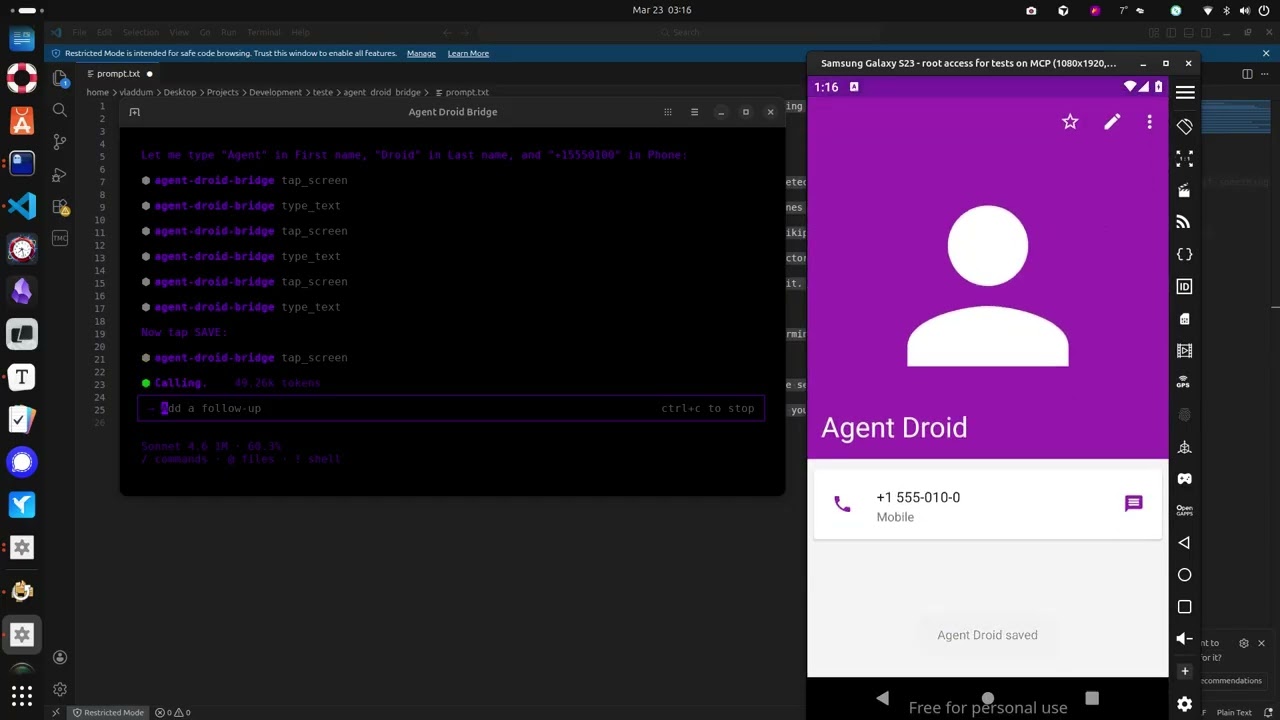

Install
uvx agent-droid-bridge
No cloning or virtual environments needed. Requires Python 3.11+ and ADB installed on your host.
What it does
- Exposes 11 MCP tools covering screen interaction, UI inspection, text input, and arbitrary ADB commands
- Auto-detects the connected device when only one is present; presents a device list and requires the user to choose when multiple are connected
- Parses all commands safely via
shlex— no shell injection possible - Runs over stdio, making it compatible with any MCP-capable AI client
Quick start
- Install ADB — see docs/setup.md for platform-specific instructions
- Connect an Android device or start an emulator
- Add the server to your MCP client config:
{
  "mcpServers": {
    "agent-droid-bridge": {
      "command": "uvx",
      "args": ["agent-droid-bridge"],
      "env": {
        "ADB_EXECUTION_MODE": "unrestricted",
        "ADB_ALLOW_SHELL": "true"
      }
    }
  }
}
- Prompt your agent to use the
agent-droid-bridgeMCP tools
Full setup guide: docs/setup.md
Tools
| Tool | What it does |
|---|---|
get_ui_hierarchy | Returns the current screen as an XML UI hierarchy |
take_screenshot | Captures the screen as a base64-encoded PNG |
tap_screen | Sends a tap gesture at pixel coordinates |
swipe_screen | Sends a swipe gesture between two points over a given duration |
type_text | Types text into the focused input field |
press_key | Sends an Android keycode event (Back, Home, Enter, etc.) |
launch_app | Launches an app by its package/activity component name |
execute_adb_command | Runs an arbitrary ADB or ADB shell command |
list_devices | Lists all Android devices currently visible to ADB with their serial, state, and model |
snapshot_ui | Takes a lightweight UI snapshot and returns a token for use with detect_ui_change |
detect_ui_change | Polls for a UI change after an action; accepts a snapshot token as baseline; returns hierarchy only when requested |
Full parameter reference: docs/tools.md
Documentation
| File | Description |
|---|---|
| docs/setup.md | Prerequisites, installation, and MCP client configuration |
| docs/tools.md | Full parameter reference for all 11 tools |
| docs/configuration.md | Reference for adb_config.yaml and environment variables |