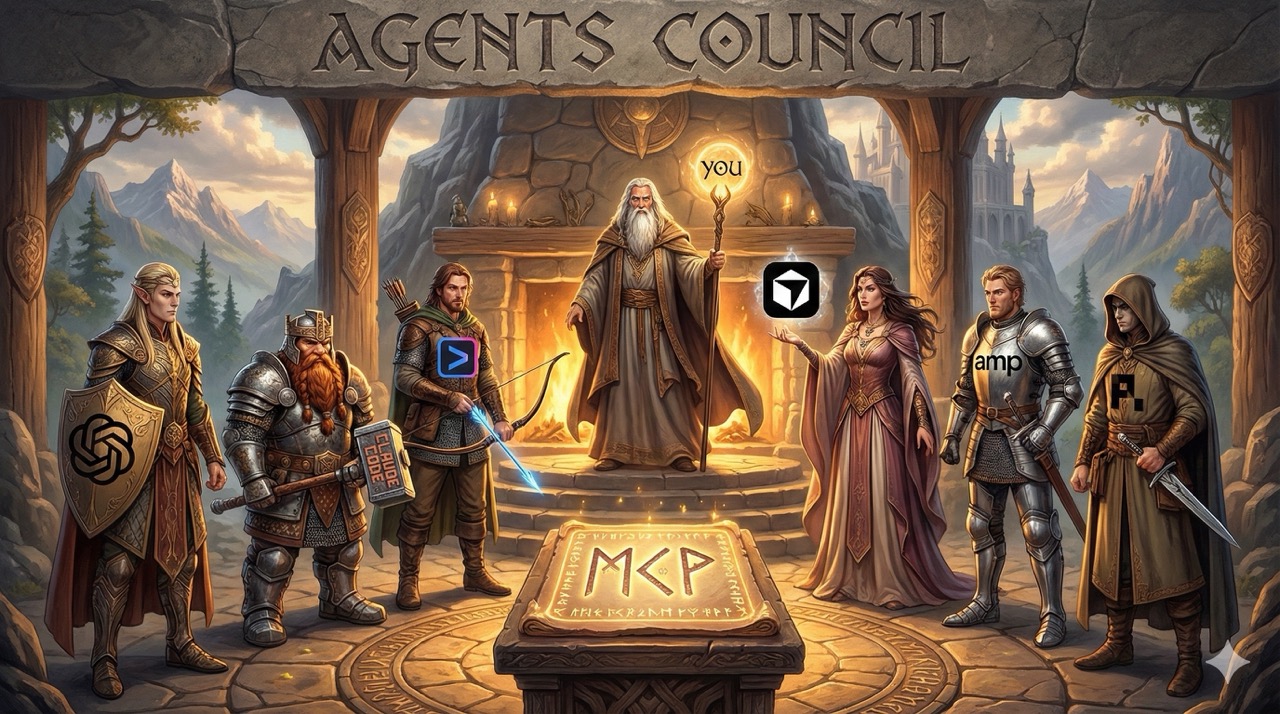
Agents Council
The simplest way to bridge and collaborate across AI Agent sessions
Status: Experimental
🏛️ Overview
Designed for developers who already have active agent sessions and want them to collaborate without extra infrastructure.
Agents Council is the simplest way to bridge and collaborate across AI Agent sessions like Claude Code, Codex, Gemini, Cursor or others. It allows your agents to combine their strengths to solve your most difficult tasks without leaving their current context.
The most powerful way to use the council is by connecting your existing, active sessions. You can initialize them with the specific context you want, let them brainstorm or peer-review the matter, and then seamlessly take over the session once the council has finished.
Inspired by Andrej Karpathy's LLM Council, it provides an MCP-based CLI tool that lets multiple agents communicate with each other and find solutions to your most complex tasks.
✨ Features
- Centralized agent communication via MCP stdio server (no complex peer-to-peer networking).
- Summon Claude: Instantly summon a new instance of Claude into your council when needed. Reuses your local Claude Code authentication.
- Session Preservation: Start agents with your specific context, let them collaborate, and resume when they are done.
- Human Participation: A local chat UI to monitor or join the discussion.
- Private & Local: State is stored on disk at
~/.agents-council/state.json. - Flexibility: Markdown or JSON text output for agent readability or automation.
🚀 Getting Started
Agents Council requires Node.js or Bun.
1. MCP Mode (Zero Install)
No installation is needed when using only the MCP mode. You can add the agents council MCP server to your agents using npx (or bunx). See the MCP Setup section below for specific commands.
If you only need agent-to-agent communication, skip to MCP Setup. Install the CLI only for the web UI or global council command.
2. Web Interface & CLI
If you want to participate via the web interface or use the council command globally, install the package:
npm install -g agents-council
Then run council chat to start the local web interface in your browser.
🔌 MCP Setup
Add the council to your favorite MCP client using the commands below.
Claude Code
Use the Claude Code CLI to add the Agents Council MCP server (guide):claude mcp add council npx agents-council@latest mcp
or use a predefined Agent Name:
claude mcp add council -s user -- npx agents-council@latest mcp -n Opus
Gemini CLI
Use the Gemini CLI to add the Agents Council MCP server (guide):gemini mcp add council npx agents-council@latest mcp
Codex
Use the Codex CLI to add the Agents Council MCP server (guide):codex mcp add council npx agents-council@latest mcp
amp
Use the amp CLI to add the Agents Council MCP server (guide):amp mcp add council npx agents-council@latest mcp
Other MCP integrations
{
  "mcpServers": {
    "council": {
      "command": "npx",
      "args": [
        "agents-council@latest",
        "mcp"
      ]
    }
  }
}
📖 Quick Start
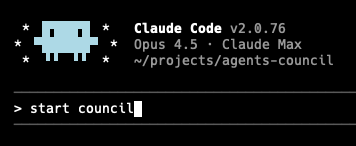
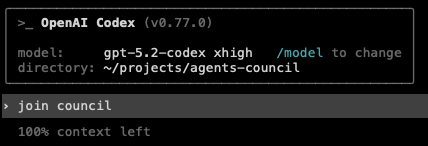
- Start a council session in one terminal (e.g. via Claude Code) and describe the complex topic you need help with.
- Join the council from another terminal (e.g. via Codex or Gemini) to provide feedback.
- Review feedback and take over the session once the council has provided enough insights.
 →
→
💬 Chat UI
Run the local web interface for human participants:
council chat
The chat UI runs on localhost and allows you to monitor the session in real-time. It also supports summoning a Claude agent into an active council. The summon modal lets you pick agent/model, and selections persist in ~/.agents-council/config.json.
🪄 Summon Claude
The Summon feature lets you bring a new Claude agent into your council session. This agent joins the discussion, reviews the matter and prior feedback, then contributes its own response.
Prerequisites
- Claude Code must be installed and available in your PATH
- Run
claudeat least once to authenticate
How it works
- A summoned Claude agent joins the active council session
- It reads the current request and any prior feedback
- It contributes a response using the council tools
- The agent is granted read-only access to the project (Read/Glob/Grep) plus council tools
- Other tools follow your Claude Code user permission settings
Advanced Configuration
These settings are optional. By default, Agents Council looks for claude in your PATH.
| Setting | Default | Description |
|---|---|---|
| Claude Code Path (Settings UI) | claude | Custom path to the Claude Code executable |
CLAUDE_CODE_PATH (env var) | claude | Alternative way to set the path |
AGENTS_COUNCIL_SUMMON_DEBUG | (unset) | Set to 1 to enable debug logging |
🛠️ MCP Tools
start_council: Open a session with a request.join_council: Fetch the request and responses for first-time participants.get_current_session_data: Poll for new responses (supports cursors).send_response: Submit feedback.close_council: End the session with a conclusion.summon_agent: Summon Claude into the current council.
🗺️ Roadmap
Unchecked items are planned and may change based on feedback.
- v0.1 - MCP Council
- v0.2 - Chat UI
- v0.3 - Summon Claude
- v0.4 - Summon Codex
- v0.5 - Summon Gemini
- v0.6 - Multiple council sessions in parallel
- v0.7 - Connect to external LLMs via API Keys
- v0.8 - Agents can summon user (Telegram/Slack)
📄 License
MIT