


🤖 AndroJack — The Jack of All Android Trades
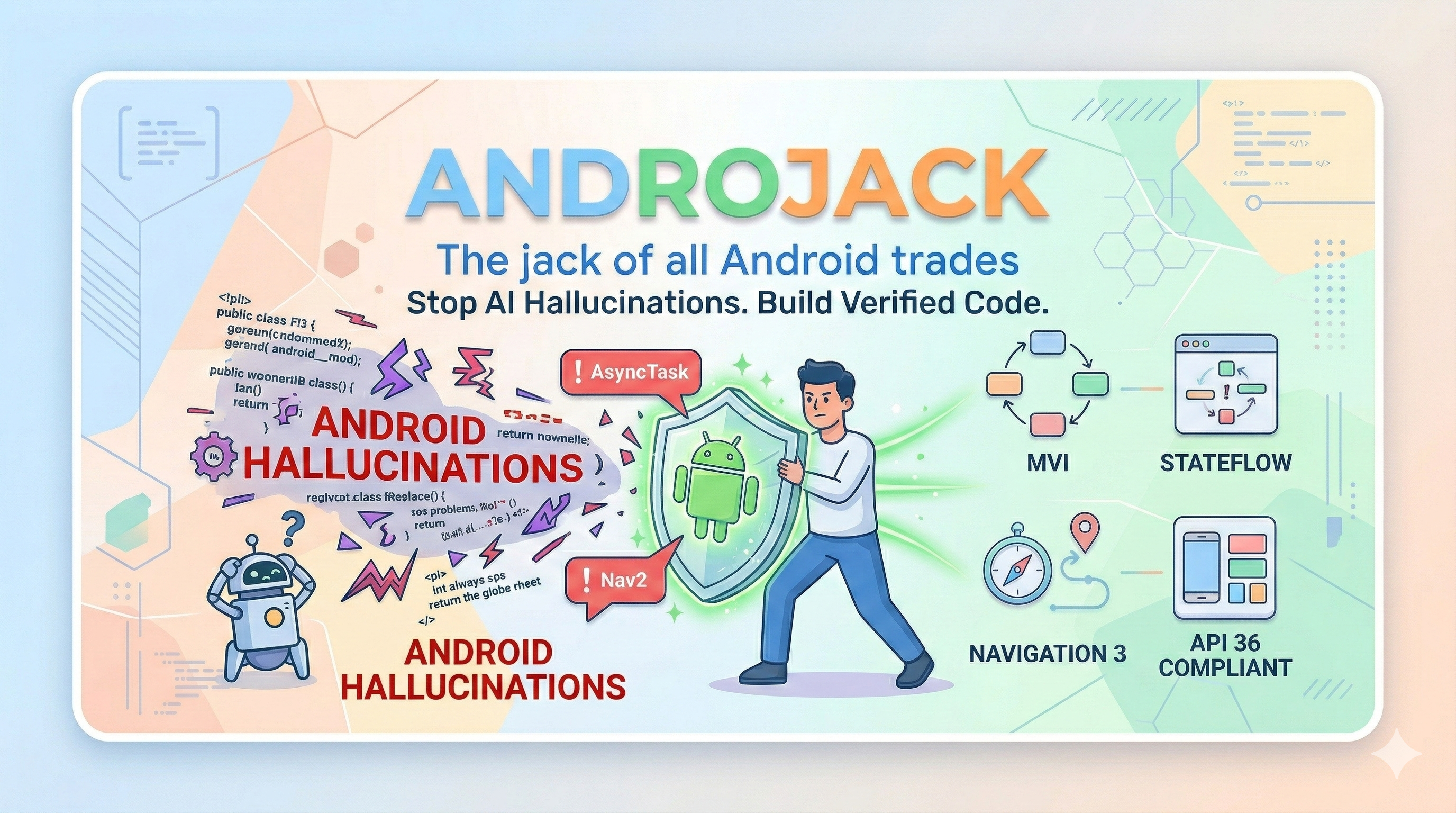
🎬 Discover AndroJack


An MCP server that equips your AI coding assistant with live, verified Android knowledge — so it builds from official sources, not from memory.









🚀 One-Click Install





VS Code distribution: AndroJack MCP is also live on the VS Code Marketplace as AndroJack MCP for VS Code. The VS Code badge above always reflects the currently published Marketplace version.
PM / APM docs: Product strategy, JTBD, personas, roadmap, user stories, competitive analysis, and GTM materials now live under product-management/README.md.
Also works with: Windsurf · VS Code Copilot · Google Antigravity · JetBrains AI — see Manual Config below ↓
🔥 The Crisis That Created This Tool
In 2025, the Stack Overflow Developer Survey asked 49,000 developers about their experience with AI coding tools. The results should alarm every Android engineer:
- 84% of developers now use AI coding tools — up from 76% the year before.
- Trust in AI accuracy collapsed from 40% to just 29% in a single year.
- 35% of all Stack Overflow visits in 2025 are now triggered by developers debugging and fixing AI-generated code.
The gap between usage and trust is not a coincidence. It is the product of a structural problem: AI models predict tokens, not APIs. They were trained on a snapshot of the world and have no mechanism to know what changed at API 30, what shipped at Google I/O 2025, or what Google Play now rejects at review time.
For Android developers, this failure mode is uniquely dangerous. Android has the fastest-moving ecosystem in mobile development — a new Compose BOM every month, Navigation 3 going stable after seven years of Nav2, Android 16 rewriting the rules on screen orientation locking — and most AI tools have training data that is six months to two years stale by the time you use them.
The result is not just bad code. It is confidently bad code.
⚡ What Actually Breaks In Practice — Documented Evidence
These are not hypothetical risks. They are documented failure modes from real developer projects.
The Navigation 3 Hallucination (January 2026)
A published case study from Atomic Robot documented a live Navigation 2 → Navigation 3 migration using both Gemini and Claude — with internet access enabled on both. The conclusion, verbatim:
"LLMs still hallucinate versions. Even with internet access, both agents wanted to use an outdated release candidate instead of the stable 1.0.0 release."
Navigation 3 went stable in November 2025 after seven years of the same library. It is a complete architectural rethink: back stacks are now plain Kotlin lists, the monolithic nav graph is gone, and NavDisplay replaces NavController. Google's own migration guide is so aware that AI tools get this wrong that it now contains special "AI Agent:" annotations — instructions embedded directly in the official docs for AI tools to follow. An AI tool that generates Nav2 code for a new Compose project in 2026 is not making a small mistake. It is creating an architectural incoherence that requires a full rewrite to fix.
The Compose Deprecation Treadmill
Jetpack Compose ships a new BOM every month. Since most models' training cutoffs, these APIs changed:
| API | Status | What goes wrong |
|---|---|---|
ContextualFlowRow / ContextualFlowColumn | Deprecated in Compose 1.8 | AI still generates them — compile warning today, removal tomorrow |
TestCoroutineDispatcher | Removed from coroutines-test 1.8+ | AI still generates it — causes non-deterministic test failures in CI |
FlowRow overflow parameter | Deprecated in 1.8 | Subtle behavioral regression at runtime, silent in most linting setups |
AnchoredDraggableState.confirmValueChange | Deprecated | Incorrect drag behavior at anchor boundaries |
| Navigation 2 in new projects | Superseded by Nav3 stable Nov 2025 | Architectural dead-end that requires a rewrite to fix |
Every one of these compiles. Most run without errors. The bugs surface later in CI flakiness, UI regressions, or Play Store review failures — and the developer has no idea the AI was confidently wrong.
The Android 16 / API 36 Mandate (August 2026 deadline)
Android 16 made a platform-level change affecting every published app: on devices ≥600dp — tablets, foldables, ChromeOS — apps can no longer lock screen orientation or restrict resizability. Google Play requires API 36 targeting by August 2026.
An AI tool generating android:screenOrientation="portrait" or android:resizeableActivity="false" today is generating code that will trigger App Compatibility warnings in Play Console, fail large-screen quality checks, and get apps demoted in Play Store search results.
The business impact is not theoretical: Foldable users spend 14× more on apps than phone-only users. Tablet + phone users spend 9× more. FlipaClip saw 54% growth in tablet users within four months of going adaptive.
The KMP Silent Failure
Kotlin Multiplatform went mainstream in 2025 — over 900 new KMP libraries published, Room added KMP support, companies now hire specifically for KMP skills. When a developer on a KMP project asks an AI tool to add database support, the AI generates Android-only Room code. It compiles. It runs perfectly on Android. The iOS build fails. The developer spends hours debugging before realizing the root cause: their AI tool does not know KMP exists.
🧩 What AndroJack Does
AndroJack is a documentation-grounded Android engineering MCP server. It gives your AI coding assistant 21 specialized tools that fetch live, verified answers from official Android and Kotlin sources — instead of predicting from stale training data.
It does not make the AI smarter. It makes the AI accountable to evidence.
Think of it as a pre-build linter for LLMs. While other tools retrieve documentation, AndroJack acts as a strict architectural gatekeeper.
Without AndroJack: You ask → AI predicts from stale weights → Code (possibly wrong)
With AndroJack: You ask → AI calls tool → Tool fetches official source live → AI reads verified answer → Code (grounded)
⚠️ Honest Activation Model — Two Levels
This is the most important thing to understand before you install AndroJack:
| Level | What's Active | What the AI Does |
|---|---|---|
| Level 1 — Tools only installed | 21 tools registered in IDE | AI may call the right tool. Depends on the IDE and the AI's judgment. |
| Level 2 — Tools + Grounding Gate prompt loaded | 21 tools + mandatory pre-generation rulebook | AI must call the correct tool for every decision before writing code. |
| Level 3 — Level 2 + android_code_validator | Full loop: fetch → generate → validate → fix | AI validates every code block against 24 rules. Errors must be fixed before the user sees the code. |
Level 1 is passive. The tools are available but the AI decides when to use them. An AI building a Compose screen may call architecture_reference but skip material3_expressive — and ship M3E violations silently.
Level 2 is active. The androjack_grounding_gate system prompt maps every task type to the correct tool. Building Compose UI? The AI is mandated to call material3_expressive first. Adding a dependency? It must call gradle_dependency_checker. No exceptions.
Level 3 is the loop-back. android_code_validator runs on every code block the AI generates before returning it to the user. 24 rules covering removed APIs, deprecated patterns, and Android 16 compliance. Verdict FAIL means the AI must fix and re-validate — the user never sees the broken code.
→ For full grounding, always activate Level 2 + Level 3. See Getting the Full Guarantee below.
🪲 What Can Still Break — Even at Level 3
[!IMPORTANT] AndroJack is a documentation-grounding and API-validation tool. It is not a Compose layout engine, a design system enforcer, or a runtime renderer. Level 3 catches removed APIs and deprecated patterns. It cannot catch every class of Android bug. This is not a limitation of AndroJack — it is a fundamental property of static text analysis applied to a visual, runtime-rendered UI framework.
The following bugs were encountered in a real Android app built with AndroJack at Level 2 (v1.4.0). They are documented here honestly so you know exactly what to watch for — and where to reach for different tools.
✅ What Level 3 Catches
These are the bugs AndroJack was designed to prevent. The rule engine fires on these:
// ❌ REMOVED — android_code_validator fires: REMOVED_ASYNCTASK
class MyTask : AsyncTask<Void, Void, String>()

// ❌ REMOVED — fires: REMOVED_TEST_COROUTINE_DISPATCHER
val dispatcher = TestCoroutineDispatcher()

// ❌ DEPRECATED — fires: DEPRECATED_CONTEXTUAL_FLOW_ROW
ContextualFlowRow { Text("hello") }

// ❌ LEAK — fires: GLOBALSCOPE_LAUNCH
GlobalScope.launch { fetchData() }
⚠️ What Level 3 Cannot Catch — And Why
[!WARNING] The following bugs were found in a real project. They are valid, API-current Compose code that violates design system constraints, accessibility minimums, or architectural boundaries. Static text scanning cannot detect them.
Bug PH-UI-001 — Segmented button text truncation
// Compiles and runs. Level 3 sees no violation.
// The bug: Text inside MultiChoiceSegmentedButtonRow truncates because a
// fixed height modifier prevents the Roboto Flex variable font from expanding.
MultiChoiceSegmentedButtonRow {
    SegmentedButton(/* fixed height modifier */) {
        Text("Light")
    }
}
[!NOTE] This is an absence bug. The correct modifier is missing — no wrong one is present. Use visual testing or runtime inspection.
Bug PH-UI-003 — Disabled button contrast failure
// Correct Material 3 API. Level 3 sees no violation.
// The bug: disabled state colours fail WCAG AA 4.5:1 contrast against surface.
Button(enabled = false, onClick = {}) {
    Text("INITIALIZE VAULT")
}
[!NOTE] This is a runtime visual property bug. Use paparazzi screenshot tests or Google's Accessibility Scanner.
Bug PH-AR-004 — Raw stack trace rendered to end user
// A missing try/catch produces no pattern match.
class VaultViewModel : ViewModel() {
    fun initializeVault() {
        viewModelScope.launch {
            val result = repository.initialize() // Missing try/catch
            _uiState.value = UiState.Success(result)
        }
    }
}
[!WARNING] UDF architecture violations require Detekt with custom rules or unit tests verifying exception mapping.
🗂️ Defence-in-Depth: The Right Tool for Each Bug Class
| Bug Class | Real Example | Right Tool |
|---|---|---|
| Removed / deprecated API | AsyncTask, TestCoroutineDispatcher | ✅ AndroJack Level 3 |
| Android 16 violations | screenOrientation, resizeableActivity=false | ✅ AndroJack Level 3 |
| Architecture (flagged root) | GlobalScope leaking to UI | ✅ AndroJack Level 3 |
| Absent modifier / missing constraint | PH-UI-009 (innerPadding) | 🔧 Android Lint / IDE inspector |
| Runtime contrast / colour failures | PH-UI-003 (WCAG) | 🔧 paparazzi + Accessibility Scanner |
| Touch target violations | PH-UX-008 | 🔧 Accessibility Scanner |
| Architecture boundary (missing catch) | PH-AR-004 (stack trace to UI) | 🔧 Detekt + ViewModel unit tests |
🎯 The Killer Argument
"Can your
agents.mdfile tell me the Gradle version that shipped last Tuesday?"
No markdown file can. No rules in .cursorrules can. No SKILL.md can.
✅ Only a live tool call can.
That's the job AndroJack exists to do — and nothing else in the current ecosystem does it for Android specifically.
| What you need | agents.md / SKILL.md | AndroJack MCP |
|---|---|---|
| Format output a specific way | ✅ Perfect | Works too |
| Follow team conventions | ✅ Perfect | Works too |
| Latest Gradle version right now | ❌ Guesses from memory | ✅ Fetches live |
| Is AsyncTask removed? | ❌ May be wrong | ✅ Verified against SDK |
| Android 16 Play Store rules | ❌ Unknown | ✅ Official source |
Prompt engineering controls how the AI responds. MCP controls what the AI knows.
✨ What AndroJack Covers — 21 Tools
| # | Tool | What It Does | What Breaks Without It |
|---|---|---|---|
| 1 | 🔍 search | Live search across official Android/Kotlin docs | AI reasons from memory — possibly wrong today |
| 2 | ⚠️ component | Deprecated/removed check on 40+ APIs | Compiles fine, breaks at runtime/review |
| 3 | 📐 architecture | Guides for 40+ topics — MVVM, Nav3, MVI... | AI gives 2022 advice; misses Nav3 |
| 4 | 🐛 debugger | Parses stacktraces → searches Issue Tracker | AI hallucinates fixes for known bugs |
| 5 | 📦 gradle | Live lookup from Google Maven + BOM resolution | Stale Compose BOM, KAPT instead of KSP |
| 6 | 📊 api-level | API 21–36 table, minSdk warnings | API 26+ calls in minSdk 21 apps |
| 7 | 🎯 kotlin | 10 patterns — coroutines, MVI, Compose state | GlobalScope.launch, runBlocking in UI |
| 8 | 🎨 m3e | Material 3 Expressive components & Motion | M2 MaterialTheme in M3E app |
| 9 | 🔐 permissions | 40+ permissions rules & contracts | deprecated requestPermissions() |
| 10 | 🧪 testing | Unit/Compose UI testing official patterns | Thread.sleep() in tests; missing Hilt |
| 11 | 🏗️ build | R8, libs.versions.toml, signing, AAB | implementation instead of ksp |
| 12 | 📱 large-screen | WindowSizeClass, Adaptive Scaffolds | Phone-only layouts on foldables |
| 13 | 🚀 scalability | Paging 3, WorkManager, modularization | Naive loadAll(); unstable keys in lists |
| 14 | 🧭 nav3 | Nav3 (Nov 2025) — Scenes, migration | AI generates Nav2 dead-ends |
| 15 | ✅ compliance | API 36 / Android 16 / 16 KB page size | Apps fail Play Store August 2026 mandate |
| 16 | 🌐 kmp | Room KMP, Ktor, source sets | Android-only code in KMP projects |
| 17 | 🤖 ondevice-ai | AICore, ML Kit Gen AI, Gemini Nano | Cloud-only AI when offline is required |
| 18 | 📋 policy | Play Store age-gating, health, data safety | Apps rejected for unknown policy changes |
| 19 | 🥽 xr | Android XR SDK, SpatialPanel, Orbiter | Works as 2D panel, misses spatial value |
| 20 | ⌚ wear | Tiles, Health, M3 Expressive for Wear OS | Handheld patterns on round displays |
| 21 | 🛡️ validator | Level 3 loop-back validation gate | AI ships broken code without checking |
🚀 Quick Start — Zero Install Required
Option 1 — Interactive CLI (v1.6.1) ✨ Recommended
npx androjack-mcp@1.6.1 install
Launches a full animated terminal wizard with auto-detection for VS Code, Cursor, Claude, Windsurf, JetBrains, Kiro, and Antigravity.
Option 2 — Targeted installs
# Auto-detect all
npx androjack-mcp@1.6.1 install --auto

# Install to specific IDE
npx androjack-mcp@1.6.1 install --ide=cursor
npx androjack-mcp@1.6.1 install --ide=claude
npx androjack-mcp@1.6.1 install --ide=vscode
npx androjack-mcp@1.6.1 install --ide=jetbrains
Option 3 — Test without IDE
npx @modelcontextprotocol/inspector npx androjack-mcp@1.6.1
📍 The Ecosystem: AndroJack vs. Other MCPs
| Feature | Google Developer Knowledge MCP | AndroJack MCP |
|---|---|---|
| Identity | The Librarian (Information) | The Gatekeeper (Enforcement) |
| Mechanism | Context Retrieval | Context Enforcement |
| Scope | Generalist — Firebase, Cloud, Maps | Android engineering specialist |
| Tools | 3 retrieval tools | 21 specialized tools |
| Setup | Google Cloud project + API key required | npx androjack-mcp@1.6.1 — zero auth |
| Enforcement | Passive — AI decides when to retrieve | Active — mandating calls by task type |
🔒 Security & Privacy
- Domain allowlist: Requests only to Google/Android/Kotlin official domains.
- Transparent agent: User-Agent:
AndroJack-MCP/1.6.1. - Read-only: All 21 tools are annotated
readOnlyHint: true. - Zero credentials: No API keys or tokens required for documentation fetching.
📋 Changelog
v1.6.1 — Pinned Distribution, Shared Cache Wiring, and Registry Metadata
- New: Exact
@1.6.1pinning across all config examples and installer output. - New: Shared fetch cache wiring to stop consuming rate-limit budget on repeated lookups.
- New: Official MCP registry metadata with namespaced
server.json. - Fix: User-Agent now reports version 1.6.1.
👥 Authorship & Ownership
Vikas Sahani — Product Lead (vikassahani17@gmail.com)
Claude AI — AI Engineering Lead
MIT License © 2026 Vikas Sahani | SECURITY.md
Built because 35% of Stack Overflow visits in 2025 are developers debugging AI-generated code. AndroJack exists so none of those visits are yours.