






Banana Image MCP
Let Claude Generate Stunning 4K Images for You
An MCP server that brings AI image generation to Claude Desktop
Quick Start
·
Report Bug
·
Request Feature
About The Project
Banana Image MCP is a production-ready MCP (Model Context Protocol) server that enables Claude and other AI assistants to generate high-quality images using Google's latest Gemini image models.
Simply describe what you want, and Claude will create it — from quick concept sketches to stunning 4K professional artwork.
Why Banana Image MCP?
- Zero Setup Complexity — Just add your API key and start generating
- Production Ready — Built with FastMCP framework, fully tested, CI/CD enabled
- Best Quality — Leverages Gemini's most advanced image models with 4K support
- Smart Defaults — Intelligent model selection based on your prompts
- Real-World Knowledge — Google Search grounding for accurate, factual images
Built With




Features
4K Ultra HD OutputGenerate images up to 3840px with the Pro model. Perfect for professional work, marketing materials, and print-ready assets. |
Dual Model Support
|
Smart Model SelectionThe server automatically picks the best model based on your prompt. Say "quick sketch" for Flash, or "4K professional" for Pro. |
Google Search GroundingPro model uses real-world knowledge from Google Search to generate more accurate and factual images. |
Flexible Aspect RatiosSupport for all common ratios: |
Natural Language EditingEdit existing images with simple text commands like "make the sky more dramatic" or "remove the background". |
Quick Start
Get up and running in under 2 minutes.
Prerequisites
- Get a free Gemini API key from Google AI Studio
- Have Claude Desktop installed
Installation
Add to your Claude Desktop config file:
{
  "mcpServers": {
    "banana-image": {
      "command": "uvx",
      "args": ["banana-image-mcp"],
      "env": {
        "GEMINI_API_KEY": "your-api-key-here"
      }
    }
  }
}
📁 Config file locations
| Platform | Path |
|---|---|
| macOS | ~/Library/Application Support/Claude/claude_desktop_config.json |
| Windows | %APPDATA%\Claude\claude_desktop_config.json |
| Linux | ~/.config/Claude/claude_desktop_config.json |
🔄 Updating to the latest version
When using uvx, packages are cached locally. To get the latest version:
# Clear the cache for this package
uv cache clean banana-image-mcp

# Then restart Claude Desktop
Or specify a version explicitly in your config:
"args": ["banana-image-mcp==1.0.1"]
🔌 Other MCP clients (Cursor, VS Code, Cline, etc.)
The configuration is the same for other MCP-compatible clients. Just add the server config to your client's MCP configuration file.
Usage
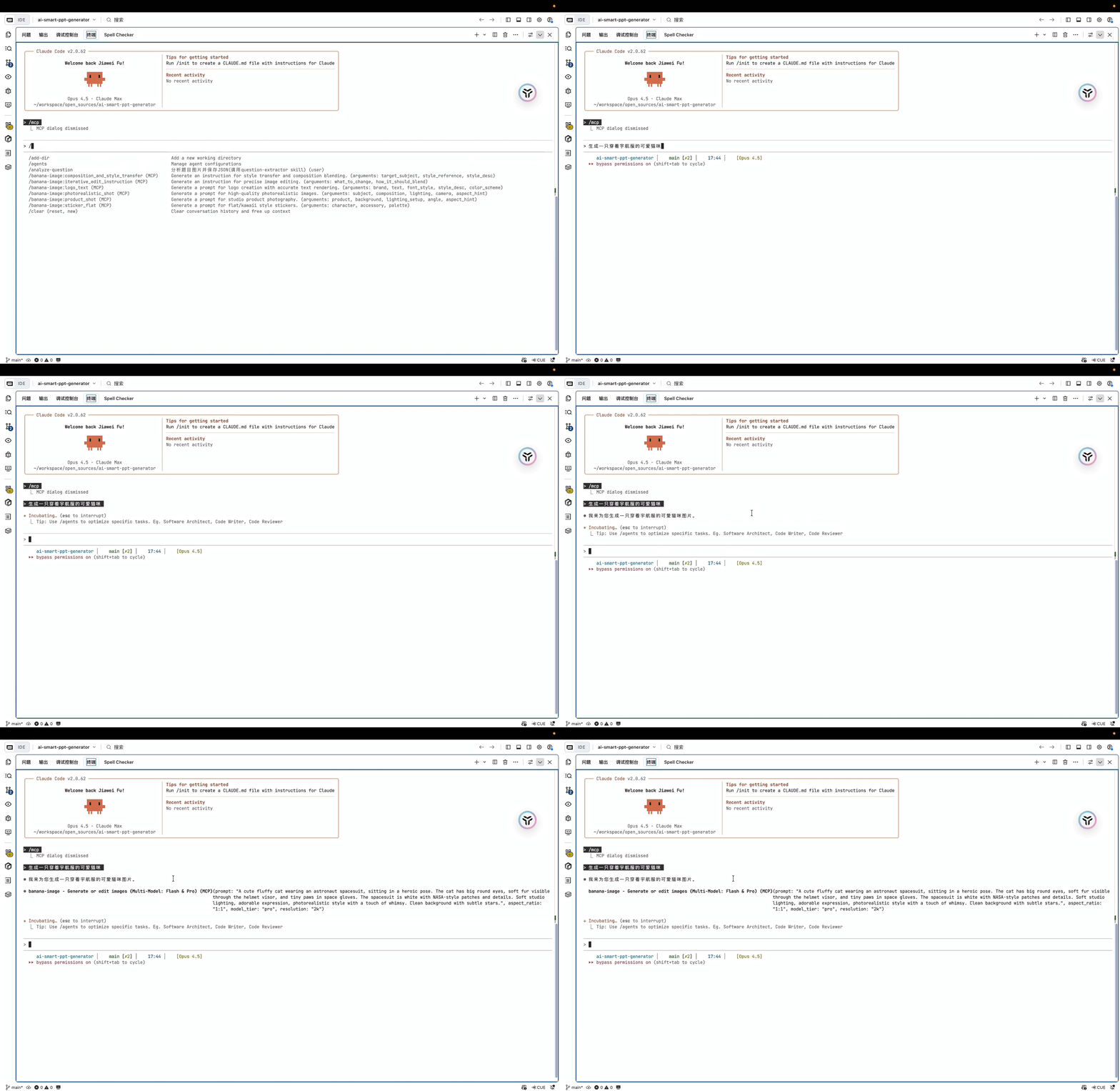
Just ask Claude to generate images naturally:
"Generate a cute cat wearing a space suit"

"Create a professional product photo of a coffee cup, 4K quality"

"Make a 16:9 YouTube thumbnail about cooking"

"Edit this image: make the sky more dramatic"
Model Comparison
| Model | Speed | Max Resolution | Best For |
|---|---|---|---|
| Gemini 2.5 Flash | 2-3s | 1024px | Quick drafts, iterations, prototypes |
| Gemini 3 Pro | 5-8s | 4K (3840px) | Final assets, marketing, professional work |
The server defaults to Pro model for best quality. Control it with keywords:
| Say this... | Model Used |
|---|---|
| "quick sketch", "draft", "prototype" | Flash |
| "4K", "professional", "high quality" | Pro |
| (default) | Pro |
Parameters Reference
| Parameter | Type | Default | Description |
|---|---|---|---|
prompt | string | required | Image description |
model_tier | string | "pro" | "flash", "pro", or "auto" |
resolution | string | "4k" | "1k", "2k", "4k", "high" |
aspect_ratio | string | - | "1:1", "16:9", "9:16", "4:3", "21:9", etc. |
thinking_level | string | "high" | "low" or "high" (Pro only) |
enable_grounding | bool | true | Enable Google Search grounding (Pro only) |
n | int | 1 | Number of images (1-4) |
negative_prompt | string | - | What to avoid in the image |
Environment Variables
| Variable | Required | Default | Description |
|---|---|---|---|
GEMINI_API_KEY | Yes | - | Your Gemini API key |
IMAGE_OUTPUT_DIR | No | ~/banana-images | Where to save generated images |
What You Can Create
|
Product Photography Professional shots with studio lighting |
Concept Art Fantasy landscapes, character designs |
Marketing Materials Social graphics, banners, thumbnails |
|
Technical Diagrams Flowcharts, architecture diagrams |
Photo-realistic Images Portraits, nature, urban photography |
UI/UX Mockups App interfaces, web designs |
Roadmap
- 4K resolution output (up to 3840px)
- Dual model support (Flash + Pro)
- Google Search grounding
- Flexible aspect ratios
- Natural language image editing
- GitHub Actions CI/CD
- Batch image generation
- Image-to-image transformation
- Video generation support
- Local model support (Ollama)
See the open issues for a full list of proposed features and known issues.
Development
# Clone the repository
git clone https://github.com/zengwenliang416/banana-image-mcp.git
cd banana-image-mcp

# Install dependencies
uv sync

# Run in development mode
fastmcp dev banana_image_mcp.server:create_app

# Run tests
pytest

# Lint and format
ruff check .
ruff format .
Contributing
Contributions make the open source community amazing. Any contributions you make are greatly appreciated.
- Fork the Project
- Create your Feature Branch (
git checkout -b feature/AmazingFeature) - Commit your Changes (
git commit -m 'Add some AmazingFeature') - Push to the Branch (
git push origin feature/AmazingFeature) - Open a Pull Request
License
Distributed under the MIT License. See LICENSE for more information.
Contact
Wenliang Zeng - @zengwenliang416
Project Link: https://github.com/zengwenliang416/banana-image-mcp
Acknowledgments
- FastMCP - The MCP framework that powers this server
- Google Gemini - The AI models behind image generation
- Anthropic MCP - The protocol specification
- Best-README-Template - README inspiration