
C64 Bridge
Your AI Command Bridge for the Commodore 64.




Overview
C64 Bridge is a Model Context Protocol (MCP) server that drives a real Commodore 64 Ultimate or Ultimate 64 over their REST APIs.
It is based on the official TypeScript @modelcontextprotocol/sdk and supports both stdio (for local AI integration) and HTTP (for remote access by other applications).
Features
- Program runners for BASIC, 6510 assembly, and PRG/CRT
- Full memory access — read/write operations and text monitoring
- System integration covering drives, files, and printers
- SID audio tools for composition, playback, and analysis
- Built-in knowledge base for smarter AI prompting using local examples and docs
- Multiple backends: hardware C64 Ultimate (primary) and experimental VICE runner
Quick Start
- Install Node.js 24+ and npm
-
Linux (Ubuntu/Debian)
- Recommended:
sudo apt update sudo apt install -y curl ca-certificates curl -fsSL https://deb.nodesource.com/setup_24.x | sudo -E bash - sudo apt install -y nodejs - Fallback (may be older):
sudo apt install -y nodejs npm
- Recommended:
-
macOS
brew install node@24 brew link --overwrite node@24 -
Windows
# winget
winget install OpenJS.NodeJS.LTS
# or Chocolatey
choco install nodejs-lts -y
Verify: node --version → v24.x
- Run the server (choose one)
-
npx (zero setup)
npx -y c64bridge@latest -
npm (project‑local)
mkdir -p ~/c64bridge && cd ~/c64bridge npm init -y npm install c64bridge node ./node_modules/c64bridge/dist/index.js -
From source (contributing/testing)
git clone https://github.com/chrisgleissner/c64bridge.git
cd c64bridge
npm install
npm start
On start, the server probes your target (REST + zero‑page read) and prints diagnostics before announcing that it is running on stdio.
Configure
Configuration is a JSON file resolved in this order (first match wins):
C64BRIDGE_CONFIG→ absolute path~/.c64bridge.json./c64bridge.json
No file? Defaults to host=c64u, port=80.
Hardware (C64U) example:
{
  "c64u": { "host": "<hostname or IP>", "port": 80 }
}
Experimental VICE runner:
{
  "vice": { "exe": "/usr/bin/x64sc" }
}
Backend selection:
C64_MODE=c64u|viceforces a choice- Otherwise: if only one is configured, it’s used; with both, prefer
c64u; with none, probehttp://c64uthen fall back to VICE
Logging: set LOG_LEVEL=debug (logs go to stderr; stdout is reserved for MCP).
GitHub Copilot Chat (VS Code)
VS Code (1.102+) and Copilot Chat (1.214+) support MCP. Either let VS Code auto‑discover, or add the server explicitly under Settings → GitHub Copilot → Experimental → MCP Servers (see AGENTS.md).
Example explicit entry:
{
  "github.copilot.chat.experimental.mcp": {
    "servers": [
      {
        "name": "c64bridge",
        "command": "node",
        "args": ["./node_modules/c64bridge/dist/index.js"],
        "type": "stdio"
      }
    ]
  }
}
Tips:
- If you’re in this repo, open
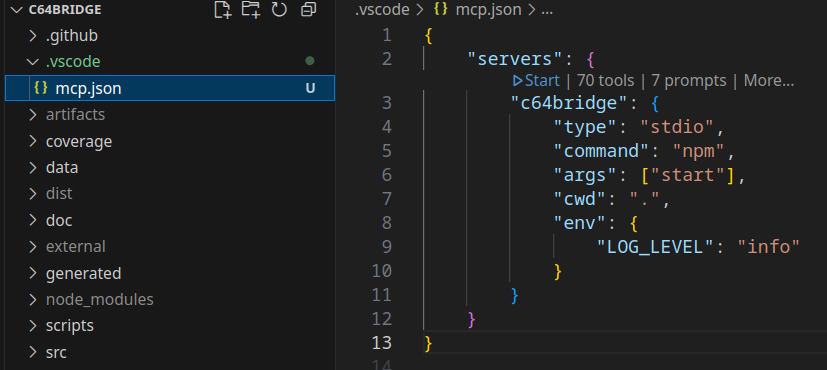
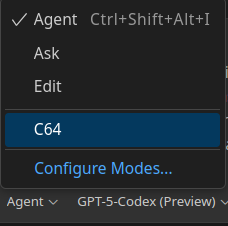
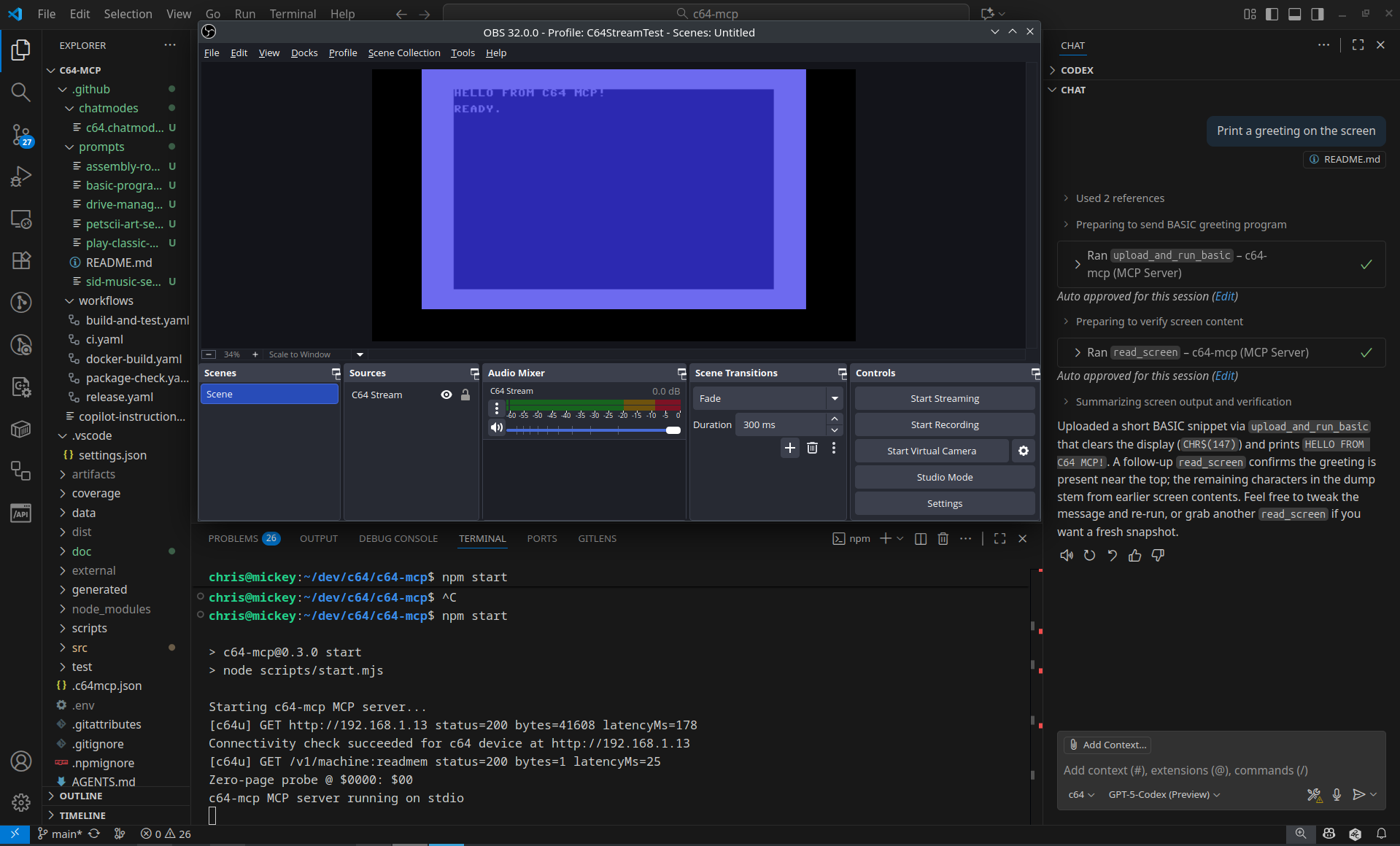
.vscode/mcp.jsonand click Start to launch the server. - In Chat, pick the “C64” chat mode and try: “Print a greeting on the screen”.
Screenshots:
Example
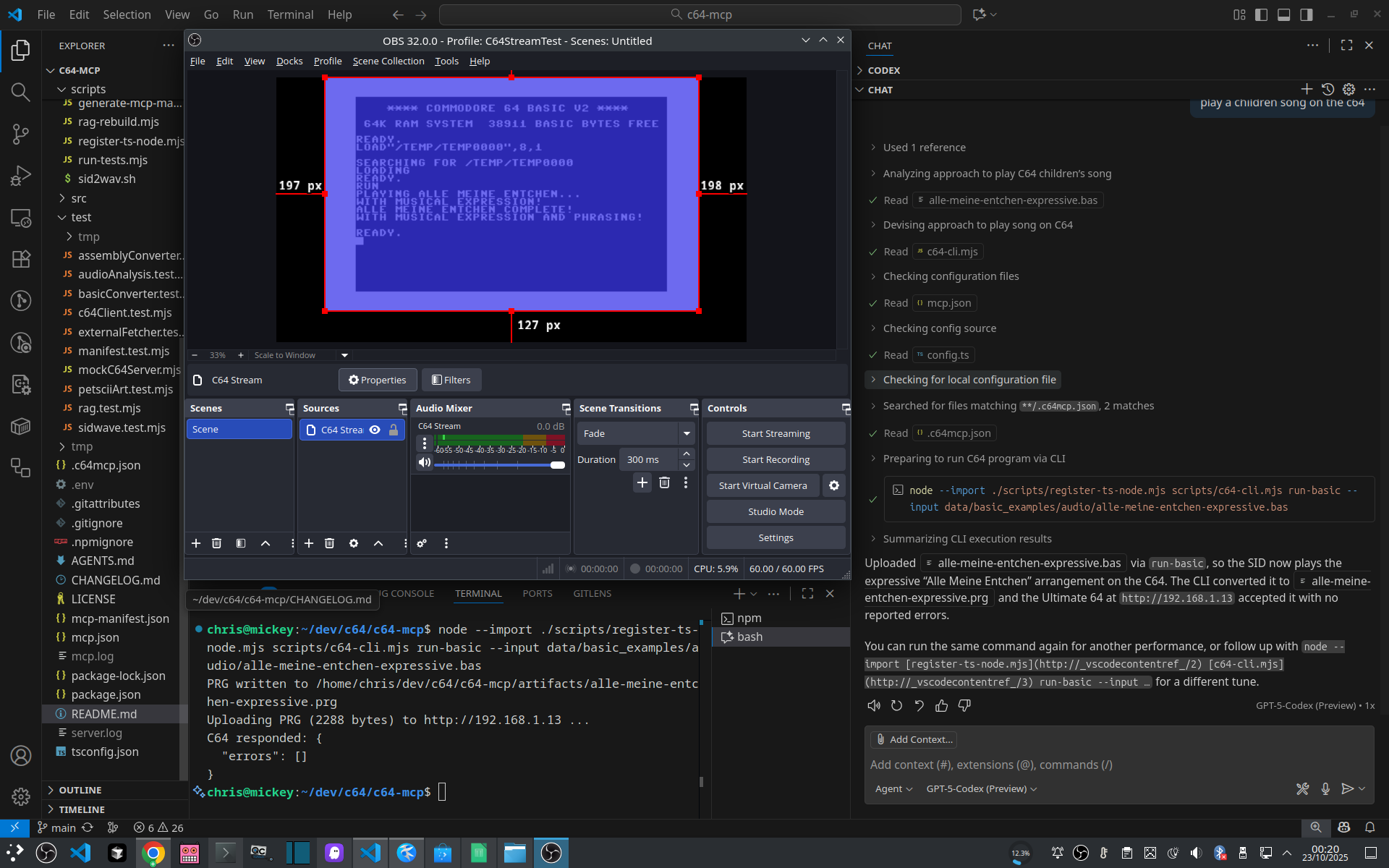
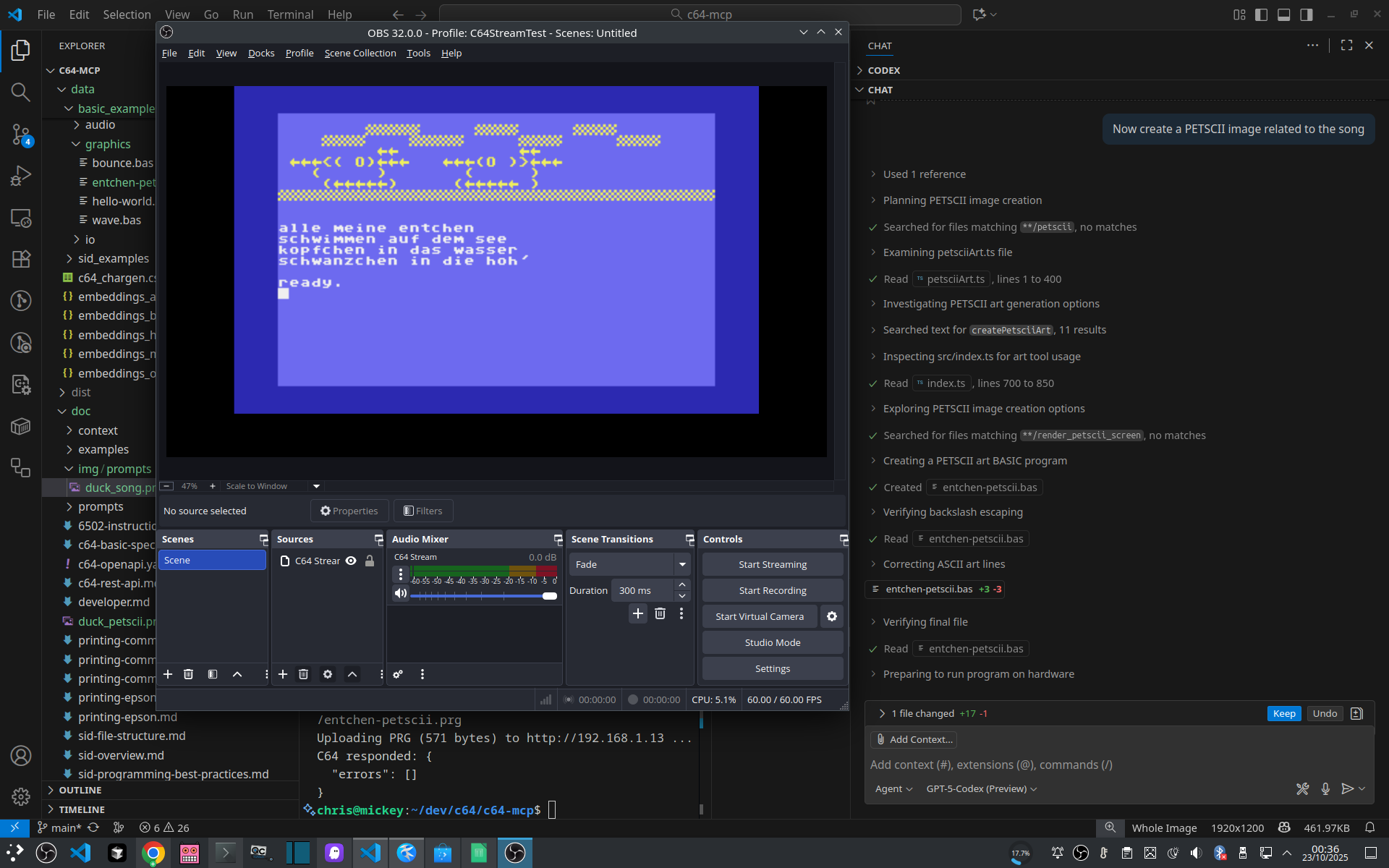
Compose a children’s song with ChatGPT + VS Code:
Then render PETSCII art for it:
HTTP Invocation
- Preferred transport is
stdio. The HTTP bridge is disabled by default; enable it only for manual testing - These curl commands are illustrative to show what happens under the hood when tools run.
# Upload and run BASIC
curl -s -X POST -H 'Content-Type: application/json' \
  -d '{"op":"upload_run_basic","program":"10 PRINT \"HELLO\"\n20 GOTO 10"}' \
  http://localhost:8000/tools/c64_program | jq

# Read current screen (PETSCII→ASCII)
curl -s -X POST -H 'Content-Type: application/json' \
  -d '{"op":"read_screen"}' \
  http://localhost:8000/tools/c64_memory | jq

# Reset the machine
curl -s -X POST -H 'Content-Type: application/json' \
  -d '{"op":"reset"}' \
  http://localhost:8000/tools/c64_system
Build & Test
npm install(orbun install) — install depsnpm start— dev server (ts-node)npm run build— type‑check and buildnpm test— integration tests (mock)npm test -- --real— target real hardware (reuses your config)npm run coverage— coverage via Bun harness
Documentation
- doc/developer.md — development workflow and RAG details
- data/context/bootstrap.md — primer injected ahead of prompts
- doc/c64u/c64-openapi.yaml — REST surface (OpenAPI 3.1)
- AGENTS.md — LLM-facing quick setup, usage, and personas
MCP API Reference
This MCP server exposes 12 tools, 25 resources, and 7 prompts for controlling your Commodore 64.
Tools
c64_config
Grouped entry point for configuration reads/writes, diagnostics, and snapshots.
| Operation | Description | Required Inputs | Notes |
|---|---|---|---|
batch_update | Apply multiple configuration updates in a single request. | — | — |
diff | Compare the current configuration with a snapshot. | path | — |
get | Read a configuration category or specific item. | category | — |
info | Retrieve Ultimate hardware information and status. | — | — |
list | List configuration categories reported by the firmware. | — | — |
load_flash | Load configuration from flash storage. | — | — |
read_debugreg | Read the Ultimate debug register ($D7FF). | — | — |
reset_defaults | Reset firmware configuration to factory defaults. | — | — |
restore | Restore configuration from a snapshot file. | path | — |
save_flash | Persist the current configuration to flash storage. | — | — |
set | Write a configuration value in the selected category. | category, item, value | — |
shuffle | Discover PRG/CRT files and run each with optional screen capture. | — | — |
snapshot | Snapshot configuration to disk for later restore or diff. | path | — |
version | Fetch firmware version details. | — | — |
write_debugreg | Write a hex value to the Ultimate debug register ($D7FF). | value | — |
c64_disk
Grouped entry point for disk mounts, listings, image creation, and program discovery.
| Operation | Description | Required Inputs | Notes |
|---|---|---|---|
create_image | Create a blank disk image of the specified format. | format, path | — |
file_info | Inspect metadata for a file on the Ultimate filesystem. | path | — |
find_and_run | Search for a PRG/CRT by name substring and run the first match. | nameContains | — |
list_drives | List Ultimate drive slots and their mounted images. | — | — |
mount | Mount a disk image with optional verification and retries. | drive, image | supports verify |
unmount | Remove the mounted image from an Ultimate drive slot. | drive | — |
c64_drive
Grouped entry point for drive power, mode, reset, and ROM operations.
| Operation | Description | Required Inputs | Notes |
|---|---|---|---|
load_rom | Temporarily load a custom ROM into an Ultimate drive slot. | drive, path | — |
power_off | Power off a specific Ultimate drive slot. | drive | — |
power_on | Power on a specific Ultimate drive slot. | drive | — |
reset | Issue an IEC reset for the selected drive slot. | drive | — |
set_mode | Set the emulation mode for a drive slot (1541/1571/1581). | drive, mode | — |
c64_extract
Grouped entry point for sprite/charset extraction, memory dumps, filesystem stats, and firmware health checks.
| Operation | Description | Required Inputs | Notes |
|---|---|---|---|
charset | Locate and extract 2KB character sets from RAM. | — | — |
firmware_health | Run firmware readiness checks and report status metrics. | — | — |
fs_stats | Walk the filesystem and aggregate counts/bytes by extension. | — | — |
memory_dump | Dump a RAM range to hex or binary files with manifest metadata. | address, length, outputPath | — |
sprites | Scan RAM for sprites and optionally export .spr files. | address, length | — |
c64_graphics
Grouped entry point for PETSCII art, sprite previews, and future bitmap generation.
| Operation | Description | Required Inputs | Notes |
|---|---|---|---|
create_petscii | Generate PETSCII art from prompts, text, or explicit bitmap data. | — | — |
generate_bitmap | Reserved high-resolution bitmap generator (coming soon). | — | — |
generate_sprite | Build and run a sprite PRG from raw 63-byte sprite data. | sprite | — |
render_petscii | Render PETSCII text with optional border/background colours. | text | — |
c64_memory
Grouped entry point for memory I/O, screen reads, and screen polling.
| Operation | Description | Required Inputs | Notes |
|---|---|---|---|
read | Read a range of bytes and return a hex dump with address metadata. | address | — |
read_screen | Return the current 40x25 text screen converted to ASCII. | — | — |
wait_for_text | Poll the screen until a substring or regex appears, or timeout elapses. | pattern | — |
write | Write a hexadecimal byte sequence into RAM. | address, bytes | supports verify |
c64_printer
Grouped entry point for Commodore and Epson printing helpers.
| Operation | Description | Required Inputs | Notes |
|---|---|---|---|
define_chars | Define custom printer characters (Commodore DLL mode). | firstChar, chars | — |
print_bitmap | Print a bitmap row via Commodore (BIM) or Epson ESC/P workflows. | printer, columns | — |
print_text | Generate BASIC that prints text to device 4. | text | — |
c64_program
Grouped entry point for program upload, execution, and batch workflows.
| Operation | Description | Required Inputs | Notes |
|---|---|---|---|
batch_run | Run multiple PRG/CRT programs with post-run assertions. | programs | — |
bundle_run | Capture screen, memory, and debug registers into an artifact bundle. | runId, outputPath | — |
load_prg | Load a PRG from Ultimate storage without executing it. | path | — |
run_crt | Mount and run a CRT cartridge image. | path | — |
run_prg | Load and execute a PRG located on the Ultimate filesystem. | path | — |
upload_run_asm | Assemble 6502/6510 source, upload the PRG, and execute it. | program | supports verify |
upload_run_basic | Upload Commodore BASIC v2 source and execute it immediately. | program | supports verify |
c64_rag
Grouped entry point for BASIC and assembly RAG lookups.
| Operation | Description | Required Inputs | Notes |
|---|---|---|---|
asm | Retrieve 6502/6510 assembly references from the local knowledge base. | q | — |
basic | Retrieve BASIC references and snippets from the local knowledge base. | q | — |
c64_sound
Grouped entry point for SID control, playback, composition, and analysis workflows.
| Operation | Description | Required Inputs | Notes |
|---|---|---|---|
analyze | Automatically analyze SID playback when verification is requested. | request | — |
compile_play | Compile SIDWAVE or CPG source and optionally play it immediately. | — | — |
generate | Generate a lightweight SID arpeggio playback sequence. | — | — |
note_off | Release a SID voice by clearing its gate bit. | voice | — |
note_on | Trigger a SID voice with configurable waveform, ADSR, and pitch. | — | — |
pipeline | Compile a SIDWAVE score, play it, and analyze the recording. | — | supports verify |
play_mod_file | Play a MOD tracker module via the Ultimate SID player. | path | — |
play_sid_file | Play a SID file stored on the Ultimate filesystem. | path | — |
record_analyze | Record audio for a fixed duration and return SID analysis metrics. | durationSeconds | — |
reset | Soft or hard reset of SID registers to clear glitches. | — | — |
set_volume | Set the SID master volume register at $D418 (0-15). | volume | — |
silence_all | Silence all SID voices with optional audio verification. | — | supports verify |
c64_stream
Grouped entry point for starting and stopping Ultimate streaming sessions.
| Operation | Description | Required Inputs | Notes |
|---|---|---|---|
start | Start an Ultimate streaming session toward a host:port target. | stream, target | — |
stop | Stop an active Ultimate streaming session. | stream | — |
c64_system
Grouped entry point for power, reset, menu, and background task control.
| Operation | Description | Required Inputs | Notes |
|---|---|---|---|
list_tasks | List known background tasks with status metadata. | — | — |
menu | Toggle the Ultimate menu button for navigation. | — | — |
pause | Pause the machine using DMA halt until resumed. | — | — |
poweroff | Request a controlled shutdown via the Ultimate firmware. | — | — |
reboot | Trigger a firmware reboot to recover from faults. | — | — |
reset | Issue a soft reset without cutting power. | — | — |
resume | Resume CPU execution after a DMA pause. | — | — |
start_task | Start a named background task that runs on an interval. | name, operation | — |
stop_all_tasks | Stop every running background task and persist state. | — | — |
stop_task | Stop a specific background task and clear its timer. | name | — |
Resources
| Name | Summary |
|---|---|
c64://docs/index | Explains how to approach each knowledge bundle and when to consult it. |
c64://context/bootstrap | Step-by-step rules for safe automation, verification, and rollback on the C64. |
c64://specs/basic | Token definitions, syntax rules, and device I/O guidance for BASIC v2. |
c64://docs/basic/pitfalls | Quickref covering quotation handling, line length, tokenization, variable names, and other BASIC traps. |
c64://specs/assembly | Official opcode matrix, addressing modes, and zero-page strategy for the 6510 CPU. |
c64://specs/sid | Register map, waveform behaviour, and ADSR envelopes for expressive SID playback. |
c64://specs/sidwave | Defines the SIDWAVE interchange format used by the SID composer workflow. |
c64://docs/sid/file-structure | Explains PSID/RSID headers, metadata blocks, and compatibility notes for imported music. |
c64://docs/sid/best-practices | Captures proven waveforms, ADSR presets, phrasing, and verification workflow for pleasant SID music. |
c64://specs/vic | Covers raster timing, sprite control, colour RAM, and bitmap modes on the VIC-II. |
c64://specs/charset | Character code table mapping PETSCII codes to screen codes, glyphs, and keyboard input. |
c64://docs/petscii-style | Documents colour palette, readability presets, dithering patterns, and best practices for creating artistic and readable PETSCII displays. |
c64://docs/sprite-charset-workflows | Documents sprite and charset workflows, memory layout, VIC-II configuration, common pitfalls, and proven techniques for hardware-accelerated graphics. |
c64://specs/memory-map | Page-by-page breakdown of the 64 KB address space with hardware, ROM, and RAM regions. |
c64://specs/memory-low | Documents zero-page variables, BASIC pointers, and KERNAL workspace addresses. |
c64://specs/memory-kernal | Lists KERNAL ROM vectors and service routines for OS-level functionality. |
c64://specs/io | Covers VIC-II, SID, CIA, and system control registers with address ranges and usage notes. |
c64://specs/cia | Details CIA 1/2 registers, timers, interrupts, and keyboard matrix layout. |
c64://specs/printer | Covers device setup, control codes, and Ultimate 64 integration for printers. |
c64://docs/printer/guide | Quick-look workflow covering setup, troubleshooting, and sample jobs for both printer families. |
c64://docs/printer/commodore-text | Character sets, control codes, and formatting for Commodore MPS text output. |
c64://docs/printer/commodore-bitmap | Details bitmap modes, graphics commands, and data layout for MPS bitmap printing. |
c64://docs/printer/epson-text | Lists ESC/P control codes and formatting advice for Epson FX text output. |
c64://docs/printer/epson-bitmap | Explains bit-image modes, density options, and data packing for Epson bitmap jobs. |
c64://docs/printer/prompts | Reusable prompt templates that drive complex printer jobs through the MCP server. |
Prompts
| Name | Description |
|---|---|
assembly-program | Author 6502/6510 assembly routines with precise hardware guidance. |
basic-program | Plan, implement, and verify Commodore BASIC v2 programs safely. |
drive-manager | Mount, create, or power drives while preserving running workloads. |
graphics-demo | Create VIC-II graphics demos with safe setup and validation steps. |
memory-debug | Inspect or patch memory ranges with reversible steps and logging. |
printer-job | Send formatted output to Commodore or Epson printers with safe teardown steps. |
sid-music | Compose SID music with expressive phrasing and iterative audio verification. |