CAiD MCP Server
An MCP server that gives AI agents validated 3D CAD modeling via CAiD and OCP (OpenCASCADE). No GUI needed — the modeling engine IS the server.
Every geometry operation is validated through CAiD's ForgeResult system, which tracks volume, surface area, and diagnostics. If a boolean silently fails (common with OCCT), the validation layer catches it and tells you why.
You: "Make a box with rounded edges and a hole through the top, show me a preview"
Claude → create_box → fillet_edges → add_hole → preview_object → export_stl
Result: SVG preview + ~/cadquery-output/my_part.stl
Available Tools (54 across 13 categories)
Use discover_tools() to browse, or discover_tools(category="query") for a specific category.
| Category | Count | What it does |
|---|---|---|
| primitives | 7 | Box, cylinder, sphere, cone, torus, extruded polygon, revolved profile |
| modify | 4 | Holes, fillets, chamfers, shell — with index-based edge/face selection |
| transforms | 4 | Translate, rotate, scale, mirror |
| booleans | 4 | Union, cut, intersect, multi-combine |
| query | 6 | List edges/faces, measure objects/distances, find nearest edges/faces |
| view | 2 | Section cuts, exploded assembly views |
| scene | 5 | List, info, delete, duplicate, clear |
| export | 5 | SVG preview, STL, STEP, batch STL |
| heal | 3 | Validity checking, shape repair, face simplification |
| io | 3 | BREP export, STEP/BREP import |
| assembly | 5 | Create, add parts, move, rotate, merge |
| compound | 3 | Belt wires, curve arrays, pulley assemblies |
| advanced | 3 | CAiD scripting, linear patterns, tool discovery |
Project Structure
caid-mcp/
├── server.py                    # Entry point
├── caid_mcp/
│   ├── __init__.py
│   ├── core.py                  # Scene state, shared utilities
│   └── tools/
│       ├── primitives.py        # Shape creation (7 tools)
│       ├── modify.py            # Holes, fillets, chamfers, shell (4 tools)
│       ├── transforms.py        # Translate, rotate, scale, mirror (4 tools)
│       ├── booleans.py          # Union, cut, intersect, combine (4 tools)
│       ├── query.py             # Geometry inspection and measurement (6 tools)
│       ├── view.py              # Section and exploded views (2 tools)
│       ├── scene.py             # Workspace management (5 tools)
│       ├── export.py            # STL, STEP, SVG preview (5 tools)
│       ├── heal.py              # Validation and repair (3 tools)
│       ├── io.py                # BREP/STEP import-export (3 tools)
│       ├── assembly.py          # Multi-part assemblies (5 tools)
│       ├── compound.py          # Belt/pulley systems (3 tools)
│       └── advanced.py          # Scripting, patterns, tool router (3 tools)
├── examples/
│   ├── quickstart.py               # Install verification script
│   ├── GALLERY.md                   # Example gallery with prompts
│   └── images/                      # Rendered example images
├── tests/
│   └── test_cadquery_mcp.py
├── pyproject.toml
├── LLM_GUIDE.md                 # LLM-specific usage guide
├── CHANGELOG.md
└── LICENSE
Setup
Prerequisites
- Python 3.11+
Install
# 1. Create a virtual environment
python -m venv .venv
source .venv/bin/activate   # macOS/Linux
# .venv\Scripts\activate    # Windows

# 2. Install CAiD (brings in OCP and all dependencies)
pip install caid

# 3. Clone and install this server
git clone https://github.com/dreliq9/caid-mcp.git
cd caid-mcp
pip install -e ".[dev]"
Verify
source .venv/bin/activate
python -c "import caid; import mcp; print('All dependencies OK')"
pytest tests/ -v
Connect to Claude Code
claude mcp add-json caid '{"type":"stdio","command":"/FULL/PATH/TO/.venv/bin/python","args":["/FULL/PATH/TO/caid-mcp/server.py"]}' --scope user
Replace /FULL/PATH/TO/ with the actual absolute paths to your venv Python and the server.py file.
Or edit ~/.claude.json directly:
{
  "mcpServers": {
    "caid": {
      "type": "stdio",
      "command": "/FULL/PATH/TO/.venv/bin/python",
      "args": ["/FULL/PATH/TO/caid-mcp/server.py"]
    }
  }
}
Claude Desktop
Add the same config to your Claude Desktop config file:
- macOS:
~/Library/Application Support/Claude/claude_desktop_config.json - Windows:
%APPDATA%\Claude\claude_desktop_config.json - Linux:
~/.config/Claude/claude_desktop_config.json
Verify connection
claude mcp list       # from terminal
/mcp                  # inside Claude Code
Key Features
Geometry Query and Measurement
The query tools let the LLM inspect what it built before modifying it — solving the "blind fillet" problem where the LLM guesses which edge to target.
list_edges("box")           → every edge with index, endpoints, length, type
list_faces("box")           → every face with index, area, center, normal
find_edges_near_point(...)  → "what edges are near (10, 5, 2.5)?"
measure_distance(a, b)      → min distance between two objects
Index-Based Edge/Face Selection
Instead of guessing selector strings like ">Z", the LLM can now:
- Call
list_edgesto see all edges with their indices - Call
fillet_edges(name, radius, edge_indices="[2, 5, 8]")to target exactly those edges
Same for add_hole(face_index=3) and shell_object(face_index=0).
Section and Exploded Views
section_view("part", axis="X", offset=5.0)  → cut and preview cross-section
exploded_view("assembly", scale=2.5)        → push parts outward for inspection
Validated Operations
Every CAiD operation returns a ForgeResult with volume tracking. If a boolean union doesn't increase volume, you get a warning with a hint (shapes may not overlap). Silent OCCT failures are caught automatically.
CAiD Scripting Escape Hatch
When built-in tools can't do the job, run_cadquery_script (name kept for API compatibility) gives full access to CAiD and OCP:
script = """
from caid.vector import Vector
from OCP.BRepPrimAPI import BRepPrimAPI_MakeBox
from OCP.gp import gp_Pnt

# Use CAiD helpers or raw OCP calls
result = caid.make_box(20, 20, 10)
"""
Output Files
All exports go to ~/cadquery-output/ by default (directory name kept for backward compatibility). Override with:
export CAID_OUTPUT_DIR=/your/path
Or in the MCP config:
{
  "env": { "CAID_OUTPUT_DIR": "/your/stl/folder" }
}
Examples
Real parts built through CAiD MCP tools. Each example highlights validated geometry, query-before-modify, and section views — things other CAD-for-AI tools can't do. See the full gallery for tool sequences and workflow breakdowns.
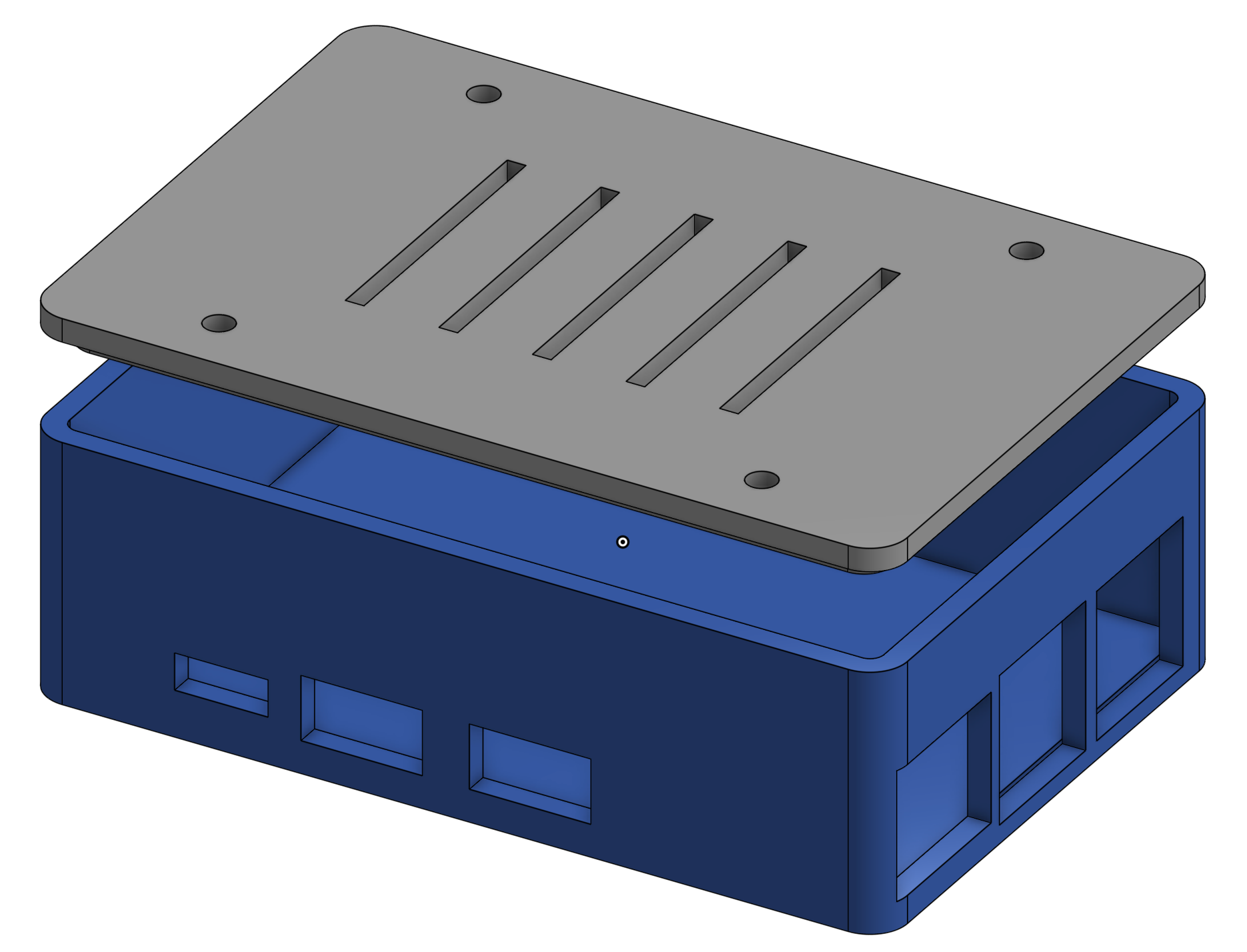 Raspberry Pi Case Shell, port cutouts, section view verification | 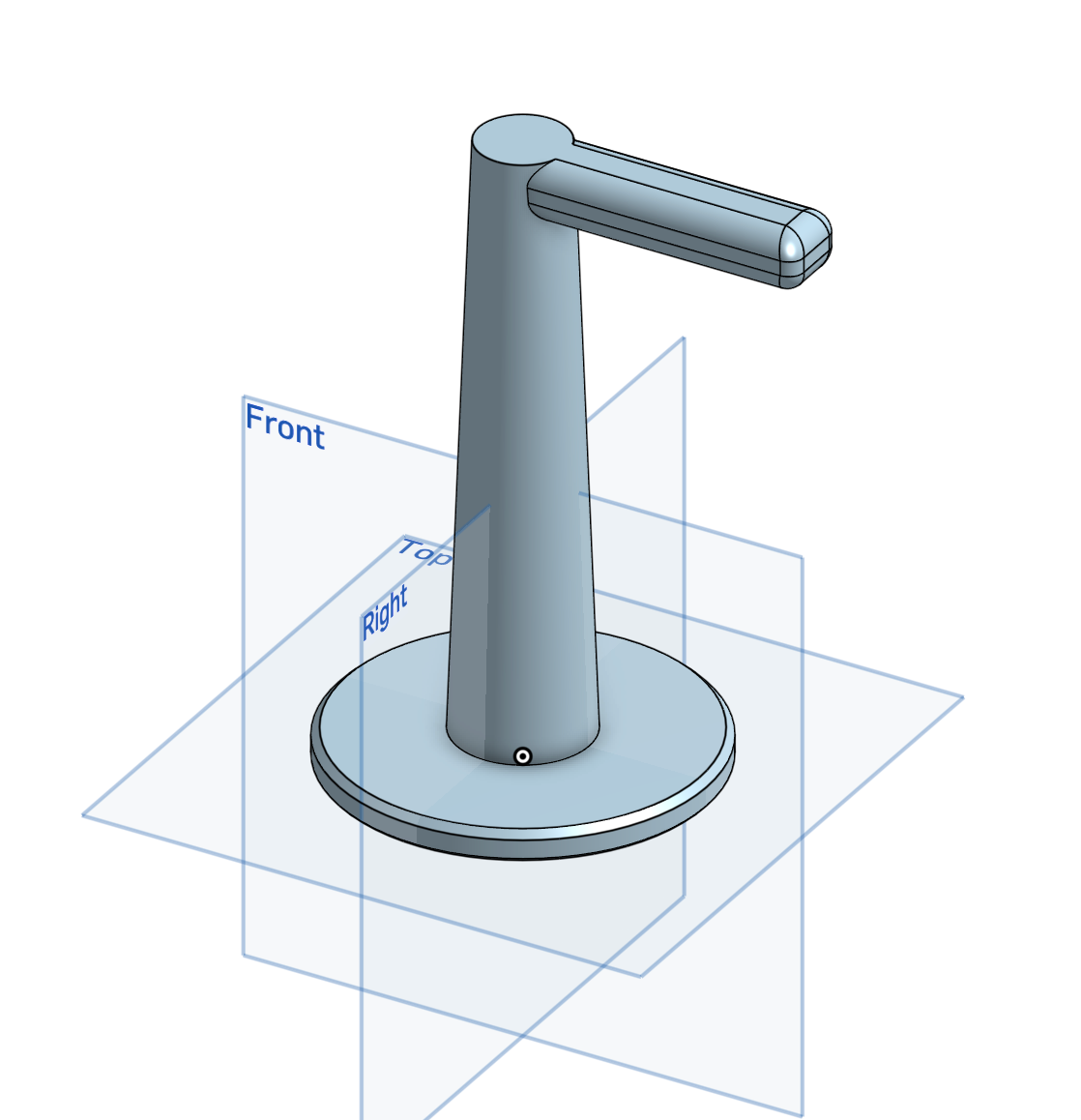 Headphone Stand Primitives, booleans, overlap validation |
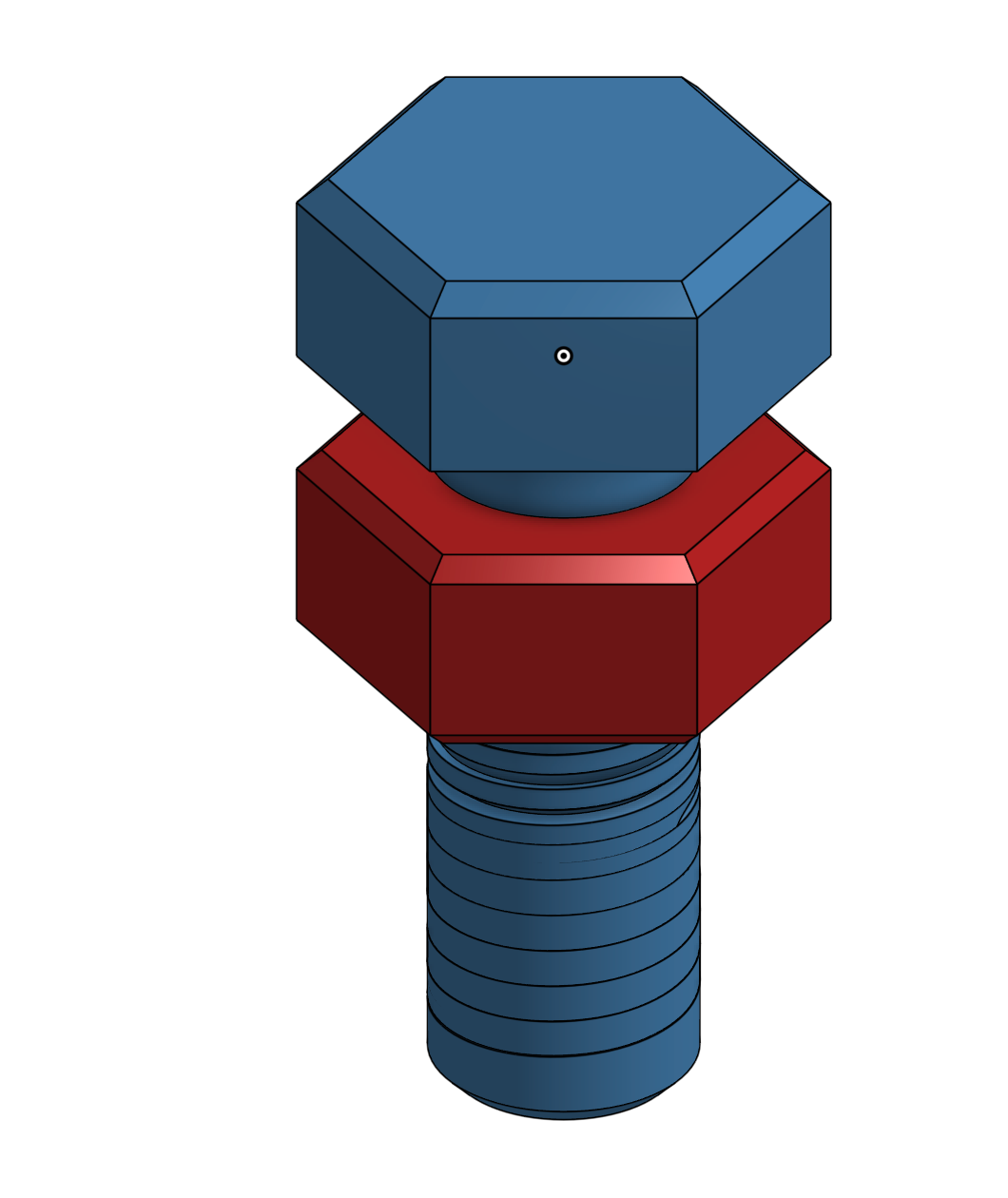 Hex Bolt & Nut Extruded polygon, chamfers, multi-part scene | 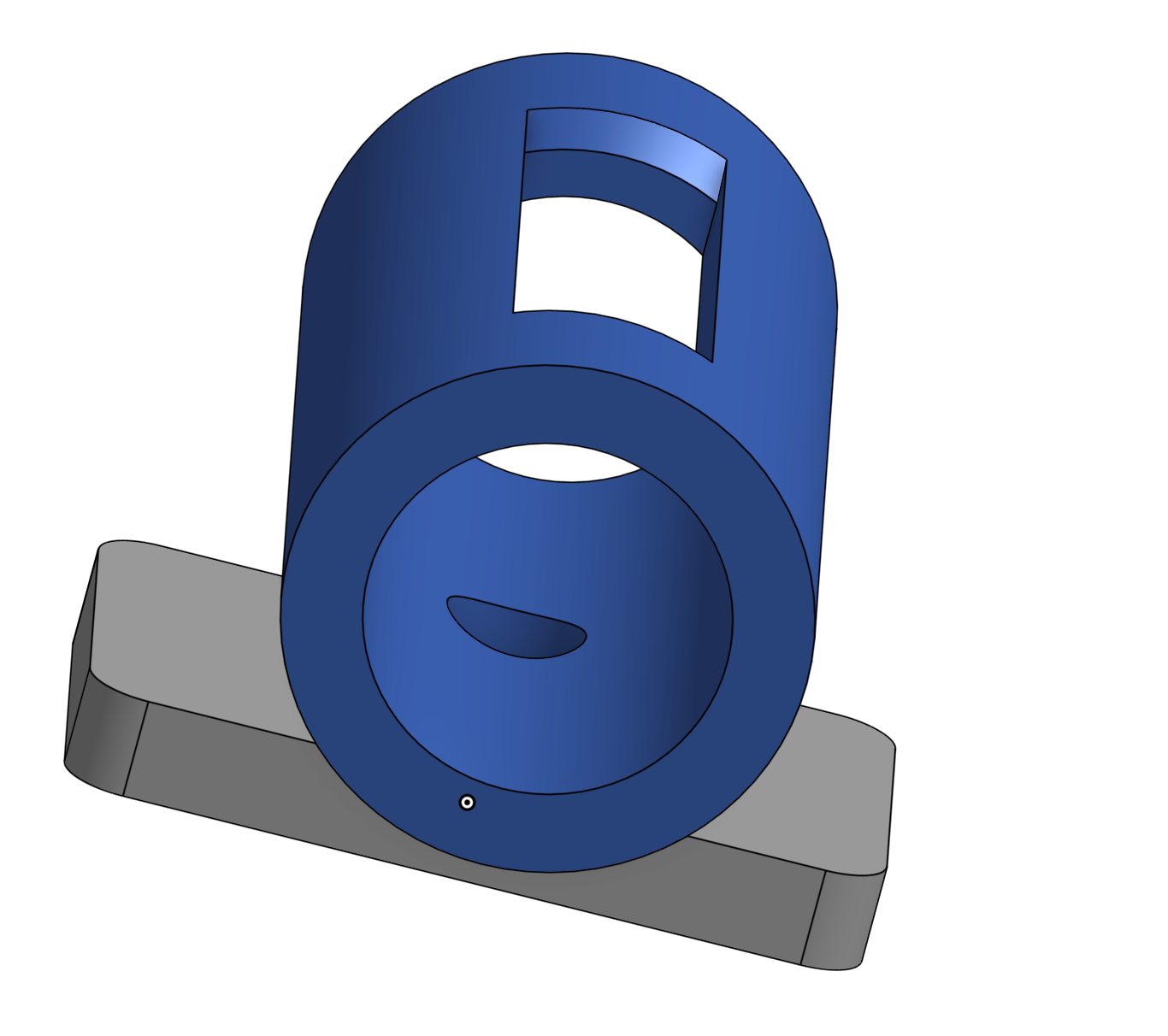 Cable Clip Boolean subtract, snap-fit slot, 30-second build |
Sample Prompts
- "Design a Pi case with port cutouts, then section it to verify wall thickness"
- "Make a headphone stand — measure the total height when you're done"
- "Model an M10 bolt and nut, chamfer the edges, place them side by side"
- "List the edges on this part, then fillet just the inner joint by index"
- "Section view through the middle to check the internal hole dimensions"
Architecture
Claude Code / Claude Desktop / any MCP client
        │
        │  stdio (JSON-RPC)
        ▼
   MCP Server (server.py)
        │
        ├── tools/primitives — create shapes
        ├── tools/modify — holes, fillets, chamfers, shell
        ├── tools/transforms — move, rotate, scale, mirror
        ├── tools/booleans — union, cut, intersect
        ├── tools/query — geometry inspection and measurement
        ├── tools/view — section cuts, exploded views
        ├── tools/scene — workspace management
        ├── tools/export — STL, STEP, SVG preview
        ├── tools/heal — validation, repair, simplification
        ├── tools/io — BREP/STEP import-export
        ├── tools/assembly — multi-part assemblies
        ├── tools/compound — belt/pulley systems
        └── tools/advanced — scripting, patterns, tool router
              │
              ▼
        CAiD → OCP (OpenCASCADE) kernel
              │
              ▼
        STL / STEP / BREP / SVG files
Troubleshooting
"CAiD is not installed" — Make sure you installed CAiD in the same venv: pip install caid
"OCP is not installed" — OCP is installed automatically as a dependency of CAiD. If missing: pip install OCP
Claude Code doesn't show tools — claude mcp list to check registration. Make sure the path to your venv's Python binary is absolute. Restart Claude Code.
SVG preview is blank — Object might have zero volume. Use list_objects to check dimensions.
Fillet/chamfer fails — Try heal_object first, then retry with a smaller radius. Use list_edges to verify the shortest edge length.
Tests failing — Make sure you're in the venv: source .venv/bin/activate && pytest tests/ -v
Acknowledgments
CAiD MCP was co-developed by Adam Steen and Claude (Anthropic).
License
MIT — see LICENSE.