Mobile Claw


On-device AI agent engine for mobile apps — run Claude natively on your phone with file tools, code execution, git, and extensible MCP tool support.
Mobile Claw is a Capacitor plugin that provides a thin WebView bridge to a native Rust AI agent (capacitor-native-agent). All agent logic — LLM streaming, tool execution, auth, sessions, cron/heartbeat — runs natively via UniFFI. The WebView layer handles only UI rendering, event display, and MCP device tool coordination. No cloud relay, no proxy. Includes on-device vector memory via LanceDB, background scheduling via MobileCron (WorkManager / BGTaskScheduler), and cron jobs with reusable skills.
Built on OpenClaw and inspired by the Pi framework by Mario Zechner. Pi's philosophy of "what you leave out matters more than what you put in" — just 4 core tools and a system prompt under 1,000 tokens — drove the design. The agent core has since moved to a native Rust implementation for better performance and reliability.
Try It — Reference App
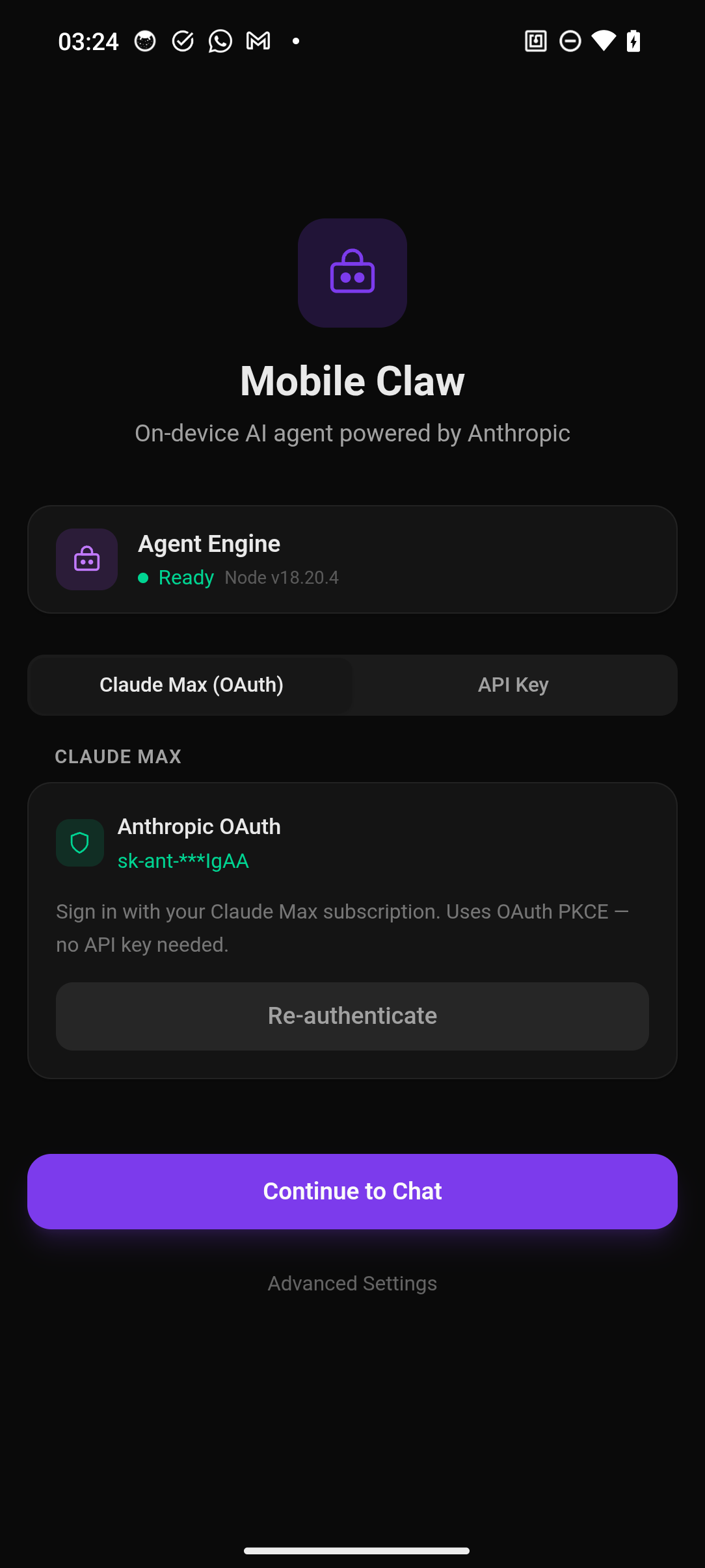
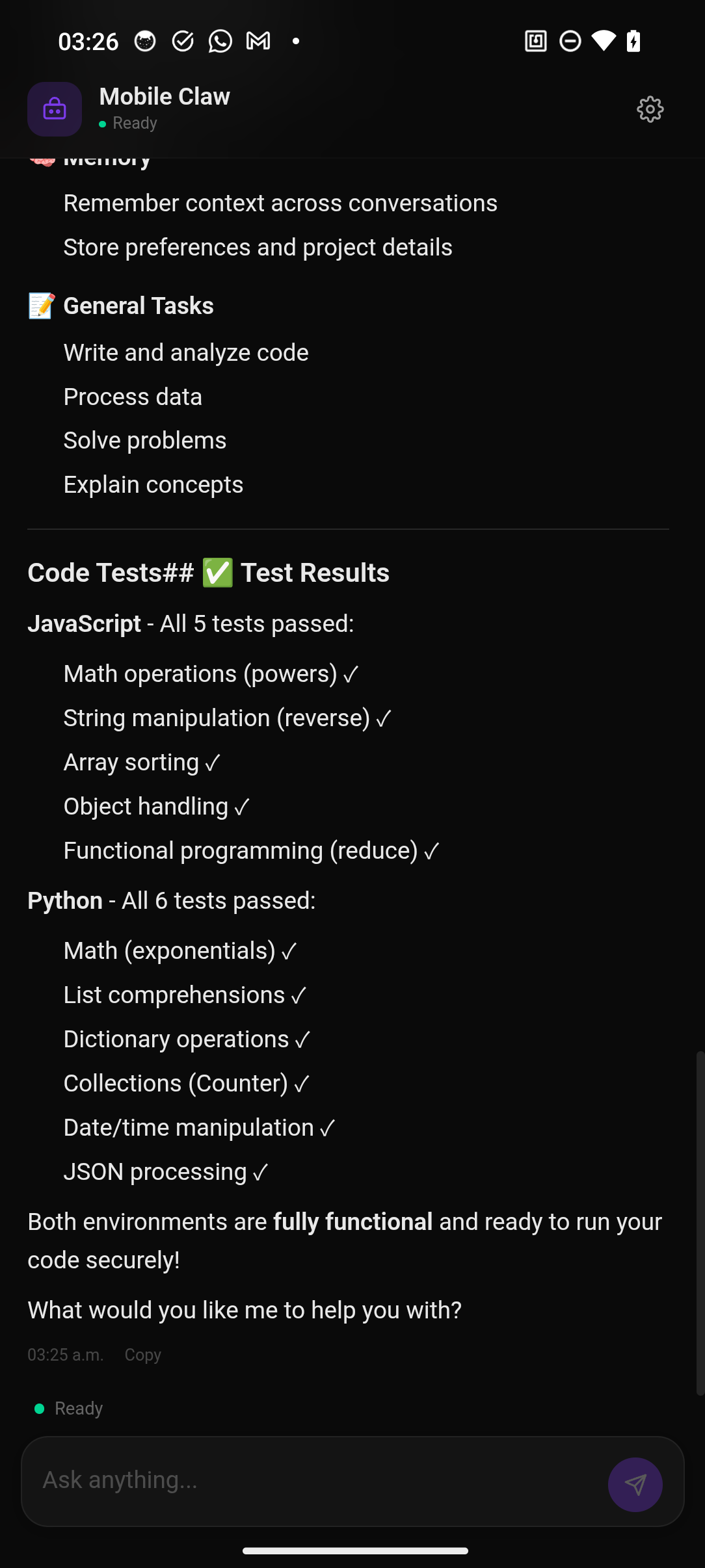
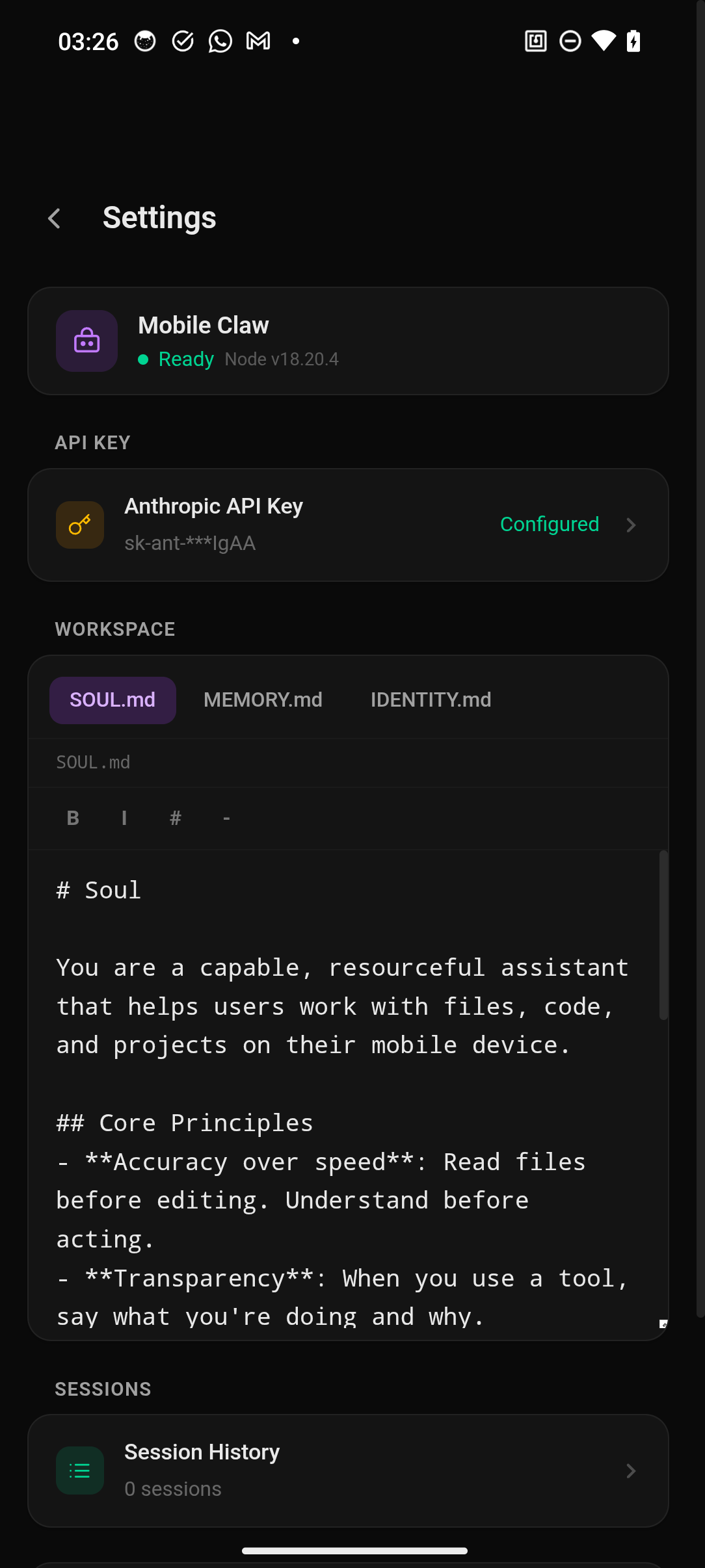
The fastest way to see Mobile Claw in action is the included reference app — a complete Vue 3 chat UI with streaming, tool approval, session management, and all features wired up.
Prerequisites
- Node.js >= 22
- Android Studio (for Android) or Xcode (for iOS)
- An Anthropic API key or Claude Max subscription
Run on Android
git clone https://github.com/rogelioRuiz/capacitor-mobile-claw.git
cd capacitor-mobile-claw

# Install deps and build the plugin
npm install && npm run build

# Set up the reference app
cd examples/reference-app
npm install

# Add Android platform + apply patches (first time only, idempotent)
npm run setup:android

# Build APK from CLI — no IDE needed
npm run build:android

# Install on connected device
adb install -r android/app/build/outputs/apk/debug/app-debug.apk
Requires: JDK 21+, Android SDK. You must set
ANDROID_HOMEandJAVA_HOME:export ANDROID_HOME=$HOME/Library/Android/sdk # macOS export ANDROID_HOME=$HOME/Android/Sdk # Linux export JAVA_HOME=$(/usr/libexec/java_home) # macOS
Run on iOS
git clone https://github.com/rogelioRuiz/capacitor-mobile-claw.git
cd capacitor-mobile-claw

npm install && npm run build

cd examples/reference-app
npm install

# Add iOS platform + sync (first time only, idempotent)
npm run setup:ios

# Build for Simulator from CLI — no Xcode interaction needed
npm run build:ios

# Or open in Xcode for device builds
npx cap open ios
Requires: Xcode 15+ with iOS SDK. The SQLite SPM patch is applied automatically on
npm install.
Running Tests
# Unit tests (88 tests)
npm test

# Android E2E (124 tests, requires ADB device/emulator)
npm run test:android

# iOS E2E (140 tests, requires booted Simulator)
npm run test:ios

# Full suite: unit + Android + iOS (skips unavailable platforms)
npm run test:full
Test credentials: Some E2E tests require an Anthropic API key or OAuth token. Without credentials, those tests are gracefully skipped. Set
ANTHROPIC_API_KEYor createexamples/reference-app/.sentinel-creds.jsonwith{ "apiKey": "sk-..." }to run the full suite.
Once the app launches, enter your Anthropic API key in settings and start chatting. The agent can read/write files, run code, use git, and call any registered MCP device tools — all on-device.
How It Works
The agent runs natively in Rust via capacitor-native-agent. MobileClawEngine in the WebView is a thin event bridge — it delegates all agent logic (LLM calls, tool execution, auth, sessions, scheduling) to the native layer via the Capacitor bridge. MCP device tools that need WebView APIs (camera, sensors, etc.) stay in JavaScript.
┌──────────────────────────────────────────────────────┐
│  Your App (Vue, React, Svelte, vanilla JS)            │
│  ┌────────────────────────────────────────────────┐  │
│  │  MobileClawEngine (thin event bridge)          │  │
│  │         │ Capacitor Bridge                      │  │
│  │  ┌──────▼──────────────────────────────────┐   │  │
│  │  │  Native Rust Agent (capacitor-native-agent) │  │
│  │  │  LLM · Tools · Auth · Sessions · Cron   │  │
│  │  │         │── Anthropic API (native HTTP)  │  │
│  │  └─────────────────────────────────────────┘   │  │
│  │  ┌─────────────────────────────────────────┐   │  │
│  │  │  MCP Device Tools (WebView JS)           │   │  │
│  │  └─────────────────────────────────────────┘   │  │
│  └────────────────────────────────────────────────┘  │
└──────────────────────────────────────────────────────┘
Install in Your Own App
npm install capacitor-mobile-claw capacitor-native-agent @capacitor/core @capacitor/device @capacitor/filesystem
If using Vite, add the bundler plugin to vite.config.js:
import { mobileClawVitePlugin } from 'capacitor-mobile-claw/vite-plugin'

export default defineConfig({
  plugins: [mobileClawVitePlugin(), vue()],
})
Basic Usage
import { MobileClawEngine } from 'capacitor-mobile-claw'

const engine = new MobileClawEngine()

await engine.init()

// Listen for streaming text
engine.addListener('agentEvent', (event) => {
  if (event.eventType === 'text_delta') {
    console.log(event.data.text)
  }
})

// Send a message
await engine.sendMessage('What files are in my workspace?')
With Custom MCP Tools
import { MobileClawEngine } from 'capacitor-mobile-claw'
import type { DeviceTool } from 'capacitor-mobile-claw/mcp/tools/types'

const myTools: DeviceTool[] = [
  {
    name: 'get_battery',
    description: 'Get current battery level and charging state',
    inputSchema: { type: 'object', properties: {} },
    handler: async () => ({ level: 0.85, charging: true }),
  },
]

const engine = new MobileClawEngine()

await engine.init({
  tools: myTools,
})
With On-Device Memory
The agent remembers across sessions using capacitor-lancedb — a Rust-powered vector database running entirely on-device. Memories are stored, deduplicated, and recalled via semantic search. Five built-in tools (memory_store, memory_recall, memory_search, memory_forget, memory_get) are passed to the agent automatically.
import { MemoryManager } from 'capacitor-lancedb'

const memory = new MemoryManager({ dbPath: 'files://agent-memory' })
await memory.init()

const engine = new MobileClawEngine()
const memoryTools = memory.getTools()
await engine.init({ tools: memoryTools })

// Agent can now store/recall memories across sessions.
// Auto-recall injects relevant context at turn start.
// Auto-capture extracts facts from agent responses.
With Background Scheduling
capacitor-mobilecron enables the agent to wake and run in the background via Android WorkManager and iOS BGTaskScheduler. The engine's scheduler manages heartbeats (periodic check-ins) and cron jobs (recurring tasks).
import { MobileCron } from 'capacitor-mobilecron'

const engine = new MobileClawEngine()
await engine.init({ mobileCron: MobileCron })

// Enable scheduler + heartbeat (runs every 30 minutes)
await engine.setSchedulerConfig({ enabled: true, schedulingMode: 'balanced' })
await engine.setHeartbeat({ enabled: true, everyMs: 1800000 })

// Listen for heartbeat results
engine.addListener('heartbeatCompleted', (event) => {
  console.log(`Heartbeat: ${event.status} (${event.durationMs}ms)`)
})
With Cron Jobs
// Create a skill (reusable prompt + tool constraints)
const skill = await engine.addSkill({
  name: 'daily-summary',
  maxTurns: 3,
  timeoutMs: 60000,
})

// Schedule a recurring cron job
await engine.addCronJob({
  name: 'morning-briefing',
  enabled: true,
  sessionTarget: 'isolated',
  schedule: { kind: 'every', everyMs: 86400000 }, // 24h
  skillId: skill.id,
  prompt: 'Summarize my workspace changes since yesterday',
  deliveryMode: 'notification',
})
Features
- Native Rust agent — all agent logic runs natively via capacitor-native-agent (UniFFI)
- On-device vector memory — store, recall, and search memories via LanceDB with auto-recall context injection and deduplication
- Background scheduling — heartbeat check-ins and cron jobs via MobileCron (Android WorkManager / iOS BGTaskScheduler)
- Cron jobs & skills — recurring agent tasks with reusable skill definitions, run history, and delivery modes
- Real-time streaming — text deltas, tool use, and thinking events
- Multi-turn conversations — session persistence via native SQLite (in Rust agent)
- OAuth PKCE + API key — sign in with Claude Max or use a direct API key
- File tools — sandboxed read/write/edit/find/grep
- Code execution — JavaScript (sandbox) + Python (Pyodide/WebAssembly)
- Git — clone, commit, push, diff via isomorphic-git
- MCP device tools — extensible via Model Context Protocol
- Tool approval gate — approve/deny tool executions before they run (120s TTL)
- Agent steering — inject follow-up instructions into a running turn
- Vite plugin — stubs Node.js-only transitive deps for browser bundling
API Reference
MobileClawEngine
| Method | Description |
|---|---|
init(options?) | Start engine. Options: tools, mobileCron |
sendMessage(prompt, agentId?) | Send a prompt to the agent |
stopTurn() | Cancel the running agent turn |
respondToPreExecute(toolCallId, args, deny?) | Approve/deny a tool execution |
steerAgent(text) | Inject a follow-up instruction |
updateConfig(config) | Update config (auth, model, provider) |
exchangeOAuthCode(tokenUrl, body) | OAuth token exchange via native HTTP |
getAuthStatus(provider?) | Get current auth profile status |
getModels(provider?) | List available models |
readFile(path) / writeFile(path, content) | Workspace file operations |
listSessions() / resumeSession(key) | Session management |
invokeTool(toolName, args?) | Call a tool directly |
addListener(eventName, handler) | Subscribe to events |
Scheduler & Heartbeat
| Method | Description |
|---|---|
setSchedulerConfig(config) | Set scheduler state (enabled, mode, runOnCharging, activeHours) |
getSchedulerConfig() | Read scheduler + heartbeat config |
setHeartbeat(config) | Configure heartbeat (enabled, interval, skillId, prompt) |
triggerHeartbeatWake(source?) | Trigger immediate heartbeat (manual bypasses scheduler gate) |
Cron Jobs & Skills
| Method | Description |
|---|---|
addCronJob(job) / updateCronJob(id, patch) / removeCronJob(id) | CRUD for cron jobs |
listCronJobs() / runCronJob(id) | List or manually trigger a job |
getCronRunHistory(jobId?, limit?) | Get historical run records |
addSkill(skill) / updateSkill(id, patch) / removeSkill(id) | CRUD for skills |
listSkills() | List all defined skills |
Events
| Event | Fired When |
|---|---|
agentEvent | Text delta, tool use, tool result, or thinking update |
agentCompleted | Agent turn finished (includes token usage) |
agentError | Agent execution failed |
toolPreExecute | Agent wants to run a tool (approval gate) |
heartbeatStarted / heartbeatCompleted / heartbeatSkipped | Heartbeat lifecycle |
cronJobStarted / cronJobCompleted / cronJobError | Cron job lifecycle |
schedulerStatus | Scheduler state changed (next run times) |
Documentation
- Architecture — system design and layer breakdown
- Bridge Protocol — bridge message reference
- Creating Device Tools — how to build custom MCP tools
Related Packages
- capacitor-native-agent — the Rust native agent runtime (LLM, tools, auth, sessions, cron)
- capacitor-mobile-claw-device-tools — 64+ pre-built device tools (camera, clipboard, sensors, SSH, etc.)
- capacitor-lancedb — on-device vector database for agent memory
- capacitor-mobilecron — native background scheduling (WorkManager / BGTaskScheduler)
Contributing
See CONTRIBUTING.md for development setup, workflow, and guidelines.
Tech Stack
| Layer | Technology |
|---|---|
| Mobile framework | Capacitor 8 |
| Agent core | capacitor-native-agent (Rust FFI via UniFFI) |
| Tool protocol | Model Context Protocol (MCP) |
| LLM provider | Anthropic Claude |
| Vector memory | LanceDB via capacitor-lancedb (Rust FFI, on-device) |
| Background scheduling | capacitor-mobilecron (WorkManager / BGTaskScheduler) |
| Git | isomorphic-git |
| Database | Native SQLite (via Rust agent) |
| Python | Pyodide (CPython via WebAssembly) |
| Type system | TypeScript (strict mode) |
| Lint | Biome |
| Tests | Vitest (88 unit) + Sentinel E2E (140 on-device) |
Acknowledgments
Mobile Claw is built on OpenClaw and inspired by the Pi framework by Mario Zechner (creator of libGDX). Pi demonstrated that a truly capable AI agent doesn't need a massive framework — just four well-designed tools and a focused system prompt. That minimalism drove the design, and the agent core has since moved to a native Rust implementation for better performance and reliability on mobile.
License
MIT