Coda MCP Server (Koyeb + LangSmith)
This repo runs a Coda MCP server with:
- Streamable HTTP endpoint:
/mcp(recommended) - Legacy SSE endpoint:
/sse
Quick Start (Koyeb First)
1. Fork or use this repo on GitHub
Use this repository in your own GitHub account (for example RunLittleTurtle/mcp-coda).
2. Create a Koyeb account and connect GitHub
In Koyeb:
- Create a new Web service
- Select your GitHub repo and
mainbranch - Keep Buildpack as builder
- Choose Free / CPU Eco instance
3. Set environment variables
Add these variables in Koyeb:
API_KEY= your Coda API keyPORT=3000
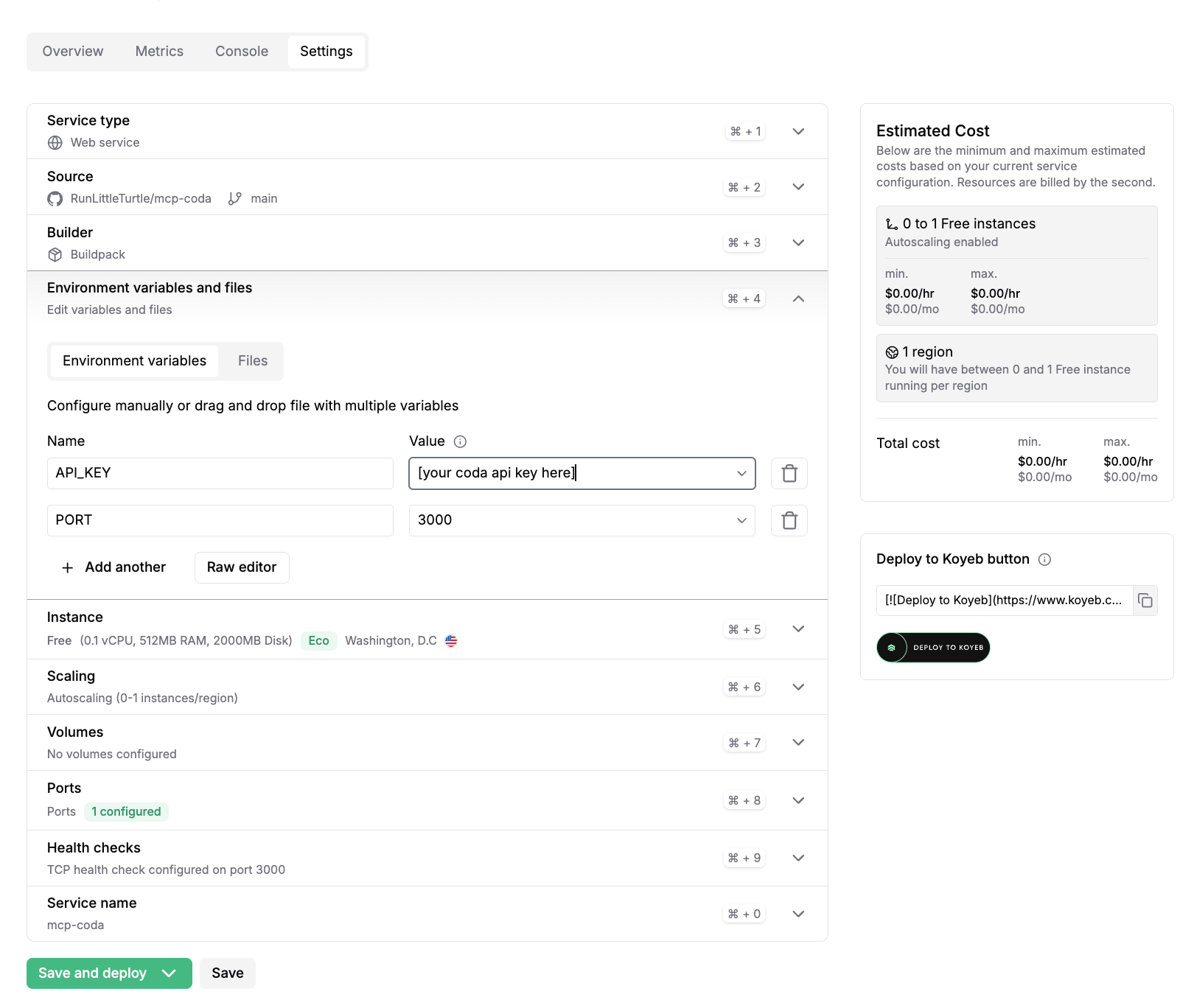
4. Configure port
In Koyeb Ports:
- Port:
3000 - Protocol:
HTTP - Public HTTPS access: enabled
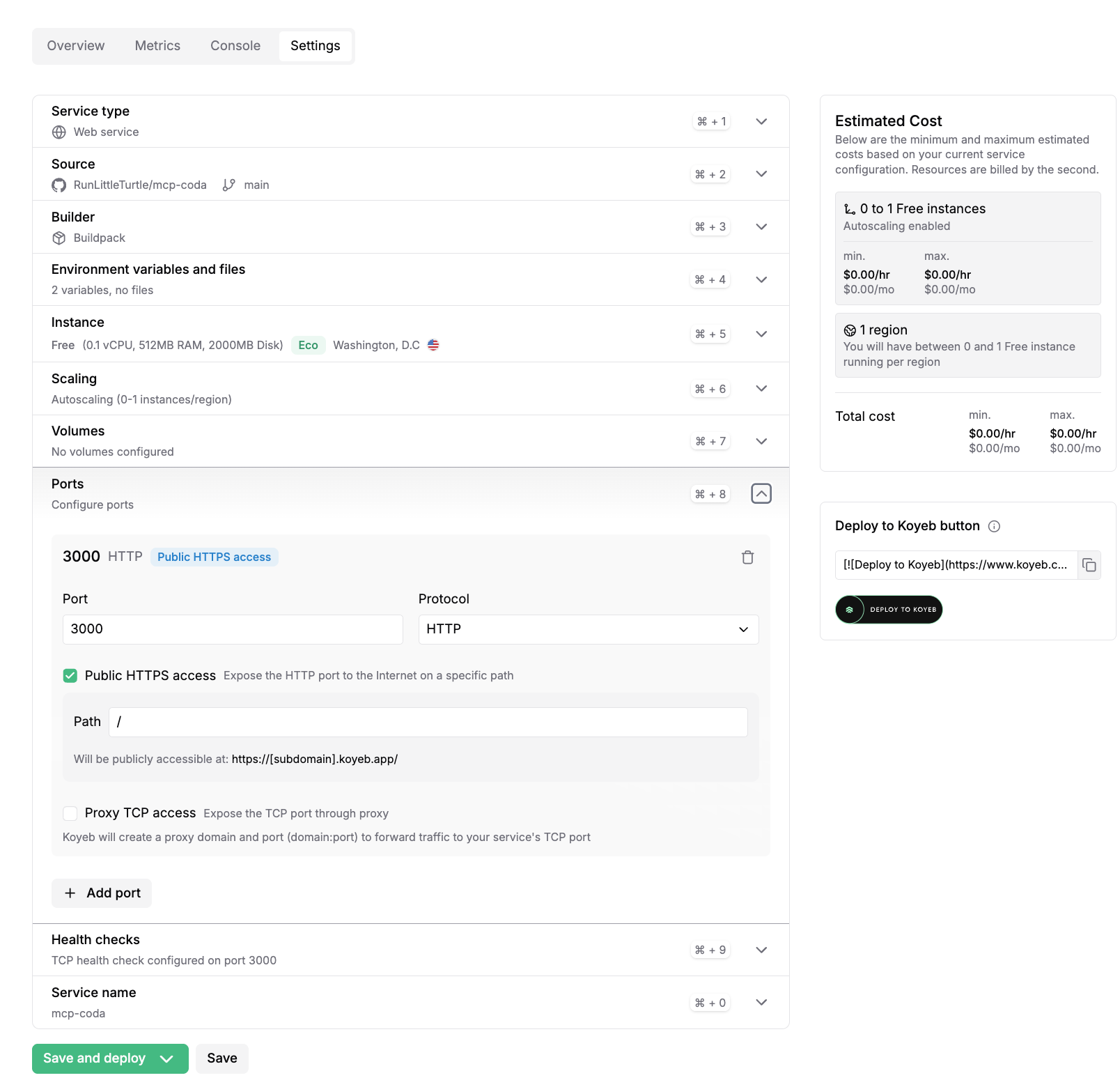
5. Deploy
Click Save and deploy.
After deploy, your public URL will look like:
https://your-service-name.koyeb.app
Health check:
https://your-service-name.koyeb.app/health
MCP endpoint:
https://your-service-name.koyeb.app/mcp
LangSmith Agent Builder Setup
Add an MCP server with:
- Name:
mcp-coda(or your preferred name) - URL:
https://your-service-name.koyeb.app/mcp - Authentication:
Static Headers - Headers: none
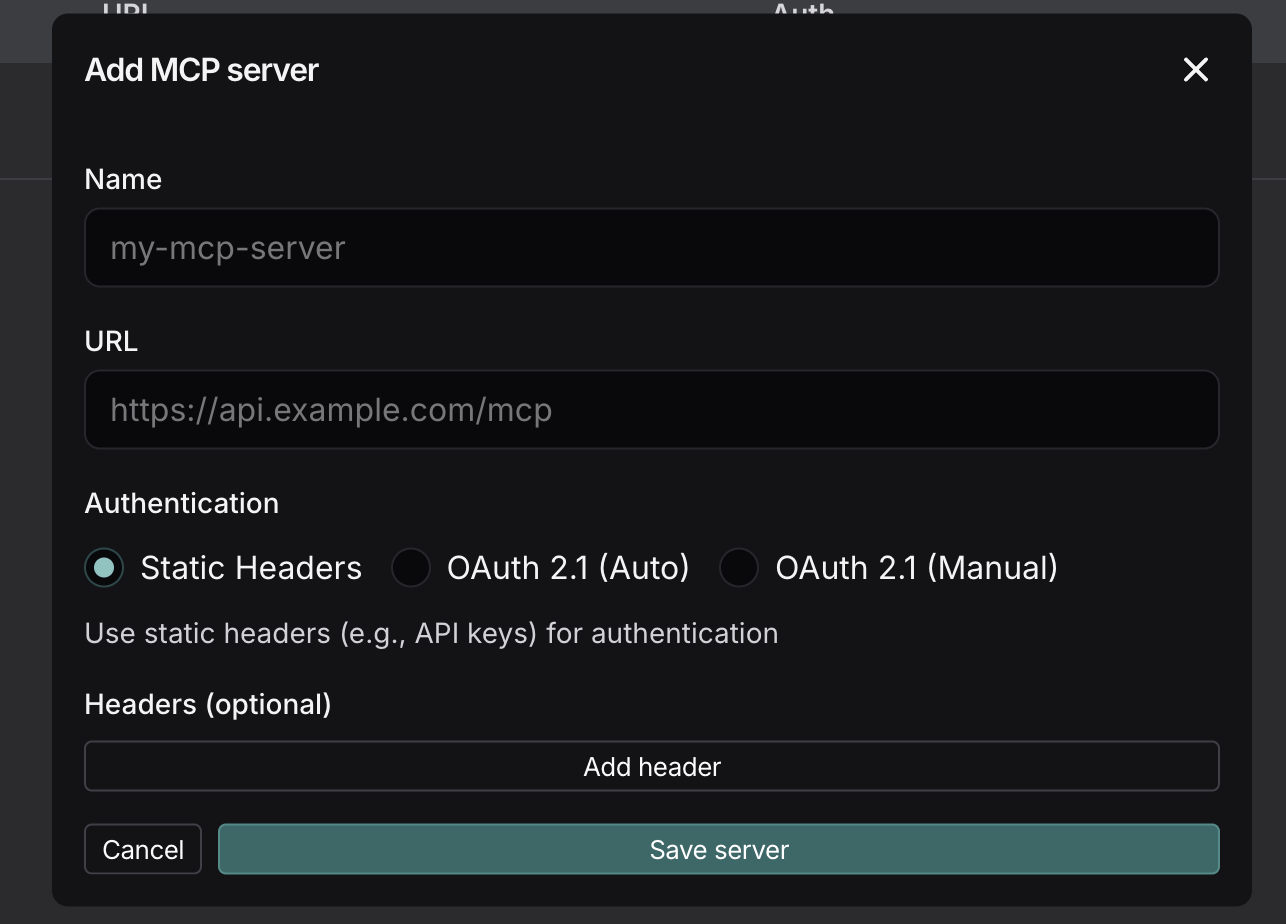
Important:
- Use
/mcp(not/and not/ssein Agent Builder) - If tools do not appear after a redeploy, wait a few seconds and reload Agent Builder
Local (minimal)
pnpm install
pnpm build
echo "API_KEY=your-coda-key" > .env
PORT=3000 pnpm start:http
Then test:
http://localhost:3000/healthhttp://localhost:3000/mcp
Environment variables
API_KEYorCODA_API_KEY(required)PORT(optional, default3000)
Credits
- Original project: dustinrgood/coda-mcp
- Early fork lineage: orellazri/coda-mcp
License
MIT