CodeDox - AI-Powered Documentation Search & Code Extraction
Transform any documentation site into a searchable code database - CodeDox crawls documentation websites, intelligently extracts code snippets with context, and provides lightning-fast search via PostgreSQL full-text search and MCP (Model Context Protocol) integration for AI assistants.
📚 Documentation
For full documentation, installation guides, API reference, and more, visit:
https://chriswritescode-dev.github.io/codedox/
Quick Start
Docker Setup (Recommended)
# Clone the repository
git clone https://github.com/chriswritescode-dev/codedox.git
cd codedox

# Configure environment
cp .env.example .env
# Edit .env to add your CODE_LLM_API_KEY (optional for AI-enhanced extraction)

# Run the automated setup
./docker-setup.sh

# Access the web UI at http://localhost:5173
# MCP tools available at http://localhost:8000/mcp
Manual Installation
See the full installation guide for detailed instructions.
Key Features
- Intelligent Web Crawling: Depth-controlled crawling with URL pattern filtering and domain restrictions
- Smart Code Extraction: Dual-mode extraction (Automatic Title / Description or LLM Generated Titles and Descriptions)
- Enhanced Search Modes: Standard code search with intelligent markdown fallback for comprehensive results
- Lightning-Fast Search: PostgreSQL full-text search with fuzzy matching
- GitHub Repository Processing: Clone and extract documentation from GitHub repositories with full path support (e.g.,
/tree/main/docs) - HTTP-First MCP Integration: MCP tools via HTTP endpoints with Streamable HTTP transport support (MCP 2025-03-26 spec)
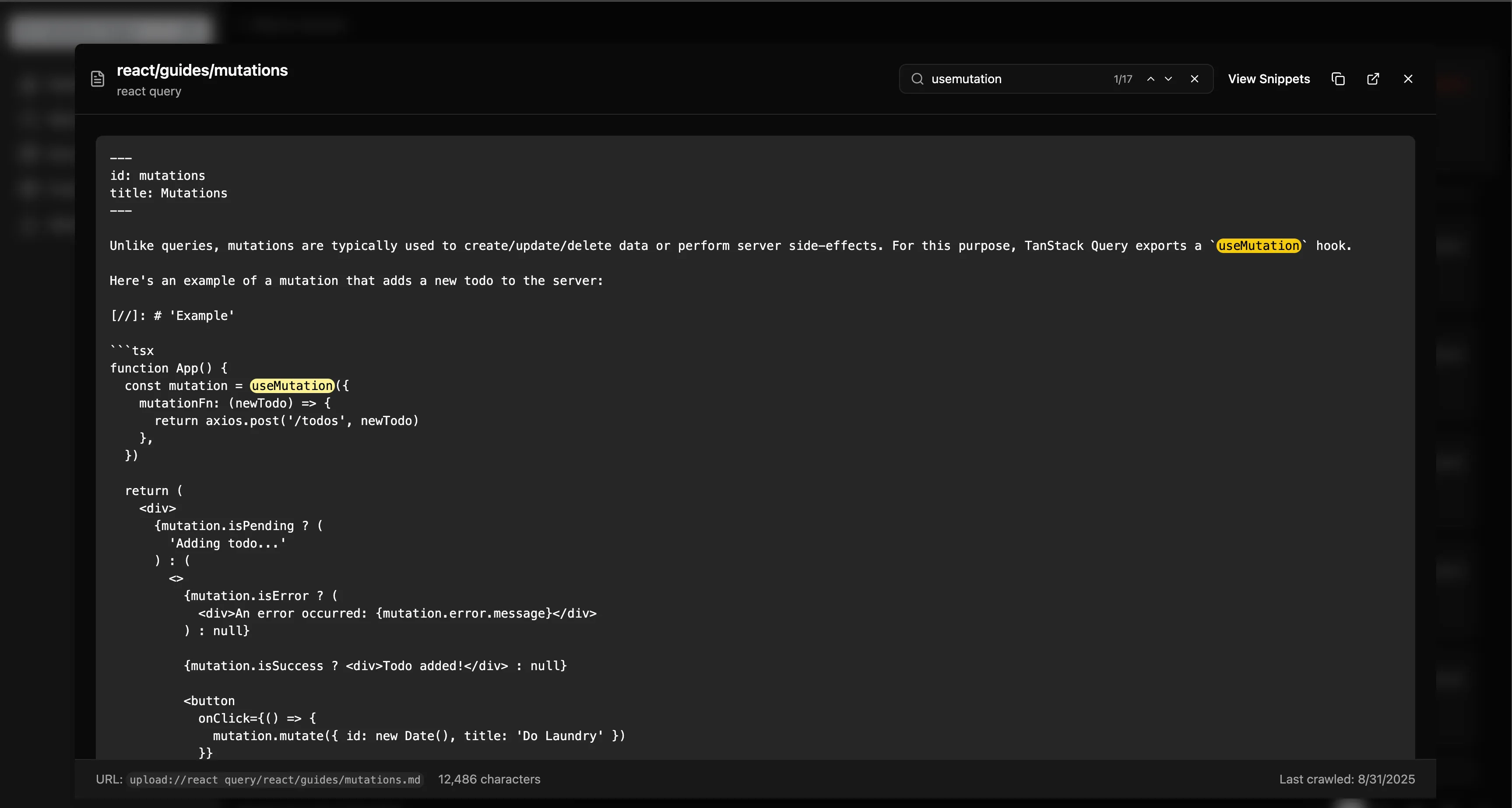
- Full Documentation Access: Get complete markdown content from any documentation page for full context
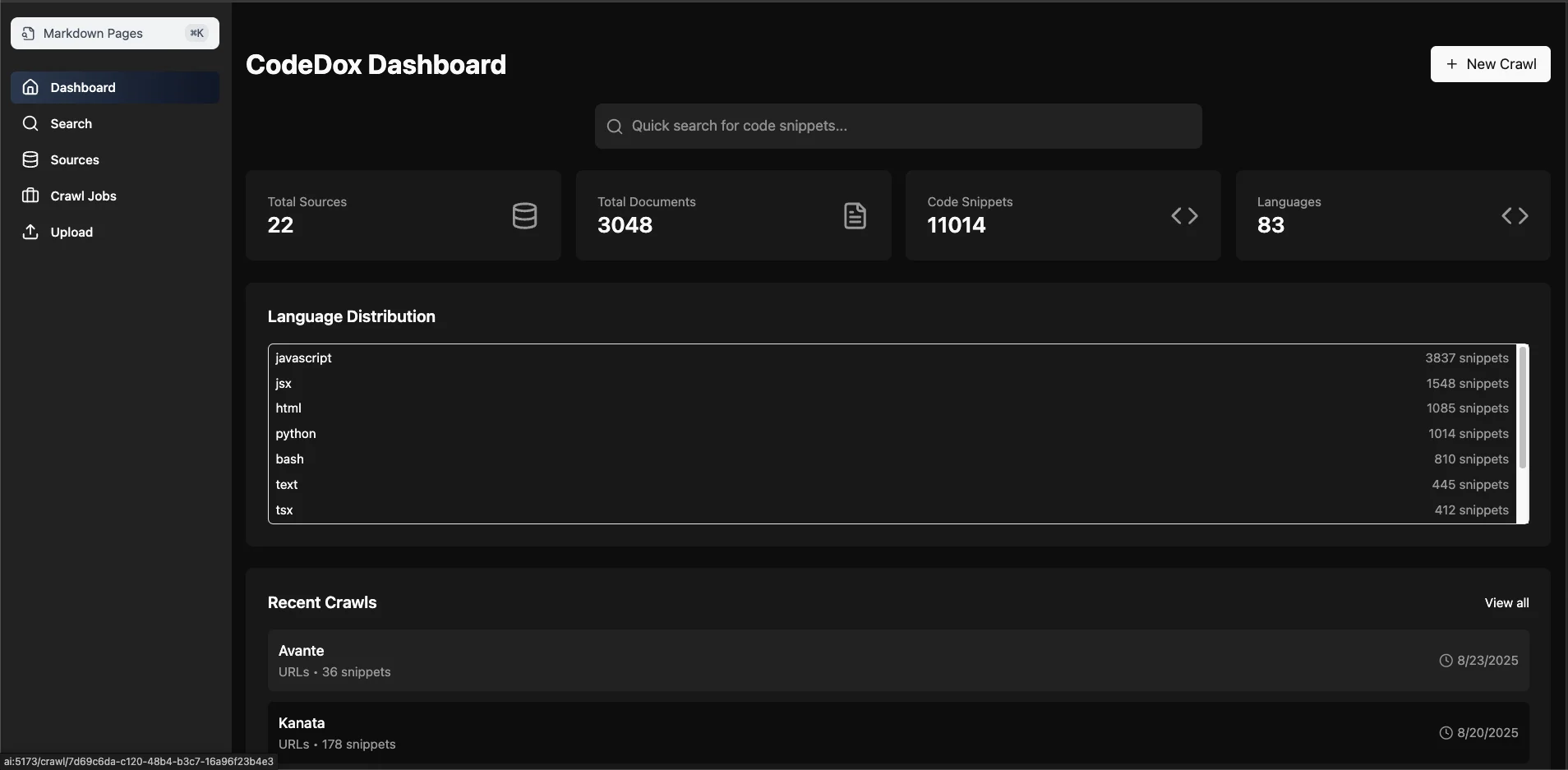
- Modern Web Dashboard: React + TypeScript UI for visual management
- Version Support: Track multiple versions of documentation
- Real-time Monitoring: Live crawl progress and health monitoring
- Upload Support: Upload documentation directly or from GitHub repositories (useful for repos with doc sites)
Demo - MCP Integration Example - OpenCode TUI
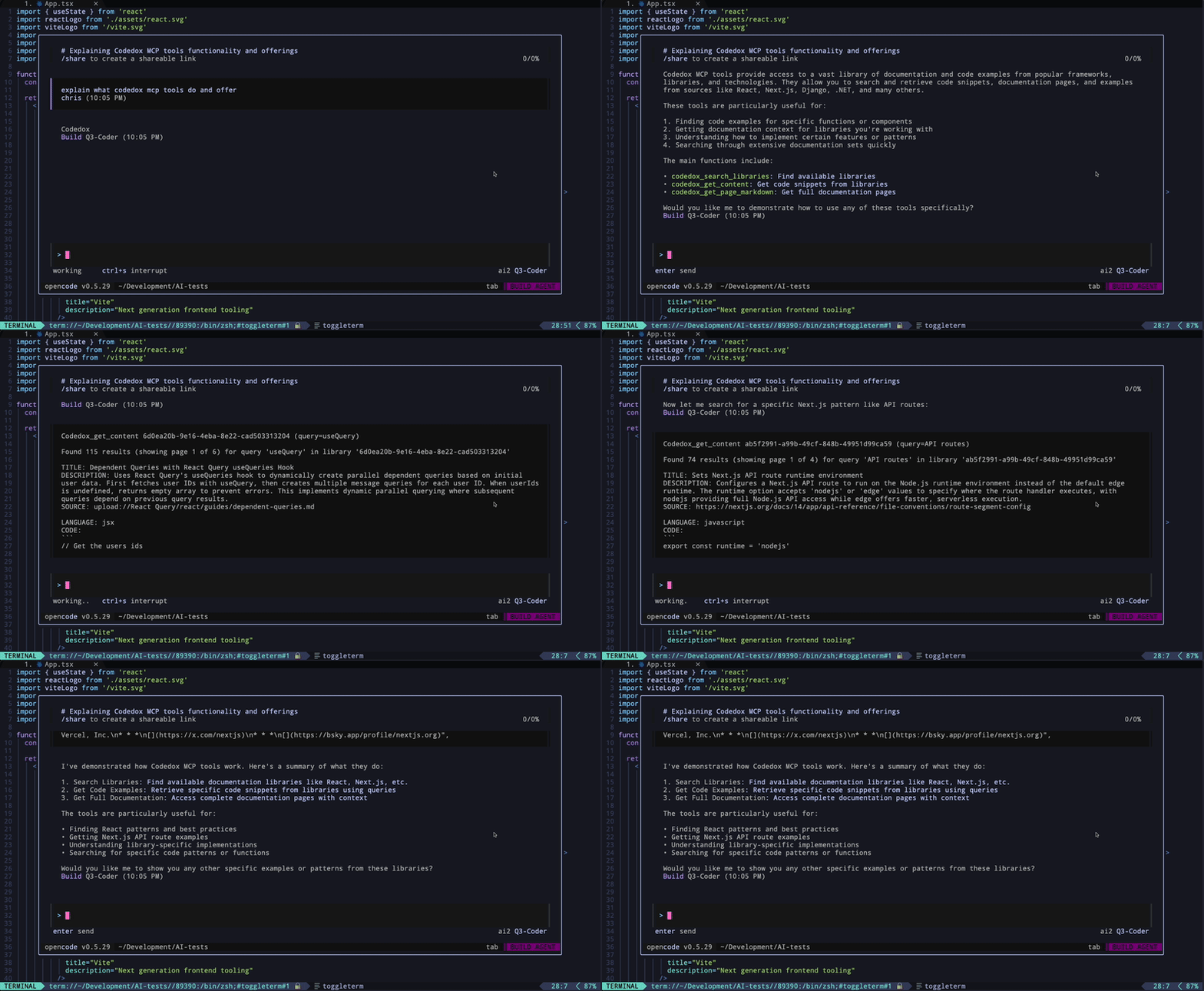
Screenshots
Dashboard
Markdown Search with Highlighting
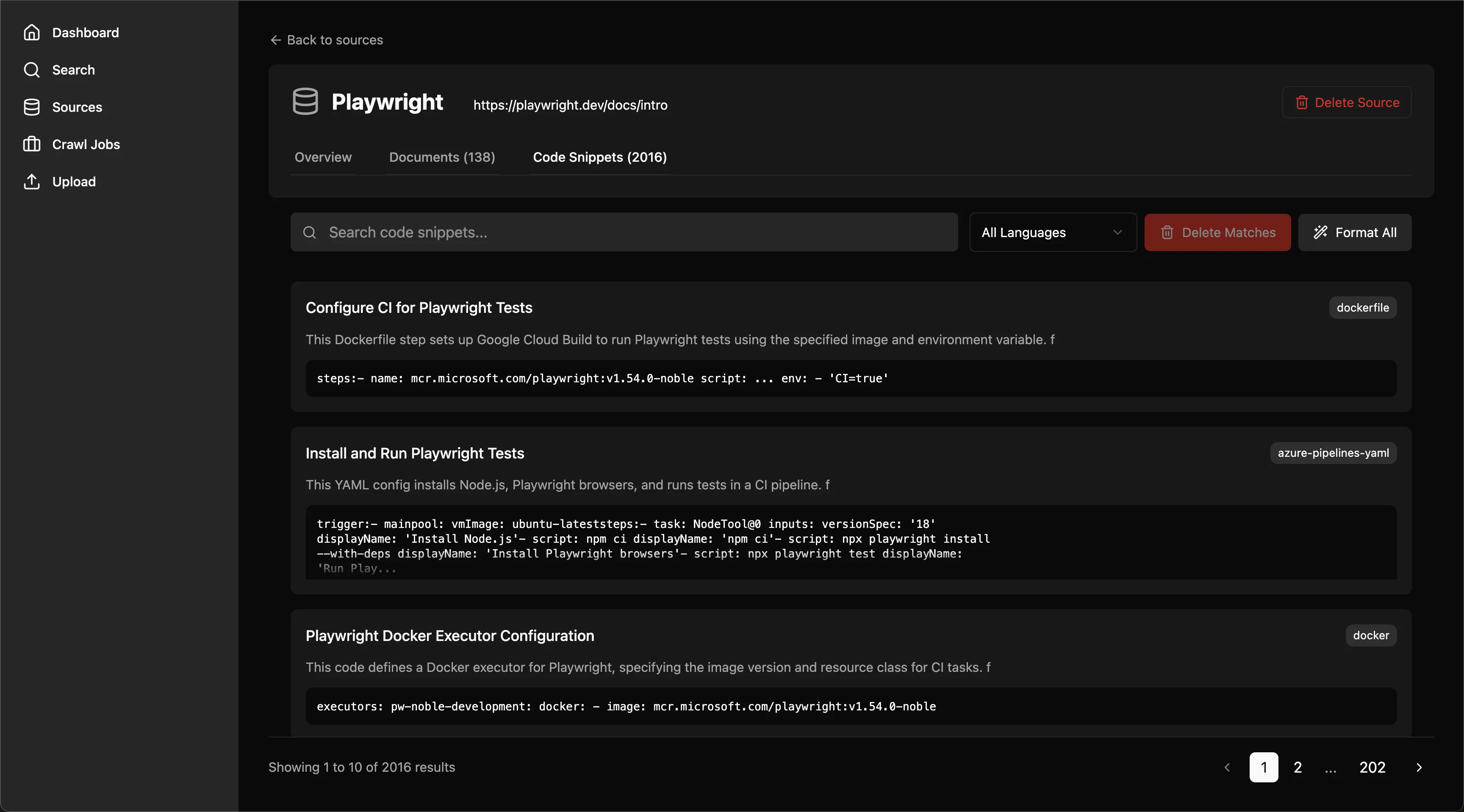
Source Detail View
Documentation
Contributing
See our Contributing Guide for details on how to contribute to CodeDox.
Author
Chris Scott - chriswritescode.dev
License
This project is licensed under the MIT License - see the LICENSE file for details.