





codex-memory
Project-local memory for Codex agents.
Codex starts every session without knowing what happened before. codex-memory
stores validated project memory locally and makes it available to future Codex
sessions.
Why?
Without memory:
- Codex repeats the same mistakes
- old decisions get lost
- every session starts from zero
With codex-memory:
- Codex can recall previous project decisions
- reuse known fixes
- inject relevant context automatically
Quick Start
npx codex-memory install
codex-memory doctor
Restart Codex.
Try it:
codex-memory remember \
  --type decision \
  --title "Use SQLite for local storage" \
  --context "Storage decision" \
  --resolution "Use SQLite as the local source of truth."

codex-memory query "SQLite"
First Successful Run
- Install:
npx codex-memory install
- Check:
codex-memory doctor
- Save memory:
codex-memory remember \
  --type fact \
  --title "Project uses Next.js" \
  --context "Frontend stack"
- Query it:
codex-memory query "frontend stack"
If this works, codex-memory is ready.
Who Is This For?
codex-memory is for developers who use Codex on real codebases and want the
agent to remember:
- architecture decisions
- solved bugs
- project conventions
- recurring fixes
- implementation patterns
Privacy
codex-memory is local-first.
- memory is stored locally in SQLite
- no hosted service is required
- do not store secrets, API keys, tokens, credentials, or personal data
What Gets Installed?
- local SQLite memory database
- Codex plugin hooks
- local memory API
- MCP tools for Codex
Common Commands
| Command | What it does |
|---|---|
codex-memory remember | save memory |
codex-memory query | search memory |
codex-memory status | check worker/API |
codex-memory doctor | diagnose setup |
codex-memory uninstall | remove from project |
Terminal Demo
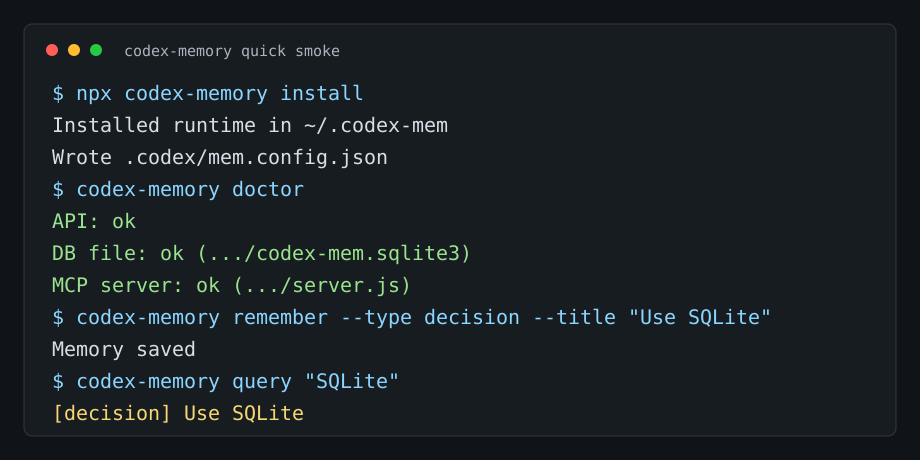
$ codex-memory remember --type bug --title "Vite build fails on Windows"
✓ Memory saved

$ codex-memory query "Vite Windows"
Found 1 memory:
[bug] Vite build fails on Windows
Solution: use cross-env for NODE_ENV
Before codex-memory
User: Fix the failing build.
Codex: Tries the same broken approach from last week.
After codex-memory
Codex checks memory:
- known issue: build fails on Windows because
NODE_ENVis set incorrectly - solution: use
cross-env
Then applies the known fix.
Example Memories
See memory type examples for fact, decision,
bug, solution, and pattern entries with realistic commands and expected
query output.
Architecture Decision
codex-memory remember \
  --type decision \
  --title "Use Prisma migrations" \
  --context "Database schema changes" \
  --resolution "All schema changes must go through Prisma migrations."
Known Bug
codex-memory remember \
  --type bug \
  --title "Tests fail when API worker is offline" \
  --context "Local test setup" \
  --resolution "Run codex-memory doctor before integration tests."
Project Pattern
codex-memory remember \
  --type pattern \
  --title "Use service layer for database writes" \
  --context "Backend architecture" \
  --resolution "Routes should call services, not database code directly."
How It Works
Codex session
     ↓
codex-memory hook
     ↓
Local SQLite memory
     ↓
Relevant memories
     ↓
Injected context
     ↓
Better Codex answer
Current Status
Supported:
- local SQLite memory
- CLI memory commands
- local API
- MCP tools
- Codex hooks
Not supported yet:
- hosted cloud sync
- team authorization
- managed dashboard
- encrypted remote memory
FAQ
Does it send my code to a server?
No. Memory is local-first and stored in SQLite.
Do I need MCP?
For basic CLI usage, no. MCP is used for agent integration.
Does it work without Codex?
The CLI can store and query memory, but the main integration target is Codex.
Where is memory stored?
By default under ~/.codex-mem.
How do I reset everything?
Run codex-memory uninstall and remove the local memory directory.
Developer Docs
See docs/development.md for repository setup, local API/MCP development, publishing checks, and CI commands.
Focused guides:
Status
Beta. Local-first. Do not store secrets.