CORBAT MCP
Coding Standards Server for Claude
AI-generated code that passes code review on the first try.
The only MCP that makes Claude generate professional-grade code — with proper architecture, comprehensive tests, and zero code smells.


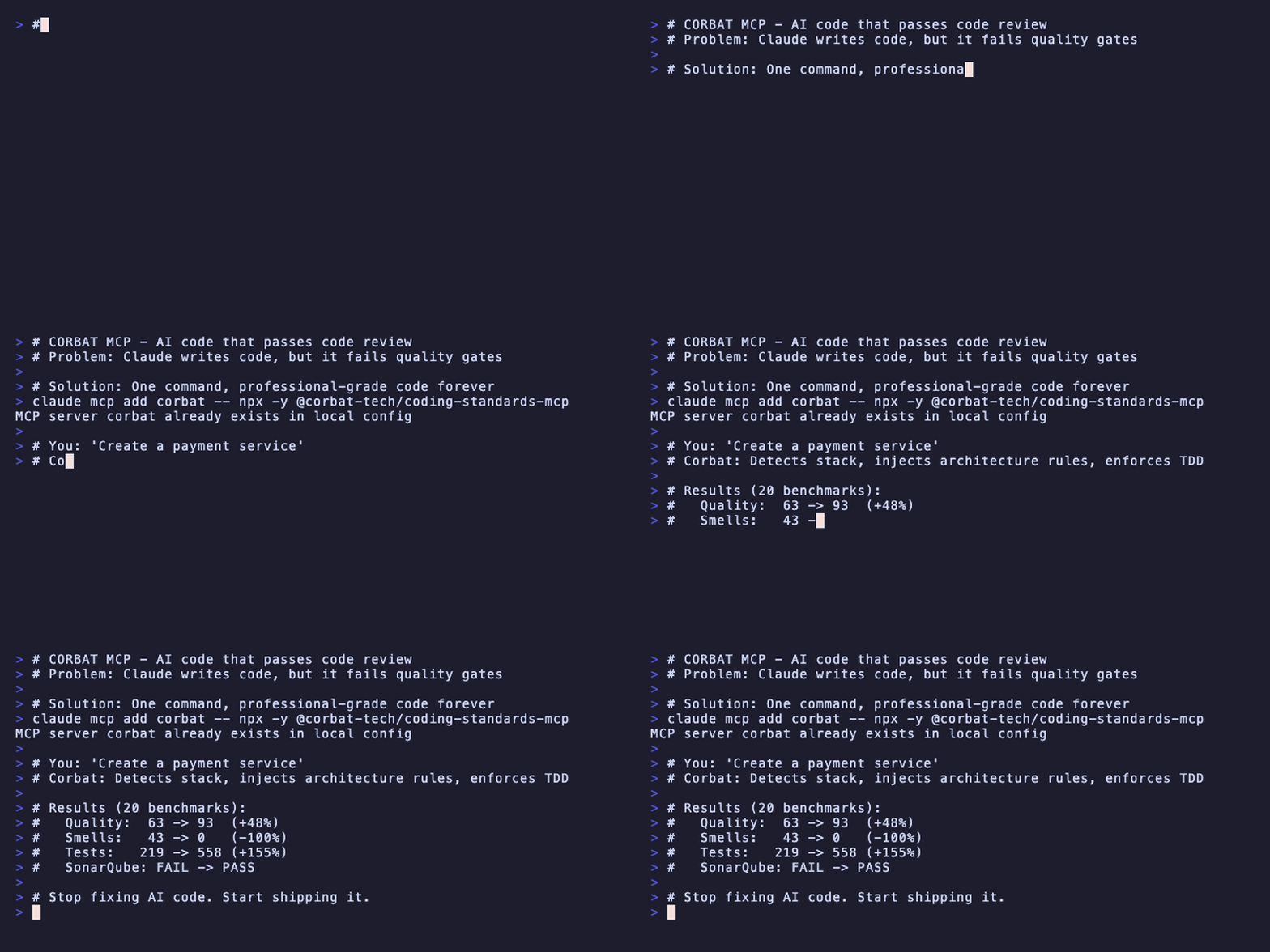
The Real Problem With AI-Generated Code
When you ask Claude to write code, it works. But does it pass code review?
❌ No dependency injection
❌ Missing error handling
❌ Basic tests (if any)
❌ No input validation
❌ God classes and long methods
❌ Fails SonarQube quality gates
You spend hours fixing AI-generated code to meet your team's standards.
What If Claude Wrote Code Like Your Senior Engineers?
Without Corbat MCP
|
With Corbat MCP
|
Benchmark Results: The Numbers Don't Lie
We tested Claude generating identical tasks with and without Corbat MCP across 20 scenarios.
| Metric | Without MCP | With MCP | Improvement |
|---|---|---|---|
| Quality Score | 63/100 | 93/100 | +48% |
| Code Smells | 43 | 0 | -100% |
| SOLID Compliance | 50% | 89% | +78% |
| Test Coverage | 219 tests | 558 tests | +155% |
| SonarQube Gate | FAIL | PASS | Fixed |
Key finding: Code generated with Corbat MCP passes SonarQube quality gates. Without it, code fails.
Why Corbat MCP vs Other Solutions?
| Approach | When it acts | What it catches | Auto-detects stack |
|---|---|---|---|
| Corbat MCP | BEFORE code is written | Architecture, SOLID, TDD, DDD | Yes |
| ESLint/Prettier | After code exists | Syntax, formatting | No |
| SonarQube | After PR/commit | Code smells, bugs | No |
| Manual prompts | Every time | Whatever you remember | No |
Linters and analyzers catch problems after the fact. Corbat MCP prevents them.
vs Other Coding MCPs
| Feature | Corbat MCP | Generic coding MCPs |
|---|---|---|
| Task-specific guardrails (feature vs bugfix vs refactor) | Yes | No |
| Auto-detects your stack from project files | Yes | No |
| Enforces architectural patterns (Hexagonal, DDD) | Yes | Limited |
| Comprehensive benchmark data | Yes | No |
| 7 production-ready profiles | Yes | Basic |
Quick Start (2 minutes)
Step 1 — Add to Claude:
| Claude Code |
|
| Claude Desktop |
Edit |
Step 2 — Just code:
You: "Create a payment service"

Corbat: ✓ Detected Java/Spring project
        ✓ Loaded java-spring-backend profile
        ✓ Applied hexagonal architecture rules
        ✓ Enforced TDD workflow
        ✓ Set 80%+ coverage requirement
That's it. Claude now generates code that passes code review.
What Gets Injected Automatically
When you ask Claude to create code, Corbat MCP injects professional standards:
## Detected
- Stack: Java 21 · Spring Boot 3 · Maven
- Task type: FEATURE
- Profile: java-spring-backend

## MUST
✓ Write tests BEFORE implementation (TDD)
✓ Use hexagonal architecture (domain → application → infrastructure)
✓ Apply SOLID principles
✓ Ensure 80%+ test coverage
✓ Create custom error types with context
✓ Validate all inputs at boundaries

## AVOID
✗ God classes (>200 lines) or god methods (>20 lines)
✗ Hard-coded configuration values
✗ Mixing business logic with infrastructure
✗ Returning null/undefined (use Result types or throw)
Smart Guardrails by Task Type
Corbat MCP automatically detects what you're doing and applies different rules:
| Task | Key Rules |
|---|---|
| Feature | TDD workflow, 80%+ coverage, SOLID, hexagonal architecture |
| Bugfix | Write failing test first, minimal changes, document root cause |
| Refactor | Tests pass before AND after, no behavior changes, incremental |
| Test | AAA pattern, one assertion per test, descriptive names |
You: "Fix the login timeout bug"

Corbat detects: BUGFIX
Applies: Failing test first → Minimal fix → Verify no regressions
Built-in Profiles for Every Stack
| Profile | Stack | Architecture |
|---|---|---|
java-spring-backend | Java 21, Spring Boot 3 | Hexagonal + DDD + CQRS |
nodejs | Node.js, TypeScript | Clean Architecture |
python | Python, FastAPI | Clean Architecture |
react | React 18+ | Feature-based components |
angular | Angular 19+ | Feature-based + Signals |
vue | Vue 3.5+ | Composition API |
minimal | Any | Basic quality standards |
Auto-detection: Corbat reads pom.xml, package.json, requirements.txt to select the right profile automatically.
ROI for Development Teams
Based on our benchmark data:
| Benefit | Impact |
|---|---|
| Code review time | -40% (fewer issues to catch) |
| Bug density | -50% (better test coverage) |
| Onboarding time | -30% (consistent architecture) |
| Technical debt | -90% (zero code smells) |
| Debugging time | -60% (custom errors with context) |
How It Works
┌─────────────────┐     ┌─────────────────┐     ┌─────────────────┐
│  Your Prompt    │────▶│   Corbat MCP    │────▶│  Claude + Rules │
│                 │     │                 │     │                 │
│ "Create user    │     │ 1. Detect stack │     │ Generates code  │
│  service"       │     │ 2. Classify task│     │ that passes     │
│                 │     │ 3. Load profile │     │ code review     │
│                 │     │ 4. Inject rules │     │                 │
└─────────────────┘     └─────────────────┘     └─────────────────┘
Corbat MCP acts as a quality layer between you and Claude. It automatically:
- Detects your project's technology stack
- Classifies the type of task (feature, bugfix, refactor, test)
- Loads the appropriate profile with architecture rules
- Injects guardrails before Claude generates any code
Customize (Optional)
Interactive Setup
npx corbat-init
Manual Config
Create .corbat.json in your project root:
{
  "profile": "nodejs",
  "rules": {
    "always": [
      "Use TypeScript strict mode",
      "Prefer functional programming"
    ],
    "never": [
      "Use any type"
    ]
  }
}
Available Tools
| Tool | Purpose |
|---|---|
get_context | Primary — Returns all standards for your task |
validate | Check code against standards (returns compliance score) |
search | Search 15 standards documents |
profiles | List all available profiles |
health | Server status and diagnostics |
Compatibility
| Client | Status |
|---|---|
| Claude Code (CLI) | ✅ Tested |
| Claude Desktop | ✅ Tested |
| Cursor | ⚠️ Experimental |
| Windsurf | ⚠️ Experimental |
| Other MCP clients | ✅ Standard protocol |
Included Documentation
Corbat MCP comes with 15 searchable standards documents:
- Architecture: Hexagonal, DDD, Clean Architecture
- Code Quality: SOLID principles, Clean Code, Naming Conventions
- Testing: TDD workflow, Unit/Integration/E2E guidelines
- DevOps: Docker, Kubernetes, CI/CD best practices
- Observability: Structured logging, Metrics, Distributed tracing
Use the search tool: "search kafka" → Returns event-driven architecture guidelines.
Troubleshooting
Claude can't find corbat
- Verify npm/npx is in PATH:
which npx - Test manually:
npx @corbat-tech/coding-standards-mcp - Restart Claude completely
- Check Claude's MCP logs
Wrong stack detected
Override with .corbat.json:
{ "profile": "nodejs" }
Or specify in prompt: "...using profile nodejs"
Standards not being applied
- Check if
.corbat.jsonexists in project root - Verify profile exists
- Try explicit: "Use corbat get_context for: your task"
Links
Stop fixing AI-generated code. Start shipping it.