Copilot MCP Search for VS Code
Want remote MCP in ~30s? Try Cloud MCP — paste a URL → OAuth → done.
Works with Copilot & Claude (no keys, no terminal).
Get started at cloudmcp.run
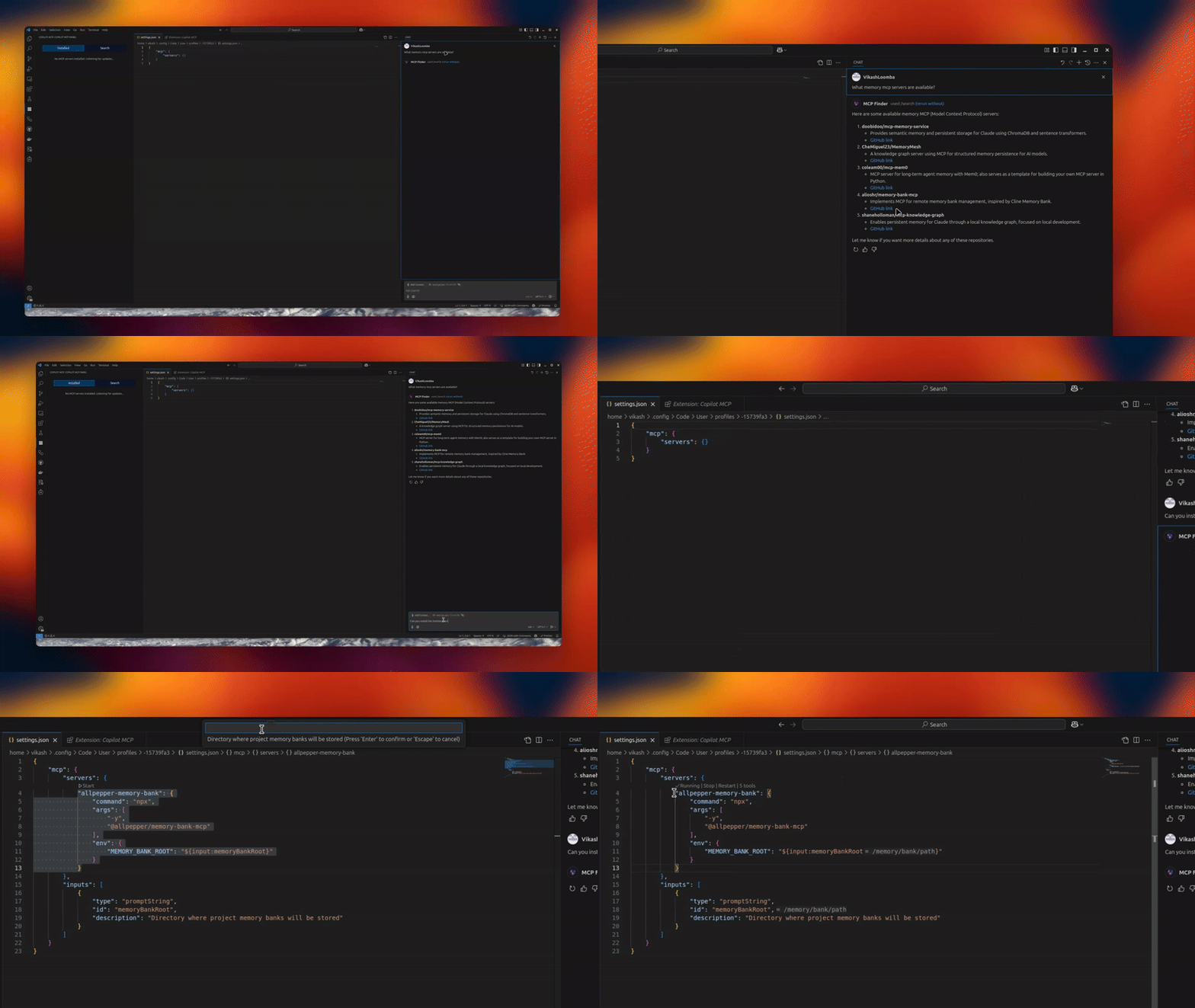




A powerful VS Code extension that lets you discover & install open‑source MCP servers and expose their tools to GitHub Copilot Chat.
✨ Features
- 🔧 MCP Server Management – connect/manage multiple servers via an intuitive UI
- 🚀 Copilot Integration – expose MCP tools directly to Copilot Chat
- 🎯 Server Discovery – automatically discover searchable open‑source servers
- ⚡ Server Health Monitoring – real‑time status & connection checks
- 🔄 Auto‑Reconnect – resilient MCP connections
📦 Installation
- Install from the VS Code Marketplace.
- Open MCP Servers in the Activity Bar, or configure in Settings.
Optional: Remote MCP (no local setup)
If you don’t want to run servers locally, use Cloud MCP (remote, OAuth‑only).
Paste the MCP URL into Copilot/Claude and you’re done:
- Learn More: https://cloudmcp.run
🛠️ Configuration
Configure via the UI or VS Code settings. Look for the MCP Servers icon in the Activity Bar.
🚀 Usage
- Open the MCP Servers view
- Connect or search for servers
- Use Copilot Chat with your newly added tools
Tip: When a server supports
npx/uvx, the Server Discovery panel shows a “Deploy via Cloud MCP” option so you can run it remotely without installing anything.
🔗 Requirements
- VS Code
- GitHub Copilot Chat extension
🌟 Benefits
- Give Copilot standardized tools via MCP
- Local or remote workflows (Cloud MCP)
- Join a growing, interoperable ecosystem
👥 Contributing
PRs and feature requests welcome! See issues.
✍️ Author
Vikash Loomba
Website: https://cloudmcp.run
GitHub: @vikashloomba
📝 License
GPL‑3.0 — see LICENSE.
Part of the MCP Client Ecosystem