Copilot Memory Store
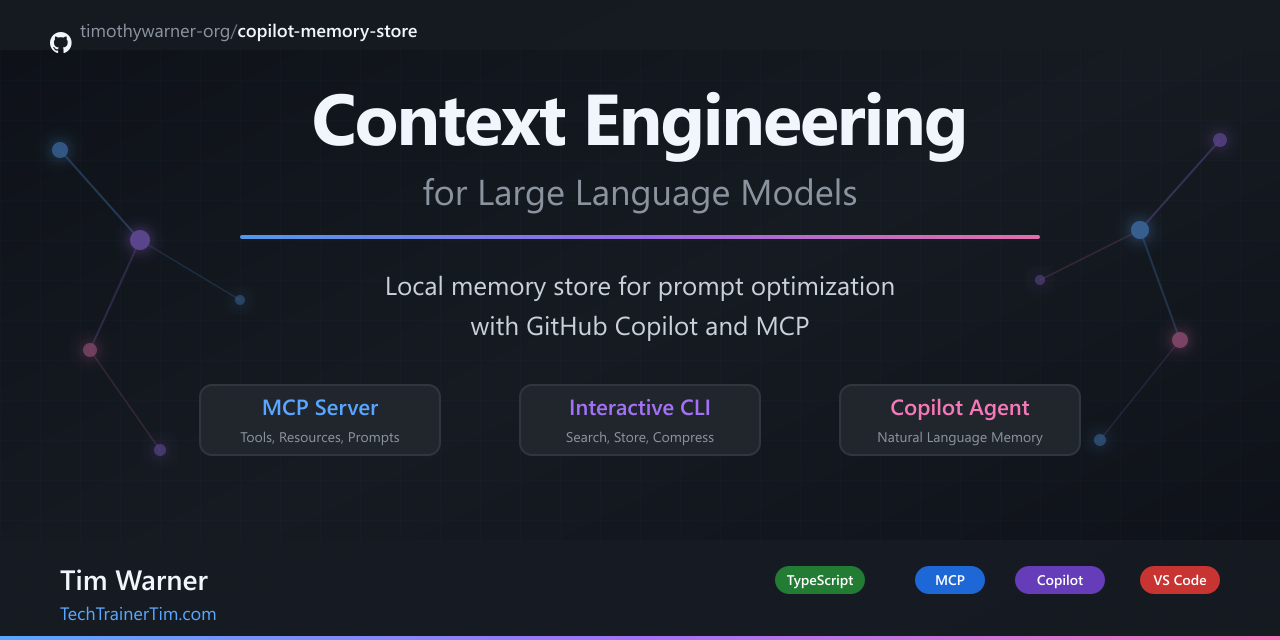



A local JSON memory store for context engineering with GitHub Copilot and MCP clients.
Documentation
| Guide | When to read |
|---|---|
| examples/QUICKSTART.md | Start here - npm commands cheatsheet |
| examples/COPILOT_CHAT_EXAMPLES.md | 50+ copy-paste prompts for Copilot Chat |
| docs/CONTEXT_MEMORY_TYPES.md | Deep dive into LLM memory types and how this project works |
| docs/CODE_WALKTHROUGH.md | Architectural overview with flow diagrams |
| docs/CLI_GUIDE.md | Interactive REPL command reference |
| docs/COPILOT_GUIDE.md | Using the memory tools from GitHub Copilot |
Features
- CLI (
memory>) - Interactive REPL for managing memories - MCP Server - Stdio server exposing tools, resources, and prompts
- Custom VS Code Agent - Pre-configured "Memory" agent for natural language usage
- Context Compression - Budget-constrained context injection with optional LLM summarization
- Auto-Keywords - Automatic keyword extraction for improved search relevance
Why This Exists
LLMs have limited context windows. This tool helps you:
- Store important information as searchable memories with auto-extracted keywords
- Search memories by relevance scoring (keywords + tags + recency)
- Compress relevant memories into a character budget for context injection
Perfect for teaching context engineering - the art of fitting the right information into limited LLM context.
Quick Start
# Install dependencies
npm install

# Copy environment config (tweak MEMORY_PATH / DeepSeek settings as needed)
cp .env.example .env

# Build the project
npm run build

# Run the CLI
npm run dev

# Or run the MCP server
npm run mcp

# Debug presets live in `.vscode/launch.json` (Run → Start Debugging → pick a config)
Heads-up:
project-memory.jsoncontains a few demo memories for workshops. Delete it (or pointMEMORY_PATHelsewhere) before your first real run if you want to start with an empty store.
VS Code GitHub Copilot Integration
1. Build the project
npm run build
2. Configure MCP server
The project includes a pre-configured .vscode/mcp.json:
{
  "servers": {
    "copilot-memory": {
      "type": "stdio",
      "command": "node",
      "args": ["./dist/mcp-server.js"],
      "env": {
        "MEMORY_PATH": "project-memory.json"
      }
    }
  }
}
Run npm run build whenever you change the server so the compiled dist/mcp-server.js stays current.
3. Use the Memory Agent (Recommended)
The project includes a custom Memory agent at .github/agents/memory-agent.agent.md that makes using the memory tools natural.
To use:
- Open Copilot Chat in VS Code
- Click the agent dropdown (shows "Agent", "Ask", etc.)
- Select "Memory"
- Chat naturally!
Example conversations:
You: Remember that I prefer functional components over class components
Agent: [Calls memory_write] Saved your preference for functional React components.

You: What preferences do I have stored?
Agent: [Calls memory_search] Based on your stored memories, you prefer...

You: Help me refactor auth.ts
Agent: [Calls memory_search first for context] I found some relevant context about your authentication preferences...
4. Direct Tool References (Alternative)
You can also reference tools directly with #:
#memory_write text: "We use PostgreSQL" tags: ["decision", "database"]
#memory_search query: "database"
5. Reload VS Code
After any configuration changes, reload VS Code:
- Press
Ctrl+Shift+P(orCmd+Shift+Pon Mac) - Run "Developer: Reload Window"
MCP Server Features
Tools (7)
| Tool | Description |
|---|---|
memory_write | Add, save, store, or remember information to project memory |
memory_search | Search, find, recall, or look up information from project memory |
memory_compress | Create compact context from relevant memories within a budget |
memory_delete | Soft-delete a memory (tombstone, recoverable) |
memory_purge | Hard-delete by id, tag, or substring match |
memory_export | Export all records as JSON |
inject_context | Auto-inject shaped context for a task (uses DeepSeek LLM) |
Resources (2)
| Resource | URI | Description |
|---|---|---|
stats | memory://stats | Live statistics (counts, top tags) |
recent | memory://recent | Last 10 memories added |
Prompts (3)
Note: VS Code GitHub Copilot does not currently support MCP prompts. Use the MCP Inspector or other MCP clients to test prompts.
| Prompt | Description |
|---|---|
summarize-memories | Generate a summary of memories on a topic |
remember-decision | Structured template for architectural decisions |
inject-context | Auto-inject relevant memories as context for a task |
Context Shaping with DeepSeek
The inject-context prompt supports LLM-powered context shaping via DeepSeek:
{
  "task": "refactor the auth module",
  "budget": 1500,
  "shape": true
}
When shape: true:
- Raw memories are transformed into task-specific actionable guidance
- Output is structured with clear headers (
## Context for:,### Key Constraints) - Irrelevant memories are filtered out
- Falls back to deterministic compression if DeepSeek isn't configured
This makes context injection more intuitive - instead of raw memory dumps, you get focused guidance like:
## Context for: Auth Module Refactor

### Preferences
- Use JWT tokens (15min access, 7 day refresh)
- Passwords hashed with bcrypt, cost factor 12

### Key Constraints
- Three-layer architecture: Controller → Service → Repository
- All validation via Zod at API boundary
Configuration
Edit .env:
# Required: where memories are stored
MEMORY_PATH=.copilot-memory.json

# Optional: for LLM-assisted compression
DEEPSEEK_API_KEY=your-key-here
DEEPSEEK_BASE_URL=https://api.deepseek.com
DEEPSEEK_MODEL=deepseek-chat
The MCP configuration in .vscode/mcp.json points at project-memory.json so you can ship a pre-filled sample store. Override MEMORY_PATH in your environment if you want the CLI and MCP server to share a different file.
MCP Inspector
Debug and test the MCP server interactively:
# Launch inspector (opens web UI)
npm run inspect

# Or with live TypeScript reloading
npm run inspect:dev
The inspector lets you:
- Browse all tools, resources, and prompts
- Execute tools and see responses
- View raw JSON-RPC message traffic
CLI Commands
See docs/CLI_GUIDE.md for detailed usage and examples.
| Command | Description |
|---|---|
add [--tags a,b] <text> | Add a memory |
search <query> [--limit N] [--raw] | Search memories |
compress <query> [--budget N] [--llm] | Compress for context |
delete <id> | Soft-delete |
purge --id/--tag/--match | Hard-delete |
export | Dump JSON |
stats | Show statistics |
Context Engineering Demo
The memory_compress tool demonstrates key context engineering concepts:
- Relevance Scoring - Memories ranked by keyword matches + tag matches + recency
- Budget Constraints - Fit context into character limits (200-8000 chars)
- Deterministic Compression - Predictable truncation without LLM
- LLM-Assisted Compression - Optional DeepSeek summarization for smarter compression
Architecture
.github/
├── agents/
│   └── memory-agent.agent.md  # Custom VS Code agent definition
├── prompts/                   # Reusable Copilot prompt files
│   ├── add-memory.prompt.md
│   ├── retrieve-memory.prompt.md
│   └── inject-memory.prompt.md
└── copilot-instructions.md    # Onboarding for AI coding agents
.vscode/
├── launch.json
├── mcp.json
└── settings.json
docs/
├── CODE_WALKTHROUGH.md   # Architecture walkthrough + diagrams
├── CLI_GUIDE.md          # CLI usage guide
└── COPILOT_GUIDE.md      # VS Code Copilot usage guide
examples/
├── QUICKSTART.md         # npm commands cheatsheet
├── COPILOT_CHAT_EXAMPLES.md  # 50+ prompt examples
└── scenarios/            # Pre-built memory files for workshops
    ├── react-developer.json
    ├── api-backend.json
    └── team-decisions.json
src/
├── cli.ts                # Interactive REPL
├── mcp-server.ts         # MCP stdio server (tools, resources, prompts)
├── memoryStore.ts        # Core storage, search, compression
└── deepseek.ts           # Optional LLM compression + context shaping
npm Scripts
| Script | Description |
|---|---|
npm run dev | Run CLI with tsx (dev mode) |
npm run build | Compile TypeScript to dist/ |
npm run mcp | Run MCP server with tsx |
npm run inspect | Launch MCP Inspector |
npm run inspect:dev | Inspector with tsx (live reload) |
Development Workflow
| Task | Recommended action |
|---|---|
| Edit + run CLI locally | npm run dev or VS Code "CLI (TypeScript via tsx)" debug config |
| Serve MCP tools to Copilot | npm run mcp during development; rebuild with npm run build for the dist-based config |
| Explore MCP surface area | npm run inspect or npm run inspect:dev |
| Update docs/instructions | Keep docs/ and .github/copilot-instructions.md in sync |
External Resources
Author
Tim Warner
License
MIT