OPNsense MCP Server
MCP server for OPNsense firewall operations (ARP, DHCP, logs, rules, interfaces, system status, packet capture).
Use one of two deployment modes:
STDIO(local): best for Cursor/Claude Code/Continue running the server process directly.SSE(centralized): best for shared, long-lived service over HTTPS.
Demo
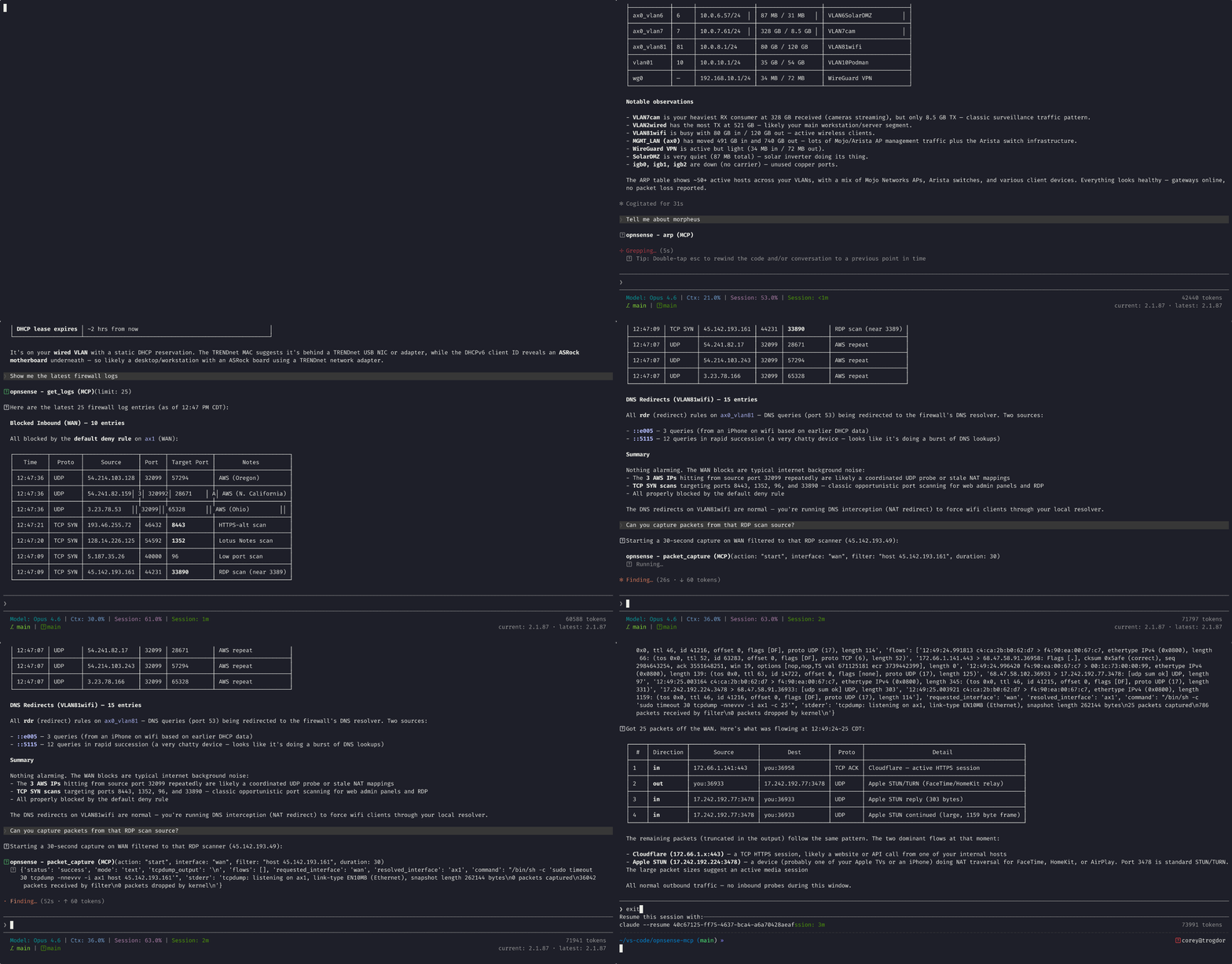
Query your firewall with Claude Code CLI. Live example with real network data:
Why This Exists
Built this because SSH'ing into the firewall to check logs or grab ARP data got old fast. Now you can ask Claude:
- "What's happening on the network right now?"
- "Show me the latest firewall blocks"
- "Tell me about that host"
- "Capture packets from the suspicious traffic"
Claude handles the firewall query via MCP and gives you analysis + context in one shot. Works on homelab or business deployments equally well.
Quick Start
1) Local setup (required for both modes)
uv venv
source .venv/bin/activate
uv pip install -r requirements.txt
cp examples/.env.example ~/.env
Edit ~/.env:
OPNSENSE_API_KEY=your_api_key
OPNSENSE_API_SECRET=your_api_secret
OPNSENSE_FIREWALL_HOST=your.firewall.host
MCP_SECRET_KEY=replace_me
2) Choose mode
Mode A: STDIO (local IDE/client)
Configure your MCP client to launch mcp_start.sh:
{
  "mcpServers": {
    "opnsense-mcp": {
      "command": "/bin/bash",
      "args": ["/absolute/path/to/opnsense-mcp/mcp_start.sh"],
      "cwd": "/absolute/path/to/opnsense-mcp"
    }
  }
}
See full guide: docs/GETTING_STARTED.md.
Mode B: SSE (centralized service)
Run the Linux installer (Podman + quadlet + Caddy TLS):
sudo bash deploy/install.sh
Clients connect to:
https://<your-hostname>/sse
See deployment docs:
What Is Available
Primary tools:
- Discovery:
arp,dhcp,lldp - Monitoring:
system,get_logs,packet_capture - Firewall rules:
fw_rules,mkfw_rule,rmfw_rule,ssh_fw_rule - Interfaces:
interface_list
Full reference: docs/REFERENCE/FUNCTION_REFERENCE.md
Use Cases
- Homelab network troubleshooting — Query firewall logs from terminal, get Claude's take on what's happening
- Security operations — Automate incident triage: "Analyze the last hour of blocks"
- Infrastructure automation — Write MCP-aware scripts that query firewall state dynamically
- DevOps troubleshooting — Quick VLAN/interface status checks without SSH sessions
Feedback
First 10 users get feedback incorporated into the tool. If you find bugs or have ideas, file an issue or discussion.
Documentation Map
- Start here:
docs/GETTING_STARTED.md - Claude Code specifics:
docs/CLAUDE_CODE_INTEGRATION.md - Centralized SSE spec:
docs/CENTRALIZED_DEPLOY_SPEC.md - Contributor guide:
docs/DEVELOPMENT/CONTRIBUTING.md
License
This project is released under the MIT License.