Depwire
See how your code connects. Give AI tools full codebase context.
Depwire analyzes codebases to build a cross-reference graph showing how every file, function, and import connects. It provides:
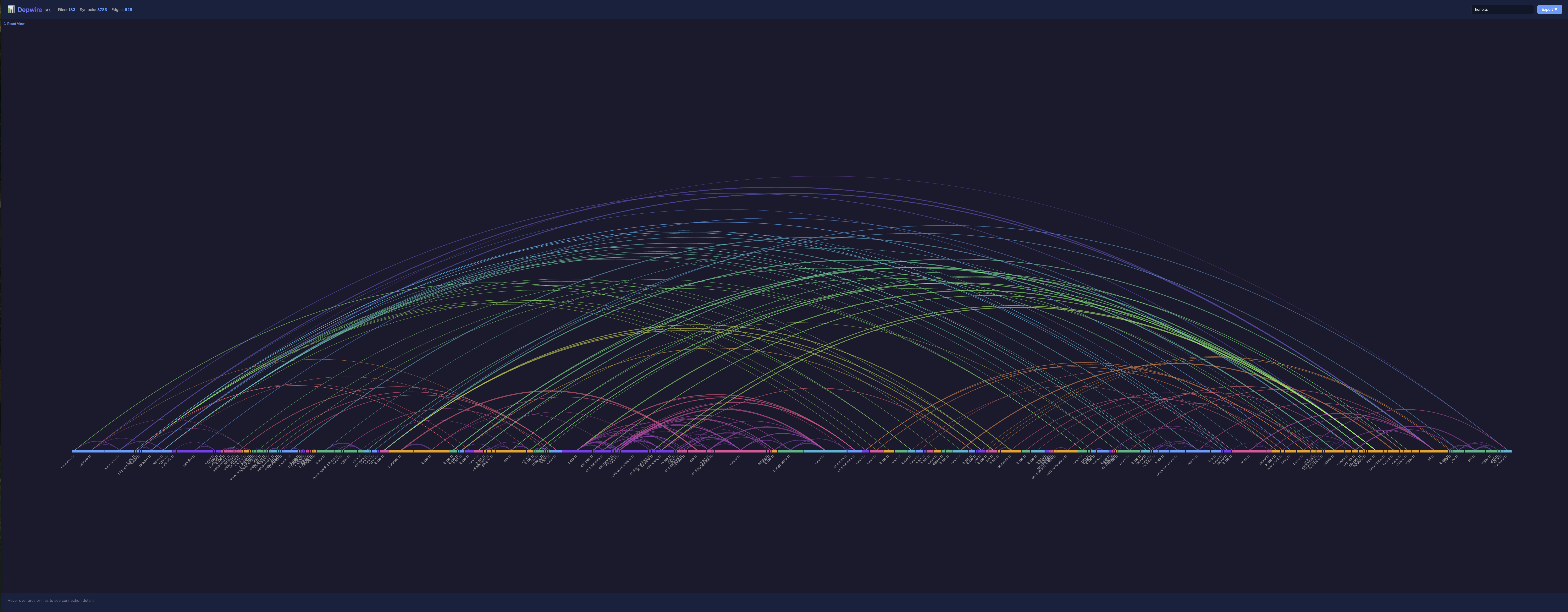
- 🎨 Beautiful arc diagram visualization — Interactive Harrison Bible-style graphic
- 🤖 MCP server for AI tools — Cursor, Claude Desktop get full dependency context
- 🔍 Impact analysis — "What breaks if I rename this function?" answered precisely
- 👀 Live updates — Graph stays current as you edit code
- 🌍 Multi-language — TypeScript, JavaScript, Python, and Go
Why Depwire?
AI coding tools are flying blind. Every time Claude, Cursor, or Copilot touches your code, it's guessing about dependencies, imports, and impact. The result: broken refactors, hallucinated imports, and wasted tokens re-scanning files it already saw.
Lost context = lost money + lost time + bad code.
Depwire parsed the entire Hono framework — 305 files, 5,636 symbols, 1,565 dependency edges — in 2.3 seconds.
Depwire fixes this by giving AI tools a complete dependency graph of your codebase — not a fuzzy embedding, not a keyword search, but a deterministic, tree-sitter-parsed map of every symbol and connection.
Stop Losing Context
- No more "start from scratch" chats — Depwire is the shared knowledge layer that every AI session inherits. New chat? Your AI already knows the architecture.
- Stop burning tokens — AI tools query the graph instead of scanning hundreds of files blindly
- One command, every AI tool — Claude Desktop, Cursor, VS Code, any MCP-compatible tool gets the same complete picture
Ship Better Code
- Impact analysis for any change — renaming a function, moving a file, upgrading a dependency, deleting a module — know the full blast radius before you touch anything
- Refactor with confidence — see every downstream consumer, every transitive dependency, 2-3 levels deep
- Catch dead code — find symbols nobody references anymore
Stay in Flow
- Live graph, always current — edit a file and the dependency map updates in real-time. No re-indexing, no waiting.
- Works locally, stays private — zero cloud accounts, zero data leaving your machine. Just
npm installand go.
10 MCP Tools, Not Just Visualization
Depwire isn't just a pretty graph. It's a full context engine with 10 tools that AI assistants call autonomously — architecture summaries, dependency tracing, symbol search, file context, and more. The AI decides which tool to use based on your question.
Installation
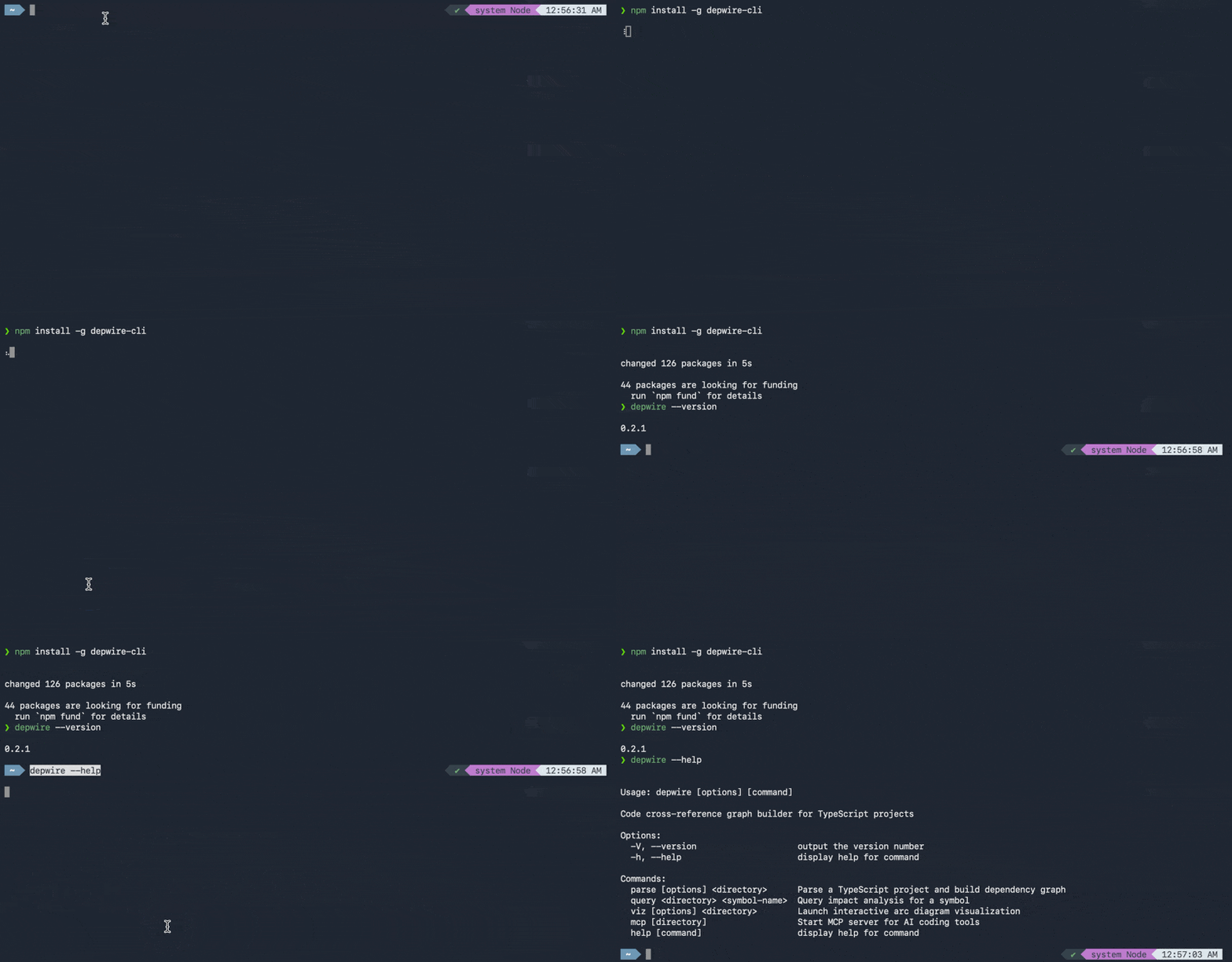
npm install -g depwire-cli
Or use directly with npx:
npx depwire-cli --help
Quick Start
CLI Usage
# Visualization (opens in browser)
npx depwire-cli viz ./my-project

# Parse and export as JSON
npx depwire-cli parse ./my-project

# Exclude test files and node_modules
npx depwire-cli parse ./my-project --exclude "**/*.test.*" "**/node_modules/**"

# Show detailed parsing progress
npx depwire-cli parse ./my-project --verbose

# Export with pretty-printed JSON and statistics
npx depwire-cli parse ./my-project --pretty --stats

# Custom output file
npx depwire-cli parse ./my-project -o my-graph.json
Claude Desktop
Add to your Claude Desktop config (~/Library/Application Support/Claude/claude_desktop_config.json on macOS):
{
  "mcpServers": {
    "depwire": {
      "command": "npx",
      "args": ["-y", "depwire-cli", "mcp"]
    }
  }
}
Then in chat:
Connect to /path/to/my/project and show me the architecture.
Cursor
Settings → Features → Experimental → Enable MCP → Add Server:
- Command:
npx - Args:
-y depwire-cli mcp /path/to/project
Available MCP Tools
| Tool | What It Does |
|---|---|
connect_repo | Connect to any local project or GitHub repo |
impact_analysis | What breaks if you change a symbol? |
get_file_context | Full context — imports, exports, dependents |
get_dependencies | What does a symbol depend on? |
get_dependents | What depends on this symbol? |
search_symbols | Find symbols by name |
get_architecture_summary | High-level project overview |
list_files | List all files with stats |
get_symbol_info | Look up any symbol's details |
visualize_graph | Generate interactive arc diagram visualization |
Supported Languages
| Language | Extensions | Features |
|---|---|---|
| TypeScript | .ts, .tsx | Full support — imports, classes, interfaces, types |
| JavaScript | .js, .jsx, .mjs, .cjs | ES modules, CommonJS require(), JSX components |
| Python | .py | Imports, classes, decorators, inheritance |
| Go | .go | go.mod resolution, structs, interfaces, methods |
Visualization
# Open visualization on default port (3456)
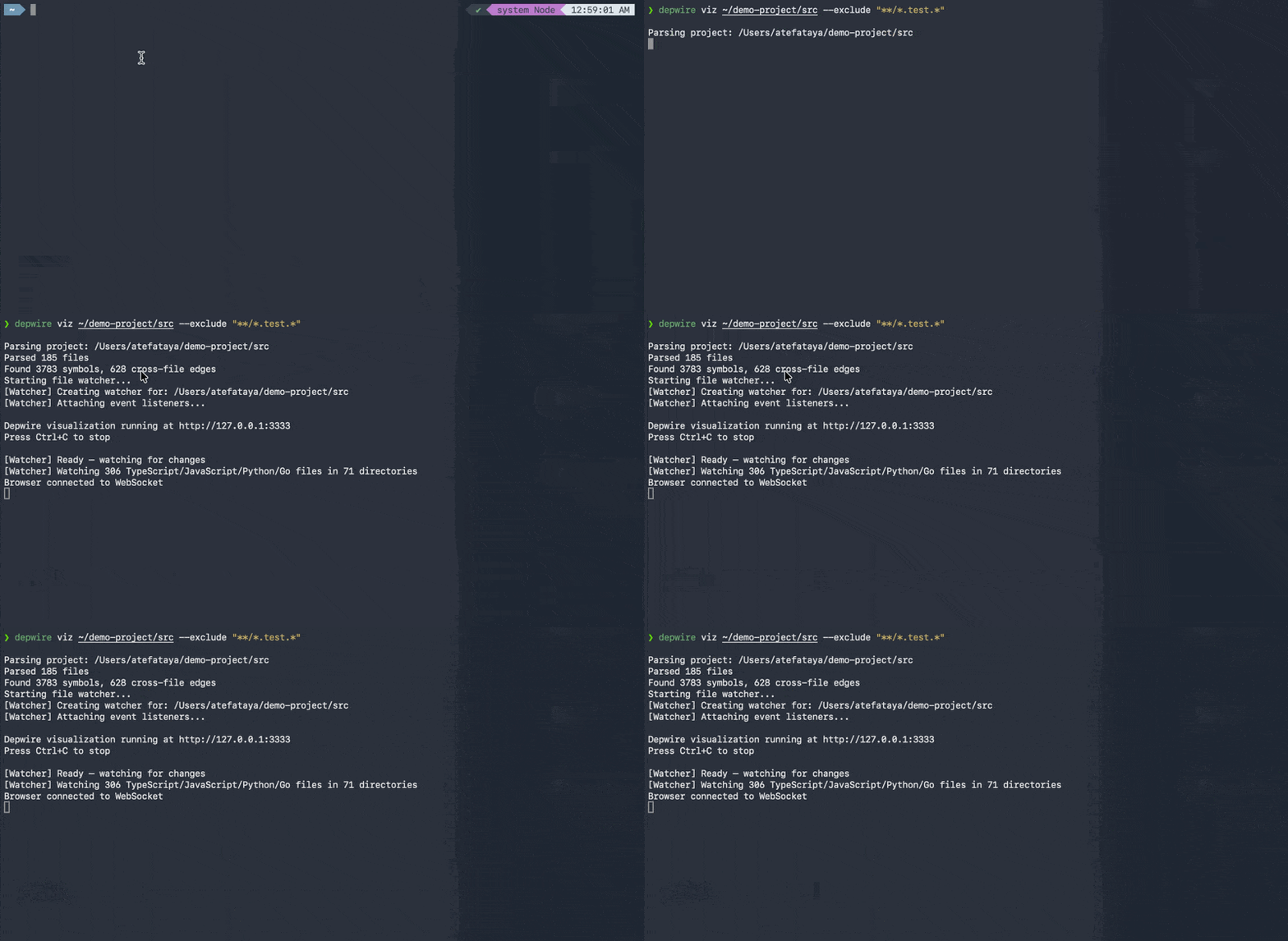
depwire viz ./my-project

# Custom port
depwire viz ./my-project --port 8080

# Exclude test files from visualization
depwire viz ./my-project --exclude "**/*.test.*"

# Verbose mode with detailed parsing logs
depwire viz ./my-project --verbose

# Don't auto-open browser
depwire viz ./my-project --no-open
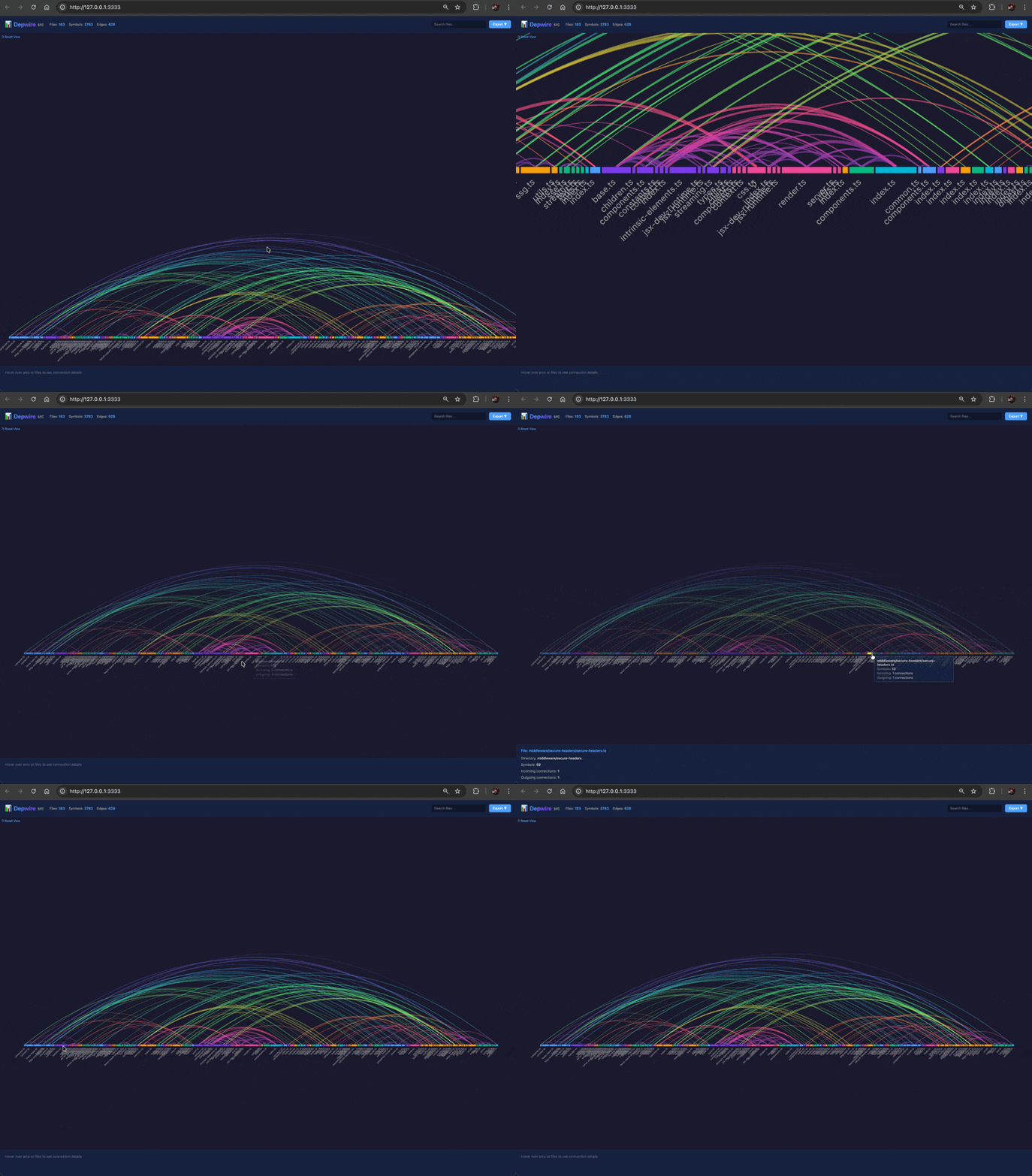
Opens an interactive arc diagram in your browser:
- Rainbow-colored arcs showing cross-file dependencies
- Hover to explore connections
- Click to filter by file
- Search by filename
- Live refresh when files change — Edit code and see the graph update in real-time
- Export as SVG or PNG
- Port collision handling — Automatically finds an available port if default is in use
How It Works
- Parser — tree-sitter extracts every symbol and reference
- Graph — graphology builds an in-memory dependency graph
- MCP — AI tools query the graph for context-aware answers
- Viz — D3.js renders the graph as an interactive arc diagram
CLI Reference
depwire parse <directory>
Parse a project and export the dependency graph as JSON.
Options:
-o, --output <path>— Output file path (default:depwire-output.json)--exclude <patterns...>— Glob patterns to exclude (e.g.,"**/*.test.*" "dist/**")--verbose— Show detailed parsing progress (logs each file as it's parsed)--pretty— Pretty-print JSON output with indentation--stats— Print summary statistics (file count, symbol count, edges, timing)
Examples:
# Basic parse
depwire parse ./src

# Exclude test files and build outputs
depwire parse ./src --exclude "**/*.test.*" "**/*.spec.*" "dist/**" "build/**"

# Full verbosity with stats
depwire parse ./src --verbose --stats --pretty -o graph.json
depwire viz <directory>
Start visualization server and open arc diagram in browser.
Options:
--port <number>— Port number (default: 3456, auto-increments if in use)--exclude <patterns...>— Glob patterns to exclude--verbose— Show detailed parsing progress--no-open— Don't automatically open browser
Examples:
# Basic visualization
depwire viz ./src

# Custom port without auto-open
depwire viz ./src --port 8080 --no-open

# Exclude test files with verbose logging
depwire viz ./src --exclude "**/*.test.*" --verbose
depwire mcp [directory]
Start MCP server for AI tool integration (Cursor, Claude Desktop).
Examples:
# Start MCP server on current directory
depwire mcp

# Start on specific project
depwire mcp /path/to/project
Error Handling
Depwire gracefully handles parse errors:
- Malformed files — Skipped with warning, parsing continues
- Large files — Files over 1MB are automatically skipped
- Port collisions — Auto-increments to next available port (3456 → 3457 → 3458...)
- Protected paths — Blocks access to sensitive directories (.ssh, .aws, /etc)
Example Workflows
Refactoring with AI
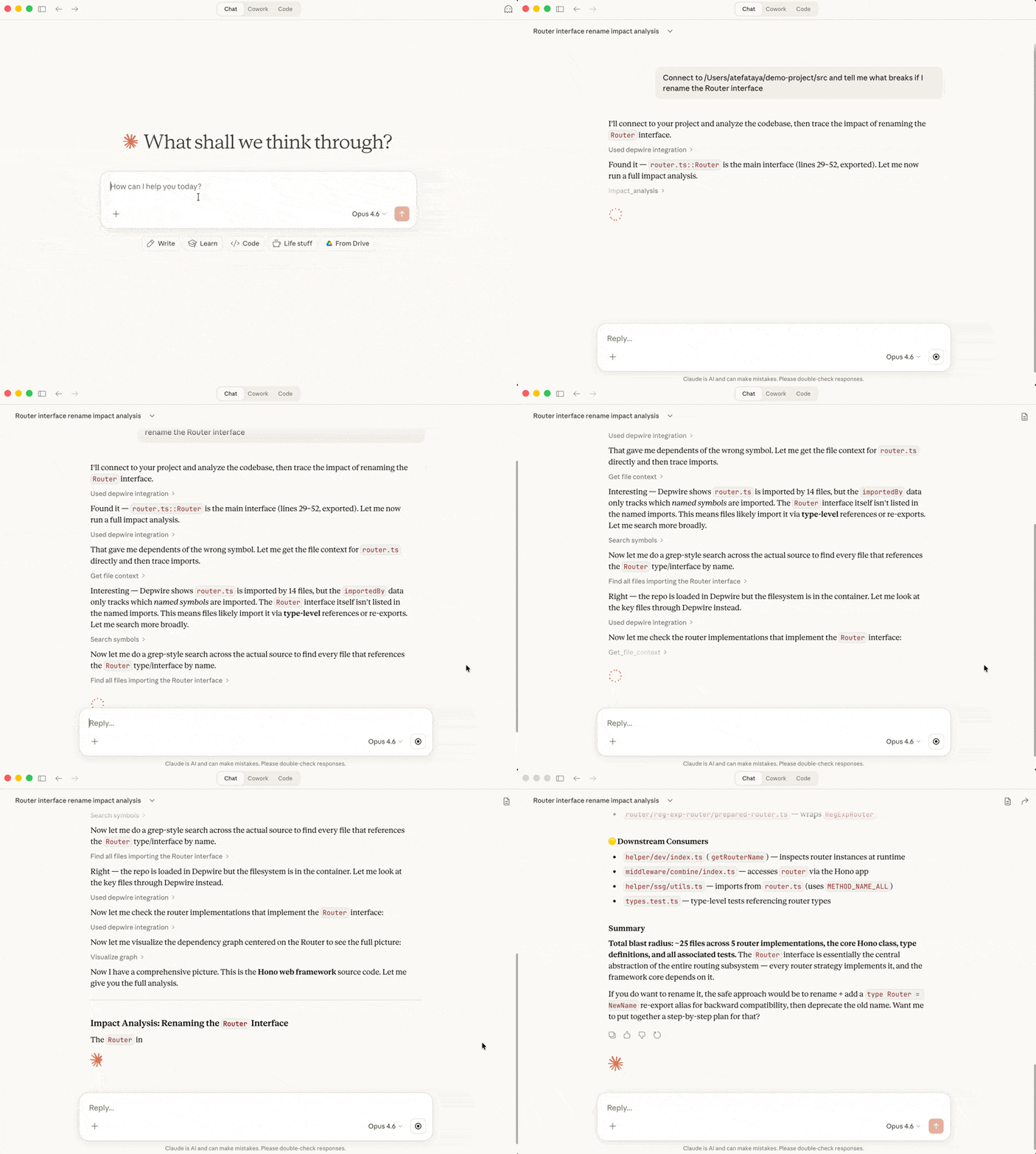
# In Claude Desktop or Cursor with Depwire MCP:

"Connect to /Users/me/my-app and analyze the impact of renaming UserService to UserRepository"

# Depwire responds with:
# - All files that import UserService
# - All call sites
# - All type references
# - Suggested find-and-replace strategy
Understanding a New Codebase
"Connect to https://github.com/t3-oss/create-t3-app and give me an architecture summary"

# Depwire responds with:
# - Language breakdown
# - Module/package structure
# - Most-connected files (architectural hubs)
# - Entry points
Pre-Commit Impact Check
# Check what your changes affect before committing
depwire viz . --open
# Review the arc diagram — red arcs show files you touched
Security
Depwire is read-only — it never writes to, modifies, or executes your code.
- Parses source files with tree-sitter (the same parser used by VS Code and Zed)
- Visualization server binds to localhost only
- No data leaves your machine — everything runs locally
- Blocks access to sensitive system directories (.ssh, .aws, /etc)
- npm packages published with provenance verification
See SECURITY.md for full details.
Roadmap
- PR Impact Visualization (GitHub Action)
- Temporal Graph — watch your architecture evolve over git history
- Cross-language edge detection (API routes ↔ frontend calls)
- Dependency health scoring
- VSCode extension
Contributing
Contributions welcome! Please note:
- Fork the repository
- Create a feature branch
- Add tests for new functionality
- Submit a pull request
- Sign the CLA (handled automatically on your first PR)
All contributors must sign the Contributor License Agreement before their PR can be merged.
Author
Atef Ataya — AI architect, author, and creator of Depwire.
- 🎥 YouTube — 600K+ subscribers covering AI agents, MCP, and LLMs
- 📖 The Architect's Playbook: 5 Pillars — Best practices for AI agent architecture
License
Depwire is licensed under the Business Source License 1.1.
- Use it freely for personal projects, internal company use, and development
- Cannot be offered as a hosted/managed service to third parties
- Converts to Apache 2.0 on February 25, 2029
For commercial licensing inquiries: atef@depwire.dev
Credits
Built by ATEF ATAYA LLC
Powered by:
- tree-sitter — Fast, reliable parsing
- graphology — Powerful graph data structure
- D3.js — Data visualization
- Model Context Protocol — AI tool integration