Discord MCP Server 🚀
Connect Claude Desktop to Discord using MCP (Model Context Protocol).
✨ Features
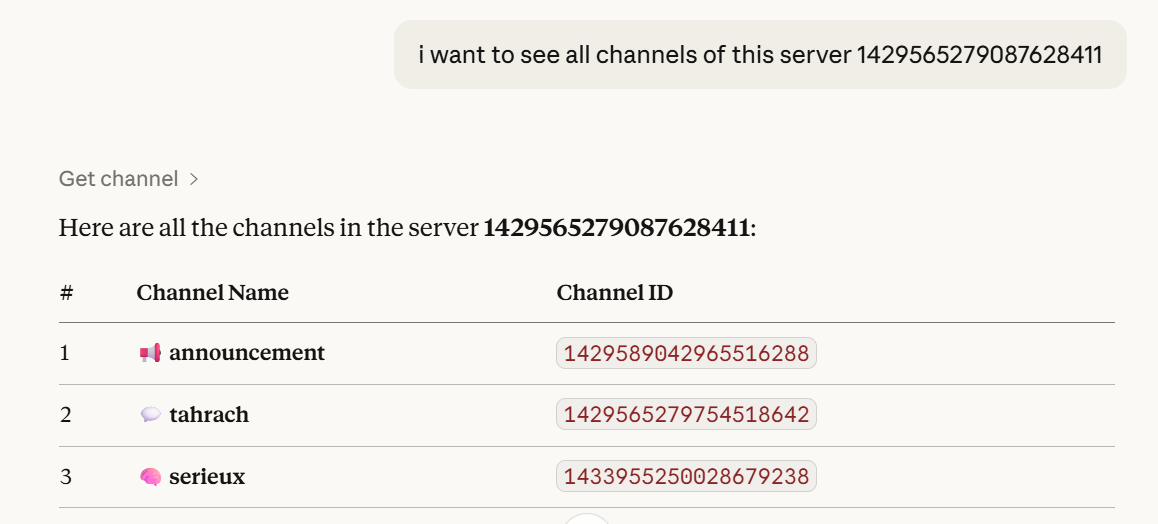
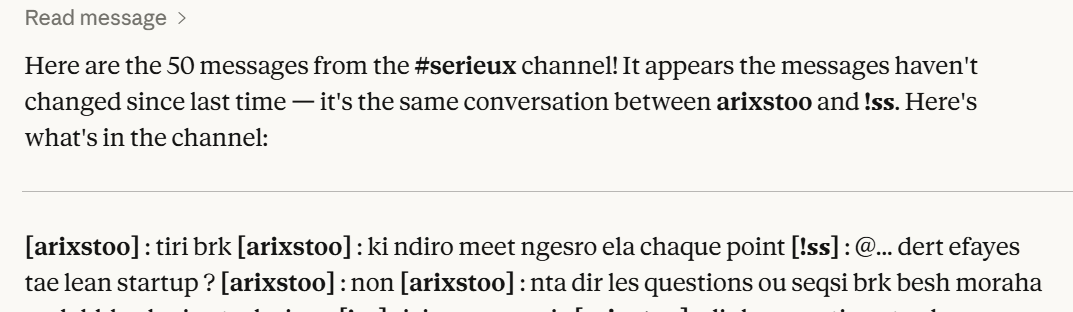
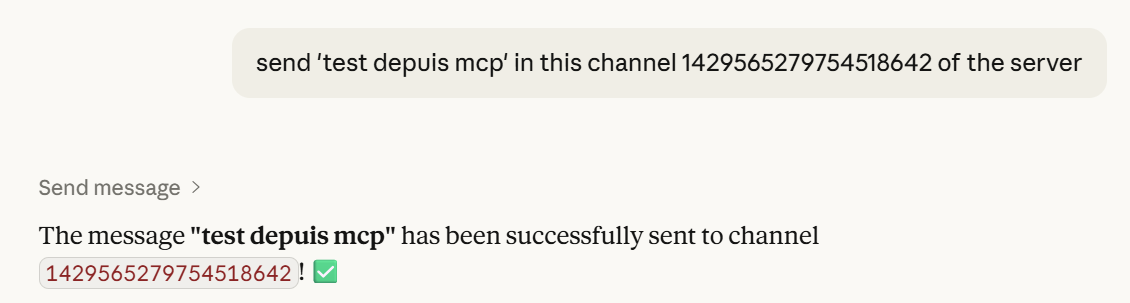
get_channel— list channelsread_message— read messagessend_message— send messages
🧠 Architecture
Claude → MCP Server → Discord Bot → Discord
📂 Structure
MCP DISCORD/
├── server.py
├── assets/
│   ├── list_channels.png
│   ├── read_messages.png
│   └── send_message.png
├── .env
├── pyproject.toml
└── README.md
📸 Screenshots
List Channels
Read Messages
Send Message
⚙️ Setup
Install
uv sync
or
pip install mcp discord.py python-dotenv pydantic
Discord Bot
- Create bot: https://discord.com/developers/applications
- Enable:
- Message Content Intent
- Server Members Intent
- Invite with permissions:
- View Channels
- Send Messages
- Read Message History
.env
DISCORD_TOKEN=your_token_here
Claude Config
{
  "mcpServers": {
    "discord": {
      "command": "uv",
      "args": [
        "--directory",
        "C:/path/to/MCP DISCORD",
        "run",
        "server.py"
      ],
      "env": {
        "DISCORD_TOKEN": "your_token"
      }
    }
  }
}
▶️ Run
uv run server.py
💬 Examples
List channels in server 123
Read last 10 messages from channel 456
Send "Hello" to channel 456
🔒 Notes
- Don’t share your token
- Reset it if leaked
📄 License
MIT
👨💻 Author
Dioubi Issam Ai developer