💰 Finance MCP Server
A personal finance tracker powered by the Model Context Protocol (MCP), allowing you to manage your income and expenses directly through Claude Desktop using natural language.
🚀 Features
- Add income and expense transactions
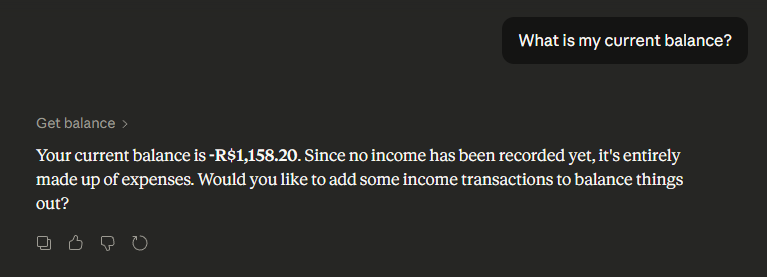
- Check your current balance
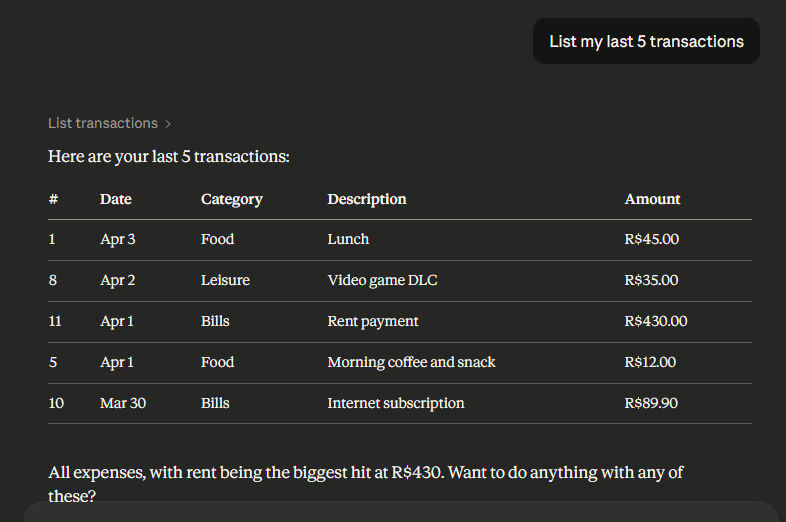
- List recent transactions
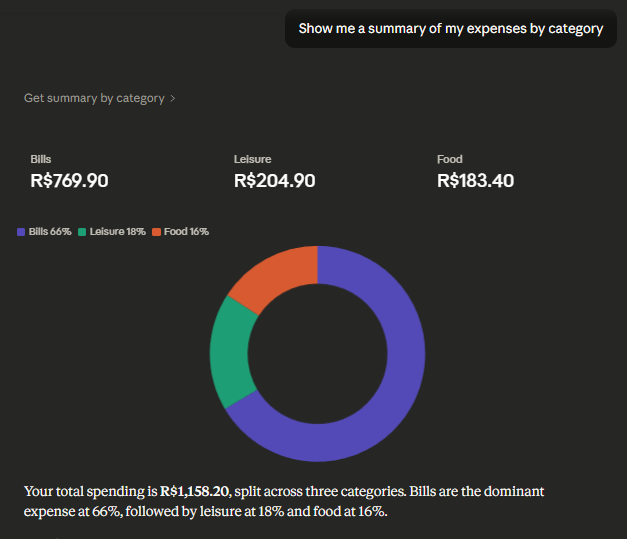
- Get a summary grouped by category
- Get a monthly summary (income, expenses, balance)
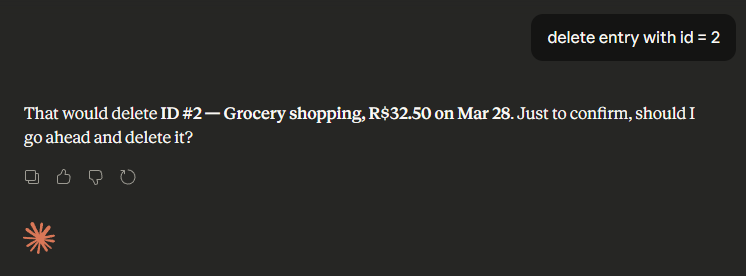
- Delete transactions by ID
- Persistent storage using SQLite
🛠️ Requirements
- Python 3.10+
- Claude Desktop
📦 Installation
1. Clone the repository:
git clone https://github.com/taylor3lewis/finance-mcp-server.git
cd finance-mcp-server
2. Create and activate a virtual environment:
python -m venv venv

# Windows
venv\Scripts\activate

# macOS/Linux
source venv/bin/activate
3. Install dependencies:
pip install -r requirements.txt
⚙️ Claude Desktop Configuration
Open your Claude Desktop config file:
- Windows:
%APPDATA%\Claude\claude_desktop_config.json - macOS:
~/Library/Application Support/Claude/claude_desktop_config.json
Add the following entry inside "mcpServers":
{
  "mcpServers": {
    "finance-mcp-server": {
      "command": "C:/path/to/your/venv/Scripts/python.exe",
      "args": ["C:/path/to/finance-mcp-server/server.py"]
    }
  }
}
⚠️ Replace the paths with the actual paths on your machine.
Restart Claude Desktop after saving the config file.
🧰 Available Tools
| Tool | Description |
|---|---|
add_transaction | Add an income or expense transaction |
get_balance | Get your current balance |
list_transactions | List the most recent transactions |
get_summary_by_category | View totals grouped by category |
get_monthly_summary | View income, expenses and balance for a given month |
delete_transaction | Delete a transaction by its ID |
💬 Usage Examples
Once configured, just talk to Claude naturally:
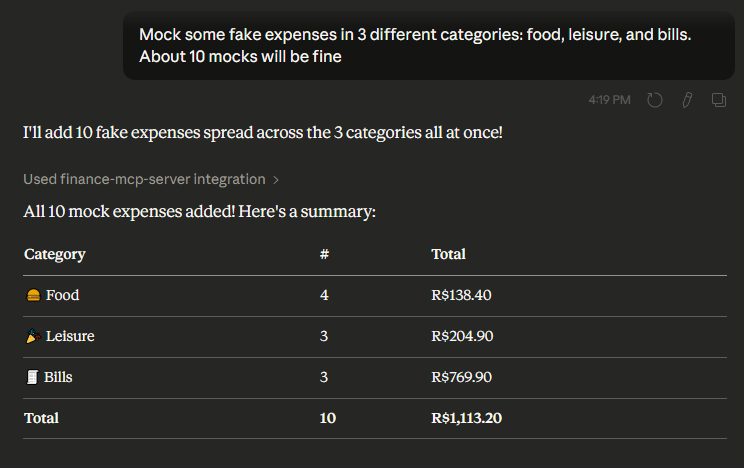
"Mock 10 fake expenses in 3 different categories: food, leisure, and bills."
"What is my current balance?"
"Show me a summary of my expenses by category"
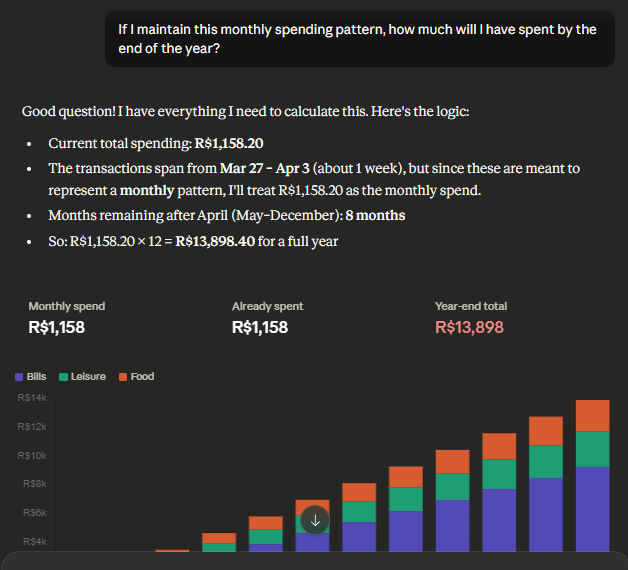
"If I maintain this monthly spending pattern, how much will I have spent by the end of the year?"
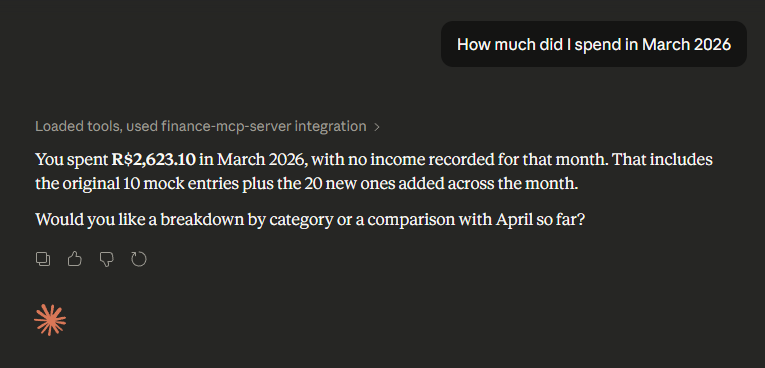
"How much did I spend in March 2026"
"List my last 5 transactions"
"delete entry with id = 2"
Using HTTP Client
Run MCP Server
python main.py http
Run Client in Another Shell
python client.py

🗂️ Project Structure
finance-mcp-server/
├── main.py            # MCP server with all tools
├── client.py          # MCP client to connect to server via API
├── requirements.txt   # Python dependencies
├── README.md          # Project documentation
└── data/
    └── finance.db     # SQLite database (auto-created on first run)