Frisco MCP
A TypeScript Model Context Protocol (MCP) server that lets AI assistants (Claude, Gemini, etc.) interact with frisco.pl — Poland's online grocery store.
Security First — The server never stores your email or password. You log in manually in a visible browser window; only session cookies are persisted locally.
Features
Session
| Tool | Description |
|---|---|
login | Opens a visible Chromium window at the login page. You log in manually; the server polls for success and saves session cookies. |
finish_session | Opens the browser at the checkout page so you can select a delivery slot and pay. No automatic payment. |
clear_session | Closes the browser and deletes the saved session file. |
Cart
| Tool | Description |
|---|---|
add_items_to_cart | Accepts a JSON list of products (name, search query, quantity). Searches for each item and clicks "Add to cart". Optionally clears the cart first. |
view_cart | Returns the current cart contents and total price. |
remove_item_from_cart | Removes a specific product from the cart by name (partial match). |
Products
| Tool | Description |
|---|---|
search_products | Searches frisco.pl and returns top N results with prices. |
get_product_info | Returns detailed product info: nutritional values (macros per 100g), weight/grammage, ingredients, and price. |
Logs
| Tool | Description |
|---|---|
get_logs | Returns JSONL log events for the current or a specific session. |
tail_logs | Returns the N most recent log events. |
Architecture
flowchart LR
    A[MCP Client / AI Assistant] -->|stdio| B[src/index.ts<br/>McpServer]

    B --> C[Session Tools<br/>src/tools/session.ts]
    B --> D[Cart Tools<br/>src/tools/cart.ts]
    B --> E[Product Tools<br/>src/tools/products.ts]

    C --> G[src/browser.ts<br/>Playwright singleton]
    D --> G
    E --> G

    C --> H[src/auth.ts<br/>session cookies]
    D --> H
    E --> H

    D --> I[src/tools/helpers.ts<br/>navigation & parsing]
    E --> I

    H --> J[(~/.frisco-mcp/session.json)]
    B --> L[src/logger.ts] --> M[(~/.frisco-mcp/logs/)]
    G --> K[frisco.pl 🌐]
    I --> K
More diagrams (login flow, cart flow): docs/DIAGRAMS.md
Requirements
- Node.js 20 or later
- Chromium for Playwright (installed via the setup command below)
Setup
npm install
npx playwright install chromium
npm run build
MCP Client Configuration
The server communicates over stdio — point your MCP client at node dist/index.js.
Claude Desktop
Add to claude_desktop_config.json:
{
  "mcpServers": {
    "frisco": {
      "command": "node",
      "args": ["/absolute/path/to/frisco-mcp/dist/index.js"]
    }
  }
}
Gemini (Google AI Studio)
The .gemini/settings.json in this repo already contains the configuration:
{
  "mcpServers": {
    "frisco-mcp": {
      "command": "node",
      "args": ["/absolute/path/to/frisco-mcp/dist/index.js"]
    }
  }
}
Cursor
Add to your Cursor MCP settings (~/.cursor/mcp.json or workspace .cursor/mcp.json):
{
  "mcpServers": {
    "frisco": {
      "command": "node",
      "args": ["/absolute/path/to/frisco-mcp/dist/index.js"]
    }
  }
}
Note: Replace the path with the absolute path to
dist/index.json your machine.
Usage
1. Log in
"Log me in to Frisco"
The login tool opens a Chromium window at frisco.pl/login. Log in manually — the server waits up to 5 minutes and saves your session cookies once it detects a successful login.
2. Shop
"Add 2 liters of milk and wheat bread to cart"
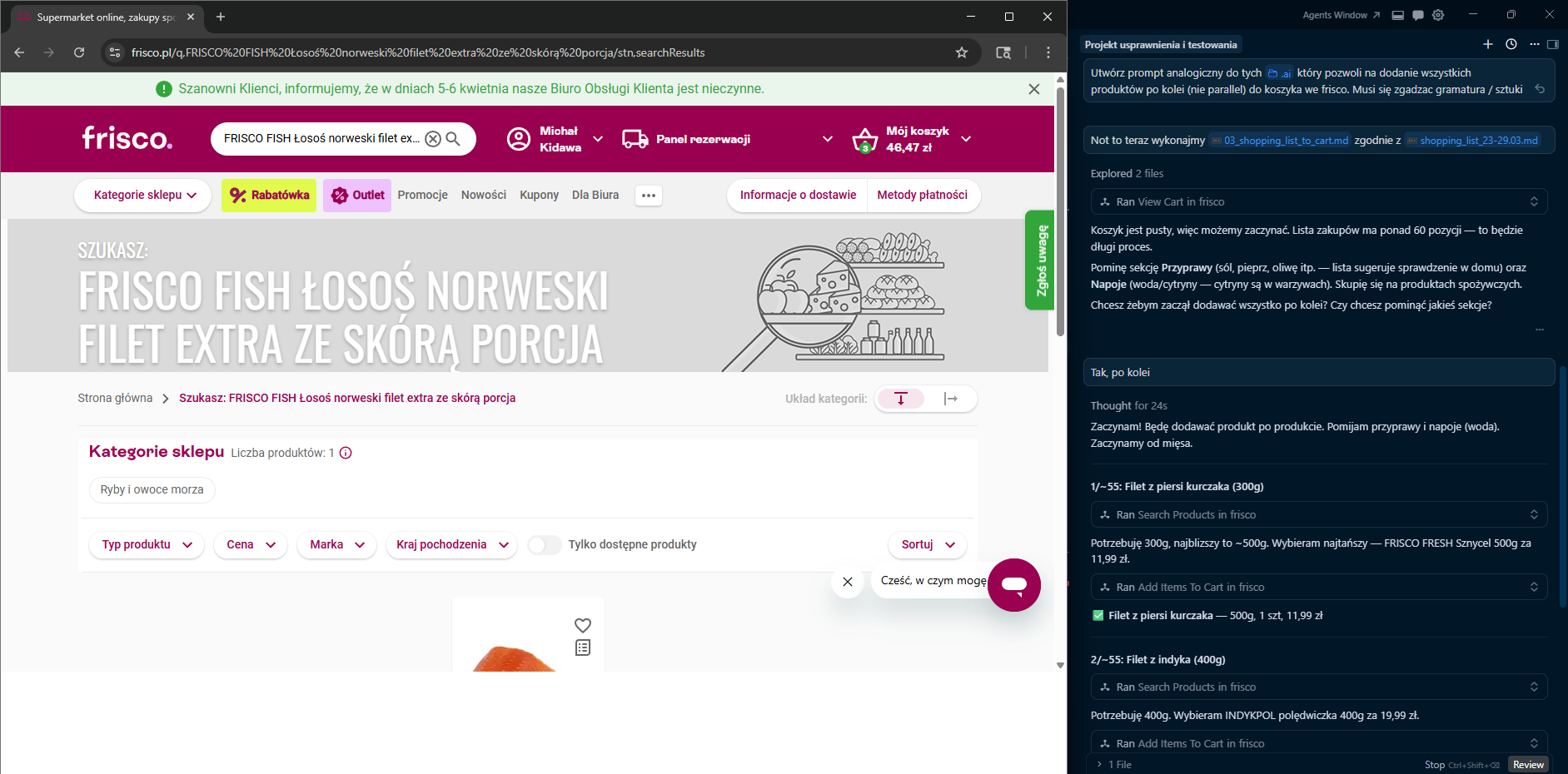
The add_items_to_cart tool searches for each product, picks the first match, and clicks "Add to cart" the requested number of times.
"Find me natural yogurt"
The search_products tool returns a list of matching products with prices.
"Remove the butter from my cart"
The remove_item_from_cart tool finds a product in the cart by name and removes it.
3. Checkout
"Finish my Frisco session"
The finish_session tool opens your cart at frisco.pl/stn,cart so you can choose a delivery slot and pay — the server never performs payment automatically.
Project Structure
frisco-mcp/
├── src/
│   ├── index.ts          # MCP server setup, tool registration
│   ├── auth.ts           # Session cookie save/restore, login check
│   ├── browser.ts        # Playwright browser singleton, product cache
│   ├── logger.ts         # JSONL session logging
│   ├── types.ts          # Shared TypeScript types
│   └── tools/
│       ├── session.ts    # login, finish_session, clear_session
│       ├── cart.ts       # add_items_to_cart, view_cart, remove_item_from_cart
│       ├── products.ts   # search_products, get_product_info
│       └── helpers.ts    # Navigation, popup dismissal, DOM parsing
│   └── __tests__/        # Unit tests (Vitest)
├── test_data/            # Sample HTML fixtures for tests
├── docs/
│   └── DIAGRAMS.md       # Mermaid architecture & flow diagrams
├── .github/
│   └── workflows/
│       └── test.yml      # CI — runs tests on push & PR
├── dist/                 # Compiled JS (generated by `npm run build`)
├── vitest.config.ts
├── package.json
├── tsconfig.json
└── .gitignore
Data Storage
All user data is stored locally in ~/.frisco-mcp/:
| File | Purpose |
|---|---|
session.json | Saved browser cookies (no credentials) |
current-session.json | Pointer to the active log session |
logs/<id>.jsonl | Per-session event logs |
Development
# Run in dev mode (tsx, no separate build step)
npm run dev

# Build
npm run build

# Run built server
npm start

# Run tests
npm test

# Watch mode for tests
npm run test:watch
CI
Tests run automatically on every push and pull request to master via GitHub Actions (.github/workflows/test.yml). The matrix tests against Node.js 20 and 22.
Tech Stack
| Library | Role |
|---|---|
@modelcontextprotocol/sdk | MCP server framework |
playwright | Browser automation (Chromium) |
cheerio | HTML parsing for product info |
zod | Input schema validation |
typescript | Language & build |
vitest | Unit testing framework |
License
This project is licensed under the MIT License.