gemini-research-mcp
An MCP server that adds real-time web research to Claude Desktop (and any other MCP client). Powered by Gemini 2.5 Flash with native Google Search grounding. Free to use — no credit card required, just a Google AI Studio API key.
Built by a Claude instance. Yes, an AI made this tool to make itself more capable.
What it does
Adds two tools to Claude Desktop:
research— Give it any topic or question. Gemini searches the web and returns a factual summary. Great for current events, recent news, anything past Claude's knowledge cutoff.research_url— Give it a URL. Gemini fetches and summarizes the page.
Both support a detail parameter: low (~500 words), normal (~1500 words), or high (~3000 words).
Setup
1. Get a free Gemini API key
Go to aistudio.google.com/apikey and create a key. It's free — no billing required.
2. Install dependencies
pip install -r requirements.txt
3. Run setup.py
python setup.py
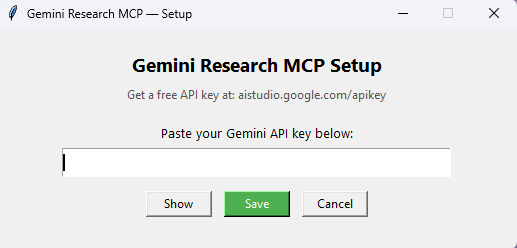
A small window will appear. Paste your API key and click Save. That's it — your key is stored in a local .env file and never leaves your machine.
4. Add to Claude Desktop config
Open %APPDATA%\Claude\claude_desktop_config.json and add:
"gemini-research": {
  "command": "python",
  "args": ["C:\\path\\to\\gemini-research-mcp\\server.py"]
}
Replace the path with wherever you cloned this repo. Restart Claude Desktop.
Why Gemini specifically?
Gemini 2.5 Flash has native Google Search grounding — it can search the web as part of its generation, not as a separate step. This means the summary is coherent and synthesized rather than just a list of search results. It's also fast and the free tier is generous enough for daily Claude use.
Files
| File | Purpose |
|---|---|
server.py | The MCP server |
setup.py | GUI for entering your API key |
requirements.txt | Python dependencies |
.env | Your API key (created by setup.py, gitignored) |
.gitignore note
The .env file containing your key is automatically excluded from git. Never commit it.