
Genable
Quality-first AI UI generator for Figma. Prompt to dashboard, landing page, or mobile app. Bring your own model: Gemini · Claude · OpenAI-compatible.



Why Genable
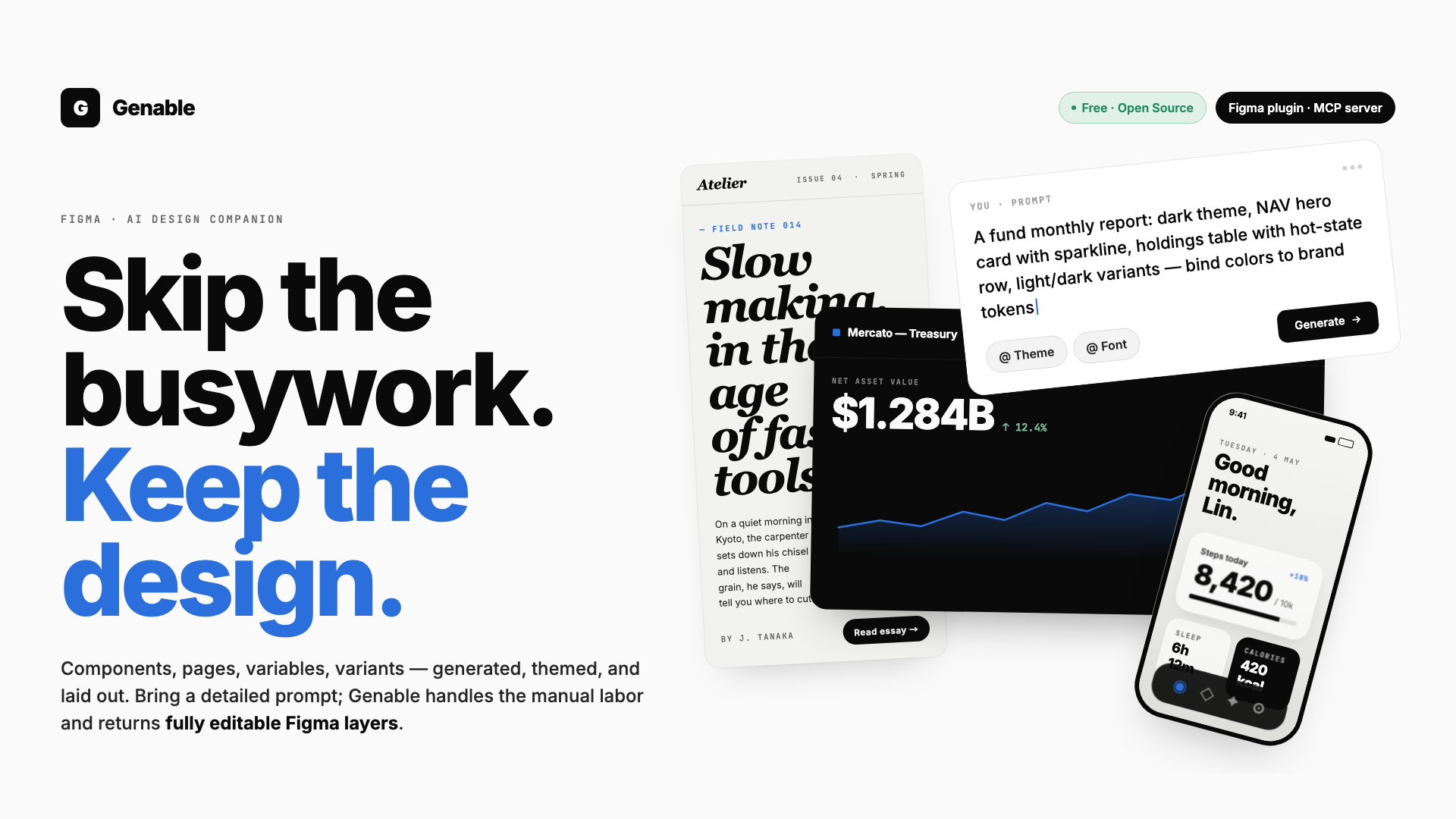
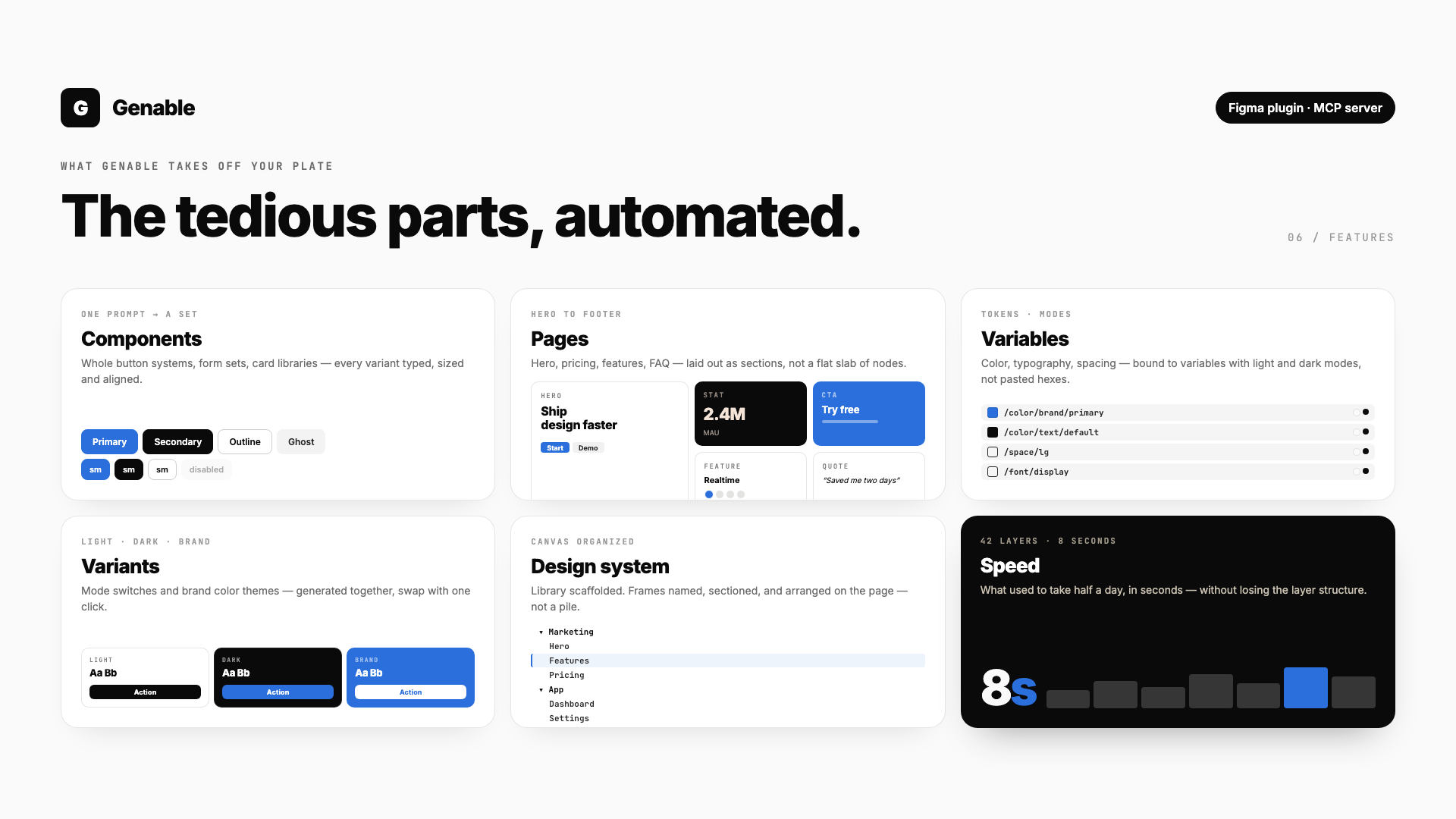
Most AI design plugins ship flat mockups or images. Genable is built around quality — every output is a real, editable Figma layer tree with proper Auto Layout, components, variables, and typography.
- Editable, not flattened — real Frames, Auto Layout, and Text nodes. Not images, not screenshots.
- Quality-first — fights the generic AI-slop look. Hierarchy, spacing, and contrast that match production design systems.
- Multi-protocol, BYOK — pick your model. The plugin speaks three API protocols natively.
- Context aware — select an existing layer, and Genable matches its width, fonts, and colors.
- Free — no subscription. Your API key, your usage, your bill.
Bring your own model
Genable supports three API protocols. Pick whichever you have keys for:
| Protocol | Examples | Get a key |
|---|---|---|
| Google Gemini | Gemini 2.5 Pro / Flash | aistudio.google.com |
| Anthropic Claude | Claude 4.7 Sonnet / Opus | console.anthropic.com |
| OpenAI-compatible | OpenRouter, DashScope (Qwen), Kimi, custom endpoints | varies by provider |
Switch models any time from the Settings panel. Keys are stored locally on your device.
Screenshots
Install
Install from Figma Community →
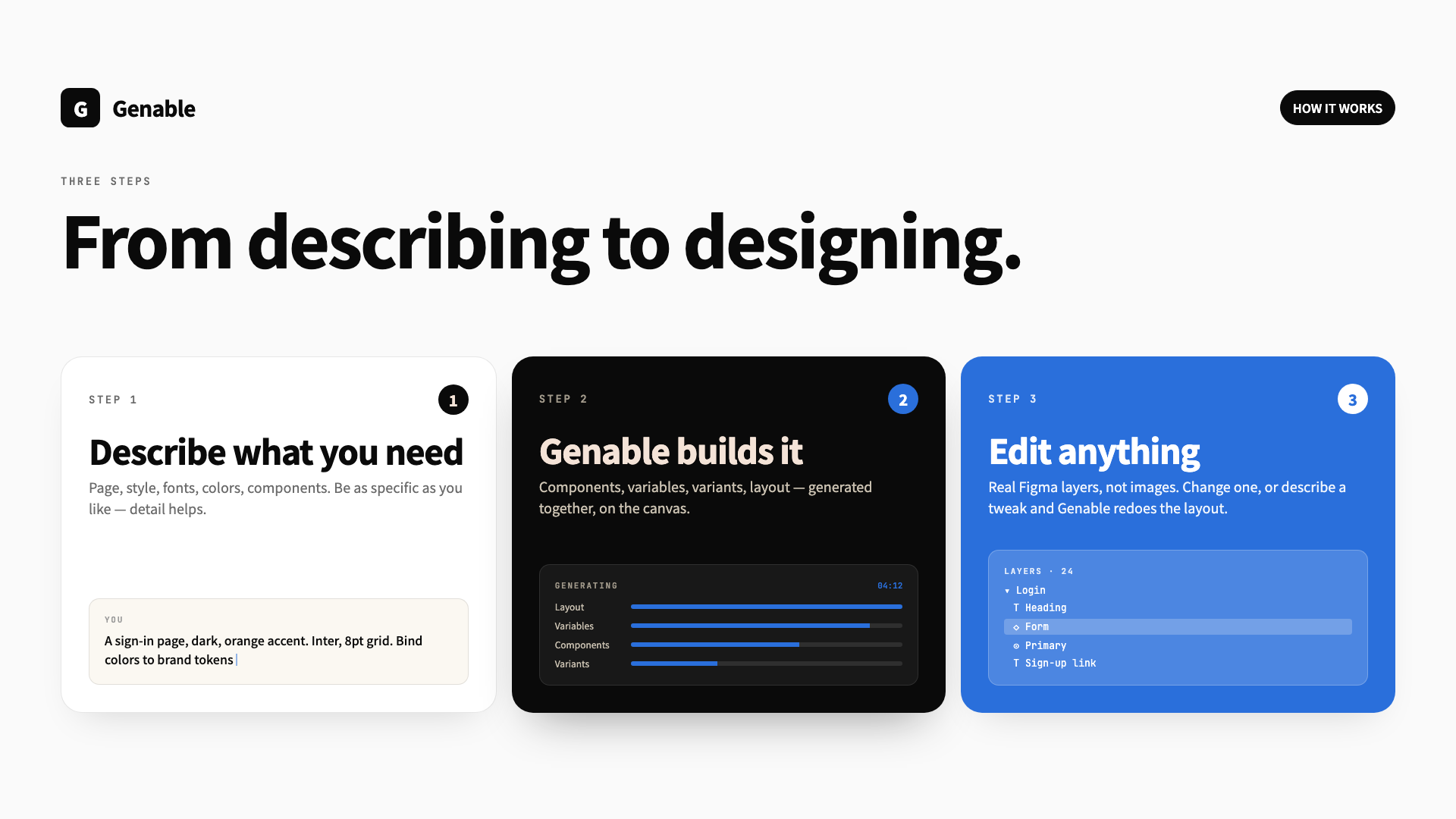
- Open Figma.
- Run Genable from
Plugins → Genable. - Open Settings, paste an API key for any of the supported protocols.
- Type a prompt. Hit generate.
Examples
Try prompts like:
- "A modern pricing card with 3 tiers and a featured plan"
- "Dark-mode analytics dashboard with sidebar, KPI grid, and a line chart"
- "Mobile onboarding flow — 3 screens with illustrations and progress dots"
- "Landing page hero for a dev tool — headline, subline, CTA, and a code preview"
Genable returns a real, editable Figma frame you can drop straight into a design system.
For developers — MCP server
Want to drive Genable from Claude Code, Cursor, or Cline instead of the Figma UI? Use genable-mcp — the same engine, exposed as a write-side MCP server. Pairs with Figma's official read-only MCP for full read+write.
"mcpServers": {
  "genable": { "command": "npx", "args": ["-y", "genable-mcp"] }
}
41 tools for building and editing Figma designs from any MCP client — JSX tree creation, variables/tokens, components, cross-page navigation, visual verification. Full docs on npm →
Sponsor
Genable is built and maintained by one developer, in the open. If it saves you time or replaces a paid tool, please consider sponsoring:
Sponsorship pays for development time, model API quotas during testing, and ongoing improvements.
License
MIT — free for personal and commercial use.