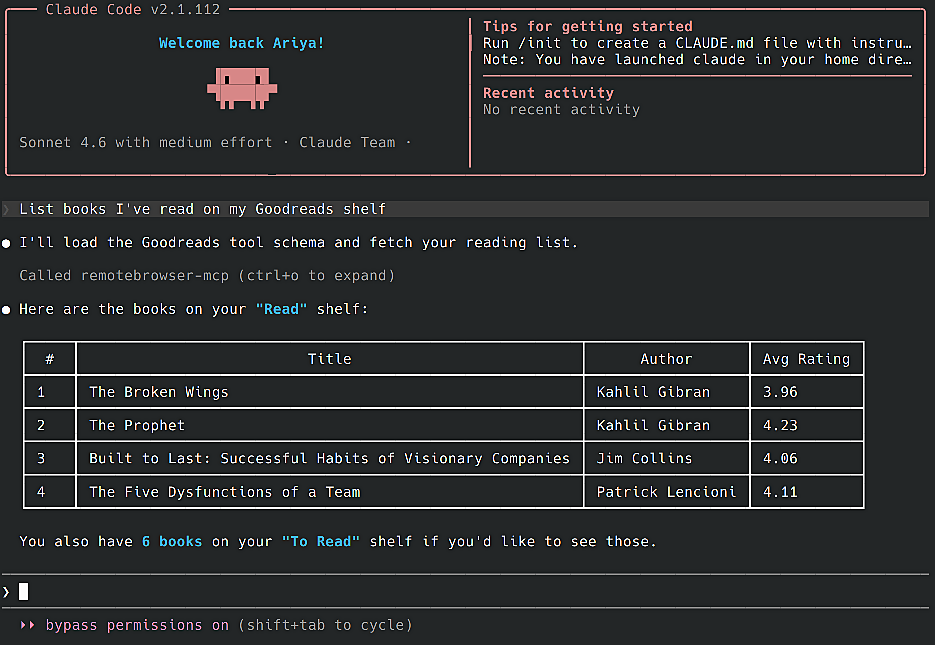
An MCP server for extracting personal data from many services: Amazon order history, Garmin activity stats, Zillow favorites, and more.
It works with Claude Code, LM Studio, Gemini CLI, and many more.
Quickstart
Run Chrome Fleet, note its service address (e.g. http://192.168.1.2:8300), set it as CHROMEFLEET_URL, then start this MCP server:
export CHROMEFLEET_URL=http://192.168.1.1:8300
docker run -p 23456:23456 -e CHROMEFLEET_URL ghcr.io/remotebrowser/mcp-getgather
Alternative ways to run it:
Docker Compose
services:
  remotebrowser-mcp:
    image: ghcr.io/remotebrowser/mcp-getgather
    ports:
      - "23456:23456"
    environment:
      - CHROMEFLEET_URL
    restart: unless-stopped
Inline podman
export CHROMEFLEET_URL=http://192.168.1.1:8300
podman run -p 23456:23456 -e CHROMEFLEET_URL ghcr.io/remotebrowser/mcp-getgather
Run with Python
You'll need uv with Python >= 3.11. After cloning this repo:
uv run -m uvicorn getgather.main:app --port 23456
Connect to MCP clients
Standard config works with most tools:
{
  "mcpServers": {
    "remotebrowser-mcp": {
      "url": "http://127.0.0.1:23456/mcp"
    }
  }
}
Claude Code
Use the Claude Code CLI to add the MCP server:
claude mcp add --transport http remotebrowser-mcp http://localhost:23456/mcp
Claude Desktop
Follow the MCP install guide, use the standard config above.
Gemini CLI
Follow the MCP install guide, use the standard config above.
LM Studio
Go to Program in the right sidebar -> Install -> Edit mcp.json. Use the standard config above.
VS Code
Follow the MCP install guide, use the standard config above.