
GOLEM-3DMCP
"Shaped from clay, brought to life by words"
The most powerful MCP server for Rhinoceros 3D — 105 tools giving AI full read/write access to Rhino 8.


GOLEM-3DMCP implements the Model Context Protocol to give AI agents direct, programmatic control of Rhino 8 — create geometry, run booleans, drive Grasshopper, capture viewports, and execute arbitrary Python scripts, all through natural language.
Works with Claude Code, Cursor, Windsurf, and any MCP-compatible host.
Demo — A City Built Entirely by AI
An entire city generated in Rhino 8 through GOLEM-3DMCP — roads, skyscrapers, houses, trees, people, vehicles, a stadium, bridge, ferris wheel, harbor, wind turbines, and a floating GOLEM hologram. All created by Claude Code using natural language commands.
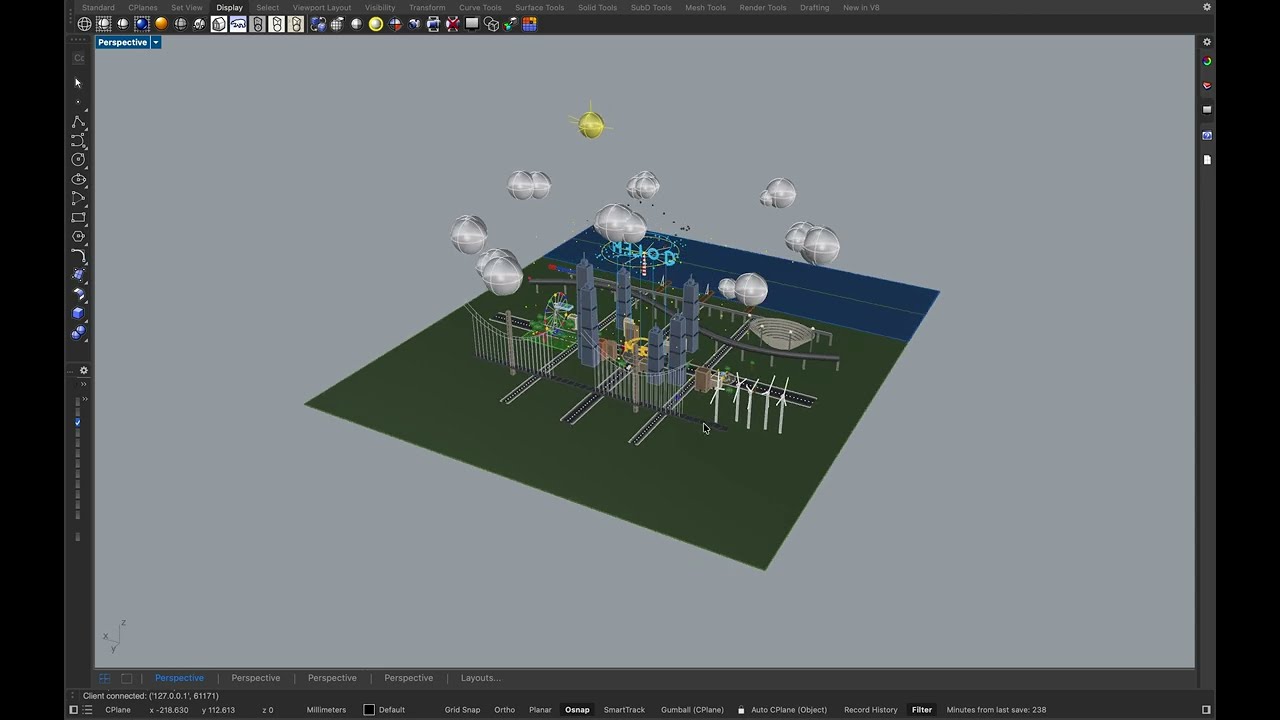
Watch the full demo on YouTube
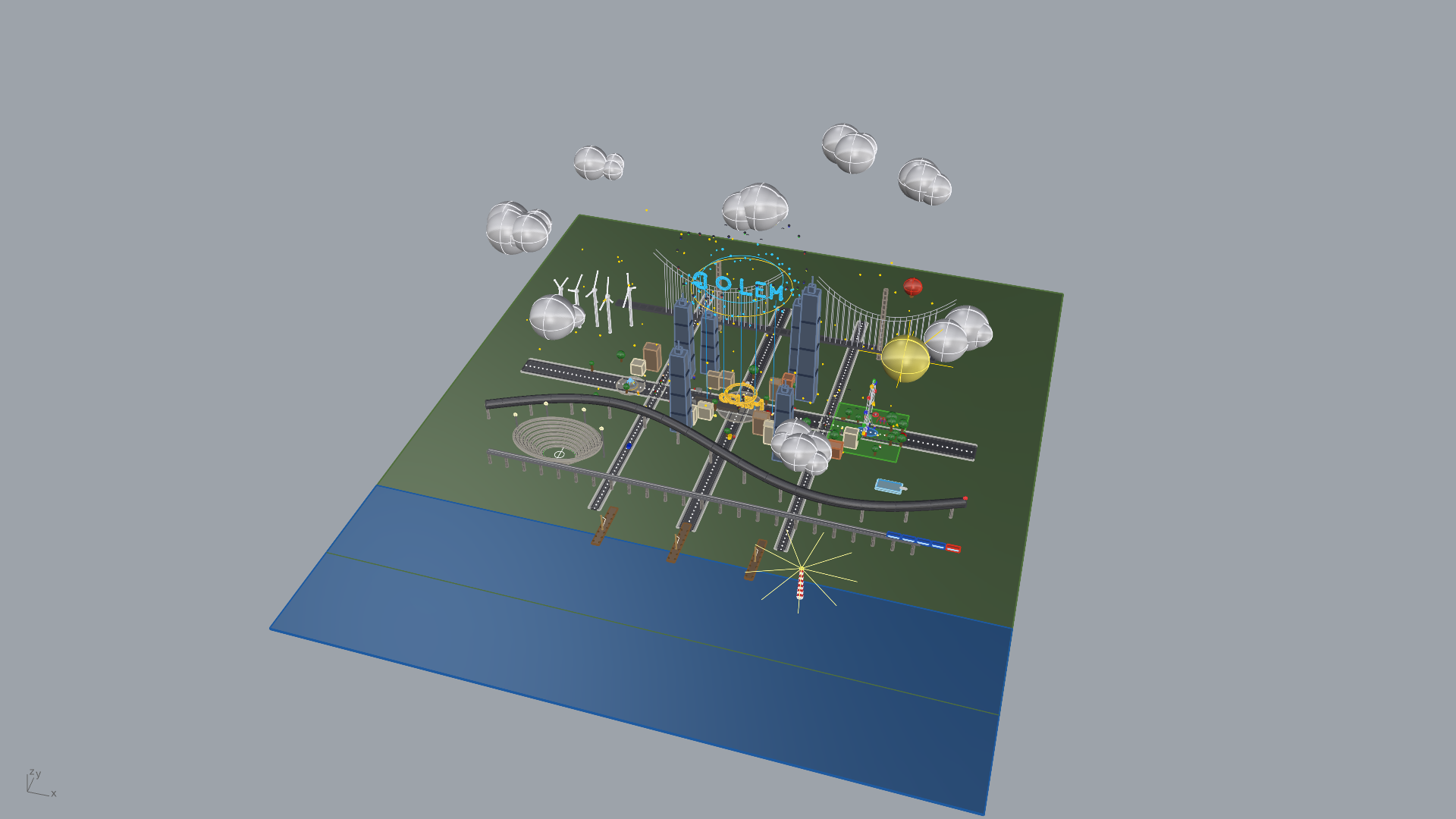
Full city overview — ground, roads, buildings, park, harbor, sky
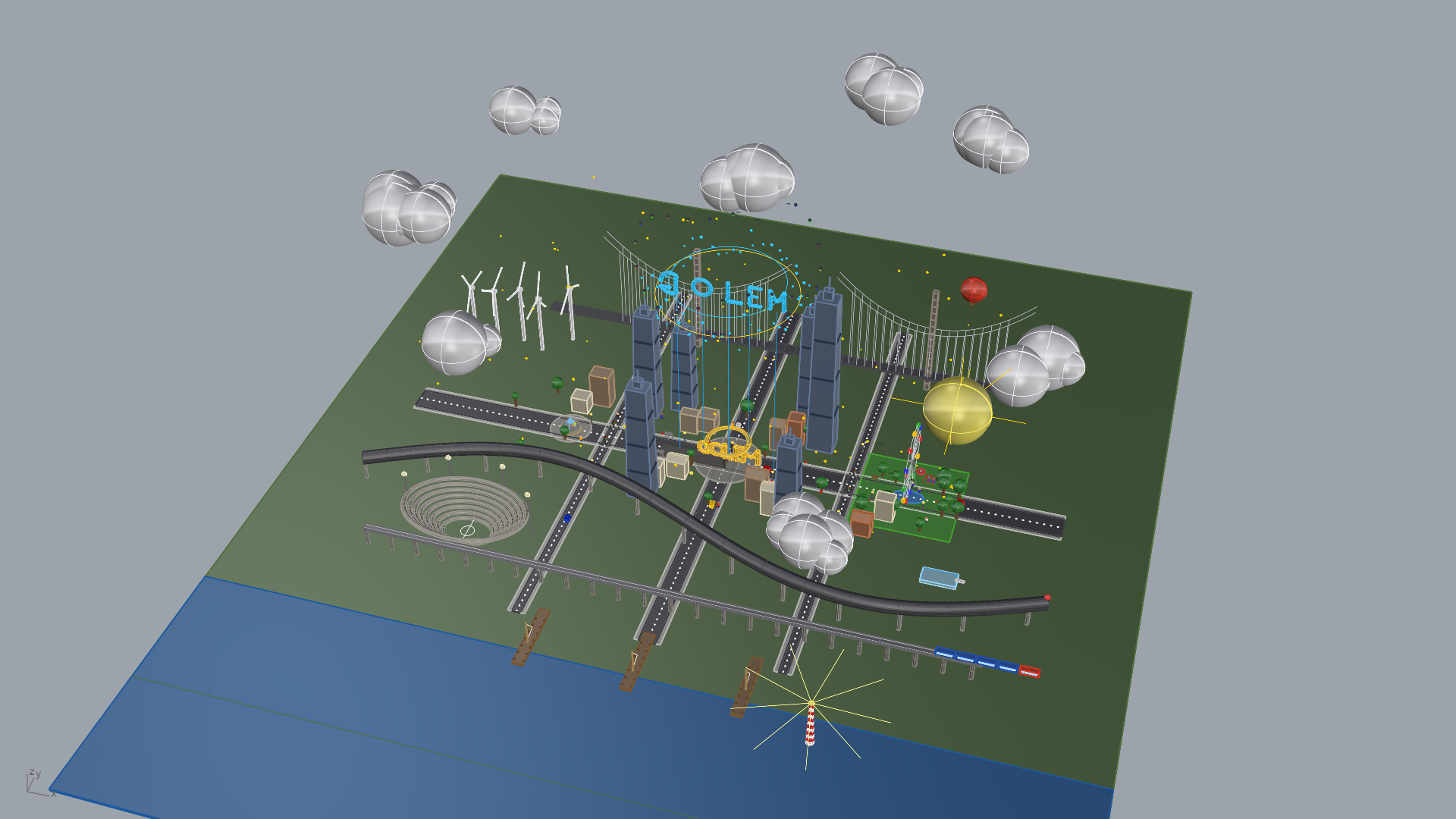
Skyline view — skyscrapers, bridge, wind turbines, floating GOLEM hologram
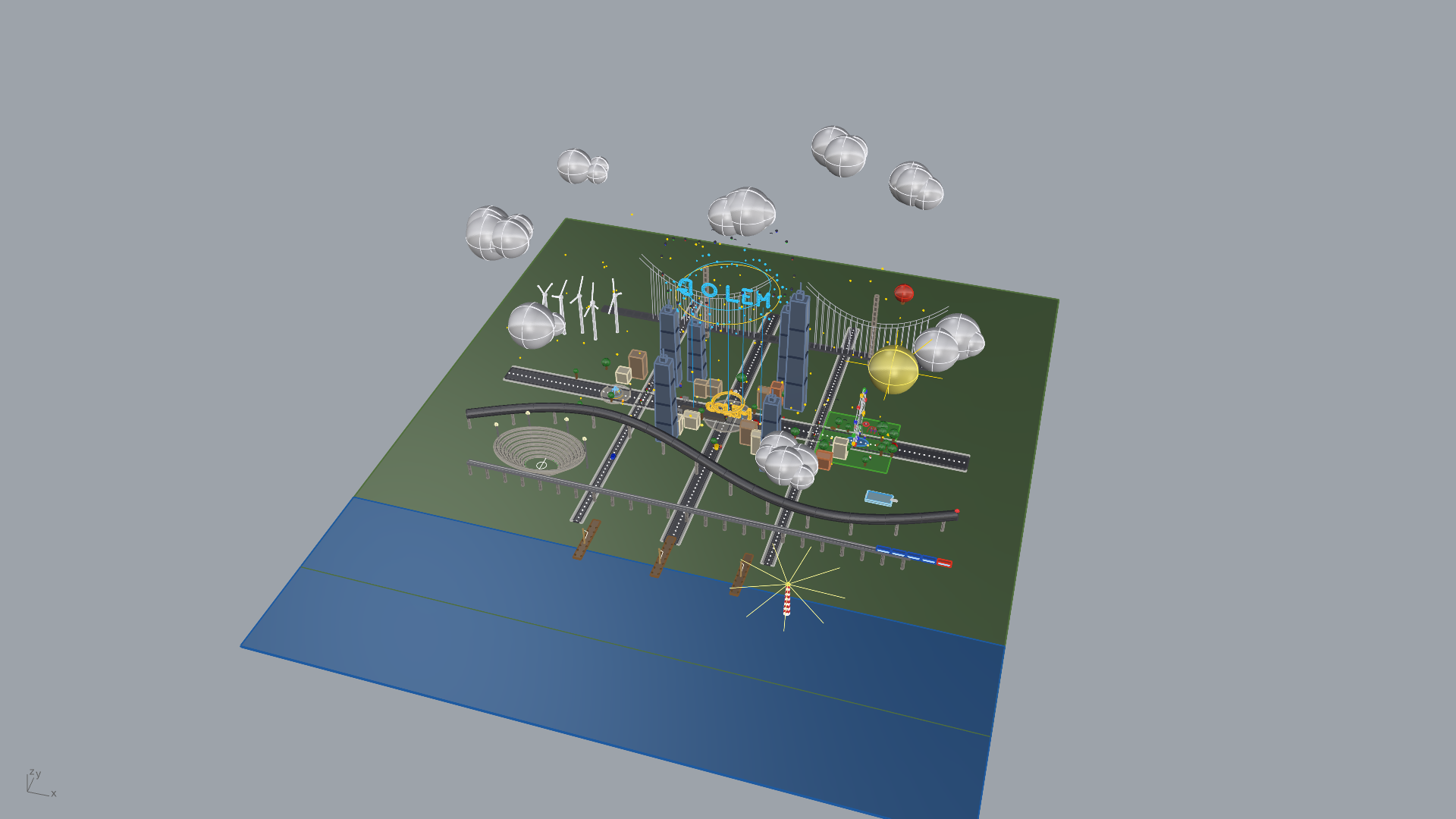
Close-up — GOLEM monument plaza, residential buildings, fountain
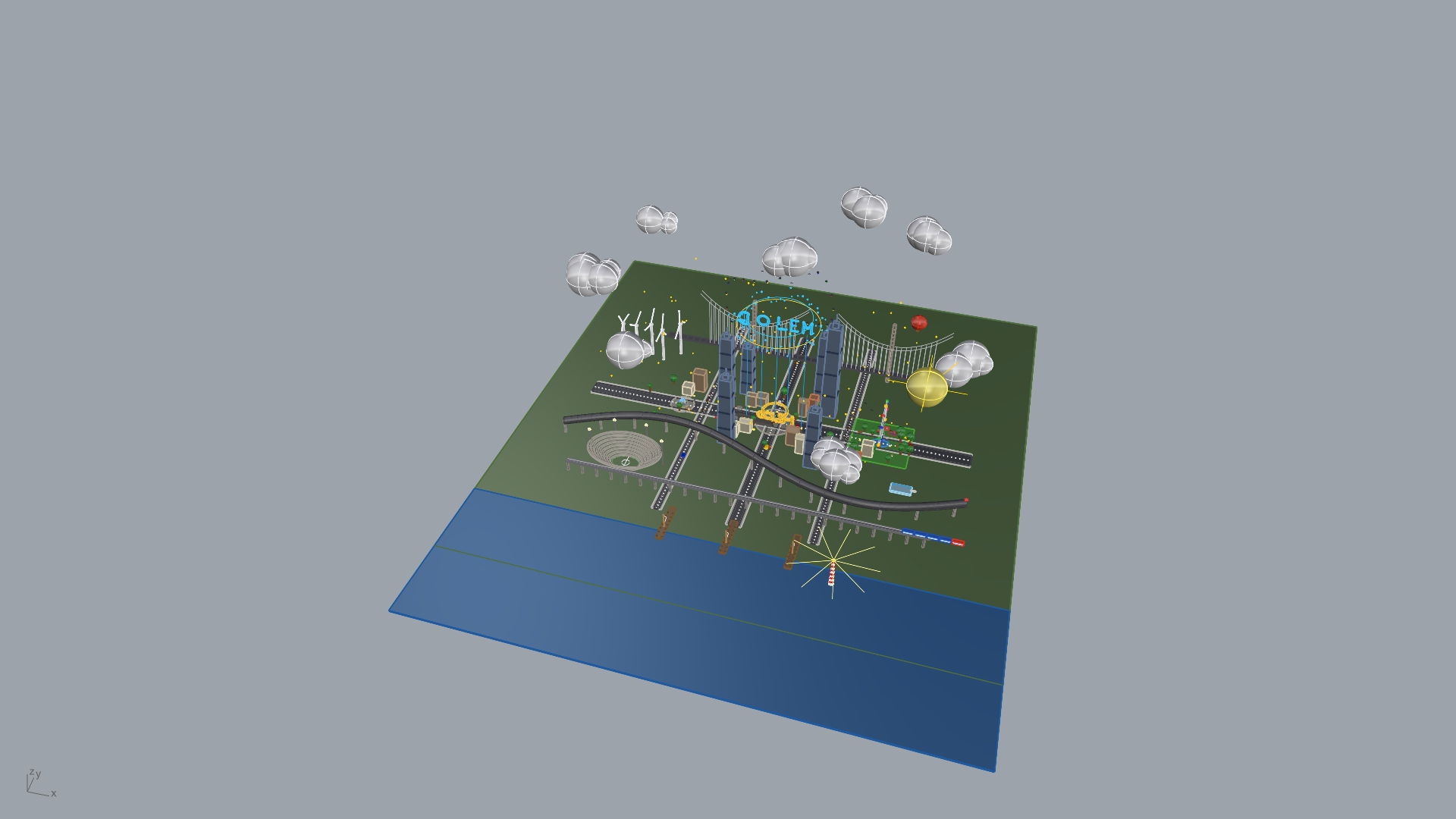
Street level — vehicles, people, street lamps, stadium, harbor with boats
Install
pip install golem-3dmcp
That's it. Three commands to go from zero to AI-powered Rhino:
# 1. Install
pip install golem-3dmcp

# 2. Deploy the Rhino plugin (one-time)
golem install-rhino

# 3. Verify everything works
golem doctor
Connect to Your AI Agent
Add to your MCP configuration (Claude Code, Cursor, Windsurf, etc.):
{
  "mcpServers": {
    "golem-3dmcp": {
      "command": "uvx",
      "args": ["golem-3dmcp"]
    }
  }
}
Start talking to Rhino through AI.
105 Tools Across 9 Categories
| Category | Tools | Highlights |
|---|---|---|
| Scene Intelligence | 10 | Document info, layers, objects, groups, blocks — full pagination |
| Geometry Creation | 38 | Points, curves, NURBS, solids, mesh, SubD, text, dimensions, hatches |
| Geometry Operations | 19 | Boolean union/difference/intersection, trim, split, offset, fillet, chamfer |
| Surface Operations | 12 | Loft, sweep1/2, revolve, extrude, network surface, patch, edge surface, unroll |
| Object Manipulation | 21 | Move, copy, rotate, scale, mirror, array, join, explode, group, properties |
| Grasshopper | 9 | Open definitions, set/get parameters, recompute, bake, inspect components |
| Viewport & Visualization | 13 | Capture screenshots (base64 PNG), camera control, named views, display modes |
| File Operations | 9 | Save, open, import, export (STL, OBJ, STEP, IGES, FBX, 3MF, DWG, PDF...) |
| Script Execution | 4 | Execute arbitrary Python with full RhinoCommon access, run Rhino commands |
See Tool Reference for the complete API with parameters and examples.
Architecture
 AI Agent (Claude Code / Cursor / Windsurf)
      |
      |  MCP (stdio, JSON-RPC)
      v
+---------------------------+
|     GOLEM MCP Server      |
|     Python 3.10+          |
|     FastMCP + 9 tool      |
|     modules               |
+---------------------------+
      |
      |  TCP 127.0.0.1:9876
      |  Length-prefixed JSON
      v
+---------------------------+
|     Rhino Plugin          |
|     Python 3.9 (embedded) |
|     TCP Server            |
|     9 handler modules     |
+---------------------------+
      |
      |  RhinoCommon + rhinoscriptsyntax
      v
+---------------------------+       +-------------------------+
|     Rhinoceros 3D         | <---> |   Grasshopper           |
|     Document, Geometry,   |       |   Sub-server :9877      |
|     Layers, Views         |       |   Definitions, Params   |
+---------------------------+       +-------------------------+
Quick Start Examples
Create and combine geometry:
Create a 100 x 50 x 30 box on a layer called 'Structure',
then boolean-union it with a sphere of radius 20 centred at [50, 25, 30].
Query the scene:
List all objects on the 'Walls' layer and tell me their volumes.
Drive Grasshopper:
Open parametric_facade.gh, set the 'PanelCount' slider to 24,
recompute, and bake the result to a 'Facade' layer.
Capture a viewport:
Set perspective view to shaded mode, zoom to extents, and capture a screenshot.
Execute arbitrary Python:
import Rhino.Geometry as rg
pts = [rg.Point3d(i*10, 0, i**2) for i in range(20)]
crv = rg.Curve.CreateInterpolatedCurve(pts, 3)
sc.doc.Objects.AddCurve(crv)
__result__ = {"point_count": len(pts), "length": crv.GetLength()}
Loading the Rhino Plugin
- Open Rhino 8
- Open Script Editor:
Tools > Python Script > Edit - Open
startup.py(deployed bygolem install-rhino) and click Run
GOLEM-3DMCP: Starting server on 127.0.0.1:9876...
GOLEM-3DMCP: Server started successfully!
GOLEM-3DMCP: 135 handler methods registered.
Auto-start on every Rhino launch: Tools > Options > RhinoScript > Startup Scripts > Add startup.py
Configuration
| Variable | Default | Description |
|---|---|---|
GOLEM_RHINO_HOST | 127.0.0.1 | Rhino plugin host |
GOLEM_RHINO_PORT | 9876 | Rhino plugin TCP port |
GOLEM_GH_PORT | 9877 | Grasshopper sub-server port |
GOLEM_TIMEOUT | 30 | Command timeout (seconds) |
GOLEM_HEAVY_TIMEOUT | 120 | Heavy operation timeout (seconds) |
Requirements
| Requirement | Version |
|---|---|
| Rhinoceros 3D | 8.x (macOS) |
| Python | 3.10+ |
| macOS | 12 Monterey or newer |
The Rhino plugin runs inside Rhino's embedded Python 3.9 with zero external dependencies.
Troubleshooting
| Problem | Quick Fix |
|---|---|
| Connection refused | Start Rhino + run startup.py |
| Port already in use | lsof -i :9876 then kill the process |
| MCP server not in Claude | Check your MCP config JSON |
| Grasshopper tools fail | Open Grasshopper in Rhino first |
| Python version error | Need Python 3.10+ for MCP server |
Run golem doctor to diagnose issues automatically.
See Troubleshooting Guide for detailed solutions.
Documentation
- Architecture — System design, threading model, data flow
- Tool Reference — All 105 tools with parameters and examples
- Protocol Specification — TCP wire format, message framing, error codes
- Troubleshooting — Common issues and solutions
Testing
# Unit tests (no Rhino needed)
pytest tests/ -v --ignore=tests/test_integration.py

# Full suite (integration tests auto-skip if Rhino not running)
pytest tests/ -v

# Integration tests only (requires Rhino + plugin running)
pytest tests/test_integration.py -v -m integration
Branch Strategy
This repository uses two branches:
| Branch | Purpose |
|---|---|
main | GOLEM-3DMCP source development — features, bug fixes, docs |
claude/pypi-package-setup-PMCI5 | PyPI packaging & releases — build config, versioning, publish scripts |
- Develop on
main— all tool modules, Rhino plugin, tests, and documentation live here. - Release from the PyPI branch — packaging structure (
pyproject.toml,src/layout, publish scripts) is managed separately so releases don't pollute the development history.
main                          ← development
  └── claude/pypi-package-setup-PMCI5  ← PyPI releases (pip install golem-3dmcp)
Project Structure
golem-3dmcp/
├── src/golem_3dmcp/           # MCP Server (pip install golem-3dmcp)
│   ├── cli.py                 #   CLI entry point (golem command)
│   ├── server.py              #   FastMCP server
│   ├── connection.py          #   TCP client (singleton, thread-safe)
│   ├── protocol.py            #   Wire format: 4-byte length prefix + JSON
│   ├── config.py              #   Environment variable configuration
│   ├── models/                #   Pydantic data models
│   ├── tools/                 #   9 MCP tool modules
│   └── _rhino_plugin/         #   Bundled Rhino plugin (deployed via CLI)
├── tests/                     # 226 tests (pytest)
├── docs/                      # Architecture, protocol spec, tool reference
└── pyproject.toml             # Package definition
License
MIT License. See LICENSE for details.
Credits
Created by King Hippopotamus
Built by NEXUS AI — 195 autonomous agents | 20 departments | 11 tiers







Built with: FastMCP · RhinoCommon · rhinoscriptsyntax · Grasshopper SDK
"From formless clay, through the power of words, form emerges."