IDA MCP Server 使用说明
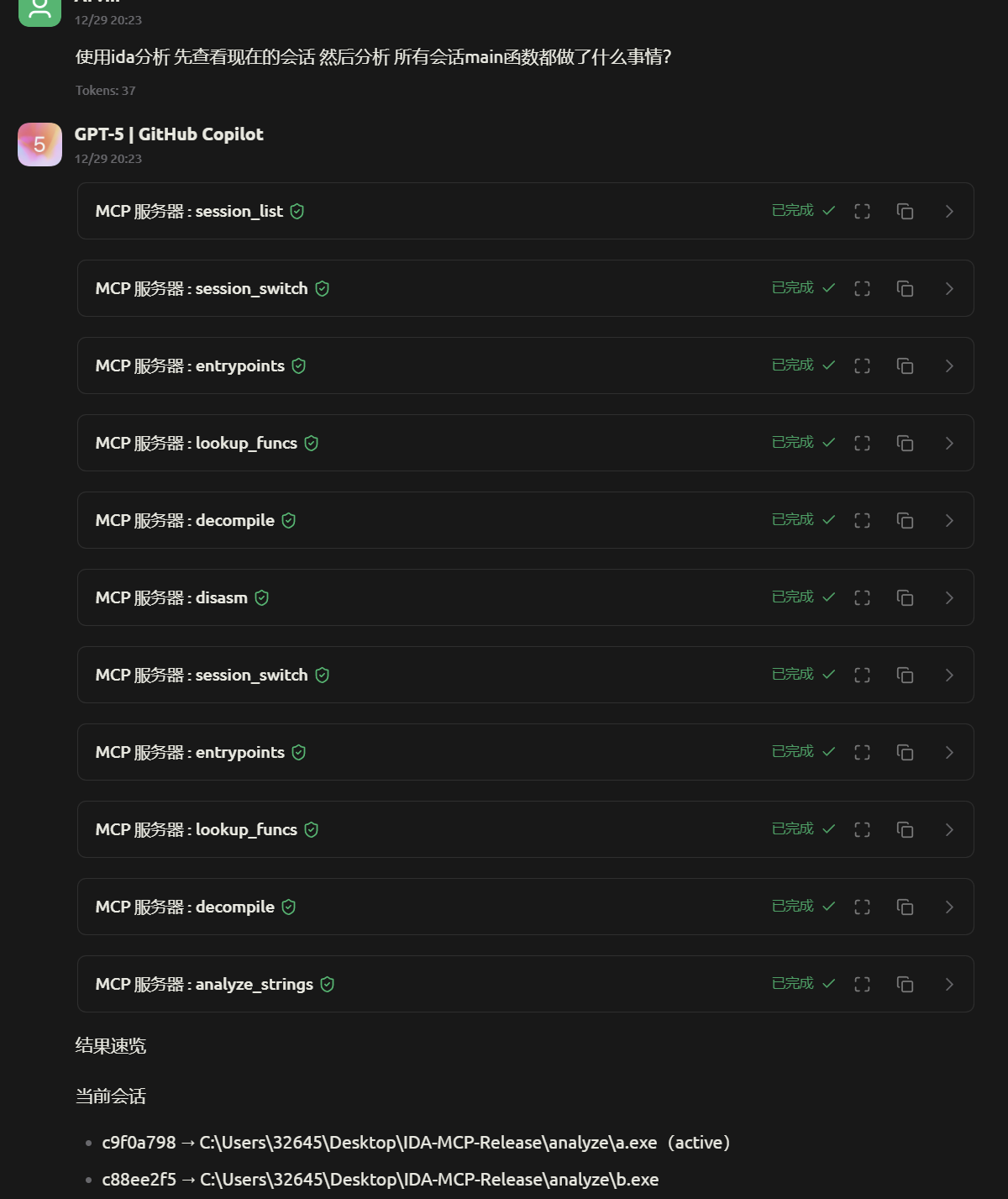
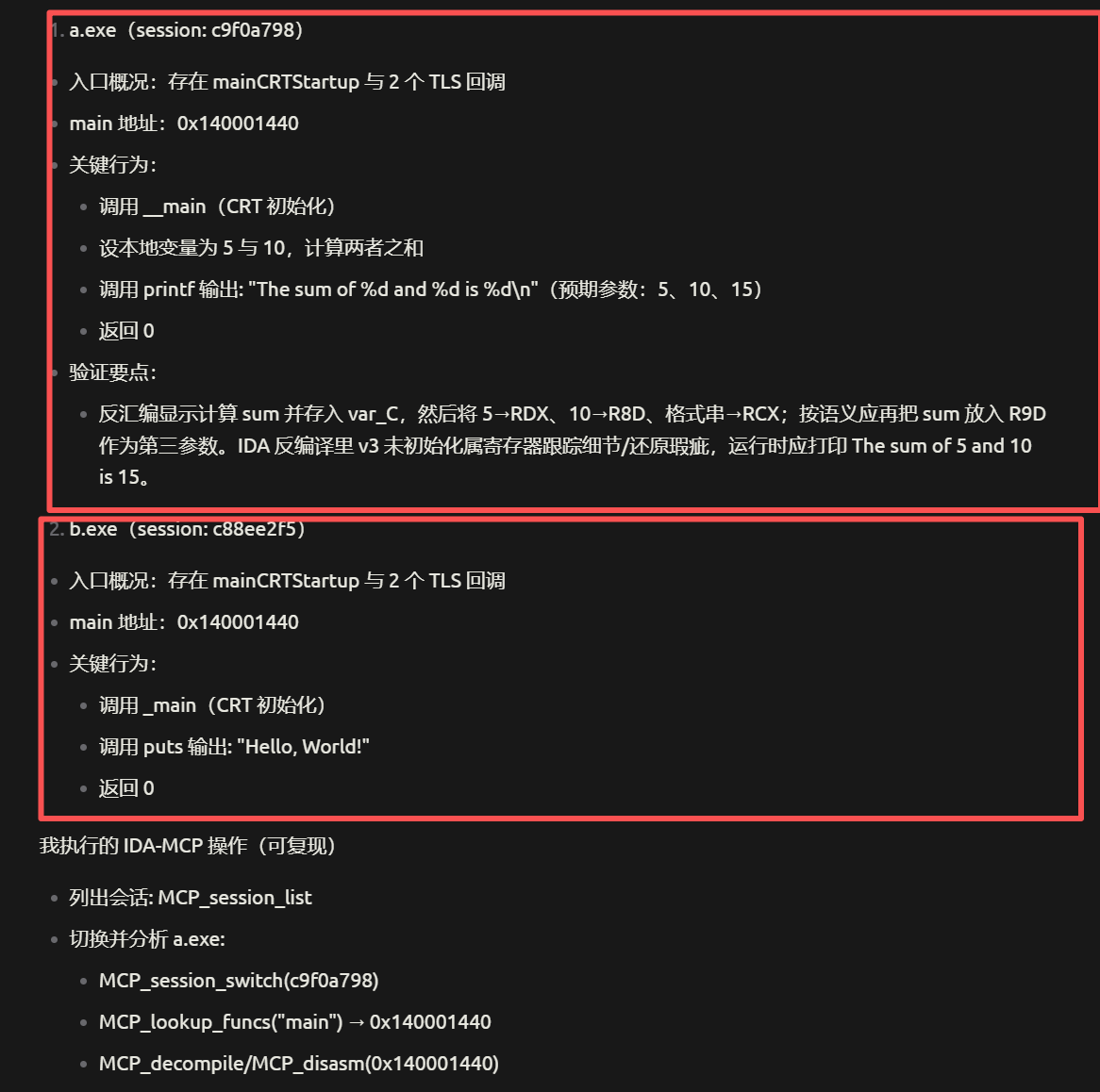
支持多文件、多会话并行分析,切记切记切记!mcp连接之后获取到的工具数量是77个!
支持平台
- ✅ Windows (10/11)
- ✅ macOS (12+)
- ✅ Linux (Ubuntu 20.04+, Debian 11+)
快速开始
1. 环境要求
| 组件 | Windows | macOS | Linux |
|---|---|---|---|
| Python | 3.11+ | 3.11+ | 3.11+ |
| IDA Pro | 9.2+ | 9.2+ | 9.2+ |
| uv | pip install uv 或 pipx install uv | curl -LsSf https://astral.sh/uv/install.sh | sh 或 brew install uv | curl -LsSf https://astral.sh/uv/install.sh | sh |
2. 安装步骤
Windows
# 安装 uv
pip install uv

# 进入项目目录
cd ida-pro-mcp

# 安装依赖
uv sync
macOS
# 方式一:使用官方脚本安装 uv
curl -LsSf https://astral.sh/uv/install.sh | sh

# 方式二:使用 Homebrew
brew install uv

# 进入项目目录
cd ida-pro-mcp

# 安装依赖
uv sync
Linux
# 使用官方脚本安装 uv
curl -LsSf https://astral.sh/uv/install.sh | sh

# 进入项目目录
cd ida-pro-mcp

# 安装依赖
uv sync
3. 配置文件(推荐)
编辑根目录 config.toml,相对路径相对于该文件解析:
port = 8746                  # MCP 主端口
base_session_port = 10000    # 会话起始端口
analyze_dir = "analyze"      # 预加载的 PE/ELF/MachO 目录
ida_dir = ""                 # 可选,IDA 安装路径;留空则使用环境变量 IDADIR
uv = "uv"                    # uv 可执行文件
skip_port_check = false      # 跳过端口检查
no_preload = false           # 不预载文件,空启动
mcp_dir = "ida-pro-mcp"      # ida-pro-mcp 项目路径
各平台 IDA 路径配置示例
# Windows
ida_dir = "C:/Program Files/IDA Pro 9.2"

# macOS
ida_dir = "/Applications/IDA Pro 9.2/ida.app/Contents/MacOS"

# Linux
ida_dir = "/opt/ida-9.2"
覆盖优先级:CLI 参数 > config.toml > 内置默认
4. 使用方式
方式一:跨平台一键启动(推荐)
基于 config.toml 的配置,自动扫描 analyze/ 下的二进制文件并启动:
# Windows / macOS / Linux 通用
python start.py
自定义参数
# Windows
python start.py --port 9000 --base-session-port 12000 --analyze-dir ./analyze --ida-dir "C:/Program Files/IDA Pro 9.2"

# macOS(注意路径中的空格需要转义或引号)
python start.py --port 9000 --ida-dir "/Applications/IDA Pro 9.2/ida.app/Contents/MacOS"

# Linux
python start.py --port 9000 --ida-dir "/opt/ida-9.2"

# 跳过端口检查(端口被占用但仍要启动)
python start.py --skip-port-check

# 空启动(不预载文件,适合手动 session_create)
python start.py --no-preload
参数说明
| 参数 | 说明 |
|---|---|
--port | 主服务器端口 |
--base-session-port | 会话起始端口 |
--analyze-dir | 待分析文件夹 |
--ida-dir | IDA 安装路径(设置 IDADIR 环境变量) |
--skip-port-check | 跳过端口占用检查 |
--no-preload | 不预载文件,空启动 |
--config | 指定配置文件路径(默认 config.toml) |
方式二:手动创建会话
- 运行
python start.py --no-preload启动空服务器 - 通过 MCP 调用
session_create创建分析会话
MCP 配置
Claude Desktop
配置文件位置:
| 平台 | 配置文件路径 |
|---|---|
| Windows | %APPDATA%\Claude\claude_desktop_config.json |
| macOS | ~/Library/Application Support/Claude/claude_desktop_config.json |
| Linux | ~/.config/Claude/claude_desktop_config.json |
配置内容:
{
  "mcpServers": {
    "ida-mcp": {
      "transport": {
        "type": "http",
        "url": "http://127.0.0.1:8746/mcp"
      }
    }
  }
}
Cherry Studio
{
  "mcpServers": {
    "ida-mcp": {
      "name": "IDA MCP 服务器",
      "baseUrl": "http://127.0.0.1:8746/mcp",
      "type": "http"
    }
  }
}
可用工具
会话管理 (6 个)
| 工具 | 说明 |
|---|---|
session_create | 创建新的分析会话 |
session_list | 列出所有会话 |
session_switch | 切换活动会话 |
session_active | 获取当前活动会话 |
session_close | 关闭会话 |
session_status | 获取会话管理器状态 |
分析工具 (71 个)
详细工具列表请查看 AVAILABLE_TOOLS.md
| 类别 | 工具数量 | 示例 |
|---|---|---|
| Core | 11 | idb_meta, lookup_funcs, list_funcs, imports, strings |
| Analysis | 8 | decompile, disasm, xrefs_to, callees, callers |
| Search | 6 | find_bytes, find_insns, search, basic_blocks |
| Export | 4 | export_funcs, callgraph, xref_matrix |
| Memory | 8 | get_bytes, get_u8/16/32/64, patch |
| Types | 6 | structs, struct_info, infer_types |
| Debug | 22 | dbg_start, dbg_step_into, dbg_regs |
| Python | 1 | py_eval |
使用示例
创建会话并分析
1. session_list - 查看所有会话
2. session_switch - 切换到目标会话
3. lookup_funcs - 查找 main 函数
4. decompile - 反编译 main 函数
参数示例
// 查找函数
{"name": "lookup_funcs", "arguments": {"queries": "main"}}

// 反编译
{"name": "decompile", "arguments": {"addrs": ["0x140001440"]}}

// 列出函数
{"name": "list_funcs", "arguments": {"queries": {"count": 10, "offset": 0}}}
故障排除
端口被占用
Windows
# 查看端口占用
netstat -ano | findstr ":8746"

# 终止进程
taskkill /F /PID <进程ID>
macOS / Linux
# 查看端口占用
lsof -i :8746

# 终止进程
kill -9 <PID>

# 或使用一条命令
lsof -ti :8746 | xargs kill -9
IDB 文件被锁定
删除 analyze/ 文件夹中的 .id0, .id1, .id2, .i64 等文件,重新分析。
会话创建失败
- 检查 IDA 路径是否正确
- 确认 IDA 版本 >= 9.2
- 查看服务器日志输出
- 确认 Python 版本 >= 3.11
macOS 特定问题
# 如果遇到权限问题
chmod +x start.py

# 如果 uv 命令找不到
# 方式一:添加到 PATH
export PATH="$HOME/.cargo/bin:$PATH"

# 方式二:使用完整路径
~/Downloads/ida-pro-mcp/idb/python.exe -m uv sync
Linux 特定问题
# 如果缺少依赖
sudo apt install python3-dev build-essential

# 如果遇到 Python 找不到的问题
which python3
python3 --version
目录结构
IDA-MCP-Release/
├── analyze/               # 放待分析的二进制文件
│   ├── *.exe             # Windows PE 文件
│   ├── *.elf / *_elf     # Linux ELF 文件
│   └── *.bin / *_macho   # macOS MachO 文件
├── ida-pro-mcp/          # MCP 服务器核心
│   ├── .venv/           # 虚拟环境
│   └── src/
├── start.py              # 跨平台一键启动脚本
├── config.toml           # 配置文件
├── AVAILABLE_TOOLS.md    # 完整工具列表
└── claude_desktop_config.json
技术信息
| 配置项 | 值 |
|---|---|
| 主服务器端口 | 8746 |
| 会话端口范围 | 10000+ |
| 协议 | MCP over HTTP (JSON-RPC 2.0) |
| 最大并发会话 | 5 |
| 会话超时 | 3600 秒 |
| 支持的文件格式 | PE (exe/dll), ELF, MachO |
更新日志
v2.0.0 (2025-12-30)
- ✅ 修复工具加载问题(现在正确显示 77 个工具)
- ✅ 修复会话进程生命周期(使用 blocking 模式)
- ✅ 所有 71 个分析工具测试通过
- ✅ 添加跨平台支持(Windows/macOS/Linux)
- ✅ 改进错误处理和日志输出
许可证
本项目基于 MIT 许可证开源。