@kamiazya/whiteboard
A collaborative Excalidraw canvas for Claude Code, Codex, and Gemini CLI. Draw with your AI agent to align on specs, architecture, and workflows — directly on a shared real-time whiteboard.


How whiteboard works
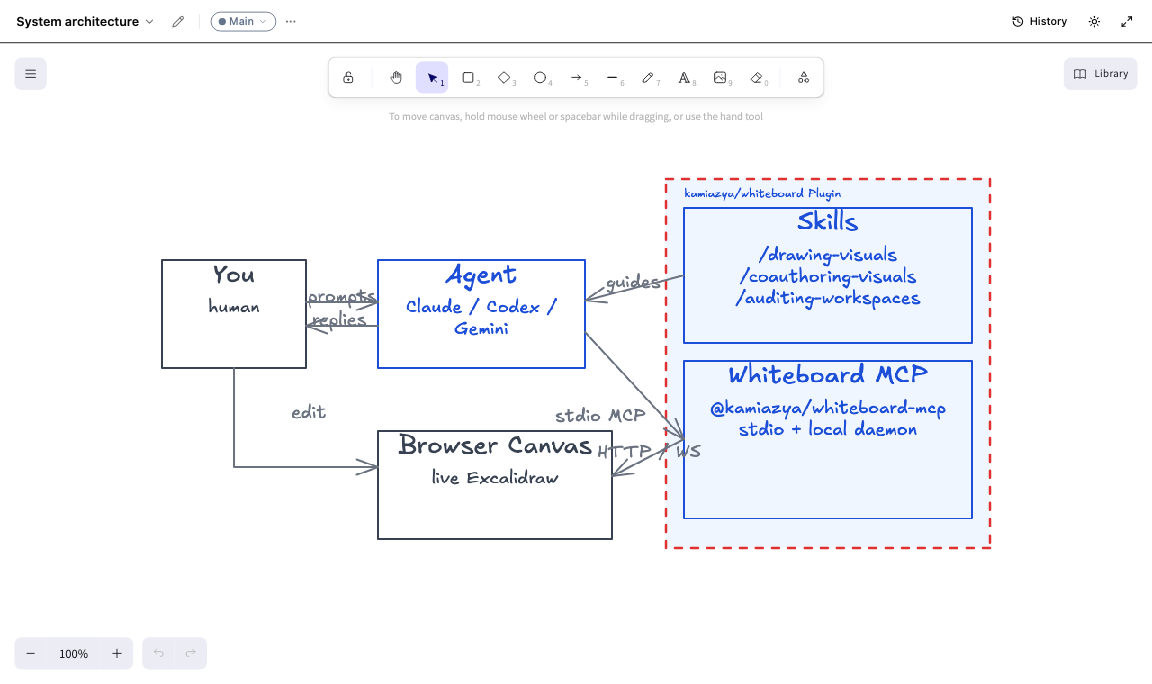
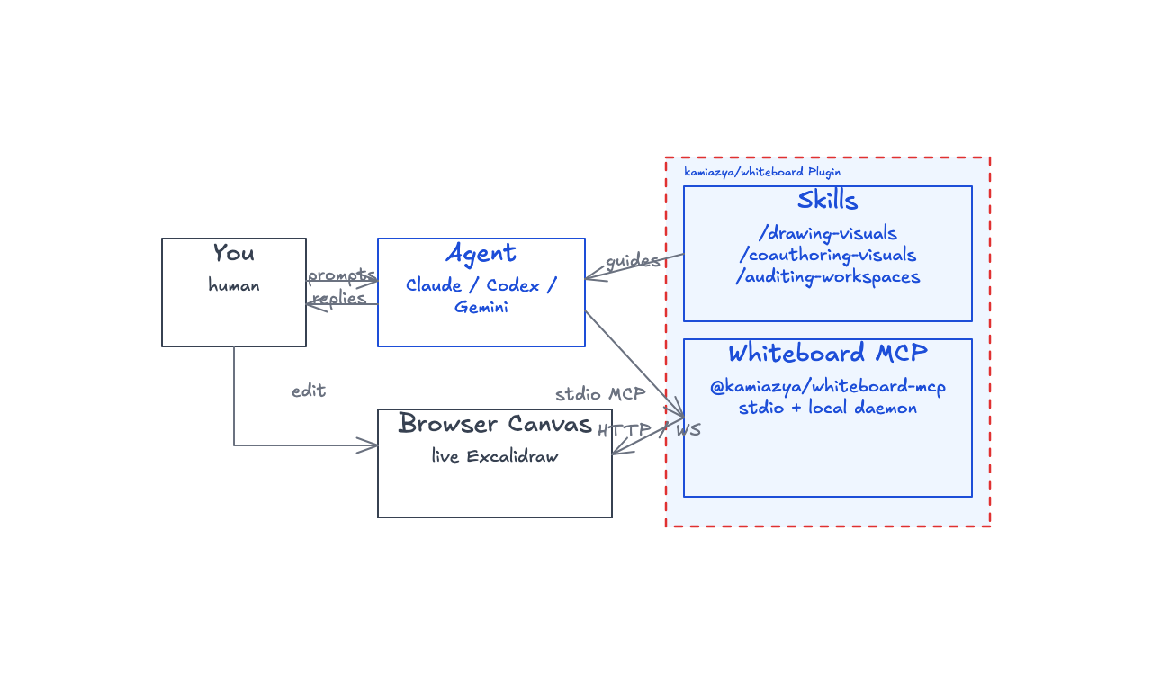
You and your agent both reach the same Excalidraw canvas — they talk, the agent acts, skills shape the prompts. The kamiazya/whiteboard plugin packages three skills and a Whiteboard MCP server together; the agent calls MCP tools via stdio and the daemon syncs the canvas to your browser over WebSocket.
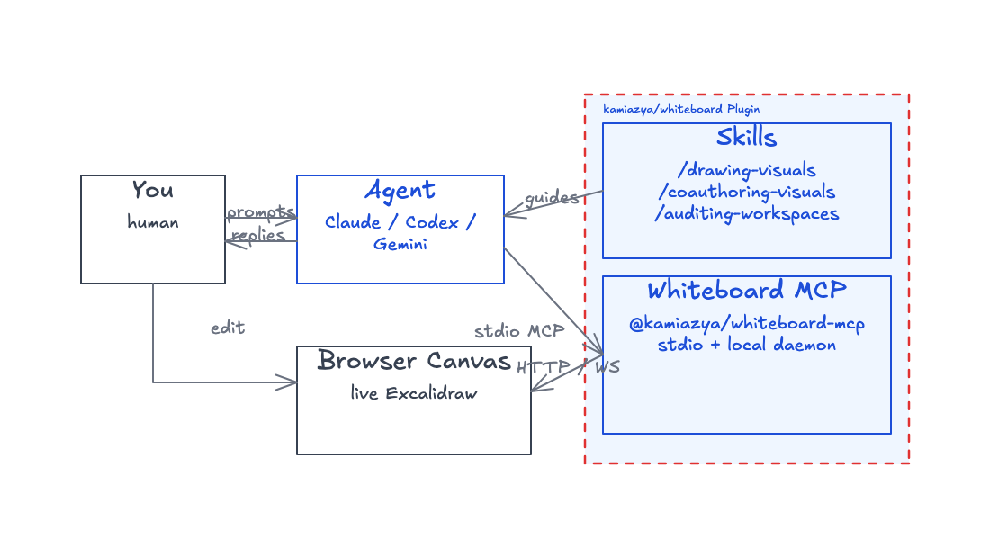
Diagram drawn with whiteboard itself — see architecture.excalidraw to open it in Excalidraw and remix.
@kamiazya/whiteboard-mcp runs a live Excalidraw canvas in your browser and exposes MCP tools so Claude Code, Codex, Gemini CLI, or any MCP-capable agent can draw, annotate, and refine diagrams alongside you. Canvases live locally under ~/.whiteboard/, sync over WebSocket, and round-trip with stock .excalidraw JSON.
Reach for whiteboard when…
- You're aligning with your agent on a design and text alone keeps drifting. Sketch the request flow once, ask the agent to fill in the missing edges, point at the diagram instead of re-explaining.
- You're reviewing a change and want to mark up the architecture together. Open an existing workspace, ask the agent to add the new path, compare against the previous frame, export a PNG for the PR description.
- You're writing docs or onboarding material and want a reusable diagram. Drive the agent to produce the diagram, save the
.excalidraw, drop the PNG into the doc — open it again later in excalidraw.com when something needs updating.
| Aligning on a design | Reviewing and marking up | Presenting or sharing |
|---|---|---|
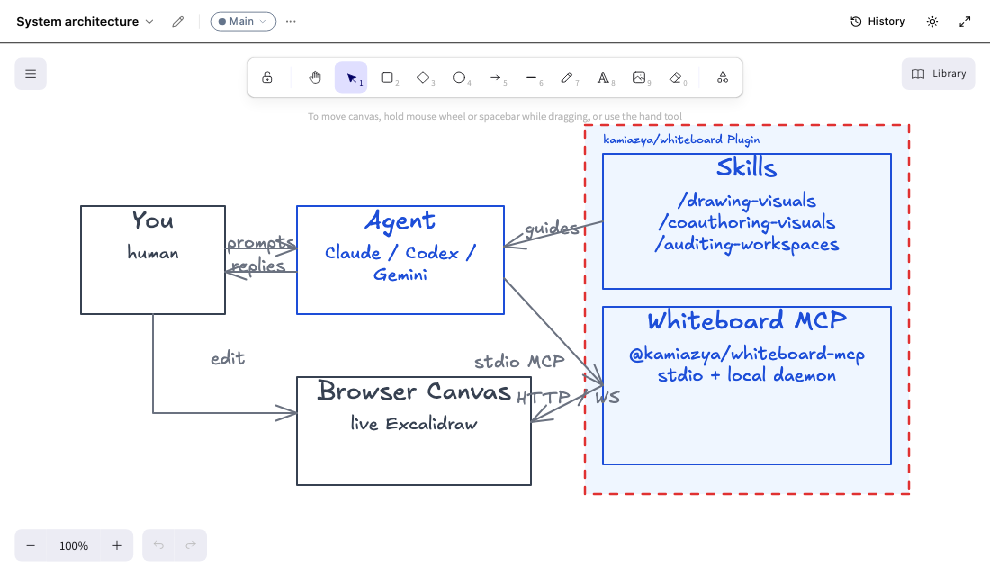 | 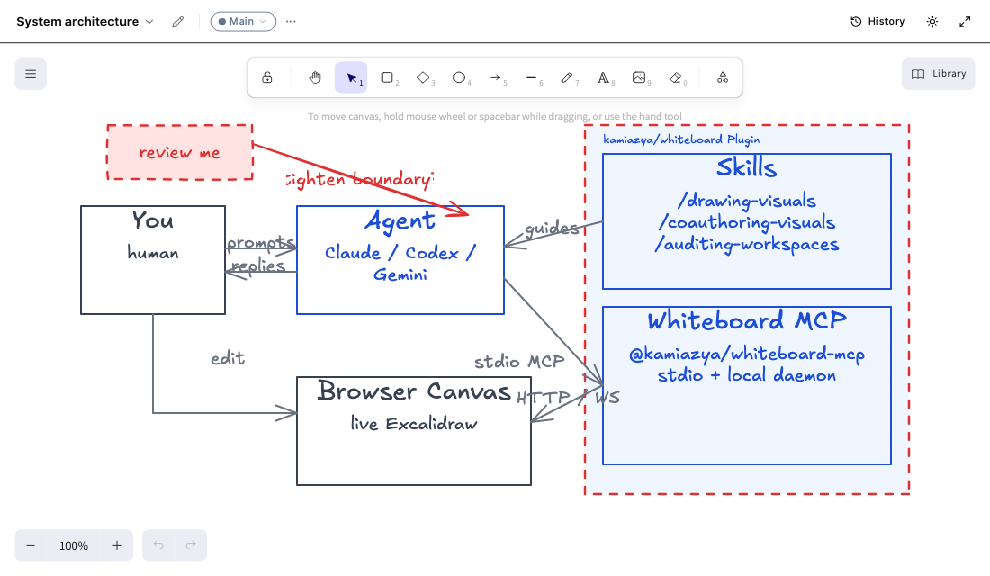 |  |
| Agent drew it — you guided the layout | You annotated it — review notes on the canvas | Fullscreen mode — clean export for docs |
The same workflow works across any scenario — the agent draws boxes, arrows, and labels on a fresh canvas:
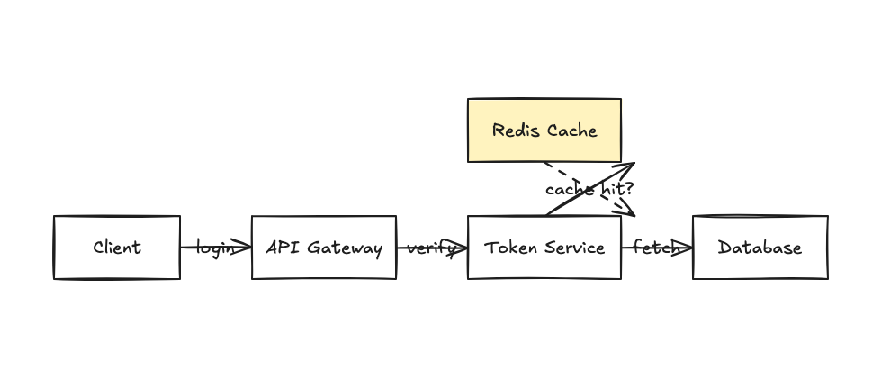
Auth service flow drawn by the agent — numbered steps, cache callout, color-coded components.
Quick install
Claude Code
In a Claude Code session, run:
/plugin marketplace add kamiazya/whiteboard
/plugin install whiteboard@whiteboard-marketplace
This installs the MCP server and the bundled /drawing-visuals, /coauthoring-visuals, and /auditing-workspaces skills in one step.
MCP only (no skills)
claude mcp add whiteboard -- npx -y @kamiazya/whiteboard-mcp@latest
Codex
In a Codex session, run:
codex plugin marketplace add kamiazya/whiteboard
Then open /plugins, choose kamiazya Whiteboard → whiteboard → Install plugin, and restart Codex. This installs the MCP server and the bundled skills in one step.
MCP only (no skills)
Add to ~/.codex/config.toml:
[mcp_servers.whiteboard]
command = "npx"
args = ["-y", "@kamiazya/whiteboard-mcp@latest"]
Gemini CLI
gemini extensions install https://github.com/kamiazya/whiteboard
MCP only (no extension)
Add to ~/.gemini/settings.json:
{
  "mcpServers": {
    "whiteboard": {
      "command": "npx",
      "args": ["-y", "@kamiazya/whiteboard-mcp@latest"]
    }
  }
}
Verify
In your agent session, ask it to call canvas_create({ slug: "smoke" }). The first call opens a Chromium tab pointed at the canvas and creates ~/.whiteboard/{workspaceId}/.
Bundled skills
Three opinionated SKILL.md packs ship inside the npm package. The recommended plugin install above wires them up automatically — no manual linking. If you instead used claude mcp add, the Codex CLI snippet, or npx, link them yourself per docs/development.md#bundled-skills-install.
| Skill | When to use |
|---|---|
/drawing-visuals | When screen layout, structure, flow, or comparison still feels too ambiguous in text alone — start drawing on the canvas together. |
/coauthoring-visuals | A structured loop for evolving visuals with the agent: gather context, structure frame by frame, run fresh-viewer tests on what you draw. |
/auditing-workspaces | Audit existing workspaces — detect orphaned workspaces, tombstone-heavy canvases, and cache/disk mismatches; report cleanup candidates. |
Example transcript
You    Use whiteboard to sketch the request flow for our auth service:
       client → API gateway → token service → DB. Highlight where caching lives.

Agent  cid = canvas_create({ slug: "auth-flow" }).id
       annotate_batch({ canvasId: cid, annotations: [ /* 4 service boxes + arrows */ ] })
       annotate({ canvasId: cid, type: "text",
                  target: { x: 240, y: 360 },
                  text: "cache lives here" })
       export_png({ canvasId: cid })

       Drew a 4-stage flow on the auth-flow canvas. Cache callout placed
       between API gateway and token service. PNG attached.
The agent returns the export_png result as an MCP ImageContent, so the next turn can reason about what was actually drawn — closing the loop between prompt and pixels.
Documentation
| Topic | Where |
|---|---|
| Local checkout, HTTP MCP development loop, repo-local config override, skill linking | docs/development.md |
| Environment variables, storage layout, Codex sandbox quirks | docs/configuration.md |
| Components, data flow, MCP tool surface, design boundaries | docs/architecture.md |
Custom template fragment JSON format used by template_insert | docs/templates.md |
MCP debugging workflow (Inspector, MCP_HTTP_DEBUG, transport checks) | docs/mcp-debugging.md |
| Token-gated local HTTP, daemon trust model | docs/security-model.md |
| WebSocket message shapes between daemon and browser | docs/wire-protocol.md |
| Test layers, commit conventions, release process | CONTRIBUTING.md |
Limitations
- Live drawing and PNG export require a Chromium browser tab connected over WebSocket.
- The published transport is
stdio. The HTTP MCP endpoint (pnpm mcp:http:dev) is for local development.
See docs/configuration.md for sandbox quirks.