
KumoRFM MCP Server



📖 Introduction
KumoRFM is a pre-trained Relational Foundation Model (RFM) that generates training-free predictions on any relational multi-table data by interpreting the data as a (temporal) heterogeneous graph. It can be queried via the Predictive Query Language (PQL).
This repository hosts a full-featured MCP (Model Context Protocol) server that empowers AI assistants with KumoRFM intelligence. This server enables:
- 🕸️ Build, manage, and visualize graphs directly from CSV or Parquet files
- 💬 Convert natural language into PQL queries for seamless interaction
- 🤖 Query, analyze, and evaluate predictions from KumoRFM (missing value imputation, temporal forecasting, etc) all without any training required
🚀 Installation
🐍 Traditional MCP Server
The KumoRFM MCP server is available for Python 3.10 and above. To install, simply run:
pip install kumo-rfm-mcp
Add to your MCP configuration file (e.g., Claude Desktop's mcp_config.json):
{
  "mcpServers": {
    "kumo-rfm": {
      "command": "python",
      "args": ["-m", "kumo_rfm_mcp.server"],
      "env": {
        "KUMO_API_KEY": "your_api_key_here"
      }
    }
  }
}
⚡ MCP Bundle
We provide a single-click installation via our MCP Bundle (MCPB) (e.g., for integration into Claude Desktop):
- Download the
dxtfile from here - Double click to install
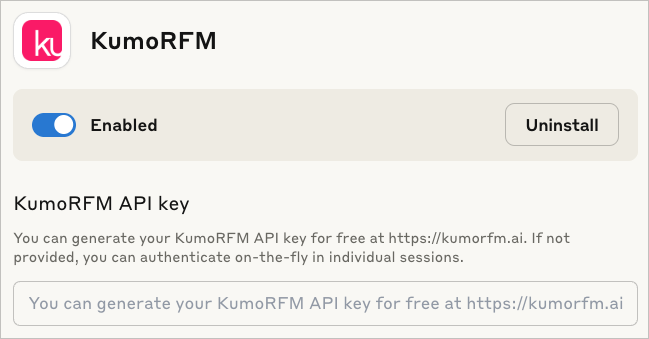
The MCP Bundle supports Linux, macOS and Windows, but requires a Python executable to be found in order to create a separate new virtual environment.
Claude code
To include the server in claude code use:
claude mcp add --transport stdio kumo-rfm-mcp --env KUMO_API_KEY=<YOUR-API-KEY> -- python -m kumo_rfm_mcp.server --port 8000
🎬 Claude Desktop Demo
See here for the transcript.
https://github.com/user-attachments/assets/56192b0b-d9df-425f-9c10-8517c754420f
🔬 Agentic Workflows
You can use the KumoRFM MCP directly in your agentic workflows:
.svg)
[Example] | |
|---|---|

[Example] | |
|
[Example] | |
|
| |
Browse our examples to get started with agentic workflows powered by KumoRFM.
📚 Available Tools
I/O Operations
- 🔍
find_table_files- Searching for tabular files: Find all table-like files (e.g., CSV, Parquet) in a directory. - 🧐
inspect_table_files- Analyzing table structure: Inspect the first rows of table-like files.
Graph Management
- 🗂️
inspect_graph_metadata- Reviewing graph schema: Inspect the current graph metadata. - 🔄
update_graph_metadata- Updating graph schema: Partially update the current graph metadata. - 🖼️
get_mermaid- Creating graph diagram: Return the graph as a Mermaid entity relationship diagram. - 🕸️
materialize_graph- Assembling graph: Materialize the graph based on the current state of the graph metadata to make it available for inference operations. - 📂
lookup_table_rows- Retrieving table entries: Lookup rows in the raw data frame of a table for a list of primary keys.
Model Execution
- 🤖
predict- Running predictive query: Execute a predictive query and return model predictions. - 📊
evaluate- Evaluating predictive query: Evaluate a predictive query and return performance metrics which compares predictions against known ground-truth labels from historical examples. - 🧠
explain- Explaining prediction: Execute a predictive query and explain the model prediction.
🔧 Configuration
Environment Variables
KUMO_API_KEY: Authentication is needed once before predicting or evaluating with the KumoRFM model. You can generate your KumoRFM API key for free here. If not set, you can also authenticate on-the-fly in individual session via an OAuth2 flow.
We love your feedback! :heart:
As you work with KumoRFM, if you encounter any problems or things that are confusing or don't work quite right, please open a new :octocat:issue. You can also submit general feedback and suggestions here. Join our Slack!