📜 Litopys
A living chronicle for your AI.
Persistent graph-based memory that survives across sessions and clients. Built for Claude Code, Claude Desktop, and any MCP-compatible agent.
litopys-dev.github.io/litopys — install, screenshots, and quick-start


Why Litopys?
Memory systems for AI agents today force a tradeoff: either heavy vector databases with subprocess leaks and ~500 MB RAM footprint, or flat markdown files that don't scale past a few dozen notes.
Litopys takes a third path: a typed graph of knowledge stored in plain markdown, served through a thin MCP layer (~75 MB RAM), editable by hand, queryable by both keyword and structure. Litopys means "chronicle" in Ukrainian — because that's exactly what your AI's memory should be: a living record of what it learned about you, when, and why.
Features
- 🧠 Typed graph — 6 node types (person, project, system, concept, event, lesson) with 11 first-class relations
- 🔌 MCP-native — works with Claude Code, Claude Desktop, Cursor, Cline, or any MCP client (see docs/integrations)
- 📝 Markdown-first — every node is a plain
.mdfile with YAML frontmatter. Hand-editable, grep-able, git-versioned - 🤖 Model-agnostic extractor — Anthropic, OpenAI, or local Ollama. Pick by your resource/cost budget (see Resource footprint below). Facts flow through a quarantine so nothing lands unreviewed
- 🌐 Web dashboard — browse, search, edit, visualize the graph, and review quarantine at
http://localhost:3999 - 🔐 Stays local — graph lives in
~/.litopys/graph/as files; the server binds to127.0.0.1by default; no telemetry
Dashboard
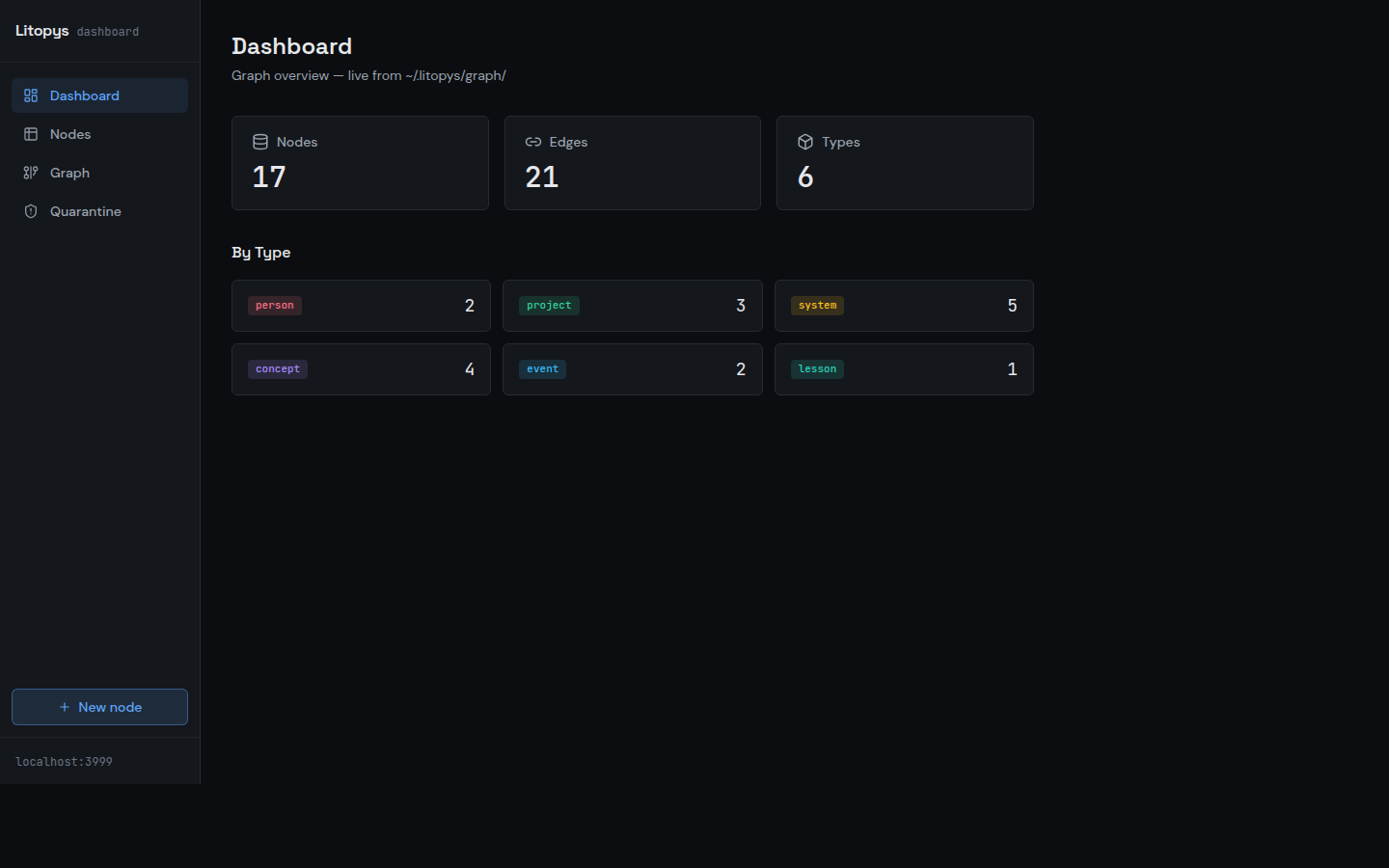
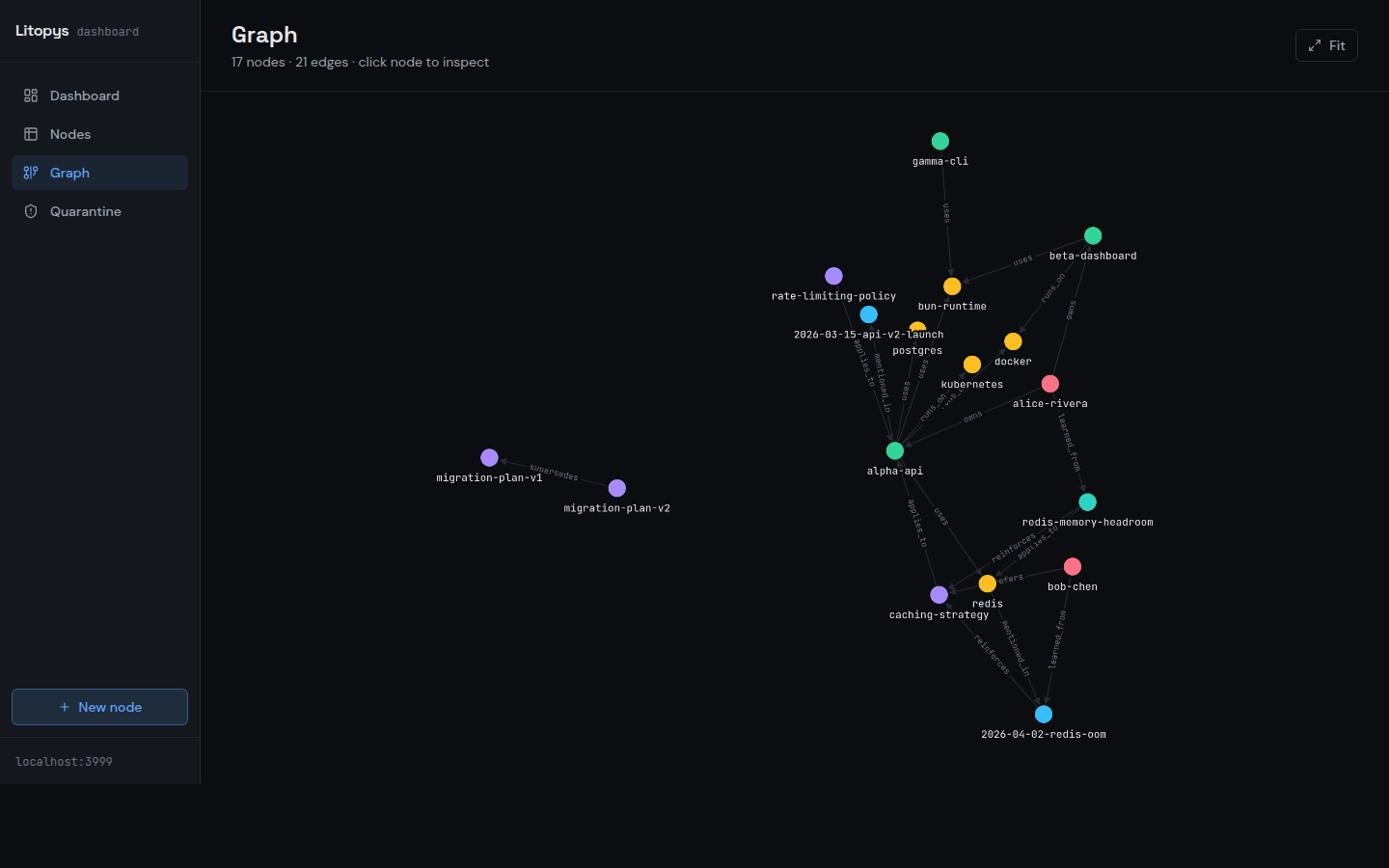
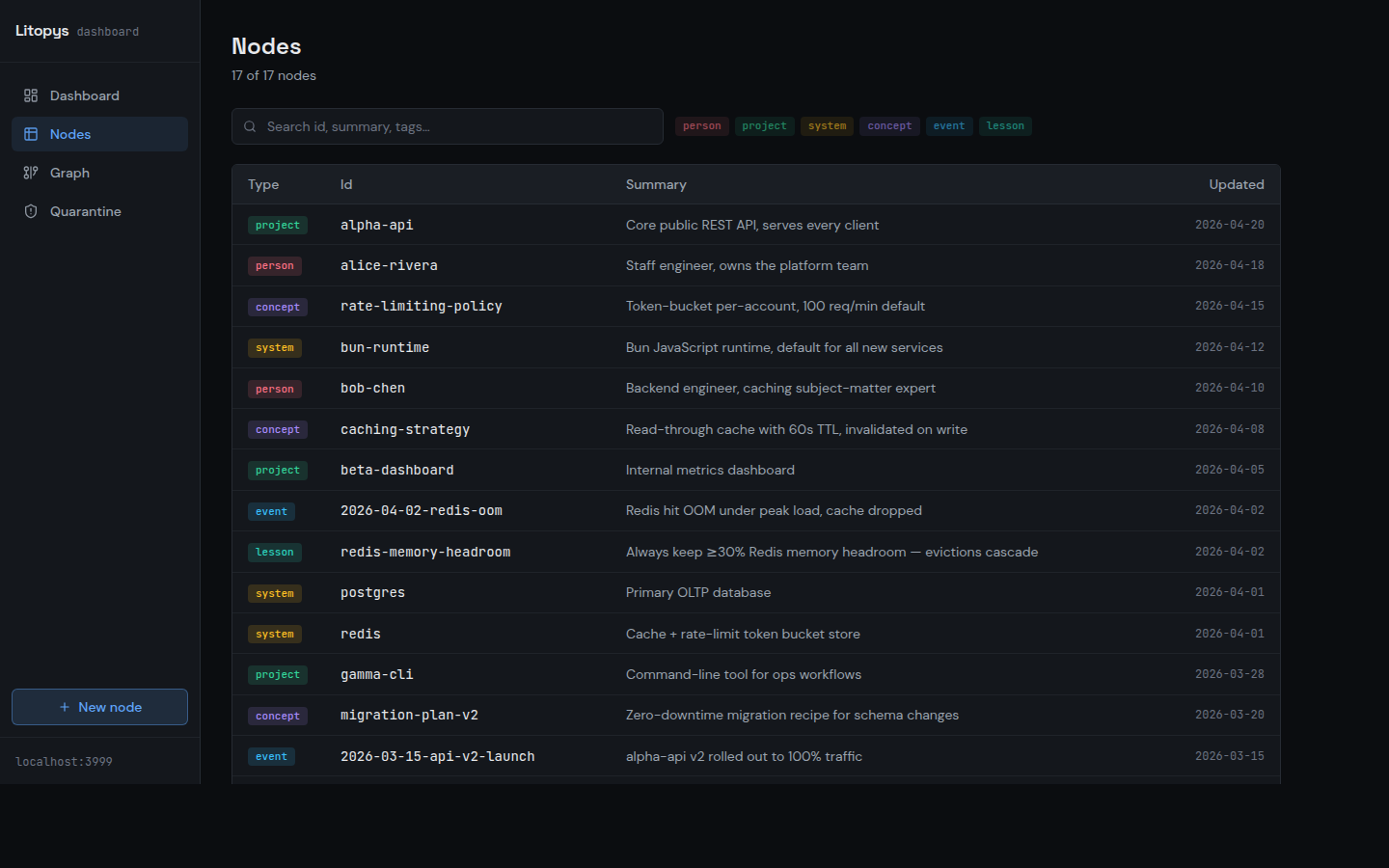
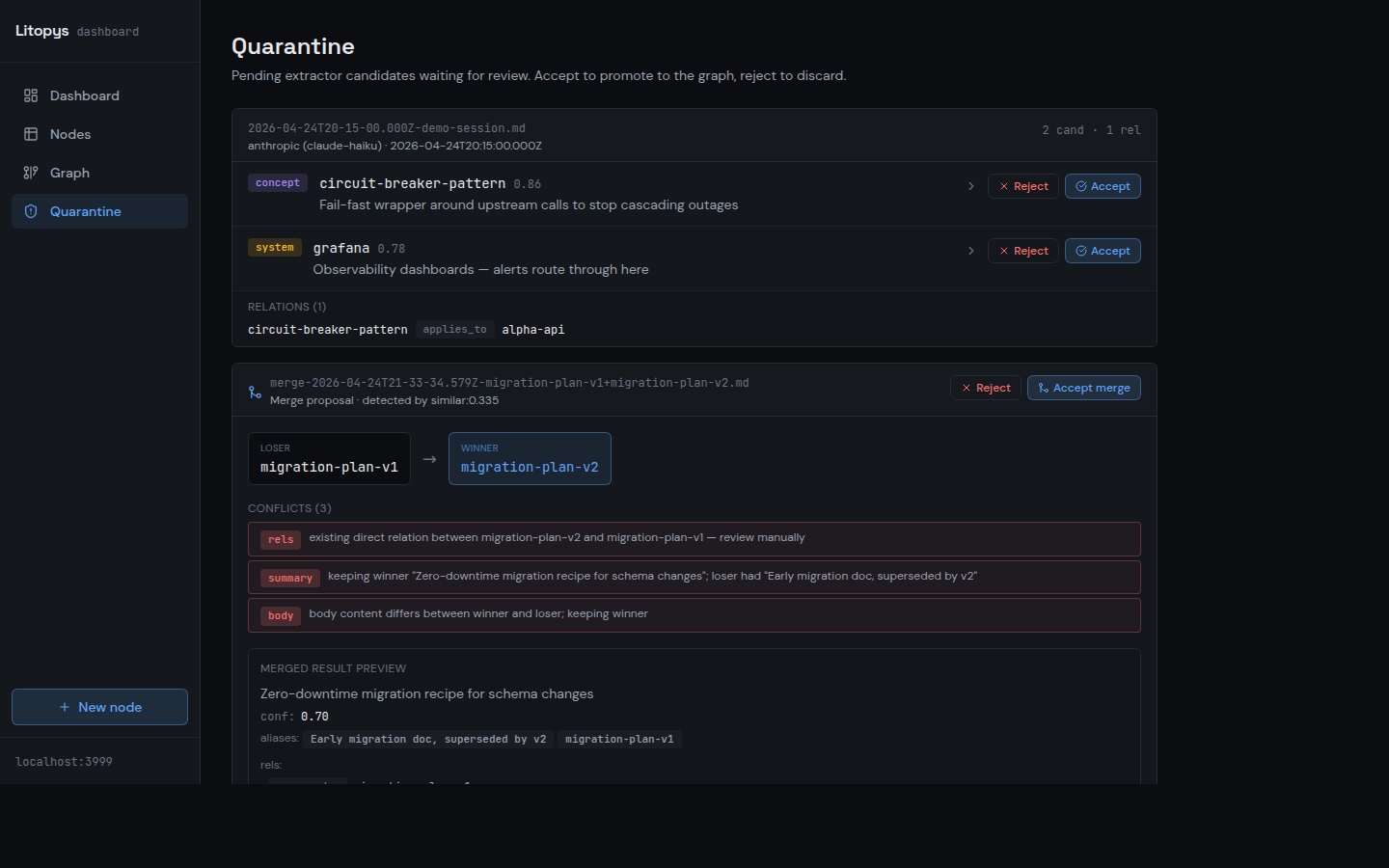
Screenshots taken against a synthetic demo graph bundled in docs/screenshots/ — not the author's personal notes.
Status
v0.1.1 is out — prebuilt binaries for Linux / macOS / Windows (x64 + arm64) in the release. First stable tag after two weeks of daily-driver use by the author. Public surfaces (MCP tools, CLI, JSON export schemaVersion: 1, on-disk markdown layout) are frozen; breaking changes will ship as 0.2.x.
Core graph, MCP server (5 tools, stdio + HTTP/SSE), extractor + quarantine + weekly digest, timer-daemon, dashboard (read + write + graph viz + quarantine review), identity-resolution guardrails, single-binary build, one-line installer, per-client integration docs — all shipped. See What's next for the planned follow-ups.
Resource footprint
Honest numbers from the author's own install (Ubuntu, Bun 1.x). The MCP server is cheap; the extractor is where the bill shows up, and it depends on which adapter you pick.
| Component | RAM | When it costs |
|---|---|---|
| MCP server (stdio or HTTP) | ~75 MB | always, while a client is connected |
| Viewer / web dashboard | ~50 MB | optional, only while running |
| Extractor — Anthropic / OpenAI | 0 locally | per API call (tokens), no local RAM |
| Extractor — Ollama + 3B model | ~2–3 GB | only during a tick, unloaded after |
| Extractor — Ollama + 7B model | ~5 GB | only during a tick, unloaded after |
So the minimum resident cost is ~75 MB for the MCP server. Extraction is optional — you can run Litopys read/write-only from your agent and never start the daemon. If you do enable extraction, the local-Ollama route trades cash for RAM; the Anthropic/OpenAI route trades RAM for cents per session. Ollama's keep_alive means the 3B/7B figures are transient — the model drops out of RAM a few minutes after the tick finishes.
Quick Start
One-line install (Linux / macOS):
curl -fsSL https://raw.githubusercontent.com/litopys-dev/litopys/main/install.sh | sh
This downloads a single ~100 MB binary to ~/.local/bin/litopys, initializes ~/.litopys/graph/ with the required subdirectories, and prints MCP registration hints.
Pin a specific version by placing the assignment after the pipe — env vars set before curl only scope to curl itself, not the piped shell:
curl -fsSL https://raw.githubusercontent.com/litopys-dev/litopys/main/install.sh | LITOPYS_VERSION=v0.1.1 sh
Then register the MCP server with your client:
# Claude Code
claude mcp add litopys -- ~/.local/bin/litopys mcp stdio
// Claude Desktop — ~/Library/Application Support/Claude/claude_desktop_config.json
{
  "mcpServers": {
    "litopys": {
      "command": "/home/you/.local/bin/litopys",
      "args": ["mcp", "stdio"]
    }
  }
}
Restart the client. The litopys://startup-context resource auto-loads the owner profile, active projects, recent events, and key lessons on every new session. The agent reads/writes through five MCP tools: litopys_search, litopys_get, litopys_related, litopys_create, litopys_link.
Full client-specific recipes live in docs/integrations/ — Claude Code, Claude Desktop, Cursor, Cline, ChatGPT Connectors, Gemini.
Remote (HTTP/SSE) mode
For remote clients (Claude Desktop connectors, browser-based MCP hosts):
LITOPYS_MCP_TOKEN=your-secret litopys mcp http
# listens on 127.0.0.1:7777 by default
# set LITOPYS_MCP_BIND_ADDR=0.0.0.0 + TLS proxy for remote exposure
# set LITOPYS_MCP_CORS_ORIGIN=https://your-client to enable CORS
Dev install (from source)
git clone https://github.com/litopys-dev/litopys.git
cd litopys
bun install
bun run build:binary       # produces dist/litopys
Optional — daemon for long-running transcripts
cp packages/daemon/systemd/litopys-daemon.{service,timer} ~/.config/systemd/user/
systemctl --user enable --now litopys-daemon.timer
Optional — web dashboard autostart
The dashboard (litopys viewer) can run as a systemd user service so it comes
back after every reboot. Listens on 127.0.0.1:3999 by default — no public
exposure, reach it over LAN / WireGuard.
litopys viewer install          # writes unit, daemon-reload, enable --now
systemctl --user status litopys-viewer

# Remove:
litopys viewer uninstall
Or set LITOPYS_ENABLE_VIEWER=1 when running install.sh to enable it as
part of the one-line install. Requires loginctl enable-linger $USER if you
want the dashboard to stay up across logouts.
Integrity check
litopys check           # human-readable report, grouped by error kind
litopys check --json    # { nodeCount, edgeCount, errorCount, errors[] } for CI
Loads and resolves the entire graph, then flags broken refs, duplicate ids, wrong-typed relations, and parse/validation failures. Exits non-zero when issues are found — drop it into a git pre-push hook or CI step so drift never lands silently.
Backing up your graph
Litopys stores everything as plain markdown in ~/.litopys/graph/, so any tool
that versions files works. Two common approaches:
Git + private remote (incremental history, offsite, free):
cd ~/.litopys
git init
git add graph/ .gitignore README.md
git commit -m "baseline"
gh repo create my-litopys-graph --private --source=. --push
From then on, every session-end hook or manual accept leaves your working tree
dirty — periodically git add -A && git commit -m "sync" && git push to keep
the backup current. Your graph contains personal facts, so keep the remote
private.
JSON snapshot (portable, diffable, tool-friendly):
litopys export > graph.json              # compact
litopys export --pretty > graph.json     # indented, VCS-friendly
litopys export --no-body > meta.json     # metadata only, strip markdown bodies
The dump carries meta (exportedAt, counts, schemaVersion) plus all nodes
sorted by id and edges sorted by (from, relation, to) — deterministic across
runs, so diff graph-yesterday.json graph-today.json tells you exactly what
the LLM/daemon added. Feed it to analysis tools, migrate between hosts, or
commit alongside code.
Restore from a snapshot on a fresh host (or after a reinstall):
litopys import graph.json --dry-run   # preview the plan
litopys import graph.json             # create new nodes, skip existing ones
litopys import graph.json --force     # also overwrite existing ids
Default is conservative — existing nodes are never touched unless you pass
--force. Every node is validated against the schema up-front, so a corrupt
snapshot aborts before anything lands on disk.
Release history
See CHANGELOG.md. Future work is driven by real-user feedback — open an issue if something pinches.
Design principles
- Agent-agnostic. No hard dependency on any LLM vendor or client. MCP is the only integration point. Ollama is the default extractor; Anthropic/OpenAI are optional adapters.
- Portable data. The graph is plain markdown + YAML frontmatter on disk. Readable in any editor, versionable in git, greppable from the shell.
- Light runtime. ~75 MB RAM for the MCP server. The extractor is out-of-process and runs on your schedule, not on every request — see Resource footprint for the full cost breakdown across adapters.
- Opt-in integrations. Client-specific helpers (hooks, config snippets) live in
docs/integrations/— you can use Litopys without any of them.
License
MIT © 2026 Denis Blashchytsia and Litopys contributors.