LogoLoom
AI-powered logo design → SVG → full brand kit. Free, local, MCP-native.


What it does
- AI designs your logo — Claude reads your codebase, understands your brand, writes SVG
- Text → Path — converts
<text>to<path>so fonts render everywhere (opentype.js) - Optimize — cleans SVG, removes bloat, compresses paths (SVGO)
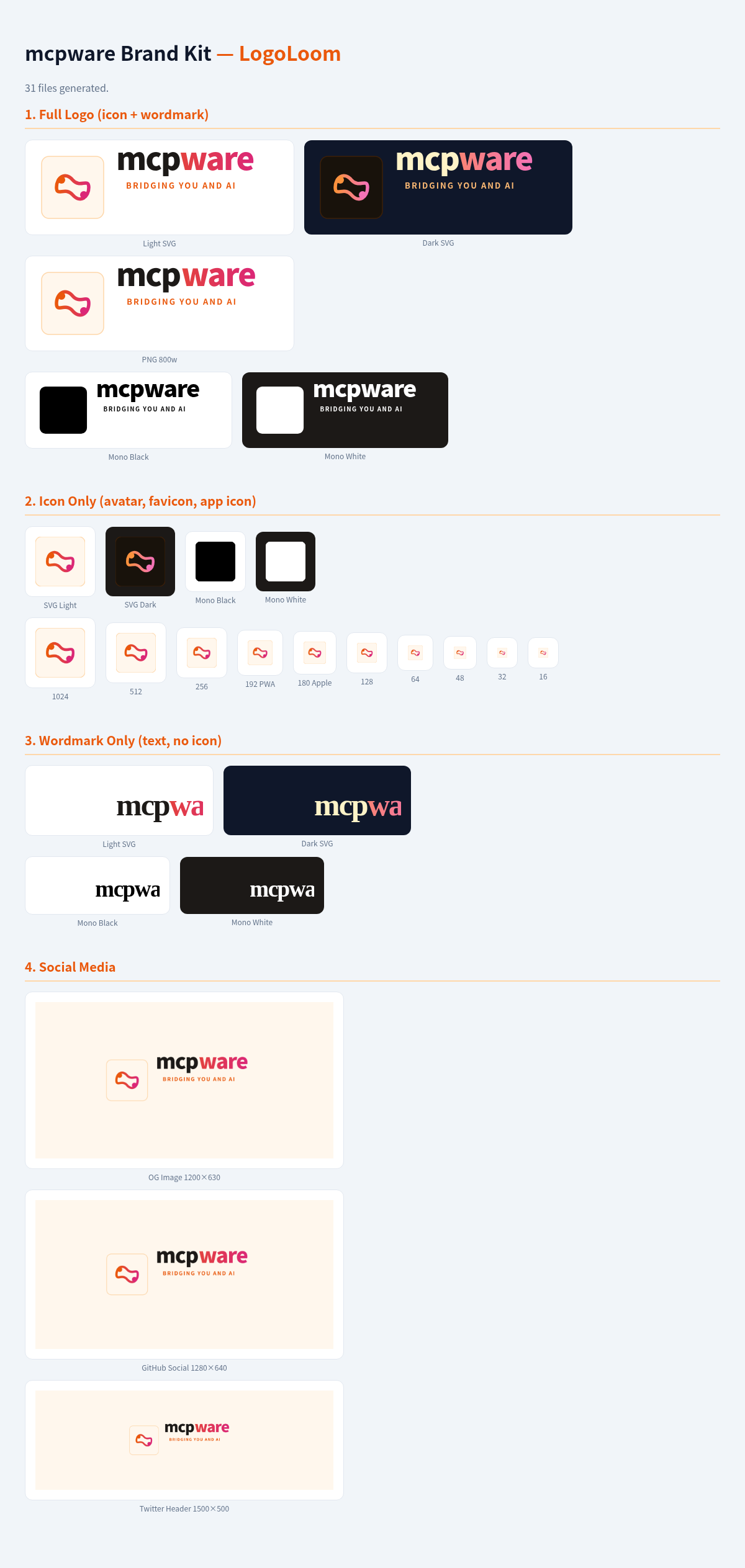
- Export brand kit — PNG (256/512/1024), ICO favicon, WebP, OG image, color variants, brand guidelines
One command. Zero API cost. Everything runs locally.
Quick Start
npx @mcpware/logoloom
Claude Code / Cursor .mcp.json
{
  "mcpServers": {
    "logoloom": {
      "command": "npx",
      "args": ["-y", "@mcpware/logoloom"]
    }
  }
}
Then ask Claude: "Design a logo for my project"
Tools
| Tool | What it does |
|---|---|
text_to_path | Convert SVG <text> elements to <path> using font outlines. Font-independent rendering. |
optimize_svg | Clean and compress SVG (30-60% smaller). Remove metadata, merge paths. |
export_brand_kit | Export full brand kit: PNG sizes, ICO, WebP, OG image, mono variants, BRAND.md. |
image_to_svg | Convert PNG/JPG to SVG vector (vtracer). Best for logos and flat graphics. |
Example Output
brand/
├── logo-full-light.svg      # Primary logo
├── logo-full-dark.svg       # Dark mode variant
├── icon-light.svg           # Icon only
├── icon-mono-black.svg      # Single-color (print)
├── icon-mono-white.svg      # White on dark
├── icon-256.png             # Small
├── icon-512.png             # Medium
├── icon-1024.png            # Large (app stores)
├── icon-512.webp            # Web optimized
├── favicon.ico              # Browser favicon
├── favicon-16.png           # 16px favicon
├── favicon-48.png           # 48px favicon
├── og-image.png             # Social share (1200×630)
└── BRAND.md                 # Colors, typography, usage rules
How it works
You: "Design a logo for mcpware"

Claude:
  1. Reads your README + package.json
  2. Asks brand questions (audience, feel, color)
  3. Generates 6-8 SVG concepts in HTML preview
  4. You pick → Claude iterates → you approve

LogoLoom MCP:
  5. text_to_path → font-independent SVG
  6. optimize_svg → clean, compressed
  7. export_brand_kit → all sizes, all formats, brand guidelines

Output: brand/ folder, ready to use everywhere
Why not just use Recraft / SVGMaker?
| LogoLoom | Recraft V3 | SVGMaker | |
|---|---|---|---|
| Price | Free | Free (no commercial) / $10/mo | $8+ |
| Commercial use | Yes | Paid only | Yes |
| Runs locally | Yes | No (cloud) | No (cloud) |
| MCP native | Yes | No | Yes |
| Full brand kit | Yes | No (SVG only) | No |
| Codebase-aware | Yes | No | No |
Tech Stack
All open source, all running locally:
- opentype.js — font parsing, text → SVG path conversion
- SVGO — SVG optimization and compression
- sharp — SVG → PNG/WebP/ICO rasterization
- vtracer — bitmap → SVG vectorization (optional, needs system install)
Requirements
- Node.js 18+
- For
image_to_svg: install vtracer (cargo install vtracer) or potrace (apt install potrace)
More from @mcpware
| Project | What it does | Install |
|---|---|---|
| Instagram MCP | 23 Instagram Graph API tools — posts, comments, DMs, stories, analytics | npx @mcpware/instagram-mcp |
| Claude Code Organizer | Visual dashboard for Claude Code memories, skills, MCP servers, hooks | npx @mcpware/claude-code-organizer |
| UI Annotator | Hover labels on any web page — AI references elements by name | npx @mcpware/ui-annotator |
| Pagecast | Record browser sessions as GIF or video via MCP | npx @mcpware/pagecast |
License
MIT