Smart lists that your AI can actually use.


LystBot is not another AI list app. There's no built-in AI. No chatbot. No "AI-powered suggestions."
Instead, LystBot gives your AI - whether it's a personal agent on OpenClaw, a Custom GPT, or Claude - a direct line to your lists.
Your AI controls the lists. The app is the window to the real world.
🚀 Getting Started
1. Get the App


Open the app, create your first list, and grab your API key from Settings → AI Agents.
2. Connect Your AI Agent
Head over to the agent setup page for step-by-step instructions:
Three ways to connect, depending on your setup:
| Method | Best for | Setup time |
|---|---|---|
| CLI | OpenClaw, personal agents, scripts, automation | 1 min |
| MCP Server | Claude Desktop, Cursor, Windsurf, Cline | 2 min |
| REST API | ChatGPT Actions, custom agents, Home Assistant | 5 min |
3. That's it
npx lystbot login YOUR_API_KEY
lystbot add "Groceries" "Oat milk, Bananas, Coffee"
Your agent adds items. Your phone updates instantly. Done.
🧠 How It Works
Most "AI list apps" shove a chatbot inside the app. LystBot does the opposite: your AI lives where it already lives, and LystBot is the app it controls.
You → talk to your AI → AI calls LystBot API → your phone updates instantly
No new AI to learn. No prompts inside the app. Just connect your existing AI and it manages your groceries, packing lists, todos - anything.
- 🤖 "Add eggs to my shopping list" actually works - from any AI you already use
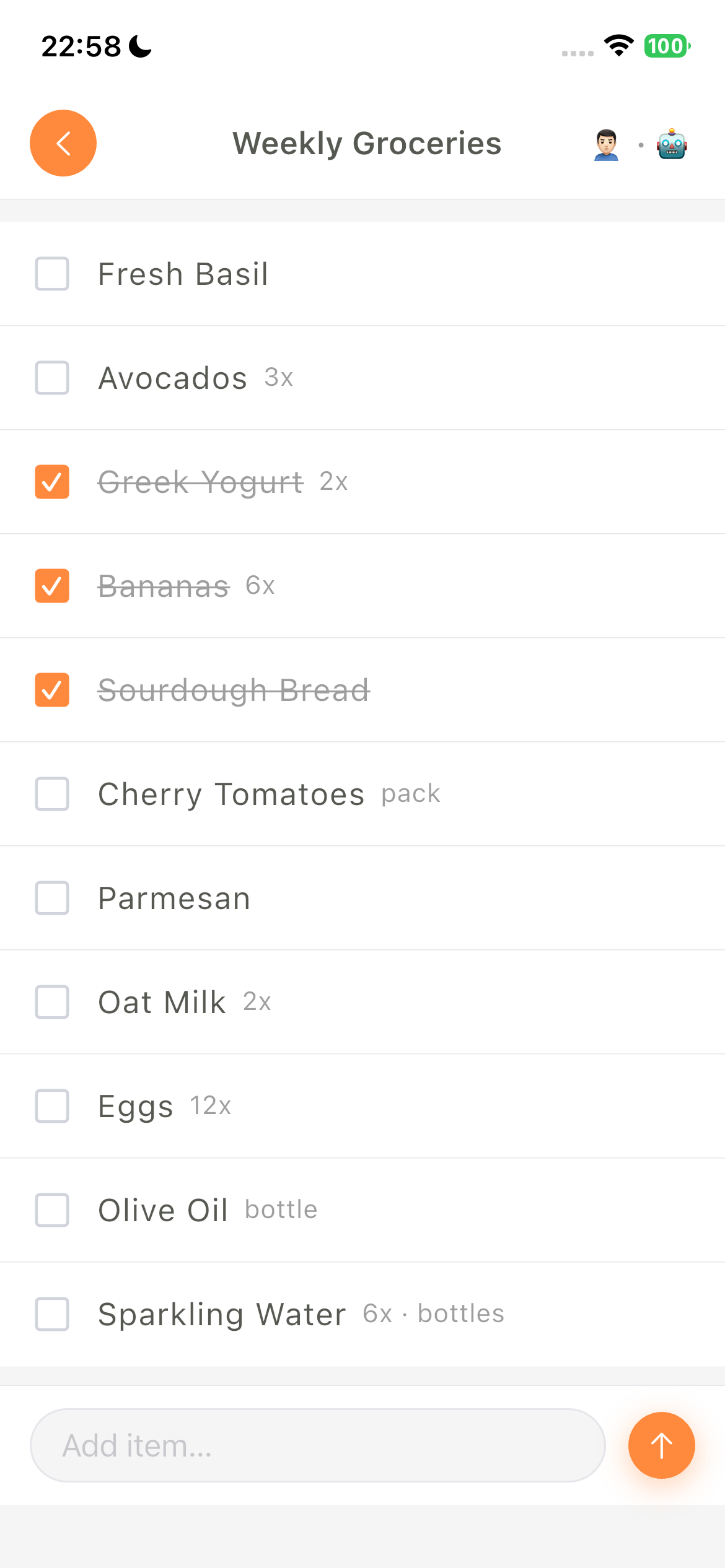
- 📱 Your phone is the display - your AI writes, you see it instantly
- 🔑 Clean separation - the app is for humans, the API is for agents
- 🔄 Real-time sync - your AI adds milk, your partner sees it immediately
✨ Features
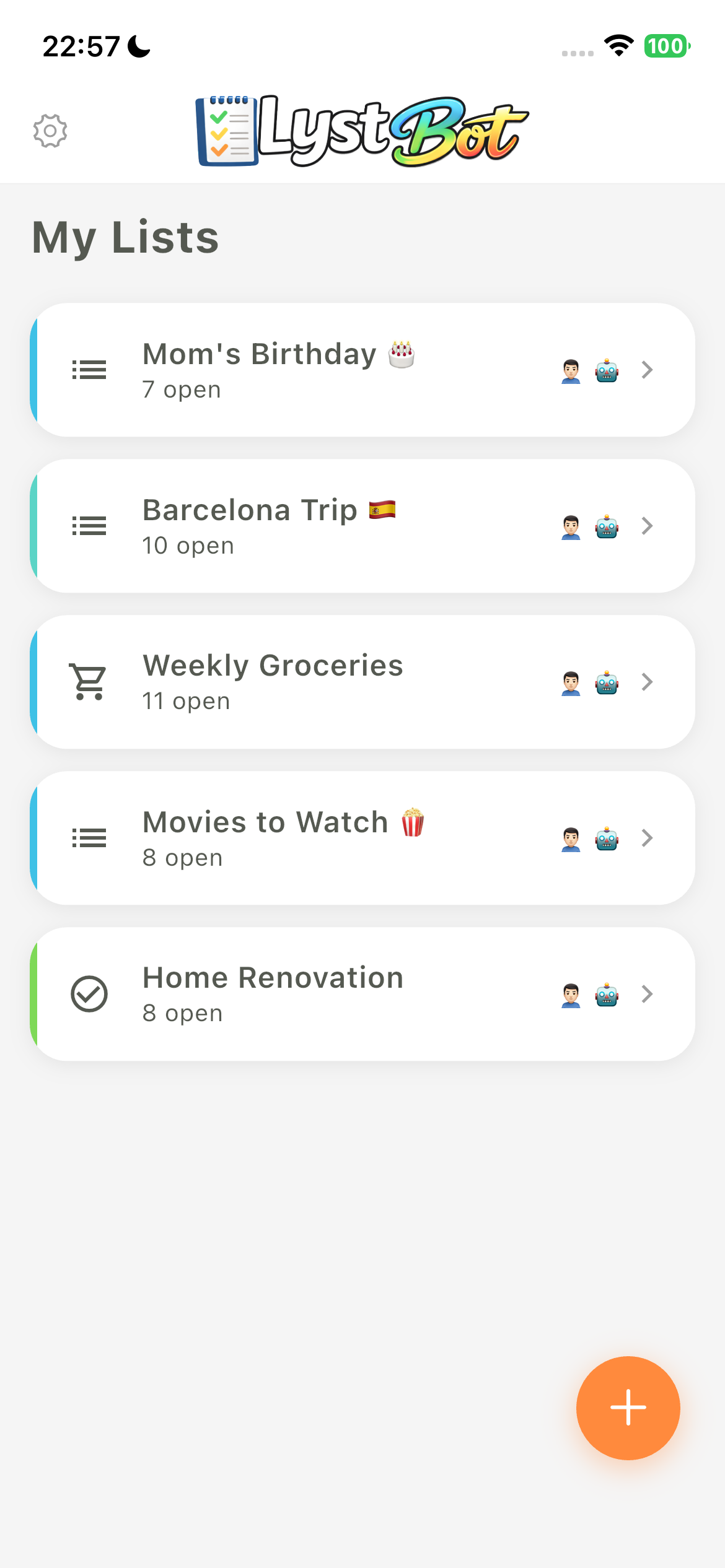
🗒️ Smart Lists - Create, organize, and share lists with anyone
🤝 Real-time Sharing - Invite others via share codes, collaborate live
📱 Cross-Platform - iOS and Android, with CLI and API access
⭐ Favorites - Quick-access items you use all the time
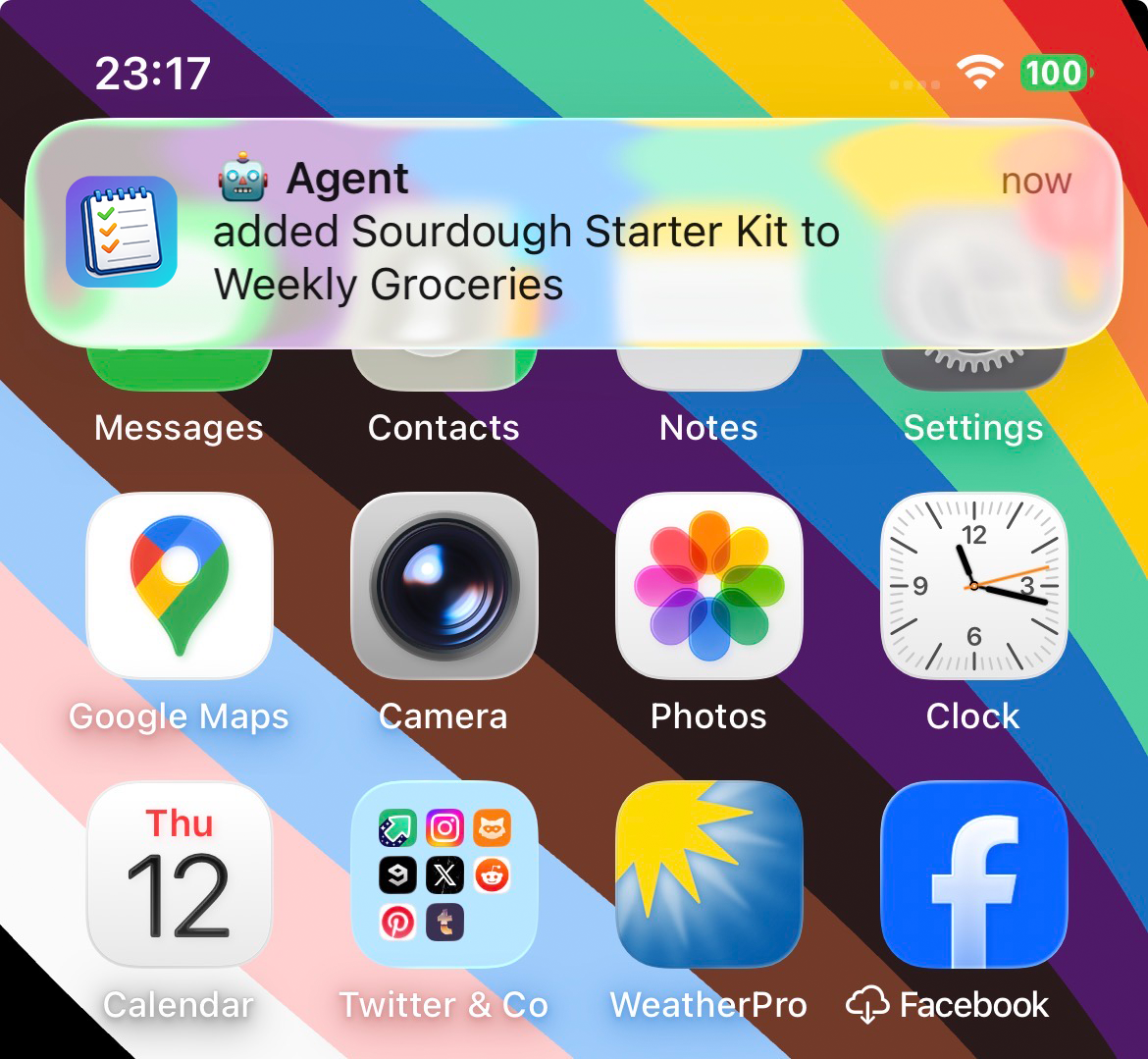
🔔 Push Notifications - Know when your AI or your family changes a list
🌐 Open API - Full REST API so any AI agent can read, write, and manage your lists
🤖 Agent Integrations
LystBot works with any AI that can make HTTP requests. Here's how to connect yours:
Personal Agents & Autonomous Frameworks
| Agent | Provider | Integration |
|---|---|---|
| OpenClaw | OpenClaw | CLI (npx lystbot) |
| Devin | Cognition AI | CLI or REST API |
| Aider | Open Source | CLI |
| OpenCode | Open Source | CLI or MCP Server |
| AutoGPT | Open Source | REST API |
| CrewAI | Open Source | REST API |
| Manus AI | Manus | REST API |
Coding Agents & IDEs
| Agent | Provider | Integration |
|---|---|---|
| Claude Desktop | Anthropic | MCP Server (setup below) |
| Claude Code | Anthropic | MCP Server (setup below) |
| Cursor | Anysphere | MCP Server |
| Windsurf | Codeium | MCP Server |
| GitHub Copilot | Microsoft | MCP Server or Copilot Extension |
| Cline | Open Source | MCP Server |
Voice Assistants & Chat AI
| Agent | Provider | Integration |
|---|---|---|
| ChatGPT | OpenAI | Custom GPT with OpenAPI Actions |
| Google Gemini | Gemini Extensions via REST API | |
| Microsoft Copilot | Microsoft | Copilot Plugin with OpenAPI |
| Grok | xAI | REST API |
| Siri / Apple Intelligence | Apple | Apple Shortcuts with REST API |
| Amazon Alexa | Amazon | Custom Alexa Skill with REST API |
| Google Home | Google Actions with REST API |
Don't see your agent? If it can call an API, it can use LystBot. Check the API docs.
💻 CLI
The LystBot CLI lets you manage lists from the terminal. Built for AI agents like OpenClaw that work best with command-line tools, and for anyone who likes to script things.
Install & Login
npx lystbot login <YOUR_API_KEY>
Commands
# Lists
lystbot lists                              # Show all lists
lystbot show "Groceries"                   # Show a list with items
lystbot create "Packing List" --emoji "🧳" # Create a new list
lystbot delete "Old List" --force          # Delete a list

# Items
lystbot add "Groceries" "Milk, Eggs, Bread"  # Add items (comma-separated)
lystbot check "Groceries" "Milk"             # Check off an item
lystbot uncheck "Groceries" "Milk"           # Uncheck an item
lystbot remove "Groceries" "Milk"            # Remove an item

# Sharing
lystbot share "Groceries"                  # Generate a share code
lystbot join ABC123                        # Join a shared list

# Agent identity
lystbot profile --name "TARS" --emoji "🤖" # Set your bot's display name
Full reference: CLI docs
🔌 MCP Server
LystBot ships with a built-in MCP server. Works with Claude Desktop, Claude Code, Cursor, Windsurf, Cline, and any MCP-compatible client.
First, authenticate (all setups need this):
npx lystbot login <YOUR_API_KEY>
Claude Desktop
Add this to your config file:
macOS: ~/Library/Application Support/Claude/claude_desktop_config.json
Windows: %APPDATA%\Claude\claude_desktop_config.json
{
  "mcpServers": {
    "lystbot": {
      "command": "npx",
      "args": ["lystbot", "mcp"]
    }
  }
}
Restart Claude Desktop. Done.
Claude Code
One command:
claude mcp add lystbot -- npx lystbot mcp
That's it. Claude Code can now manage your lists.
Cursor / Windsurf / Cline
Add the same config to your editor's MCP settings:
{
  "mcpServers": {
    "lystbot": {
      "command": "npx",
      "args": ["lystbot", "mcp"]
    }
  }
}
Available Tools
| Tool | Description |
|---|---|
list_lists | Get all your lists |
get_list | Get a specific list with items |
create_list | Create a new list |
delete_list | Delete a list |
add_items | Add one or more items to a list |
check_item | Check off an item |
uncheck_item | Uncheck an item |
remove_item | Remove an item from a list |
share_list | Generate a share code for a list |
join_list | Join a shared list via code |
🏗️ Architecture
┌──────────────┐  ┌──────────────┐  ┌──────────────┐  ┌──────────────┐
│  Your Phone  │  │   Your AI    │  │  MCP Client  │  │     CLI      │
│  (LystBot    │  │  (OpenClaw,  │  │  (Claude,    │  │  (npx        │
│   App)       │  │   ChatGPT)   │  │   Cursor)    │  │   lystbot)   │
└──────┬───────┘  └──────┬───────┘  └──────┬───────┘  └──────┬───────┘
       │                 │                 │                 │
       │ X-Device-UUID   │ Bearer Token    │ MCP Protocol    │ Bearer Token
       │                 │                 │                 │
       └────────┬────────┴────────┬────────┴────────┬────────┘
                │                 │                 │
         ┌──────▼─────────────────▼─────────────────▼──────┐
         │               LystBot API                       │
         │            (REST/JSON + MCP)                     │
         └─────────────────────────────────────────────────┘
📚 Documentation
- 📡 API Reference - Full endpoint docs with curl examples
- 💻 CLI Reference - All commands and flags
- 🔌 MCP Server -
npx lystbot mcp(see setup above)
🤝 Contributing
We'd love your help! Whether it's:
- 🐛 Bug reports and feature requests via Issues
- 🔧 CLI improvements and new commands
- 📖 Documentation fixes
Fork it, branch it, PR it.
📄 License
MIT - see LICENSE for details.
Built with ❤️ by TourAround UG