MarkView
A native macOS markdown preview app built with Swift and SwiftUI. No Electron, no web server — just a fast, lightweight previewer that renders GitHub Flavored Markdown.
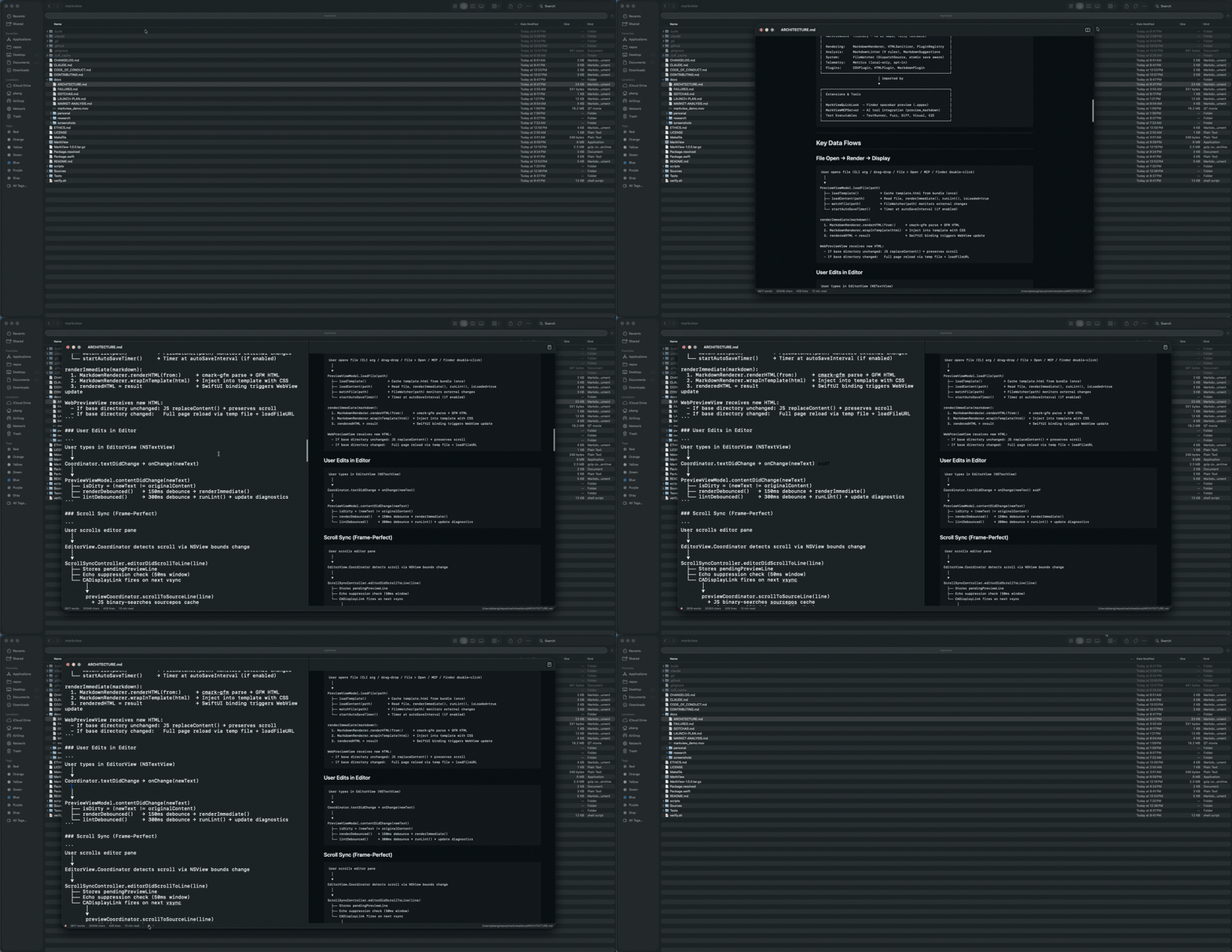
Demo
Screenshots
| Preview only | Editor + Preview |
|---|---|
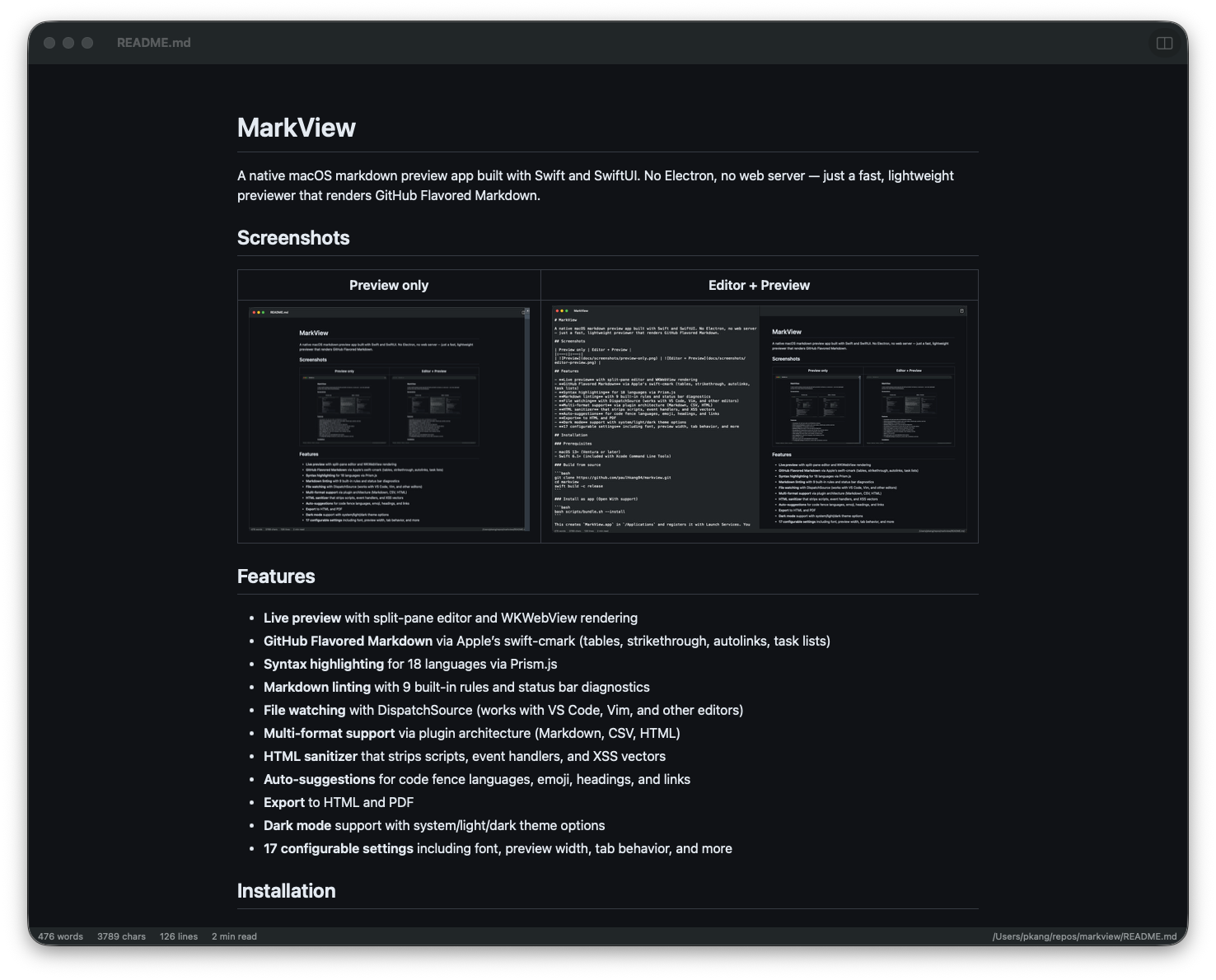 | 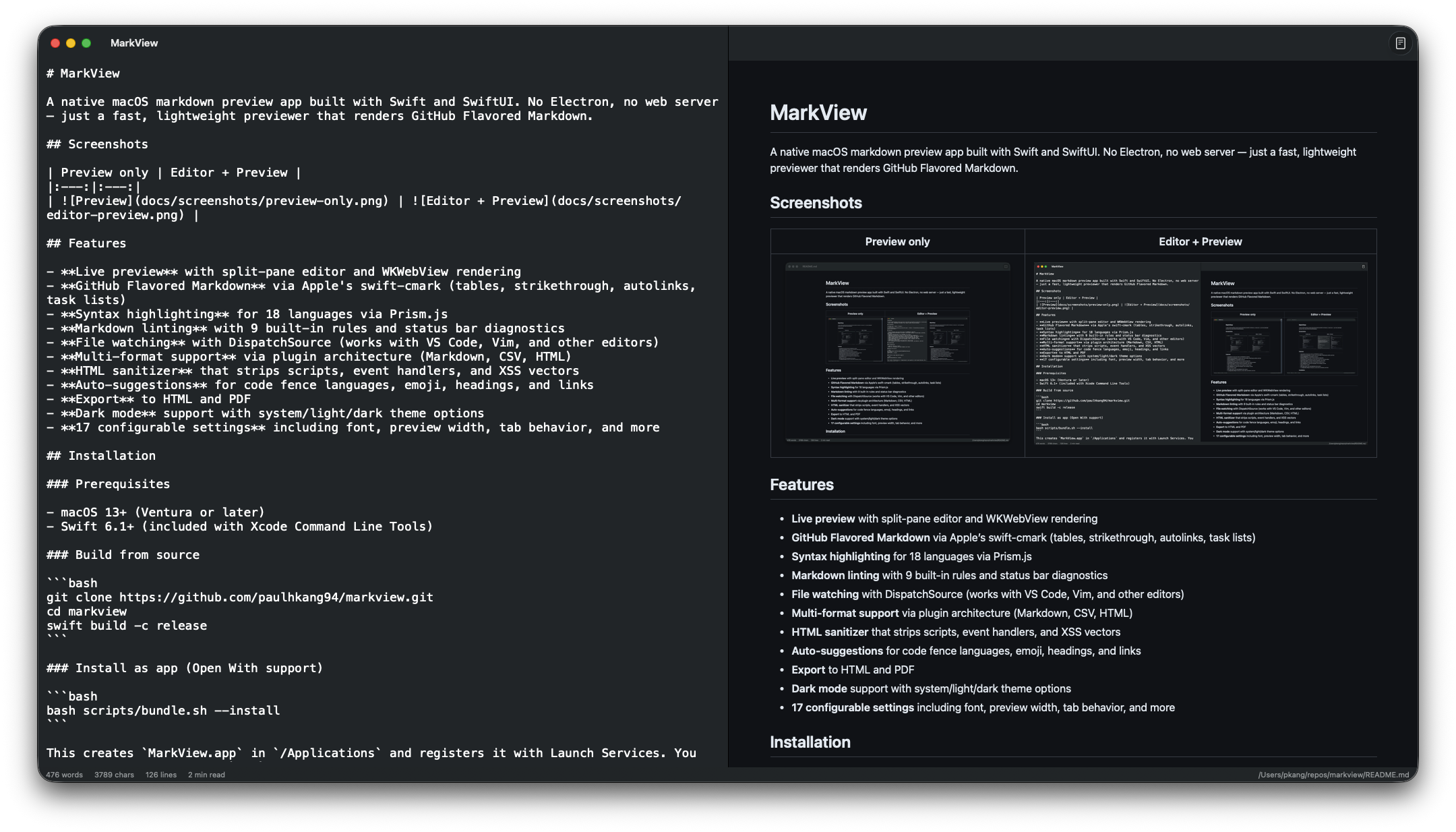 |
Features
- Live preview with split-pane editor and WKWebView rendering
- GitHub Flavored Markdown via Apple's swift-cmark (tables, strikethrough, autolinks, task lists)
- Syntax highlighting for 18 languages via Prism.js
- Markdown linting with 9 built-in rules and status bar diagnostics
- File watching with DispatchSource (works with VS Code, Vim, and other editors)
- Multi-format support via plugin architecture (Markdown, CSV, HTML)
- HTML sanitizer that strips scripts, event handlers, and XSS vectors
- Auto-suggestions for code fence languages, emoji, headings, and links
- Export to HTML and PDF
- Dark mode support with system/light/dark theme options
- 17 configurable settings including font, preview width, tab behavior, and more
Installation
Homebrew (recommended)
# Full .app with Quick Look extension
brew install --cask paulhkang94/markview/markview

# CLI only (builds from source)
brew tap paulhkang94/markview
brew install markview
The app is Apple notarized and Gatekeeper approved — no quarantine warnings on install.
Build from source
Prerequisites: macOS 14+, Swift 6.0+ (included with Xcode Command Line Tools)
git clone https://github.com/paulhkang94/markview.git
cd markview
swift build -c release
Install as app (Open With support)
bash scripts/bundle.sh --install
This creates MarkView.app in /Applications and registers it with Launch Services. You can then right-click any .md file in Finder and choose Open With > MarkView.
Install CLI commands
bash scripts/install-cli.sh
This creates mdpreview and md symlinks in ~/.local/bin/. Note: if md is aliased in your shell (e.g., to mkdir), use mdpreview instead.
Usage
CLI
mdpreview README.md       # Open a file
mdpreview                 # Open empty editor
Finder
Right-click any .md, .markdown, .mdown, .mkd file > Open With > MarkView
Programmatic
open -a MarkView README.md
MCP Server (AI Integration)
MarkView includes an MCP server that lets AI assistants preview markdown directly in MarkView.
Tools
| Tool | Description |
|---|---|
preview_markdown | Write content to a temp file and open it in MarkView with live reload |
open_file | Open an existing .md file in MarkView |
Quick Start (npx)
npx mcp-server-markview
Claude Code Setup
Add to ~/.claude/settings.json:
{
  "mcpServers": {
    "markview": {
      "command": "npx",
      "args": ["mcp-server-markview"],
      "type": "stdio"
    }
  }
}
Or use the built binary directly (faster startup, no Node.js required):
{
  "mcpServers": {
    "markview": {
      "command": "/path/to/markview/.build/release/MarkViewMCPServer",
      "type": "stdio"
    }
  }
}
Claude Desktop Setup
Add to ~/Library/Application Support/Claude/claude_desktop_config.json:
{
  "mcpServers": {
    "markview": {
      "command": "npx",
      "args": ["mcp-server-markview"]
    }
  }
}
Test the MCP server
bash scripts/test-mcp.sh
Architecture
Sources/MarkViewCore/           # Library (no UI, fully testable)
  MarkdownRenderer.swift        # cmark-gfm C API wrapper
  FileWatcher.swift             # DispatchSource file monitoring
  MarkdownLinter.swift          # 9-rule pure Swift linting engine
  MarkdownSuggestions.swift     # Auto-suggest engine
  LanguagePlugin.swift          # Plugin protocol + registry
  HTMLSanitizer.swift           # XSS prevention
  Plugins/                      # CSV, HTML, Markdown plugins

Sources/MarkView/               # SwiftUI app (macOS 13+)
  ContentView.swift             # Split-pane editor + preview
  WebPreviewView.swift          # WKWebView with Prism.js
  Settings.swift                # 17 settings with theme/width/font enums
  ExportManager.swift           # HTML/PDF export

Sources/MarkViewMCPServer/      # MCP server for AI tool integration
  main.swift                    # stdio JSON-RPC server (preview_markdown, open_file)

Tests/TestRunner/               # 341 standalone tests (no XCTest)
Tests/VisualTester/             # 19 visual regression tests + WCAG contrast
Tests/FuzzTester/               # 10K random input crash testing
Tests/DiffTester/               # Differential testing vs cmark-gfm CLI
scripts/test-mcp.sh             # 5 MCP protocol + integration tests
See docs/ARCHITECTURE.md for full details.
Testing
# Run all tests (341 tests)
swift run MarkViewTestRunner

# Full verification (build + tests)
bash verify.sh

# Extended (fuzz + differential)
bash verify.sh --extended
Development
swift build                          # Build all targets
swift run MarkView                   # Launch app
swift run MarkView /path/to/file.md  # Launch with file
swift run MarkViewTestRunner         # Run tests
Support
If MarkView is useful to you, consider supporting development:
- GitHub Sponsors
- Star this repo to help others find it
License
MIT — see LICENSE.