Obsidian Model Context Protocol
This is a connector to allow Claude Desktop (or any MCP client) to read and search any directory containing Markdown notes (such as an Obsidian vault).
Installation
Make sure Claude Desktop and npm is installed.
Installing via Smithery
To install Obsidian Model Context Protocol for Claude Desktop automatically via Smithery:
npx -y @smithery/cli install mcp-obsidian --client claude
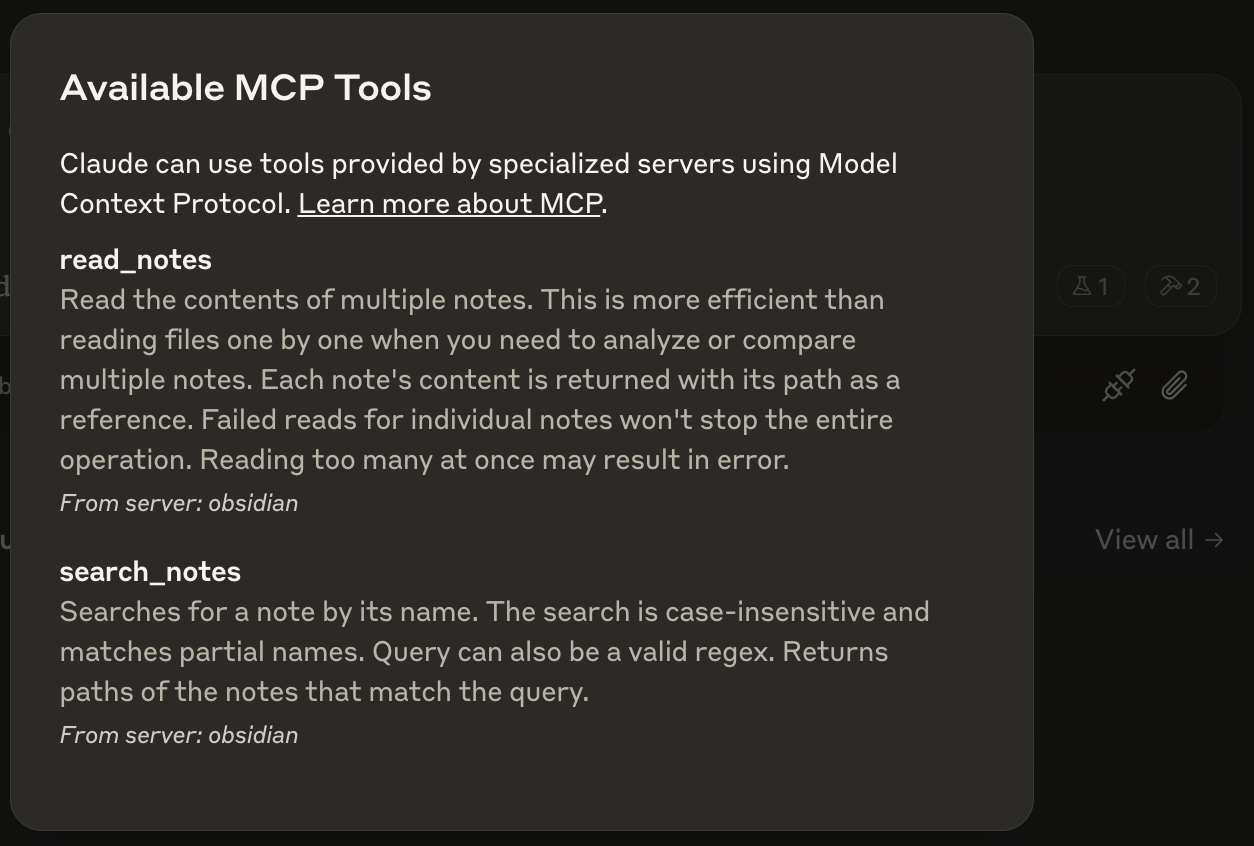
Then, restart Claude Desktop and you should see the following MCP tools listed:
Usage with VS Code
For quick installation, use one of the one-click install buttons below:


For manual installation, add the following JSON block to your User Settings (JSON) file in VS Code. You can do this by pressing Ctrl + Shift + P and typing Preferences: Open User Settings (JSON).
Optionally, you can add it to a file called .vscode/mcp.json in your workspace. This will allow you to share the configuration with others.
Note that the
mcpkey is not needed in the.vscode/mcp.jsonfile.
{
  "mcp": {
    "inputs": [
      {
        "type": "promptString",
        "id": "vaultPath",
        "description": "Path to Obsidian vault"
      }
    ],
    "servers": {
      "obsidian": {
        "command": "npx",
        "args": ["-y", "mcp-obsidian", "${input:vaultPath}"]
      }
    }
  }
}