mcp-outline
An MCP server that connects Claude Code to your Outline knowledge base, giving Claude tools to search and retrieve documents.
Tools
- outline_search — full-text search across your Outline workspace
- outline_get_document — fetch a document's full content by ID
Prerequisites
-
Node.js 18+
-
An Outline API key — go to Preferences → API & Access → New API key
Use the scope
documents:readto restrict the key to read-only document access: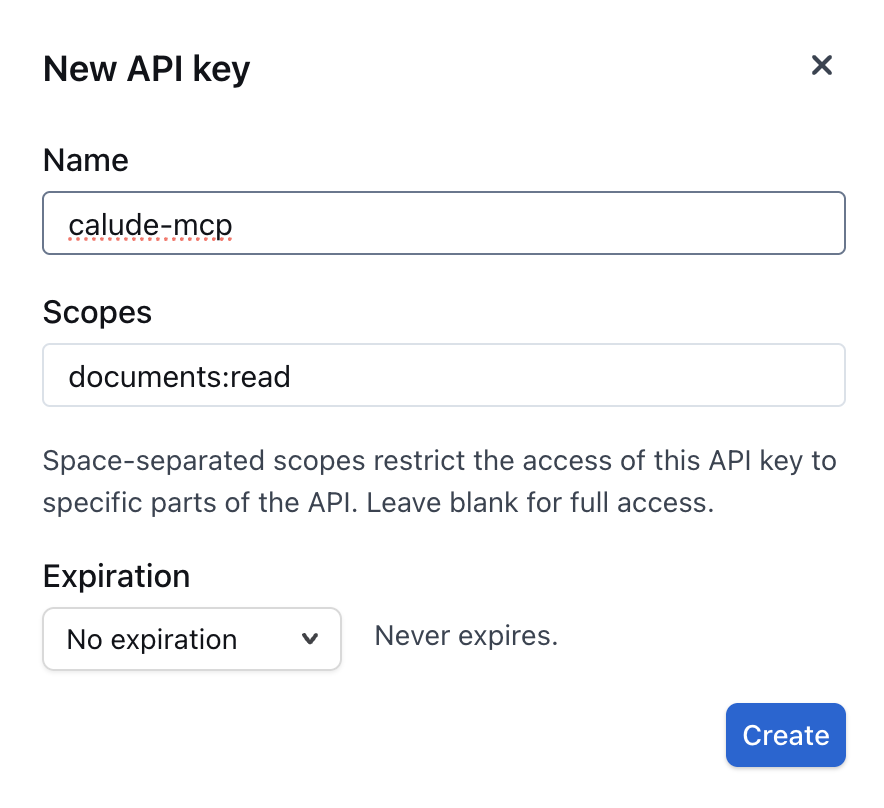
Setup
1. Clone and install
git clone https://github.com/YOUR_USERNAME/mcp-outline.git ~/.claude/mcp-outline
cd ~/.claude/mcp-outline
npm install
You can clone it anywhere;
~/.claude/mcp-outlineis just a tidy location that keeps it with your Claude config.
2. Register the MCP server globally
Run this once from your terminal to add the server to your user-level Claude Code config (available in every project):
claude mcp add -s user outline \
  npx tsx /Users/YOUR_USERNAME/.claude/mcp-outline/src/server.ts \
  --env OUTLINE_API_KEY=YOUR_OUTLINE_API_KEY \
  --env OUTLINE_BASE_URL=https://app.getoutline.com
Replace:
/Users/YOUR_USERNAME/.claude/mcp-outlinewith the actual absolute path where you cloned the repoYOUR_OUTLINE_API_KEYwith your Outline API key- Omit
--env OUTLINE_BASE_URL=...if you use the defaulthttps://app.getoutline.com
The -s user flag registers the server at the user scope, so it is available globally in every Claude Code session without needing per-project configuration.
3. Verify
claude mcp list
outline should appear in the list of active MCP servers.
Usage
Once configured, Claude Code can use the Outline tools automatically when you ask questions about your docs:
"Search our Outline for the onboarding guide"
"Get the Outline document with ID abc-123"
License
ISC