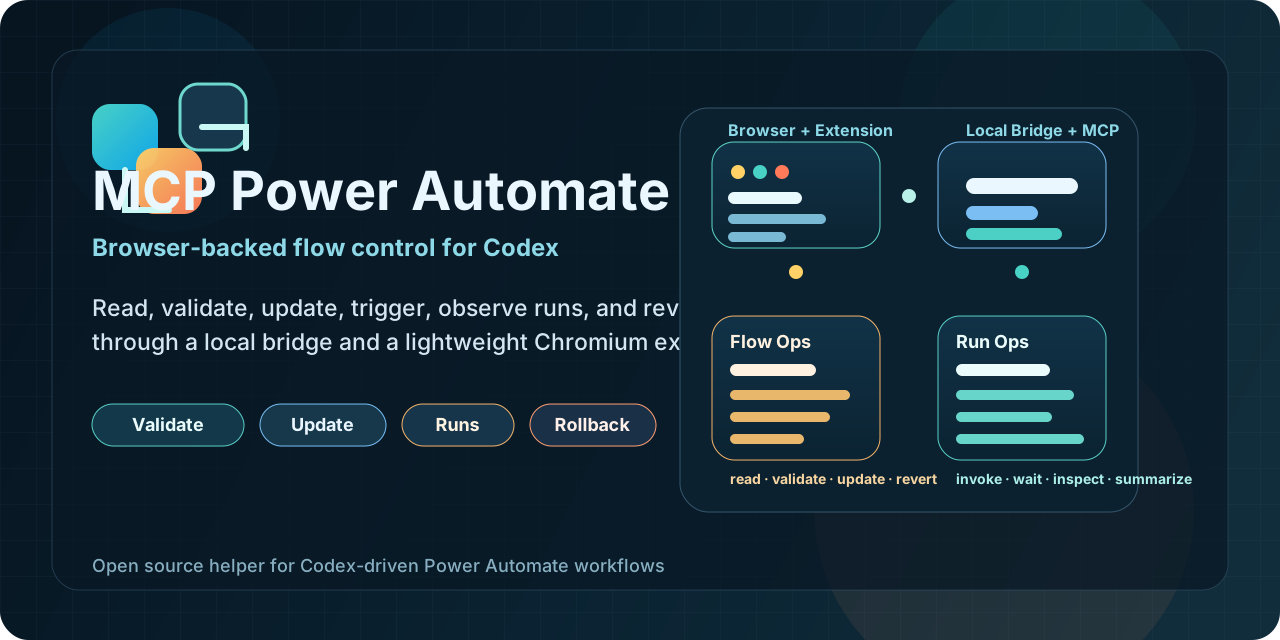
MCP Power Automate




Local MCP server, Chromium extension, and installable skill for operating Microsoft Power Automate flows through Codex.
This project lets an agent:
- list flows from the current environment, including owned and shared-visible flows
- select an explicit target flow instead of following the active tab
- read, validate, update, create, clone, test, inspect runs, and revert flows
- use the browser only for auth and visual context while the MCP owns the workflow logic
Install in 60 seconds
Install the skill from GitHub:
npx skills add kaael1/mcp-power-automate --skill power-automate-mcp
Register the MCP locally:
codex mcp add power-automate-local -- npx -y @kaael1/mcp-power-automate
Load the extension:
- Open
chrome://extensionsoredge://extensions - Enable Developer Mode
- Click
Load unpacked - Select the
extensionfolder in this repo
Open Power Automate, refresh any flow page, and ask Codex to:
list_flowsset_active_flowget_flow
If this saves you time, star the repo:
Public package and registry links
- GitHub: https://github.com/kaael1/mcp-power-automate
- npm: https://www.npmjs.com/package/@kaael1/mcp-power-automate
- Official MCP Registry: https://registry.modelcontextprotocol.io/v0/servers?search=io.github.kaael1/mcp-power-automate
- skills.sh discovery: https://skills.sh/
How it works
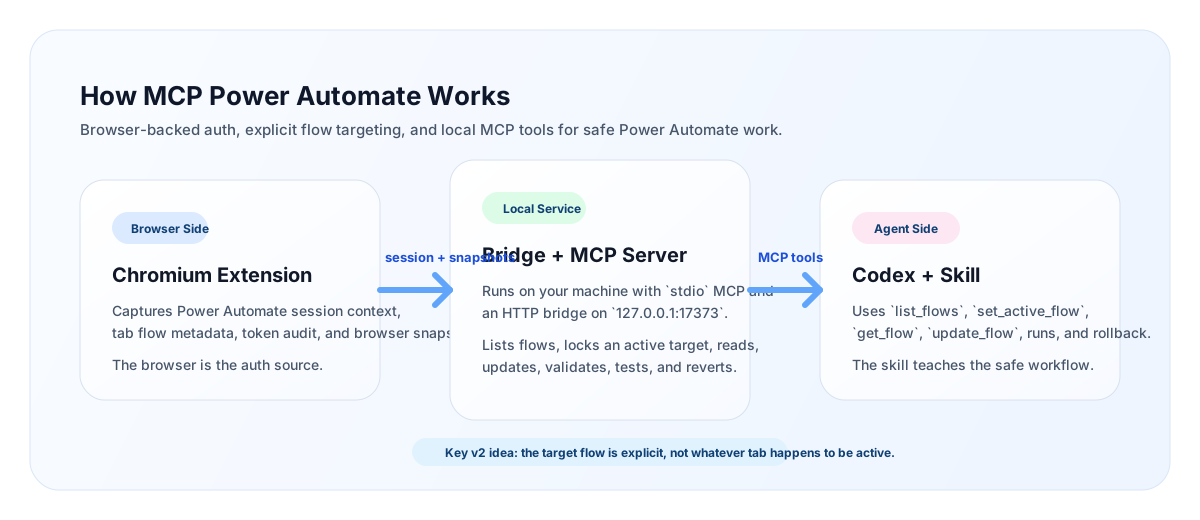
The project has three pieces:
server/Local MCP server plus an HTTP bridge on127.0.0.1:17373extension/Chromium extension that captures browser auth, tab flow context, token audit, and snapshotsskills/power-automate-mcp/Skill instructions that teach the agent to work safely with explicit flow targeting
Why this is local
This project is intentionally local-first.
- Your browser session remains the auth source
- The extension captures the environment and tab context you already trust
- The MCP runs on your machine and talks to Power Automate with your browser-backed session
- The selected target flow is explicit, so the agent does not blindly follow whichever tab is active
This gives you a good tradeoff:
- much more agent autonomy than manual clicking
- much less infrastructure and auth complexity than a remote SaaS MCP
Current capabilities
- Read the selected target flow
- List flows from the current environment
- Merge
owned,shared-user, andportal-sharedflows into one catalog - Lock the MCP onto an explicit active target flow
- Validate flows with legacy validation endpoints
- Update a flow and keep one-step rollback history
- Create a blank request or recurrence flow
- Clone an existing flow
- List runs, inspect action-level results, and wait for completion
- Get a callback URL and invoke manual/request flows
Install options
1. Skill install from GitHub
npx skills add kaael1/mcp-power-automate --skill power-automate-mcp
You can verify discovery with:
npx skills add kaael1/mcp-power-automate --list
2. MCP install from npm
Use this in Codex-compatible config:
{
  "mcpServers": {
    "power-automate-local": {
      "command": "npx",
      "args": ["-y", "@kaael1/mcp-power-automate"]
    }
  }
}
3. MCP install from local clone
codex mcp add power-automate-local -- node /path/to/mcp-power-automate/server/index.mjs
Typical workflow
- Start the local bridge and MCP.
- Open any flow in the target Power Automate environment.
- Let the extension capture auth and environment context.
- Ask Codex to
list_flows. - Ask Codex to
set_active_flowfor the flow you actually want. - Continue with
get_flow,validate_flow,update_flow,list_runs,get_run,wait_for_run, orinvoke_trigger.
The popup helps you:
- compare the selected target flow with the current tab flow
- switch the selected target to the current tab
- refresh run status
- review the last update summary
- revert the last saved change
list_flows returns an accessScope hint per flow:
ownedshared-userportal-shared
Available MCP tools
get_statusget_healthlist_flowsrefresh_flowsset_active_flowset_active_flow_from_tabget_active_flowget_flowupdate_flowcreate_flowclone_flowvalidate_flowget_last_updaterevert_last_updatelist_runsget_latest_runget_runget_run_actionswait_for_runget_last_runget_trigger_callback_urlinvoke_trigger
Available resources
power-automate://statuspower-automate://last-runpower-automate://active-flow
Security model
This MCP is not a remote cloud service.
- It depends on a logged-in Chromium session
- It uses browser-backed tokens captured locally by the extension
- It is best suited for trusted local use
- It is strong enough for supervised real work, but still benefits from change discipline on production flows
Current limitations
- The browser still provides auth and current-tab context
- Rollback is currently one step only
- The popup shows summaries, not a full diff UI
- The current architecture is local-first, not remote SaaS-style
- Critical production use is still best done with supervision
Publishing
This repo is already prepared for:
- GitHub discovery
skills.sh/ Vercel-style skill installation- npm distribution
- Official MCP Registry publishing
Relevant files:
Repo guidance
See AGENTS.md for local repository guidance for agents and contributors.
License
MIT. See LICENSE.