Shopping MCP Server (Amazon + Target)
MCP server for Amazon and Target shopping integration. Manage orders, search products, and interact with your shopping accounts through AI assistants like Claude.
Built on top of rigwild/mcp-server-amazon - Extended with Target support and enhanced features.
Features
Amazon
- Product search: Search for products on Amazon
- Product details: Retrieve detailed information about a specific product
- Cart management: Add items or clear your Amazon cart
- Ordering: Place orders (fake for demonstration purposes)
- Orders history: Retrieve your Amazon orders with year filtering and return status
Target
- Orders history: Retrieve Target orders (online and in-store) with year filtering
- Optimized API interception for fast, reliable data retrieval
Documentation
For detailed setup and usage instructions, see:
- README-SHOPPING.md - Complete setup guide for both platforms
- TARGET-INTEGRATION-SUMMARY.md - Technical details about Target integration
Install
Install dependencies
npm install -D
Build the project
npm run build
Claude Desktop Integration
Create or update ~/Library/Application Support/Claude/claude_desktop_config.json with the path to the MCP server.
{
  "mcpServers": {
    "shopping": {
      "command": "node",
      "args": ["/path/to/mcp-server-shopping/build/index.js"]
    }
  }
}
Restart the Claude Desktop app to apply the changes. You should now see the Amazon MCP server listed in the Claude Desktop app.
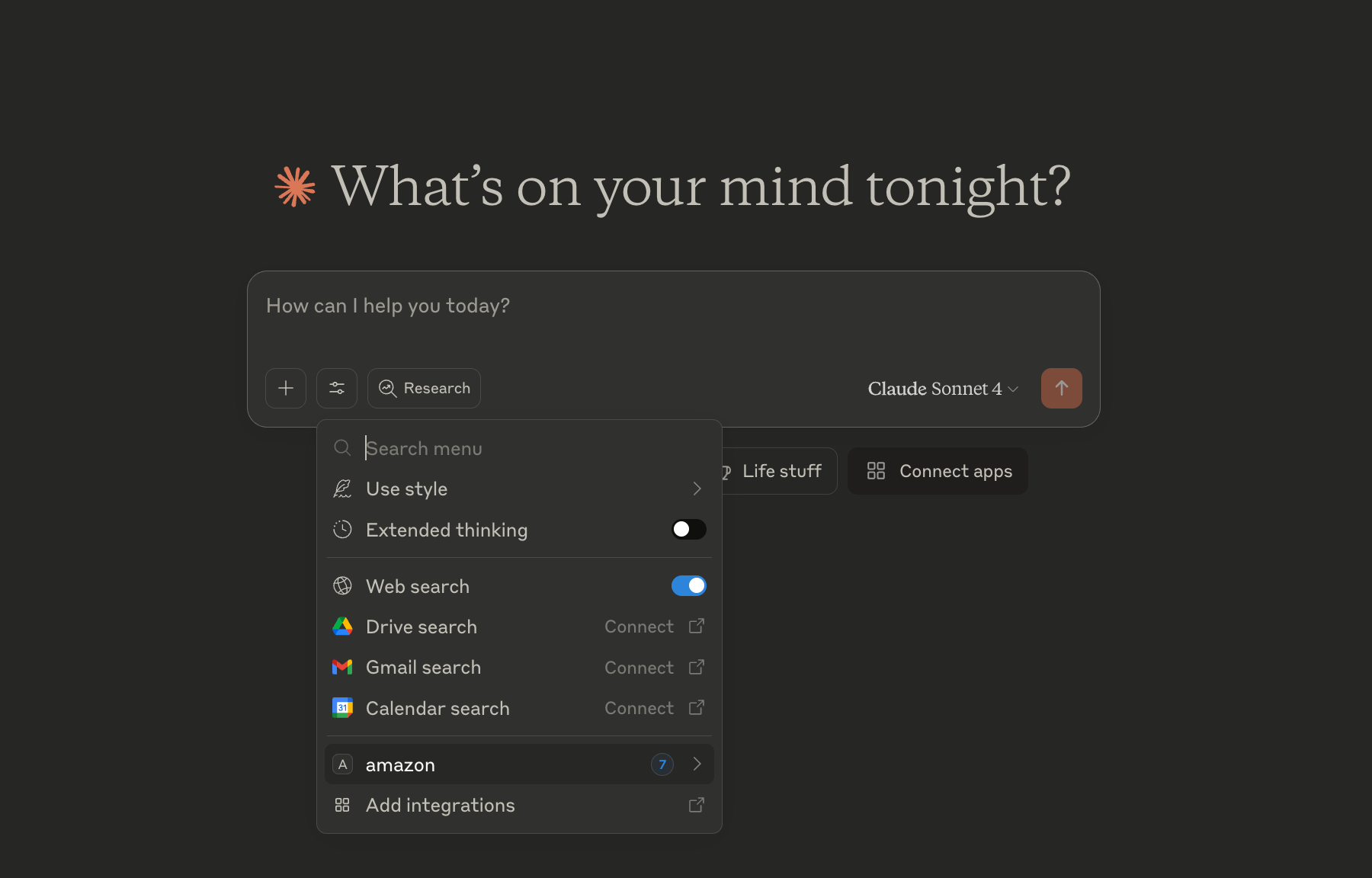 | 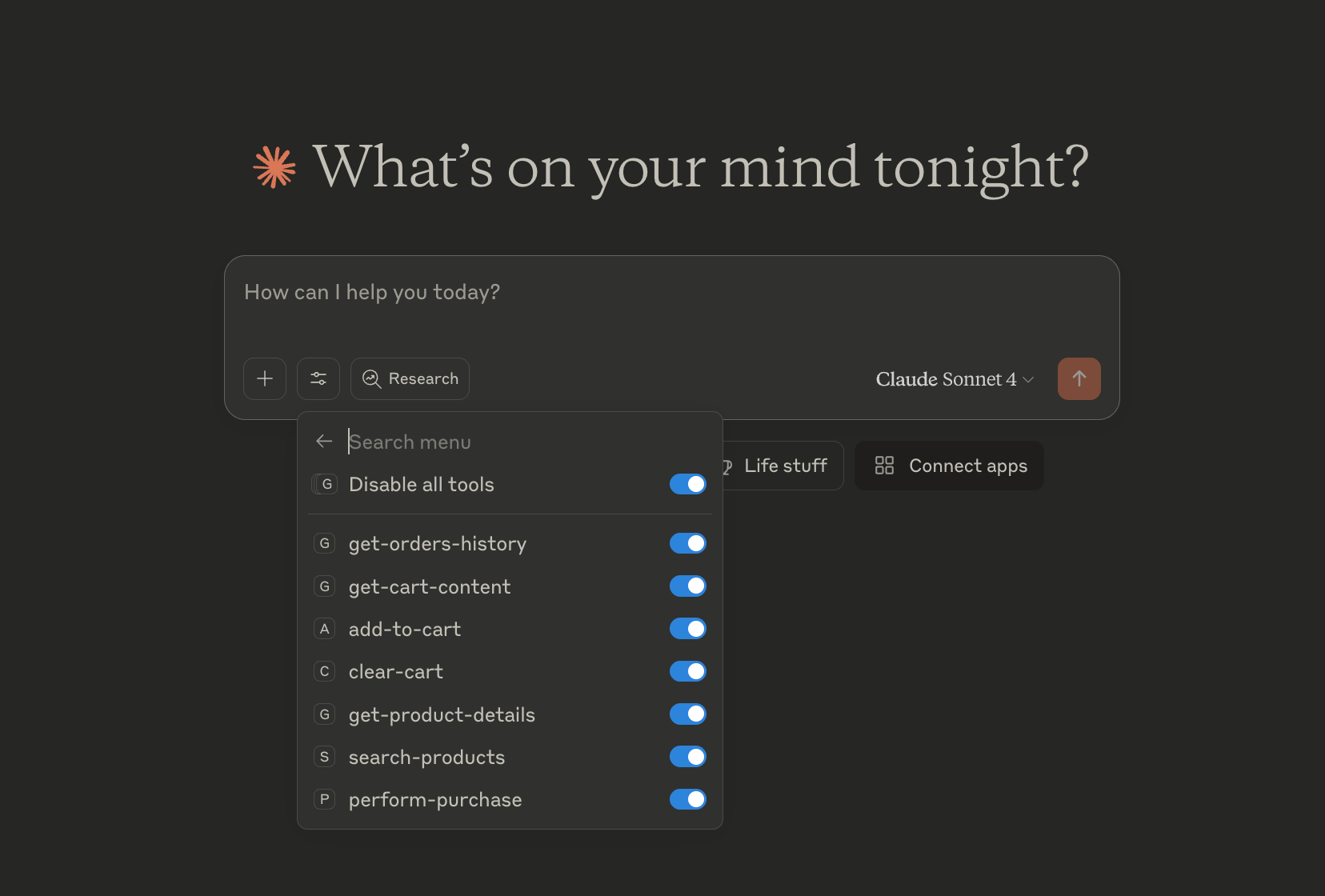 |
Troubleshooting
The MCP server logs its output to a file. If you encounter any issues, you can check the log file for more information.
Logs
See:
- Windows:
%APPDATA%\Claude\logs\mcp-server-shopping.log - Mac:
~/Library/Logs/Claude/mcp-server-shopping.log