MCPStack
Stack & Orchestrate MCP Tools — The Scikit-Learn-Pipeline Way, For LLMs






[!IMPORTANT]
- 📣Come Check Out Our MCPs Marketplace, on the documentation!
- 🥇The Documentation is now available at MCPStack Documentation.
- 🎉 MCPStack MIMIC MCP tool, available!
💡 About The Project
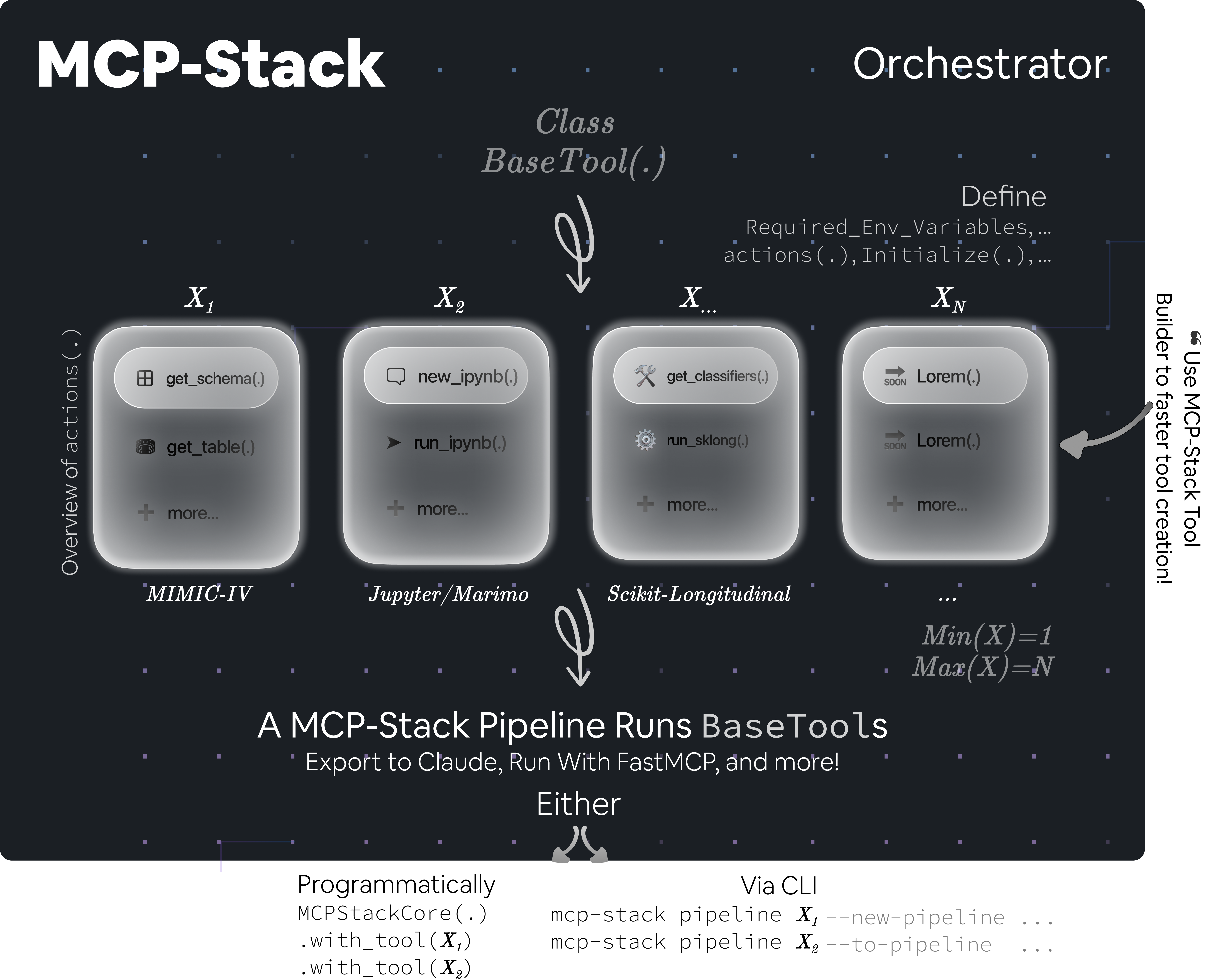
MCPStack is a Scikit-Learn-Like Pipeline orchestrator for Model Context Protocols (MCPs).
It allows you to stack multiple MCP tools together into a pipeline of interest and expose them directly
into your favourite LLM environment, such as Claude Desktop.
Think of it as scikit-learn pipelines, but for Large Language Models:
- In
scikit-learn, you chainpreprocessors,transformers, andestimators. - In
MCPStack, you chain MCP tools of interest. If some tools are not of interest, you simply do not include them in the pipeline.
The LLM cannot use a tool that is not included in the pipeline. This makes orchestration both powerful and secure. This permits sophisticated compositions in which the LLM can only access the tools you specify – no more, no less.
Wait, what is a Model Context Protocol (MCP) — In layman's terms ?
The Model Context Protocol (MCP) standardises interactions with machine learning (Large Language) models, enabling tools and libraries to communicate successfully with a uniform workflow.
Installation
Install dependencies
Using UV (recommended, see Astral UV official doc here):
uv add mcpstack
Using pip:
pip install mcpstack
Install pre-commit hooks
Via UV:
uv run pre-commit install
Via pip:
pre-commit install
[!NOTE] MCPStack is the orchestrator — it comes with core utilities and validated tools. All MCPStack MCP tools are auto-registered via their
[project.entry-points."mcpstack.tools"]. As such, simply add the tool(s) of interest viaUVorpip, and it/they will be auto-registered.
🖥️ CLI Workflow
You can manage and run your MCP pipelines directly from the CLI with the mcpstack command.
Every command is run with uv run mcpstack (or just mcpstack if installed globally).
Help
Display all available CLI options, from utilities to building your pipeline, run with --help.
Utilities
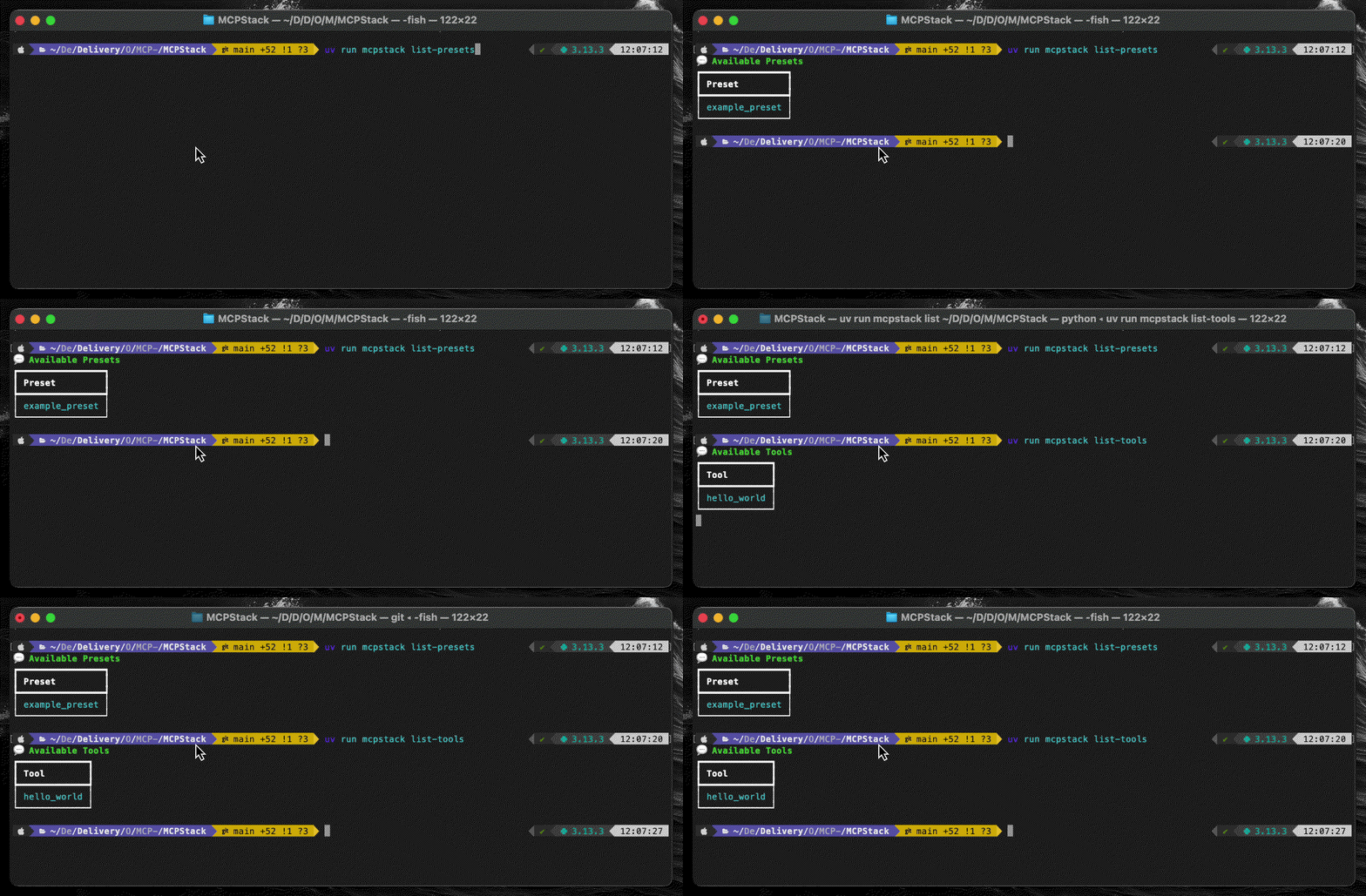
List all validated tools available in your environment via list-tools and the presets via list-presets.
A preset is an already configured pipeline that you can run in one command line rather than building it from scratch.
Useful for experiments reproduction.
Your First Pipeline
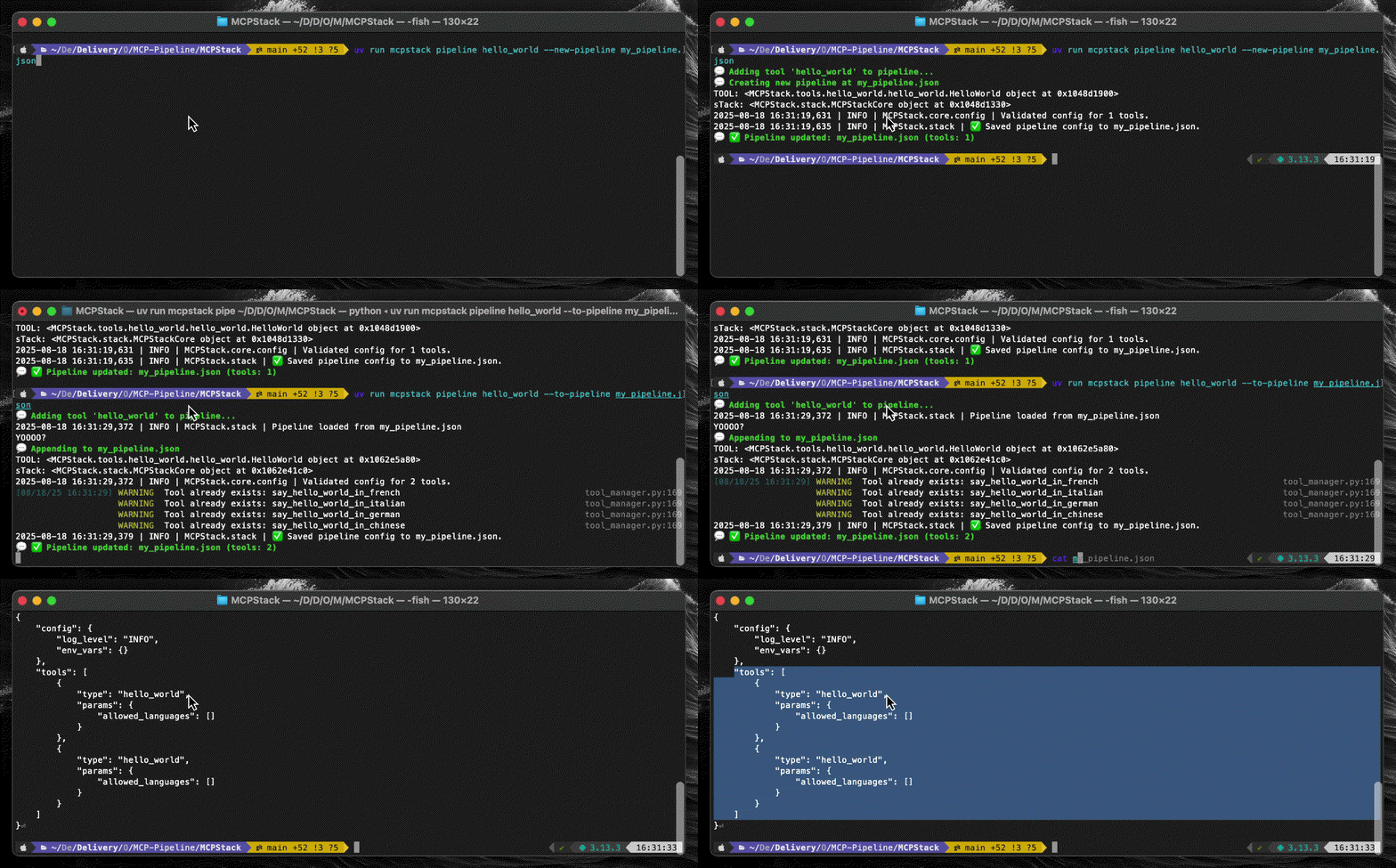
Create a pipeline from scratch with more than one MCPs in it! pipeline <tool_name> --new/to-pipeline <json_output>.
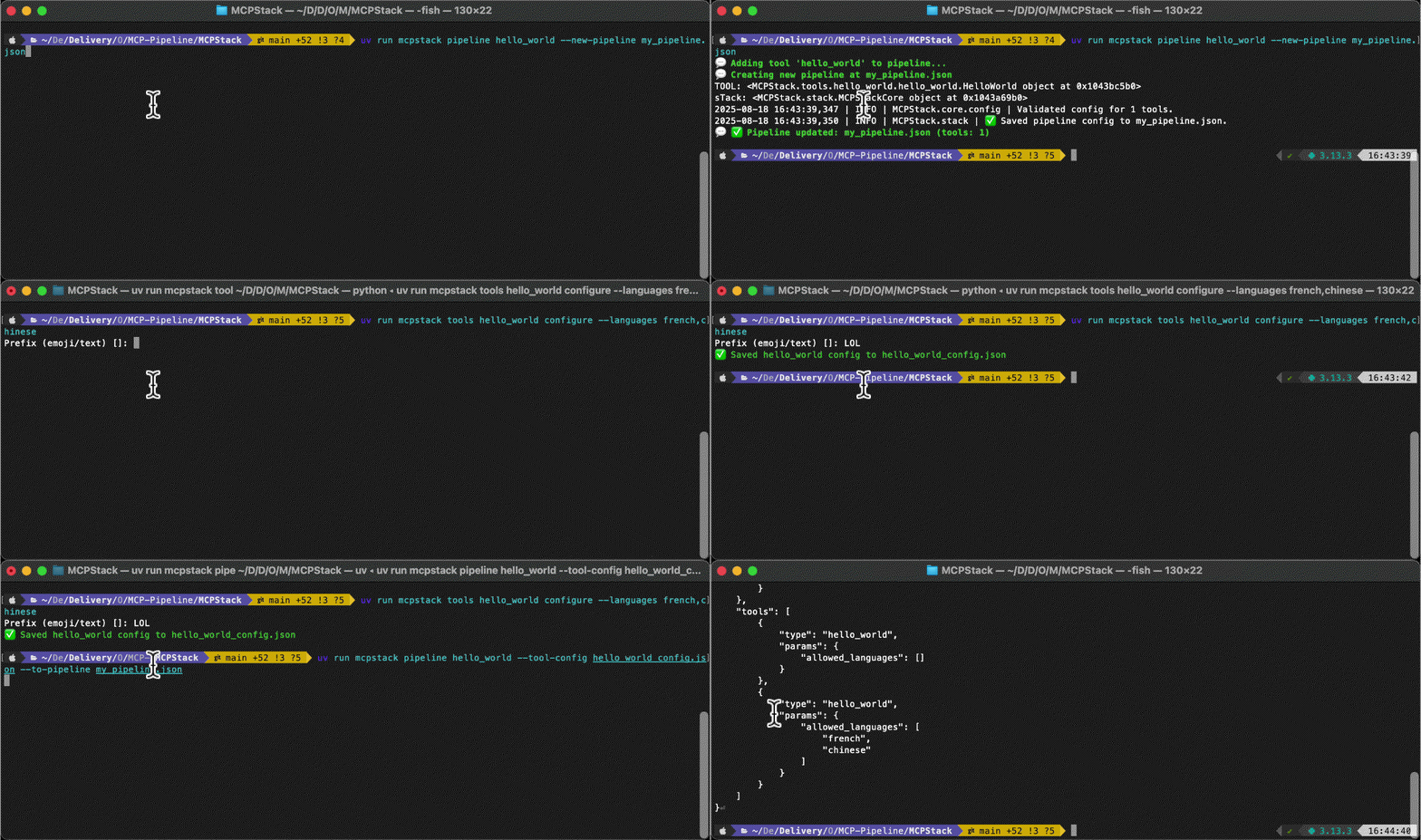
MCP Tool Configuration
You can configure yoru MCP tools before adding it to your pipelines. tools <tool_name> configure <flags avail/of interest> then pipeline <tool_name> --tool-config <path_to_configured_tool> ....
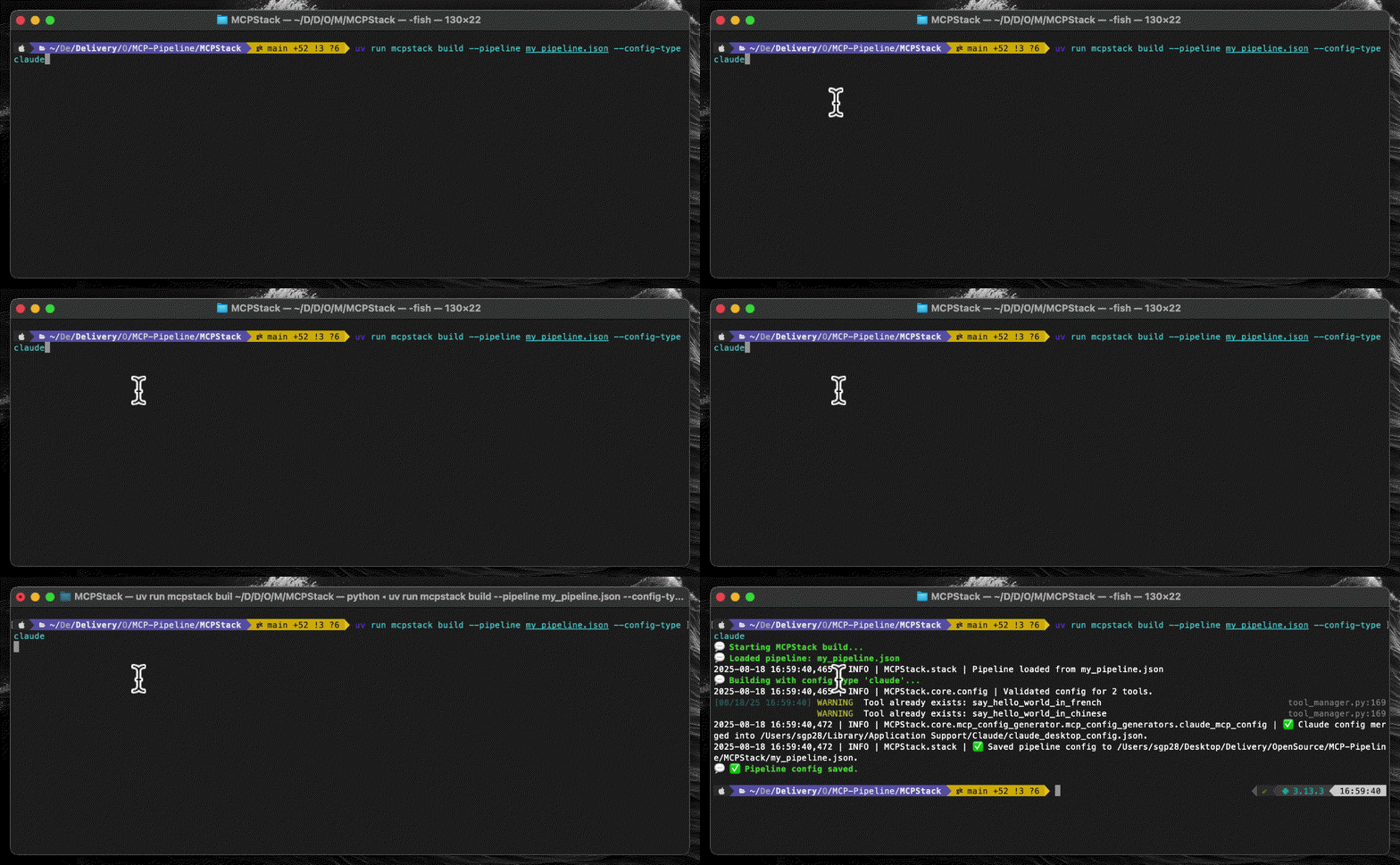
Run Pipeline In Claude
As soon as you have built your pipeline, you can run it via many ways. One is within a LLM environment like Claude Desktop.
build --pipeline <pipeline_path> --config-type <config_type_avail.> — Open Claude Desktop now!
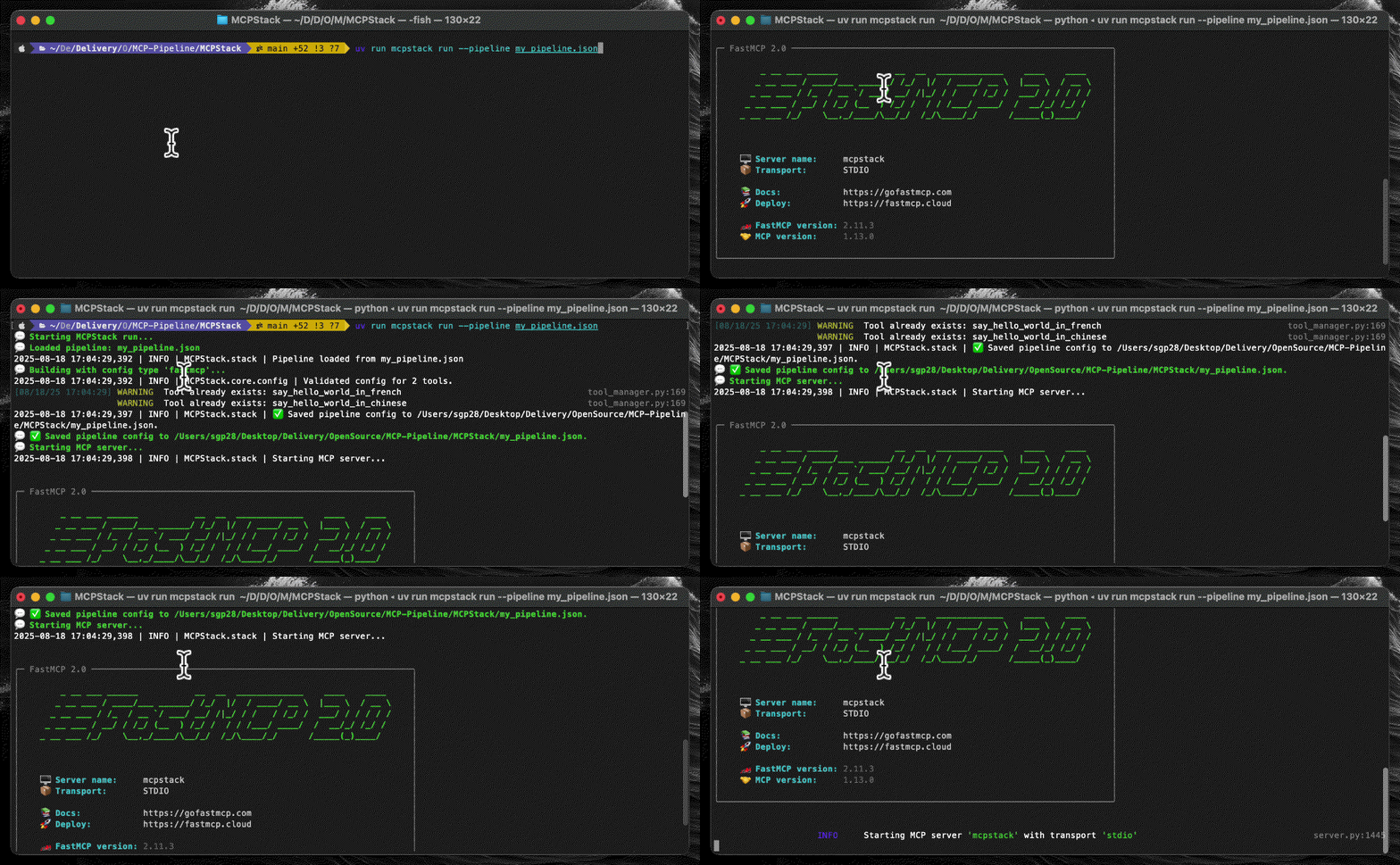
Run W/ FastMCP
You can also run your pipeline with FastMCP, allowing you to connect to various LLMs avenues.
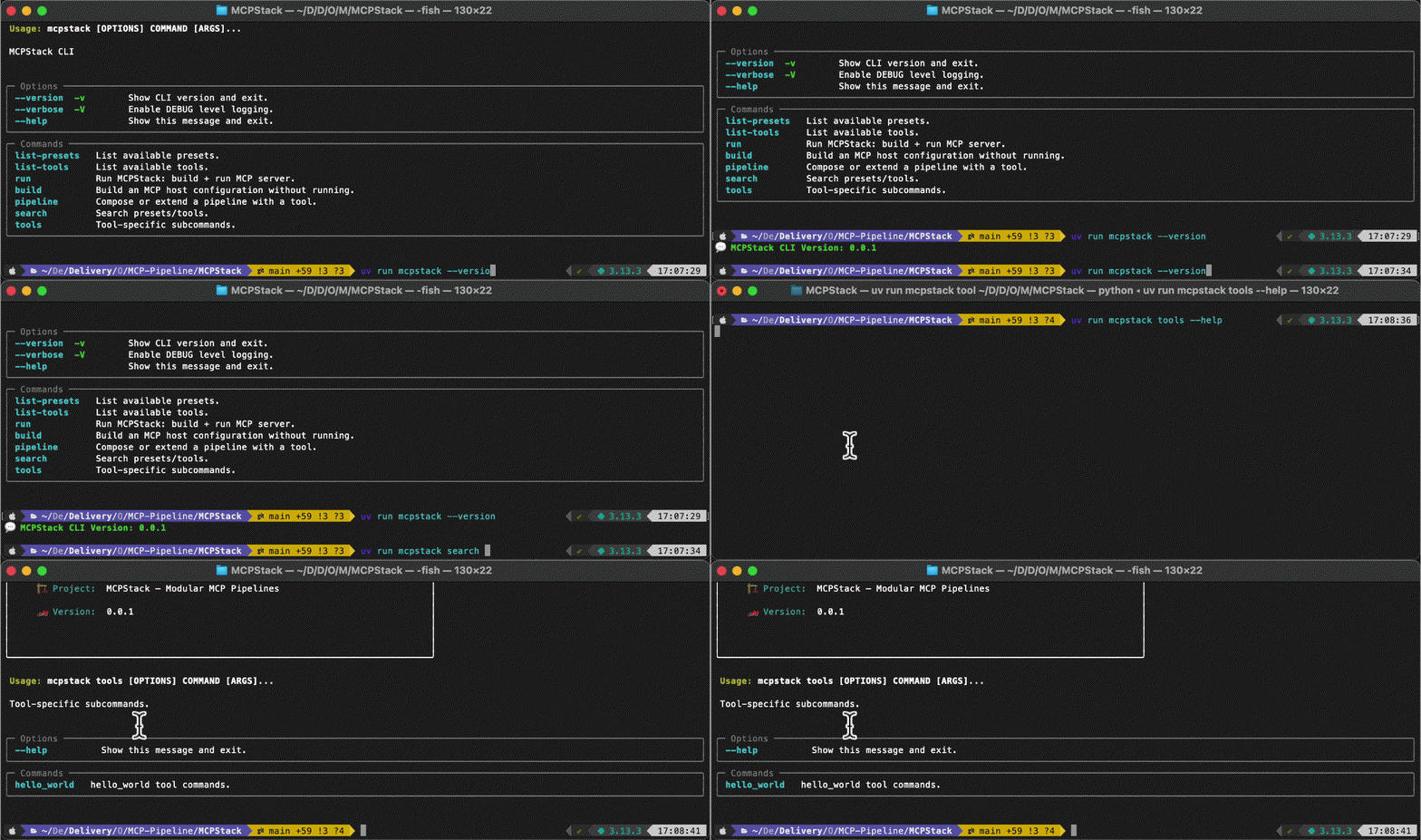
Many Other CLIs Options
More options are available, such as search for MCP tools or presets via a prompt query, run with presets,
search for MCP tools
help commands via tools <tool_name> --help, and more.
⚙️ Programmatic Workflow
For those wanted to integrate MCPStack into their Python workflow, or simply prefer to play with programmatic pathways, MCPStack provides a Python API to build and run pipelines, very similarly; with chaining-based methods for an intuitive and smooth programmatic API exp.
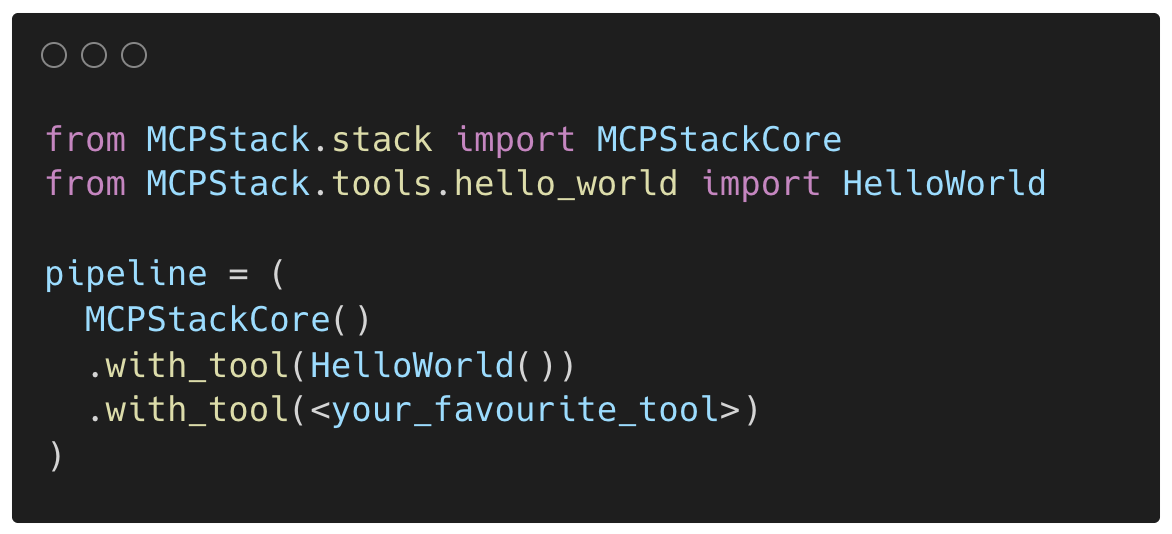
Your First Pipeline
Build your first pipeline programmatically by stacking MCP tools together via with_tool(.) or with_tools(...) methods.
Of course, you can configure each tool before adding through with_tool(.).
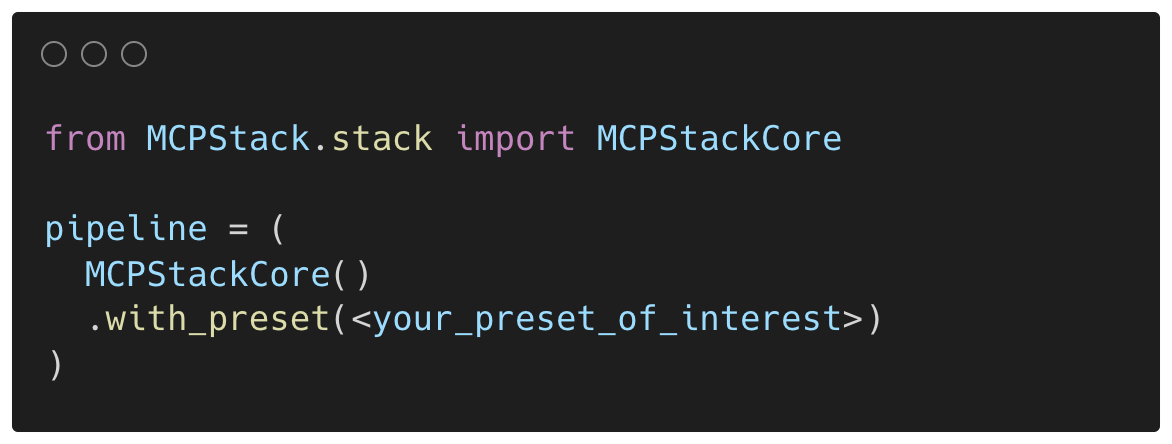
With Presets
You can also use presets to build your pipeline, which is a pre-configured pipeline that you can run in one line of
code rather than stacking with_tool(...) methods. Great for experiments reproduction.
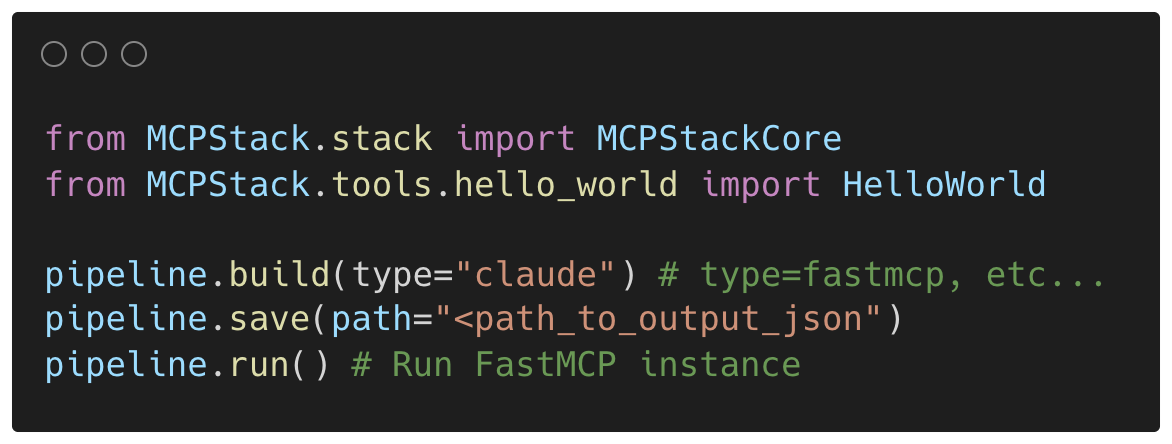
Build, Save, & Run!
Once a pipeline's r eady, you can build, save and run it via many ways. build(.) preps your pipeline,
validate & prepare it for running. Save(.) pipeline to a file, and run(.) via FastMCP.
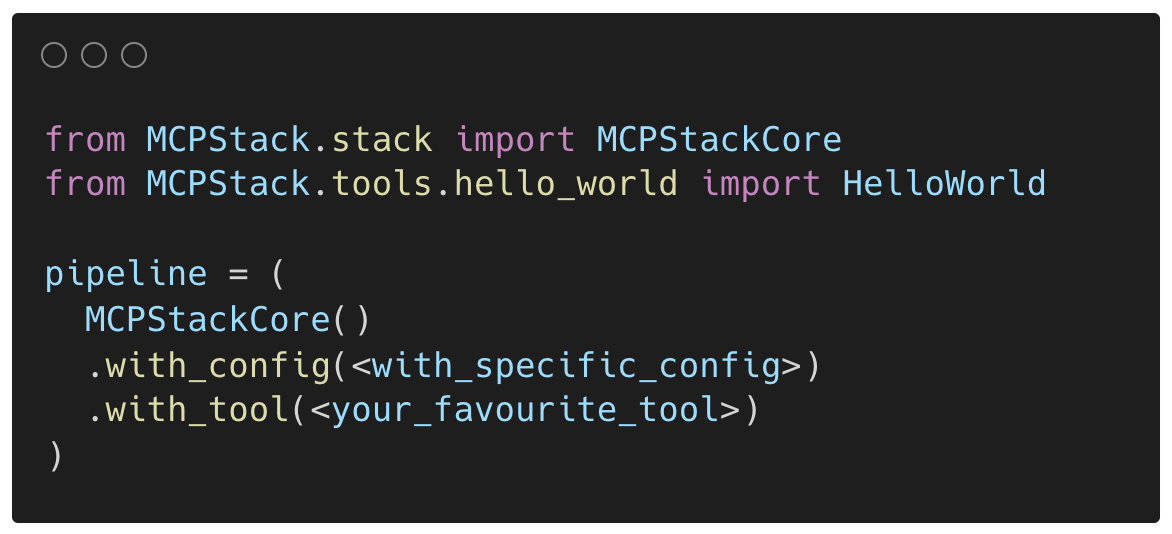
Many Other APIs
More chaining methods are available, such as with_config(...) to configure the whole MNCPStack instance,
with_tools(...) which suppresses the need to call with_tool(...) multiple times, etc.
Create Your Tool
You can also create your own MCP tool with the mcpstack-tool-builder CLI, which will generate a skeleton for you to fill in.
That means, creating the actions your MCP tool will allow LLMs to perform, and a CLI to
initialise it, configure it, and run it. More in the documentation.
🔐 License
MIT — see LICENSE.