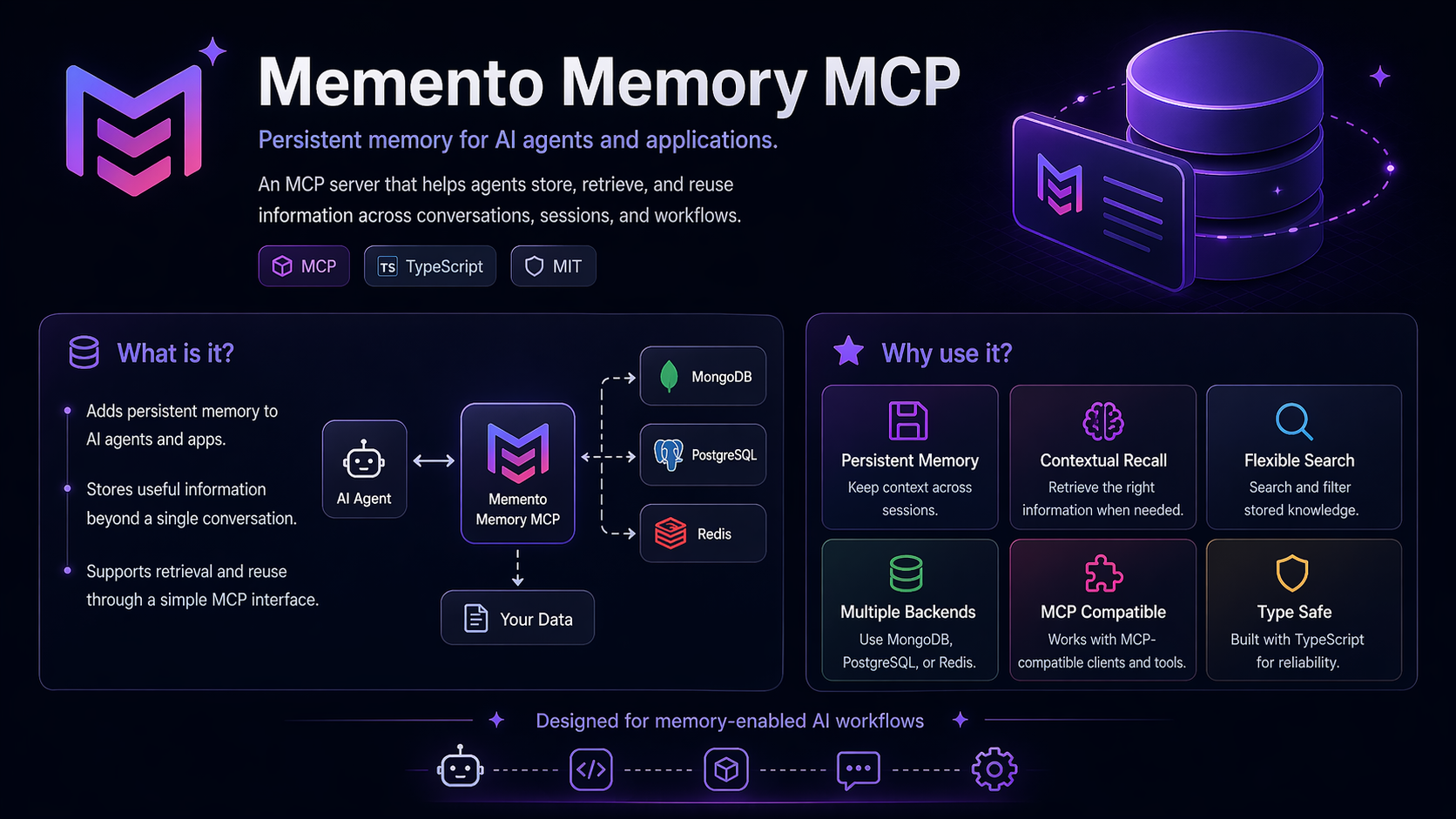
memento-mcp
Persistent memory for AI coding agents.
A local-first MCP server that gives Claude Code, Codex, Cursor, and any stdio-MCP client durable project memory: facts, decisions, patterns, architecture notes, pitfalls, session summaries, and team-shared knowledge — while cutting thousands of tokens of repeated context out of every single session.







[!NOTE] AI coding agents are powerful, but they forget. They forget why a decision was made, which migration broke production, which convention your project follows, and which workaround saved you three hours last week.
memento-mcpfixes that — and stops your agent burning thousands of tokens re-reading the same context every session.
It stores structured memories locally in SQLite, retrieves the right context when your agent needs it, and can sync selected team memories through git. No hosted vector database. No mandatory cloud account. No mystery SaaS quietly eating your project history.
Quick start
npm install -g @luispmonteiro/memento-memory-mcp
memento-mcp install
memento-mcp import auto       # detects CLAUDE.md, AGENTS.md, .cursor/rules, .github/copilot-instructions, …
memento-mcp ui
Table of contents
- Documentation
- Requirements
- Package
- What it does
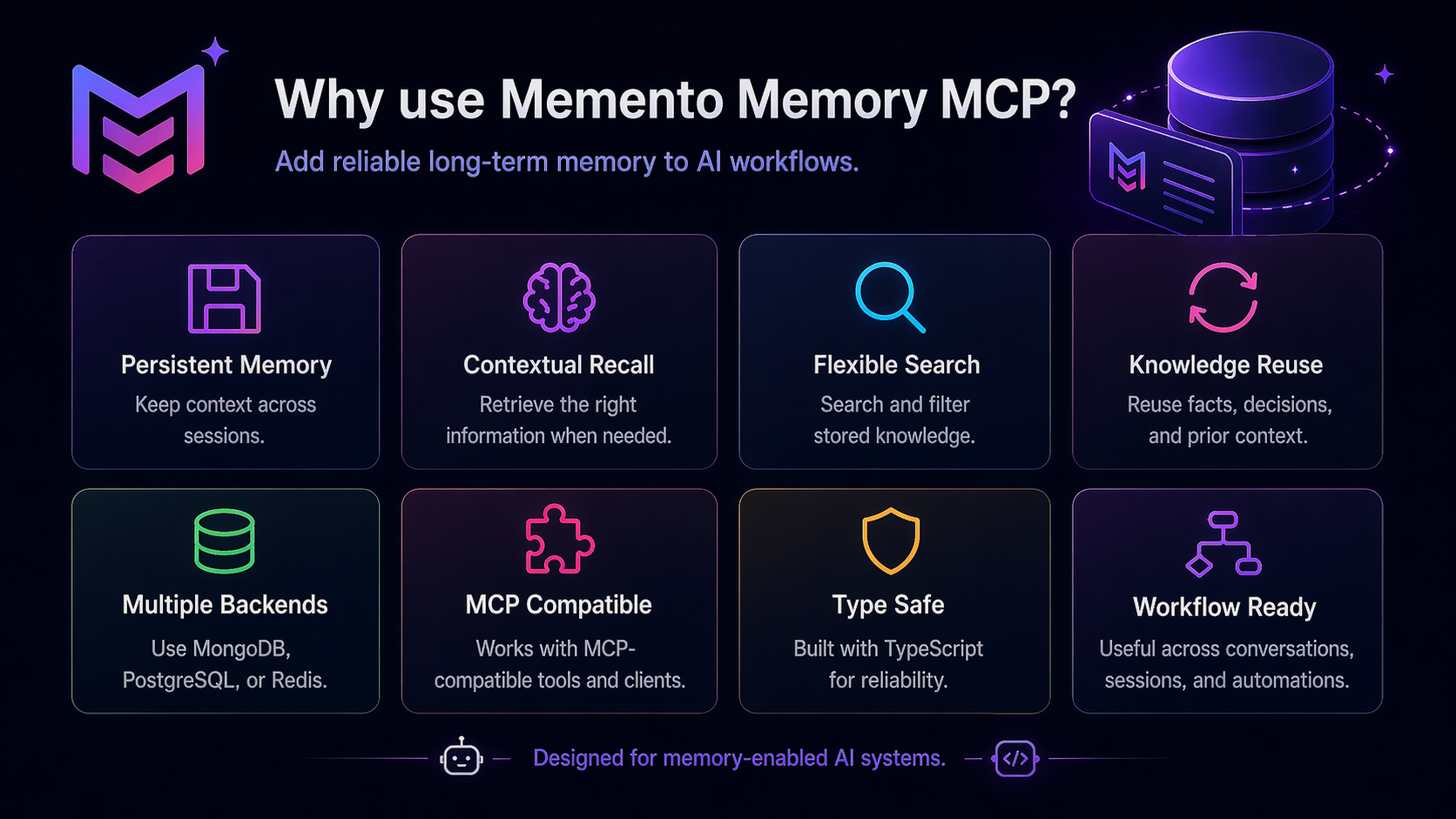
- Why use it
- Installation
- 60-second tour
- Core features
- Knowledge model
- Example use cases
- Testing
- License
Documentation
|
Getting started
|
Features |
Reference |
Requirements
- Node.js 20 or newer (20.x, 22.x, 24.x — Node 18 is EOL and no longer supported)
- npm
- An MCP-compatible client, such as Claude Code, Codex, Cursor, or another stdio-MCP client
Optional dependencies
- Obsidian vault for curated Markdown knowledge
- OpenAI key for semantic embeddings
- Anthropic or OpenAI key for LLM-assisted session summaries
- git repo for team memory sync
Package
Published on npm as:
@luispmonteiro/memento-memory-mcp
Install globally:
npm install -g @luispmonteiro/memento-memory-mcp
What it does
memento-mcp gives your AI coding tools a memory layer that survives across sessions, machines, and teammates.
It can remember:
| Architectural decisions | Project conventions |
| Known pitfalls | Implementation patterns |
| Debugging notes | User/team preferences |
| Session summaries | Reusable context from CLAUDE.md, AGENTS.md, Cursor rules, Copilot instructions, … |
| Curated notes from an Obsidian vault |
Then it injects the relevant context back into your agent at the right time, without forcing you to paste the same project explanation into every new chat like a medieval scribe with npm installed.
Why use it
Save tokens. A lot of them.
Without persistent memory, every new session starts blind:
CLAUDE.md/AGENTS.md/.cursor/rules// Copilot instructions get re-pasted or stuffed into the system prompt- Architectural decisions are re-explained mid-conversation
- Last week's pitfall is re-discovered the hard way
- "What were we doing yesterday?" eats hundreds of tokens before any actual work happens
memento-mcp imports that context once — from any of the major LLM instruction files — and serves back only the slice the current prompt needs, using progressive disclosure that prefers cheap index/summary layers over full bodies.
memento-mcp import auto # detects every known LLM memory file in the project
Conservative per-session savings
| Where the tokens go | Without memento | With memento | Saved |
|---|---|---|---|
CLAUDE.md / AGENTS.md / .cursorrules re-injected | ~1,500 t | imported once → 0 t | ~1,500 t |
| Architecture re-explained mid-chat | ~500 t | 1 retrieved decision (~80 t) | ~420 t |
| Pitfall re-discovered | ~300 t | 1 retrieved pitfall (~80 t) | ~220 t |
| "What were we doing?" recap | ~400 t | 1 session summary (~200 t) | ~200 t |
| Total prelude per session | ~2,700 t | ~360 t | ~2,340 t |
[!NOTE] Numbers are deliberately conservative. Real-world
CLAUDE.md/AGENTS.md/.cursor/rules/trees routinely reach 3-5k tokens (often more once a team accumulates files across multiple tools), and longer-running projects accumulate dozens of decisions and pitfalls. Savings scale with project age.
Scaled out
| Cadence | Sessions / month | Tokens saved (conservative) |
|---|---|---|
| Solo dev, ~4 sessions/day | ~80 | ~190,000 |
| 5-person team, same cadence | ~400 | ~940,000 |
Three things you get back, for free:
- Latency — the agent stops chewing through thousands of prelude tokens before responding.
- Context budget — that ~2,300 tokens of saved prelude is ~2,300 tokens you can spend on actual code, longer files, or richer reasoning.
- Cost — every saved token is one you don't pay for, on every session, on every machine, on every teammate.
[!TIP] Compounding effect: when embeddings are enabled, write-time dedup keeps the memory store lean, and adaptive ranking surfaces only high-utility memories — so the retrieved tokens are higher-signal too.
Keep decisions close to the code
Log decisions, pitfalls, patterns, and architecture notes as structured memories instead of burying them in old chats, random Markdown files, or the cursed archaeology layer known as “Slack search”.
Share memory with your team
Team-scoped memories are serialized into your repo under:
.memento/memories/
Commit them, push them, and teammates can pull the same operational knowledge.
memento-mcp sync init
memento-mcp sync pull
Stay local by default
The default setup uses:
- local SQLite
- SQLite FTS5 search
- local config
- local web inspector
- no required cloud account
- no hosted database
[!TIP] Optional embeddings are available, but they are opt-in.
Keep private text private
<private>...</private> regions are excluded from search indexes, injection, embeddings, LLM calls, and sync paths. Secret scrubbing is applied at write time for common credentials such as env-var values, JWTs, GitHub tokens, URL credentials, and authorization headers.
See and control what the agent knows
Run the local inspector:
memento-mcp ui
Browse memories, sessions, projects, sync state, analytics, and drift without opening yet another SaaS dashboard pretending to be “simple”.
Installation
1. Install from npm:
npm install -g @luispmonteiro/memento-memory-mcp
2. Wire it into your MCP client:
memento-mcp install
This configures supported local clients such as Claude Code, Codex, Cursor, or other stdio-MCP clients.
3. Verify the install:
memento-mcp --help
4. Open the local web UI:
memento-mcp ui
60-second tour
# 1. Install from npm
npm install -g @luispmonteiro/memento-memory-mcp

# 2. Wire your MCP client
memento-mcp install

# 3. Import existing project memory (CLAUDE.md, AGENTS.md, .cursor/rules, copilot-instructions, …)
memento-mcp import auto --dry-run
memento-mcp import auto --no-confirm

# 4. Open the local inspector
memento-mcp ui

# 5. Share team memory through git
memento-mcp sync init
memento-mcp sync pull
Core features
Typed memories
Store different kinds of project knowledge with different ranking weights and retrieval behavior:
fact · decision · preference · pattern · architecture · pitfall
Dedicated tools such as decisions_log and pitfalls_log make high-signal memory capture easier.
Read more: MCP tools reference
Team memory via git
Team-scoped memories are written as JSON files under:
.memento/memories/<id>.json
That means your team can review, commit, diff, and sync shared agent memory like normal project files.
Read more: Team-scoped memories with git sync
Per-project policy
Use .memento/policy.toml to control project-specific behavior:
- required tags
- banned content patterns
- retention rules
- vault promotion rules
- memory constraints
The policy lives in the repo, not hidden somewhere on one developer’s machine, because apparently “works on my machine” needed a memory layer too.
Read more: Per-project policy
Local-first search
By default, memento-mcp uses:
- SQLite
- FTS5
- typed scoring
- token-aware result ranking
- adaptive utility feedback
No vector database is required.
Read more: Token-aware search
Optional semantic search
If you want semantic retrieval, enable embeddings. FTS5 and vector results are merged through an adaptive ranker.
Embeddings are opt-in and use your own provider key.
Read more: Optional embeddings
Smart write-time deduplication
When embeddings are enabled, near-duplicate memories can be detected at write time, before your memory store becomes a landfill of almost-identical “important notes”.
Read more: Smart write-time dedup
Session summaries
Capture useful session context at the end of a coding session.
Supported modes:
- deterministic summaries by default
- optional LLM-assisted summaries using Anthropic or OpenAI
Read more: End-of-session summaries
Obsidian vault integration
Index a curated Obsidian vault and route context through:
me.md · vault.md · maps · skills · playbooks · long-form project notes
The vault layer is indexed and searched, but not auto-written by the agent unless explicitly promoted.
Read more: Vault integration
Privacy controls
Privacy features include:
<private>...</private>redaction- FTS exclusion for private regions
- embedding exclusion for private regions
- sync exclusion for private content
- secret scrubbing at write time
- title and body sanitization
Read more: Privacy
Mode profiles
Switch stop-words and trivial-prompt classifiers by profile:
- English
- Portuguese
- Spanish
Use config or environment variables:
MEMENTO_PROFILE=portuguese
Read more: Mode profiles
Automatic context injection and capture
Memory tools (memory_store, memory_search, decisions_log, …) work in any stdio-MCP client. Automatic injection and capture use whatever extension mechanism the client provides — most major clients now expose lifecycle hooks.
Client compatibility
| Client | MCP tools | Hooks | Hooks since |
|---|---|---|---|
| Claude Code | yes | yes (native) | shipped with Claude Code |
| Cursor | yes | yes (native) | 1.7 (Oct 2025) |
| Codex | yes | yes (native, opt-in flag) | 0.114.0 (Mar 2026) |
| Gemini CLI | yes | yes (native) | 0.26.0 (Jan 2026) |
| Cline | yes | yes (native) | 3.36.0 (late 2025) |
| Aider | yes | no — rule-file fallback only | — |
| Other stdio-MCP | yes | depends on client | — |
Each client's hook event names and config format differ (e.g. Claude Code uses UserPromptSubmit, Cursor uses beforeSubmitPrompt, Cline filenames the events). The four memento-hook-* binaries were built for Claude Code's stdin payload shape; they work directly on Codex (very similar payload), and may need a light adapter on Cursor, Gemini CLI, and Cline. For clients without hooks, fall back to a rule file (AGENTS.md, .cursor/rules/*.mdc, system prompt) telling the agent to call the memory tools itself.
Read more: Installation & client setup
Web inspector
Launch a local browser UI:
memento-mcp ui
Inspect:
memories · sessions · projects · sync drift · analytics · memory health
Read more: Web inspector
Knowledge model
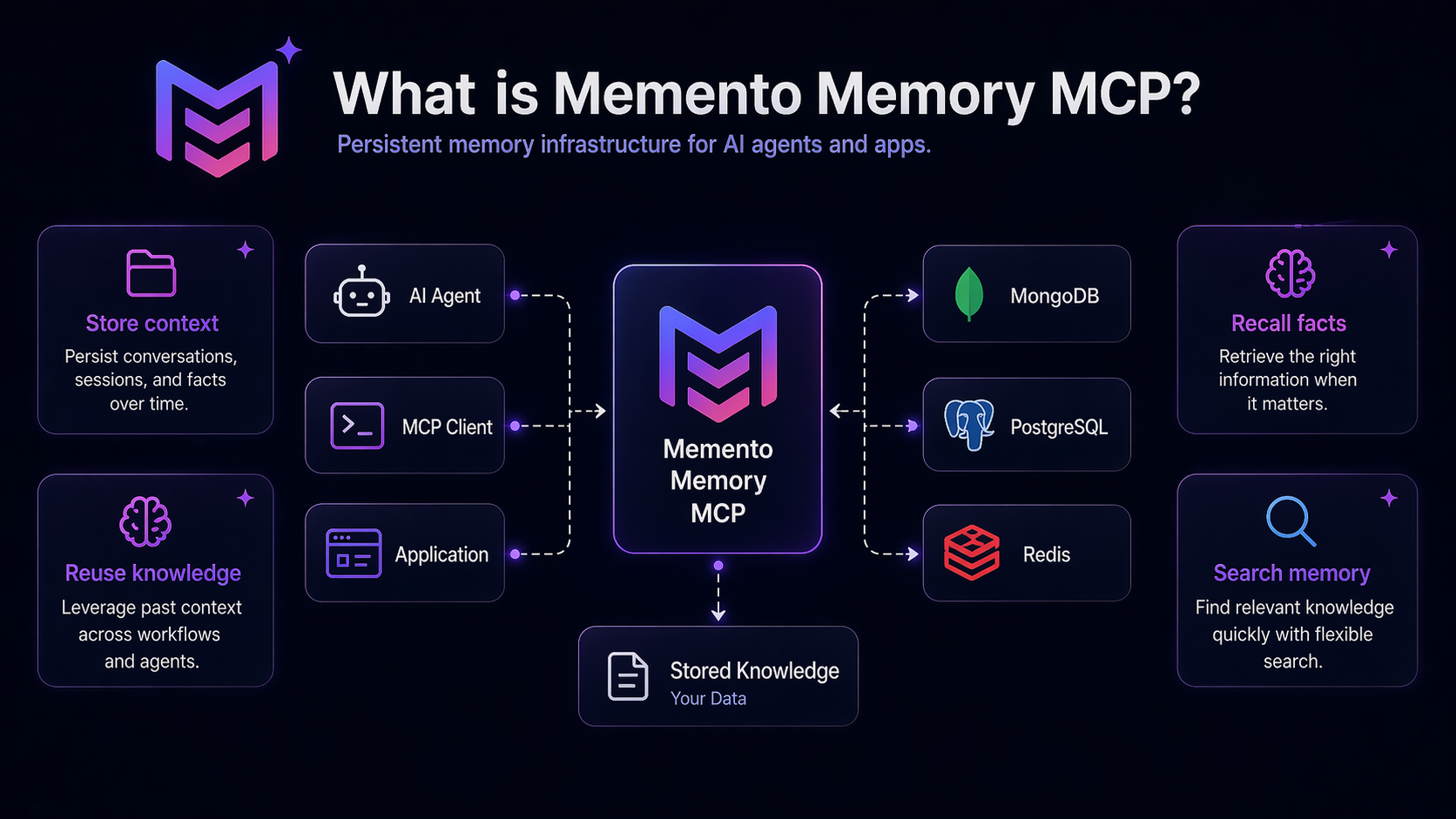
memento-mcp separates fast operational memory from curated long-form knowledge.
SQLite memory layerFast, typed, agent-written memory. Use it for:
|
Vault knowledge layerCurated Markdown knowledge from an Obsidian vault. Use it for:
|
Search and hooks can combine both layers.
Example use cases
Remember project decisions
Decision: We use repository classes for complex SQL access instead of putting queries in controllers.
Reason: Keeps business logic separate from persistence and makes performance tuning easier.
Scope: project · Tags:
architecture,backend
Remember pitfalls
Pitfall: The quality scheduling query becomes expensive when paginating after loading all rows.
Fix: Use database-level pagination and a separate count query.
Scope: project · Tags:
performance,sql
Remember team conventions
Preference: In this project, bug fixes and improvements are tracked separately in release notes.
Scope: team · Tags:
process,release-notes
Testing
memento-mcp ships with 1,352 tests across 121 test files, covering 91% of lines and 85% of branches. The suite runs on Node 20, 22, and 24 in CI on every push and pull request.
Run the tests
npm install
npm test                    # full suite, ~40s
npm run test:watch          # watch mode for development
npx vitest run --coverage   # generate the v8 coverage report
What the suite covers
| Layer | What's tested |
|---|---|
| MCP server | Spawns the built server, performs an MCP handshake over stdio, asserts every registered tool is callable end-to-end (tests/integration/mcp-server-smoke.test.ts). |
| Memory lifecycle | Chained store → search → get → update → link → graph → path → unlink → pin → timeline → delete → export → import flow (tests/integration/memory-lifecycle.test.ts). |
| Privacy | Pins the <private>...</private> redaction promise across every public output (search, list, get, timeline, FTS, sync), and verifies reveal_private opt-in + analytics (tests/integration/privacy-invariants.test.ts). |
| Vault | Promotion → file write → re-index → vault search → memory_get(vault:id) round-trip (tests/integration/vault-promotion-flow.test.ts). |
| Tools | Per-tool unit tests for memory_*, decisions_log, pitfalls_log, plus dedup, policy, and analytics paths (tests/tools/). |
| Hooks | SessionStart, UserPromptSubmit, PostToolUse, SessionEnd hook handlers (tests/hooks/). |
| Database | Repos, migrations, FTS triggers, edges, sessions (tests/db/). |
| Engine | Classifier, compressor, adaptive ranker, embeddings, vault parser/router/index, similarity, token estimator (tests/engine/). |
| Sync | Canonical JSON serializer round-trips, push/pull, schema migration, secret scrubbing on the wire (tests/sync/). |
| Web inspector | Every API route, edit-mode auth, pagination, security headers (tests/server/). |
| CLI | Installer, uninstaller, all import formats (tests/cli/). |
| Regression | v1-behavior compatibility for legacy users (tests/regression/). |
Coverage exclusions
Process entry points (src/index.ts, src/cli/main.ts, the hook bin scripts) are excluded from the coverage denominator: they are exercised by integration tests via spawnSync, but v8 cannot track child-process coverage. The handlers and helpers they invoke are fully covered. See vitest.config.ts for the full list.
License
Built with care for AI coding agents that deserve to remember.