
Memora



A lightweight Model Context Protocol (MCP) server that persists shared memories in SQLite. Compatible with Claude Code, Codex CLI, and other MCP-aware clients.
Features
- Persistent Storage - SQLite-backed database with optional cloud sync (S3, GCS, Azure)
- Semantic Search - Vector embeddings (TF-IDF, sentence-transformers, or OpenAI)
- Event Notifications - Poll-based system for inter-agent communication
- Advanced Queries - Full-text search, date ranges, tag filters (AND/OR/NOT)
- Cross-references - Auto-linked related memories based on similarity
- Hierarchical Organization - Explore memories by section/subsection
- Export/Import - Backup and restore with merge strategies
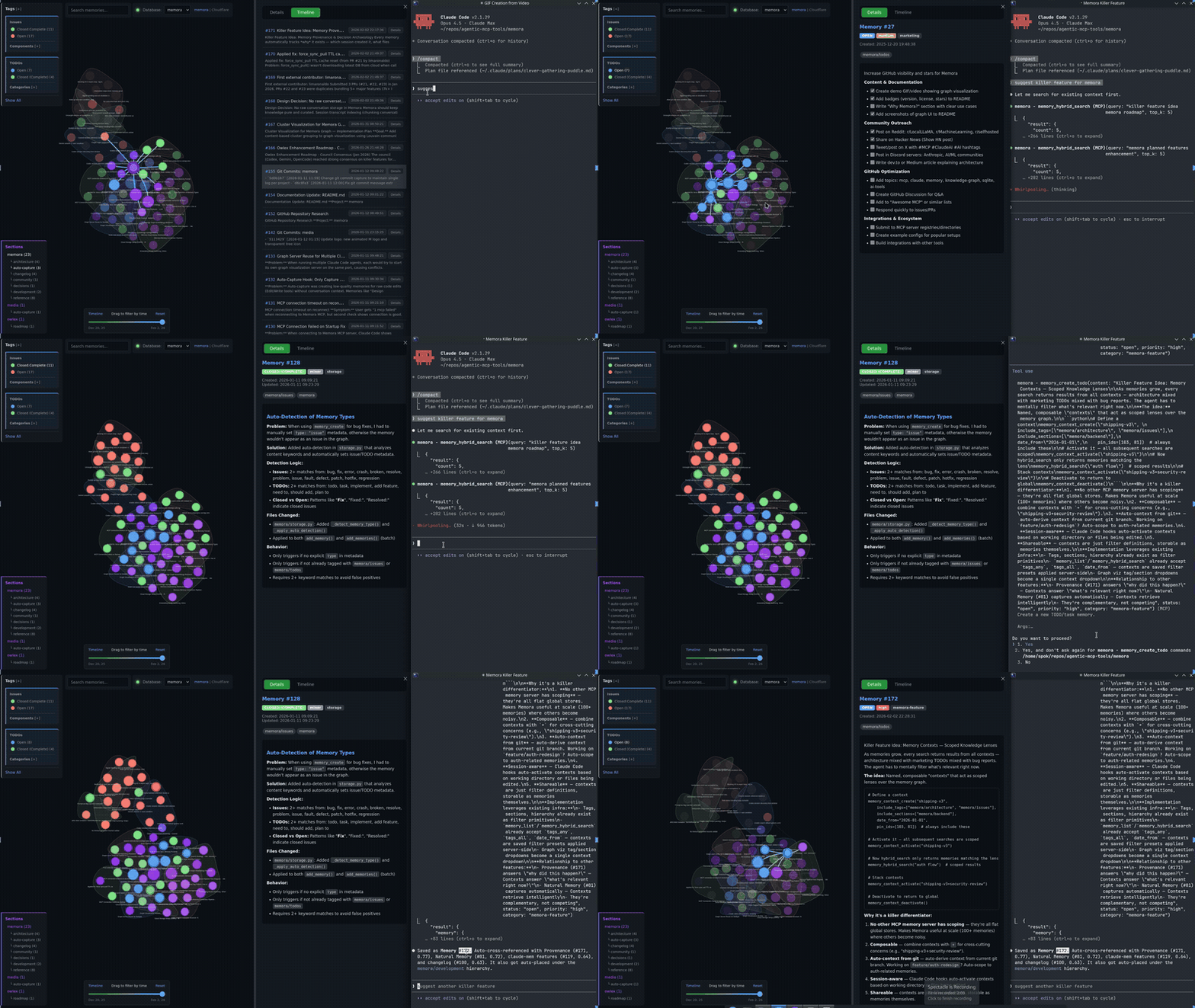
- Knowledge Graph - Interactive HTML visualization with filtering
- Live Graph Server - Auto-starts HTTP server for remote access via SSH
- Statistics & Analytics - Tag usage, trends, and connection insights
- Zero Dependencies - Works out-of-box with Python stdlib (optional backends available)
Install
# From GitHub
pip install git+https://github.com/agentic-mcp-tools/memora.git

# With extras
pip install -e ".[cloud]"       # S3/R2/GCS cloud storage (boto3)
pip install -e ".[embeddings]"  # semantic search (sentence-transformers)
pip install -e ".[all]"         # cloud + embeddings + dev tools
Usage
The server runs automatically when configured in Claude Code. Manual invocation:
# Default (stdio mode for MCP)
memora-server

# With graph visualization server
memora-server --graph-port 8765

# HTTP transport (alternative to stdio)
memora-server --transport streamable-http --host 127.0.0.1 --port 8080
Claude Code Config
Add to .mcp.json in your project root:
Local DB
{
  "mcpServers": {
    "memora": {
      "command": "memora-server",
      "args": [],
      "env": {
        "MEMORA_DB_PATH": "~/.local/share/memora/memories.db",
        "MEMORA_ALLOW_ANY_TAG": "1",
        "MEMORA_GRAPH_PORT": "8765"
      }
    }
  }
}
Cloud DB (S3/R2)
{
  "mcpServers": {
    "memora": {
      "command": "memora-server",
      "args": [],
      "env": {
        "AWS_PROFILE": "memora",
        "AWS_ENDPOINT_URL": "https://<account-id>.r2.cloudflarestorage.com",
        "MEMORA_STORAGE_URI": "s3://memories/memories.db",
        "MEMORA_CLOUD_ENCRYPT": "true",
        "MEMORA_ALLOW_ANY_TAG": "1",
        "MEMORA_GRAPH_PORT": "8765"
      }
    }
  }
}
Codex CLI Config
Add to ~/.codex/config.toml:
[mcp_servers.memora]
  command = "memora-server"  # or full path: /path/to/bin/memora-server
  args = ["--no-graph"]
  env = {
    AWS_PROFILE = "memora",
    AWS_ENDPOINT_URL = "https://<account-id>.r2.cloudflarestorage.com",
    MEMORA_STORAGE_URI = "s3://memories/memories.db",
    MEMORA_CLOUD_ENCRYPT = "true",
    MEMORA_ALLOW_ANY_TAG = "1",
  }
Environment Variables
| Variable | Description |
|---|---|
MEMORA_DB_PATH | Local SQLite database path (default: ~/.local/share/memora/memories.db) |
MEMORA_STORAGE_URI | Cloud storage URI for S3/R2 (e.g., s3://bucket/memories.db) |
MEMORA_CLOUD_ENCRYPT | Encrypt database before uploading to cloud (true/false) |
MEMORA_CLOUD_COMPRESS | Compress database before uploading to cloud (true/false) |
MEMORA_CACHE_DIR | Local cache directory for cloud-synced database |
MEMORA_ALLOW_ANY_TAG | Allow any tag without validation against allowlist (1 to enable) |
MEMORA_TAG_FILE | Path to file containing allowed tags (one per line) |
MEMORA_TAGS | Comma-separated list of allowed tags |
MEMORA_GRAPH_PORT | Port for the knowledge graph visualization server (default: 8765) |
MEMORA_EMBEDDING_MODEL | Embedding backend: tfidf (default), sentence-transformers, or openai |
SENTENCE_TRANSFORMERS_MODEL | Model for sentence-transformers (default: all-MiniLM-L6-v2) |
OPENAI_API_KEY | API key for OpenAI embeddings (required when using openai backend) |
OPENAI_EMBEDDING_MODEL | OpenAI embedding model (default: text-embedding-3-small) |
AWS_PROFILE | AWS credentials profile from ~/.aws/credentials (useful for R2) |
AWS_ENDPOINT_URL | S3-compatible endpoint for R2/MinIO |
R2_PUBLIC_DOMAIN | Public domain for R2 image URLs |
Semantic Search & Embeddings
Memora supports three embedding backends for semantic search:
| Backend | Install | Quality | Speed |
|---|---|---|---|
tfidf (default) | None | Basic keyword matching | Fast |
sentence-transformers | pip install sentence-transformers | True semantic understanding | Medium |
openai | pip install openai | High quality | API latency |
Automatic: Embeddings and cross-references are computed automatically when you memory_create, memory_update, or memory_create_batch.
Manual rebuild required when:
- Changing
MEMORA_EMBEDDING_MODELafter memories exist - Switching to a different sentence-transformers model
# After changing embedding model, rebuild all embeddings
memory_rebuild_embeddings

# Then rebuild cross-references to update the knowledge graph
memory_rebuild_crossrefs
Neovim Integration
Browse memories directly in Neovim with Telescope. Copy the plugin to your config:
# For kickstart.nvim / lazy.nvim
cp nvim/memora.lua ~/.config/nvim/lua/kickstart/plugins/
Usage: Press <leader>sm to open the memory browser with fuzzy search and preview.
Requires: telescope.nvim, plenary.nvim, and memora installed in your Python environment.
Knowledge Graph Export
Export memories as an interactive HTML knowledge graph visualization:
# Via MCP tool
memory_export_graph(output_path="~/memories_graph.html", min_score=0.25)
Interactive vis.js graph with tag/section filtering, memory tooltips, Mermaid diagram rendering, and auto-resized image thumbnails. Click nodes to view content, drag to explore.
Graph Color Scheme
| Type | Color | Meaning |
|---|---|---|
| Tags | Purple shades | Different tags get different purple tones |
| Issues | Red | Open |
| Orange | In Progress | |
| Green | Resolved | |
| Gray | Won't Fix | |
| TODOs | Blue | Open |
| Orange | In Progress | |
| Green | Completed | |
| Red | Blocked |
Node size reflects connection count (more connections = larger node).
Live Graph Server
A built-in HTTP server starts automatically with the MCP server, serving the graph visualization on-demand.
Access locally:
http://localhost:8765/graph
Remote access via SSH:
ssh -L 8765:localhost:8765 user@remote
# Then open http://localhost:8765/graph in your browser
Configuration:
{
  "env": {
    "MEMORA_GRAPH_PORT": "8765"
  }
}
Use different ports on different machines to avoid conflicts when forwarding multiple servers.
To disable: add "--no-graph" to args in your MCP config.