MetriLLM






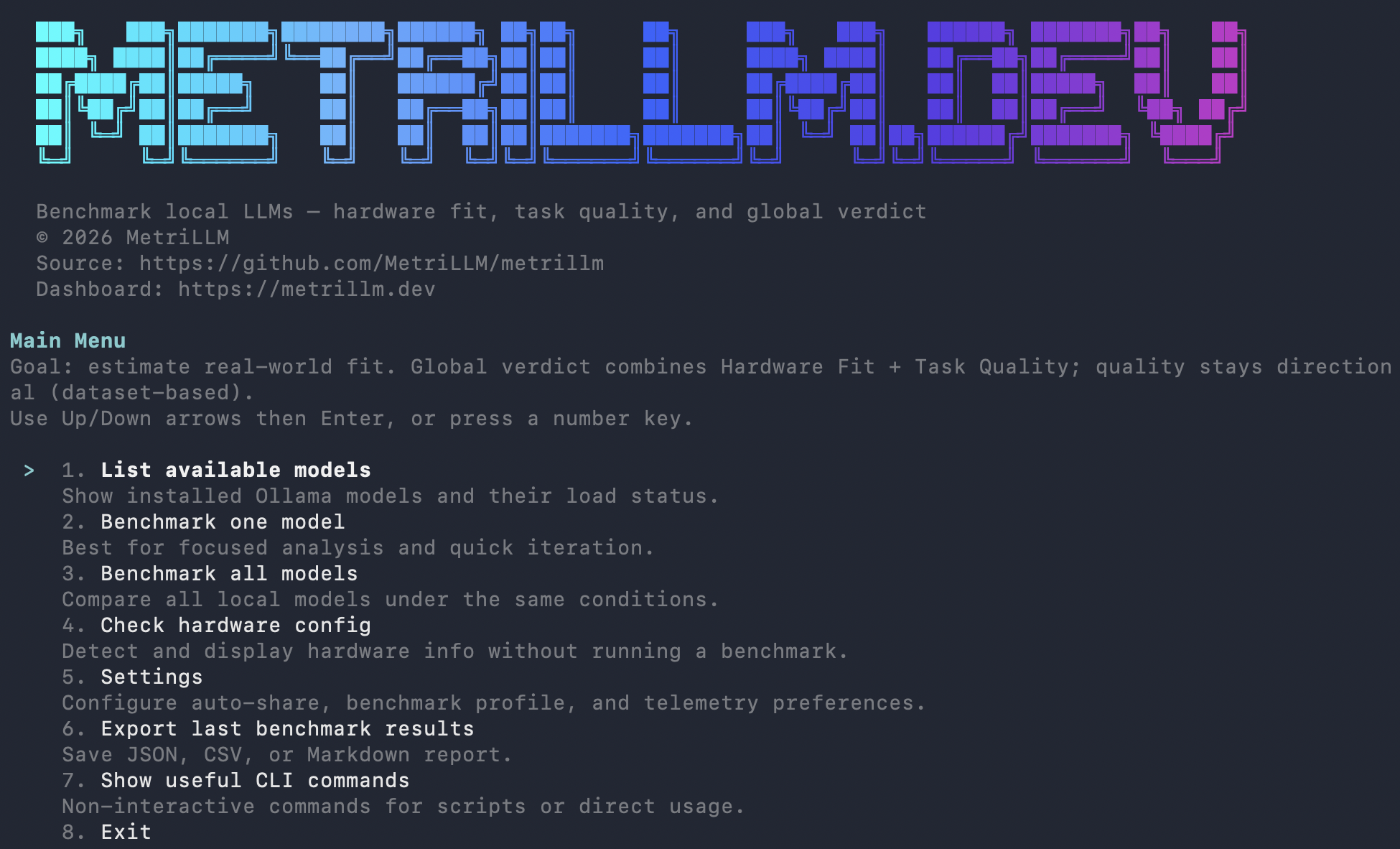
Benchmark your local LLM models in one command. Speed, quality, hardware fitness — with a shareable score and public leaderboard.
Think Geekbench, but for local LLMs on your actual hardware.
npx metrillm@latest bench
What You Get
- Performance metrics: tokens/sec, time to first token, memory usage, load time
- Quality evaluation: reasoning, coding, math, instruction following, structured output, multilingual (14 prompts, 6 categories)
- Global score (0-100): 30% hardware fit + 70% quality
- Verdict: EXCELLENT / GOOD / MARGINAL / NOT RECOMMENDED
- One-click share:
--shareuploads your result and gives you a public URL + leaderboard rank
Real Benchmark Results
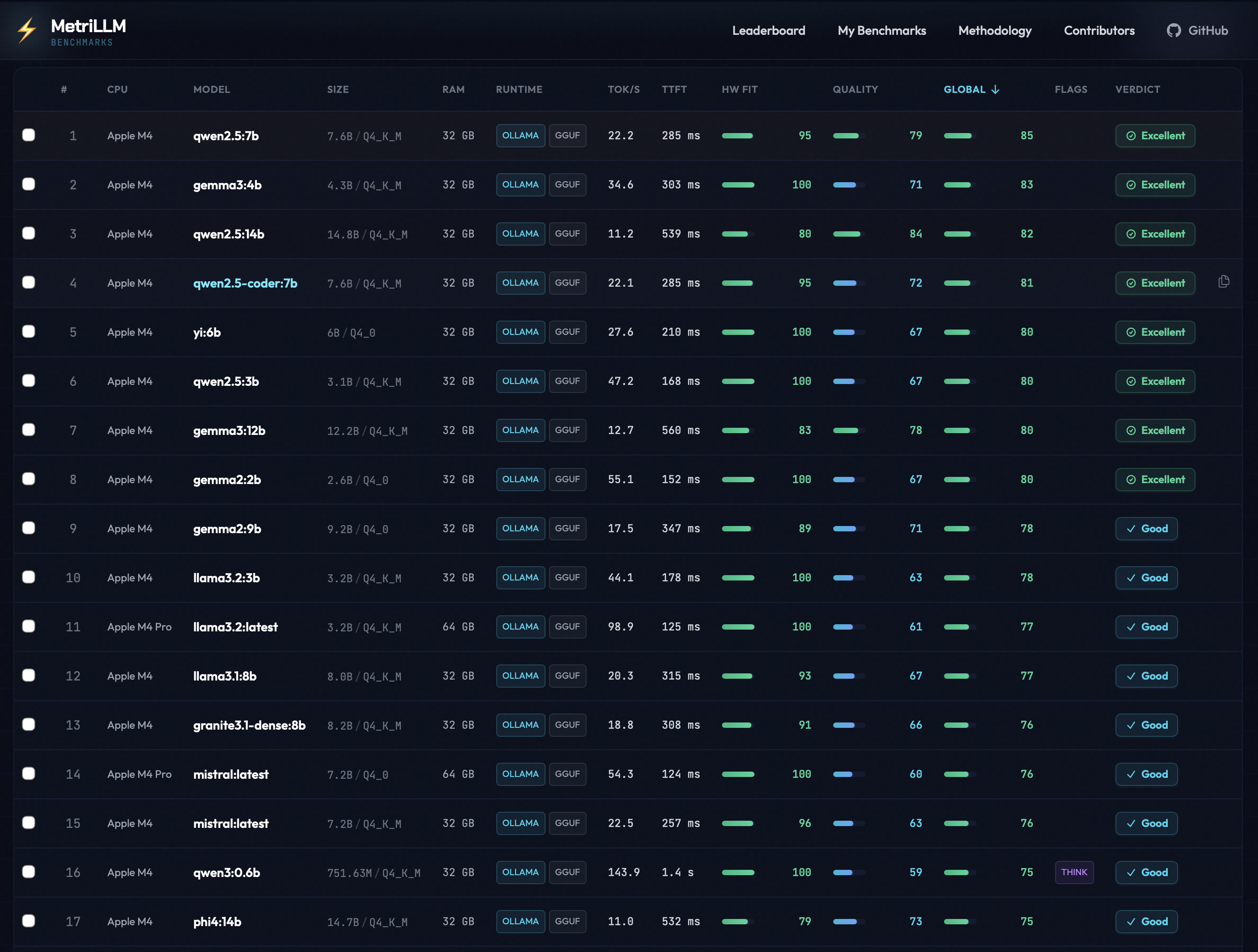
From the public leaderboard — all results below were submitted with
metrillm bench --share.
| Model | Machine | CPU | RAM | tok/s | TTFT | Global | Verdict |
|---|---|---|---|---|---|---|---|
| llama3.2:latest | Mac Mini | Apple M4 Pro | 64 GB | 98.9 | 125 ms | 77 | GOOD |
| mistral:latest | Mac Mini | Apple M4 Pro | 64 GB | 54.3 | 124 ms | 76 | GOOD |
| gemma3:4b | MacBook Air | Apple M4 | 32 GB | 35.9 | 303 ms | 72 | GOOD |
| gemma3:1b | MacBook Air | Apple M4 | 32 GB | 39.4 | 362 ms | 72 | GOOD |
| qwen3:1.7b | MacBook Air | Apple M4 | 32 GB | 37.9 | 3.1 s | 70 | GOOD |
| llama3.2:3b | MacBook Air | Apple M4 | 32 GB | 27.8 | 285 ms | 69 | GOOD |
| gemma3:12b | MacBook Air | Apple M4 | 32 GB | 12.3 | 656 ms | 67 | GOOD |
| phi4:14b | MacBook Air | Apple M4 | 32 GB | 11.1 | 515 ms | 65 | GOOD |
| mistral:7b | MacBook Air | Apple M4 | 32 GB | 13.6 | 517 ms | 61 | GOOD |
| deepseek-r1:14b | MacBook Air | Apple M4 | 32 GB | 10.8 | 30.0 s | 25 | NOT RECOMMENDED |
Key takeaway: Small models (1-4B) fly on Apple Silicon. Larger models (14B+) with thinking chains can choke even on capable hardware. See full leaderboard →
Install
# Run directly (no install)
npx metrillm@latest bench

# Or install globally
npm i -g metrillm
metrillm bench

# Homebrew (no global npm install)
# One-liner install (without pre-tapping):
brew install MetriLLM/metrillm/metrillm

# Or one-time tap for short install command:
brew tap MetriLLM/metrillm
# Then:
brew install metrillm
metrillm bench

# Alternative package managers
pnpm dlx metrillm@latest bench
bunx metrillm@latest bench
Usage
# Interactive mode — pick models from a menu
metrillm bench

# Benchmark a specific model
metrillm bench --model gemma3:4b

# Benchmark with LM Studio backend
metrillm bench --backend lm-studio --model qwen3-8b

# Benchmark all installed models
metrillm bench --all

# Share your result (upload + public URL + leaderboard rank)
metrillm bench --share

# CI/non-interactive mode
metrillm bench --ci-no-menu --share

# Force unload after each model (useful for memory isolation)
metrillm bench --all --unload-after-bench

# Export results locally
metrillm bench --export json
metrillm bench --export csv
Runtime Backends
| Backend | Flag | Default URL | Required env |
|---|---|---|---|
| Ollama | --backend ollama | http://127.0.0.1:11434 | OLLAMA_HOST (optional) |
| LM Studio | --backend lm-studio | http://127.0.0.1:1234 | LM_STUDIO_BASE_URL (optional), LM_STUDIO_API_KEY (optional), LM_STUDIO_STREAM_STALL_TIMEOUT_MS (optional) |
For very large models, tune timeout flags:
--perf-warmup-timeout-ms(default300000)--perf-prompt-timeout-ms(default120000)--quality-timeout-ms(default120000)--coding-timeout-ms(default240000)--lm-studio-stream-stall-timeout-ms(default180000,0disables stall timeout)
How Scoring Works
Hardware Fit Score (0-100) — how well the model runs on your machine:
- Speed: 40% (tokens/sec relative to your hardware tier)
- TTFT: 30% (time to first token)
- Memory: 30% (RAM efficiency)
Quality Score (0-100) — how well the model answers:
- Reasoning: 20pts | Coding: 20pts | Instruction Following: 20pts
- Structured Output: 15pts | Math: 15pts | Multilingual: 10pts
Global Score = 30% Hardware Fit + 70% Quality
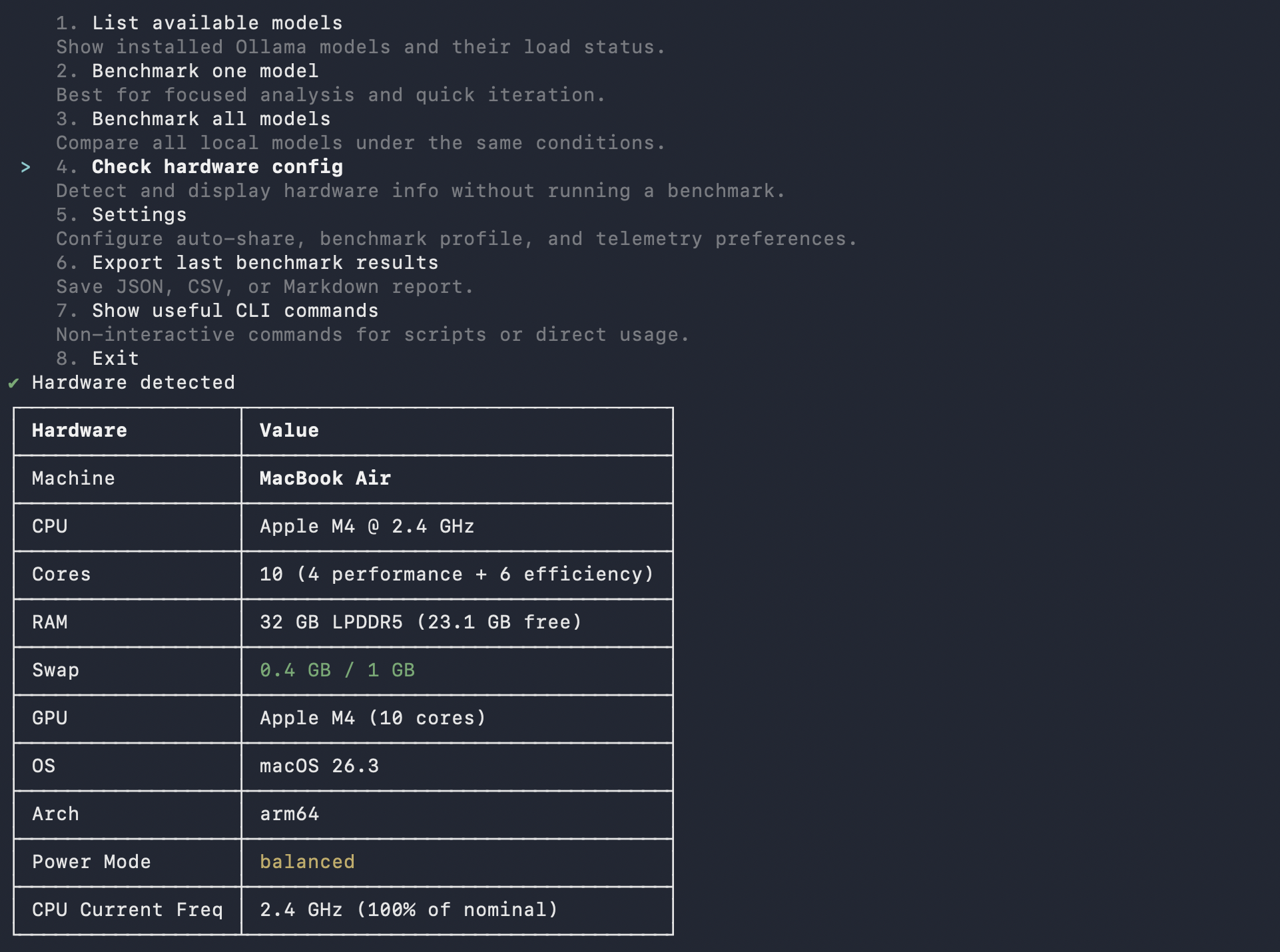
Hardware is auto-detected and scoring adapts to your tier (Entry/Balanced/High-End). A model hitting 10 tok/s on a 8GB machine scores differently than on a 64GB rig.
Share Your Results
Every benchmark you share enriches the public leaderboard. No account needed — pick the method that fits your workflow:
| Method | Command / Action | Best for |
|---|---|---|
| CLI | metrillm bench --share | Terminal users |
| MCP | Call share_result tool | AI coding assistants |
| Plugin | /benchmark skill with share option | Claude Code / Cursor |
All methods produce the same result:
- A public URL for your benchmark
- Your rank: "Top X% globally, Top Y% on [your CPU]"
- A share card for social media
- A challenge link to send to friends
Compare your results on the leaderboard →
MCP Server
Use MetriLLM from Claude Code, Cursor, Windsurf, or any MCP client — no CLI needed.
# Claude Code
claude mcp add metrillm -- npx metrillm-mcp@latest

# Claude Desktop / Cursor / Windsurf — add to MCP config:
# { "command": "npx", "args": ["metrillm-mcp@latest"] }
| Tool | Description |
|---|---|
list_models | List locally available LLM models |
run_benchmark | Run full benchmark (performance + quality) on a model |
get_results | Retrieve previous benchmark results |
share_result | Upload a result to the public leaderboard |
Skills
Slash commands that work inside AI coding assistants — no server needed, just a Markdown file.
| Skill | Trigger | Description |
|---|---|---|
/benchmark | User-invoked | Run a full benchmark interactively |
metrillm-guide | Auto-invoked | Contextual guidance on model selection and results |
Skills are included in the plugins below, or can be installed standalone:
# Claude Code
cp -r plugins/claude-code/skills/* ~/.claude/skills/

# Cursor
cp -r plugins/cursor/skills/* ~/.cursor/skills/
Plugins
Pre-built bundles (MCP + skills + agents) for deeper IDE integration.
| Component | Description |
|---|---|
| MCP config | Auto-connects to metrillm-mcp server |
| Skills | /benchmark + metrillm-guide |
| Agent | benchmark-advisor — analyzes your hardware and recommends models |
Install:
# Claude Code
cp -r plugins/claude-code/.claude/* ~/.claude/

# Cursor
cp -r plugins/cursor/.cursor/* ~/.cursor/
See Claude Code plugin and Cursor plugin for details.
Integrations
| Integration | Package | Status | Docs |
|---|---|---|---|
| CLI | metrillm | Stable | Usage |
| MCP Server | metrillm-mcp | Stable | MCP docs |
| Skills | — | Stable | Skills |
| Claude Code plugin | — | Stable | Plugin docs |
| Cursor plugin | — | Stable | Plugin docs |
Development
npm ci
npm run ci:verify     # typecheck + tests + build
npm run dev           # run from source
npm run test:watch    # vitest watch mode
Homebrew Formula Maintenance
The tap formula lives in Formula/metrillm.rb.
# Refresh Formula/metrillm.rb with latest npm tarball + sha256
./scripts/update-homebrew-formula.sh

# Or pin a specific version
./scripts/update-homebrew-formula.sh 0.1.1
After updating the formula, commit and push so users can install/update with:
brew tap MetriLLM/metrillm
brew install metrillm
brew upgrade metrillm
Contributing
Contributions are welcome! Please read the Contributing Guide before submitting a pull request. All commits must include a DCO sign-off.
License
Apache License 2.0 — see NOTICE for trademark information.