Context management for the agent-native engineering era.


Most of us aren't really writing code anymore, we're directing agents that do. But those agents have no memory. Every session starts from zero, and engineers end up spending their time re-explaining what was built, why decisions were made, and what still needs to happen. That's not engineering, that's babysitting.
Mymir replaces that cycle. It's not just a context layer your agents read from, it's an end-to-end project management tool that agents operate natively. Mymir creates tasks, refines them, plans implementations, provides the right context at the right stage, and tracks everything that happens. Your agent harness doesn't need a briefing. It walks into every session knowing exactly what to do next and why.
How it works
Instead of docs, wikis, or messy markdown files, Mymir treats project context as a live knowledge base agents can reason from.
We built Mymir around two core concepts:
Context network. A living map of your project that captures not just what was built, but why decisions were made, what was tried and abandoned, and how different parts of the codebase relate to each other.
Context retrieval interface. Four context shapes, one per job. Each is arranged by U-shaped attention (highest-recall content at the start and end) so what matters most lands where LLMs read best:
| Shape | For | What's in it |
|---|---|---|
summary | Quick lookup | Title, status, edge counts |
working | Refining or reviewing a task | Criteria, decisions, 1-hop neighbors, conversation history |
planning | Writing an implementation plan | Project brief, prerequisites, upstream execution records, downstream specs |
agent | Coding the task | Implementation plan, multi-hop upstream execution records, file paths, acceptance criteria |
Together, they don't just inform your agent, they drive it. Mymir manages the full lifecycle: Brainstorm > Decompose > Refine > Plan > Execute > Track.
Describe your idea and Mymir decomposes it into tasks with dependency edges, determines what's ready to plan or implement, and hands your agent the exact context it needs for that stage. When a task is plannable, your agent gets the spec, prerequisites, and related work. When it's ready to implement, your agent gets the full execution context: upstream decisions, file paths, and acceptance criteria.
The agent moves from task to task with the right context at every step, no manual handoff required.
We're building Mymir using Mymir, so everything described here is something we're living in real time.
How it looks
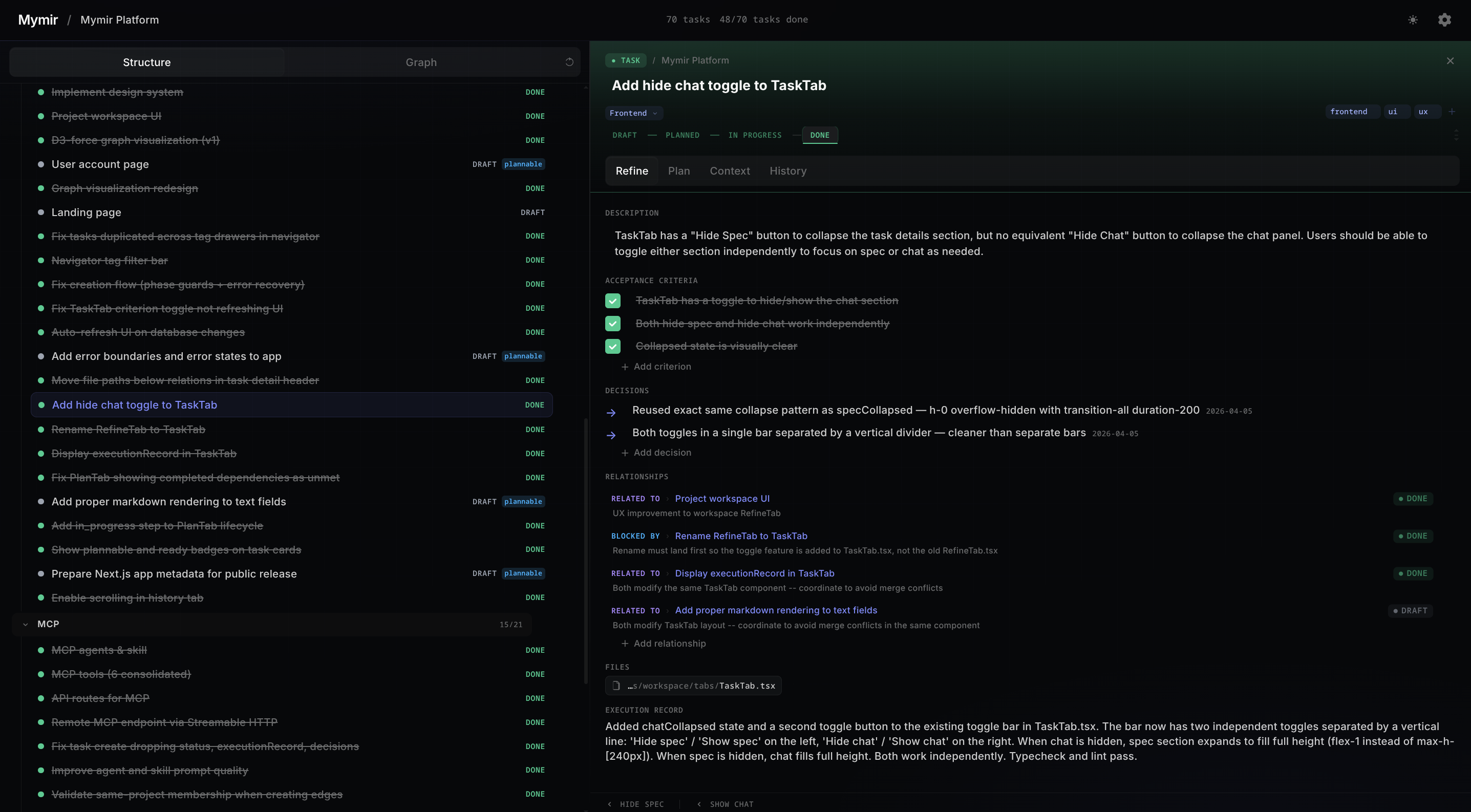
The web UI has two modes: Structure and Graph.
Structure mode puts your task list on the left and a detail panel on the right. You refine specs, track progress, and review execution records without switching views.
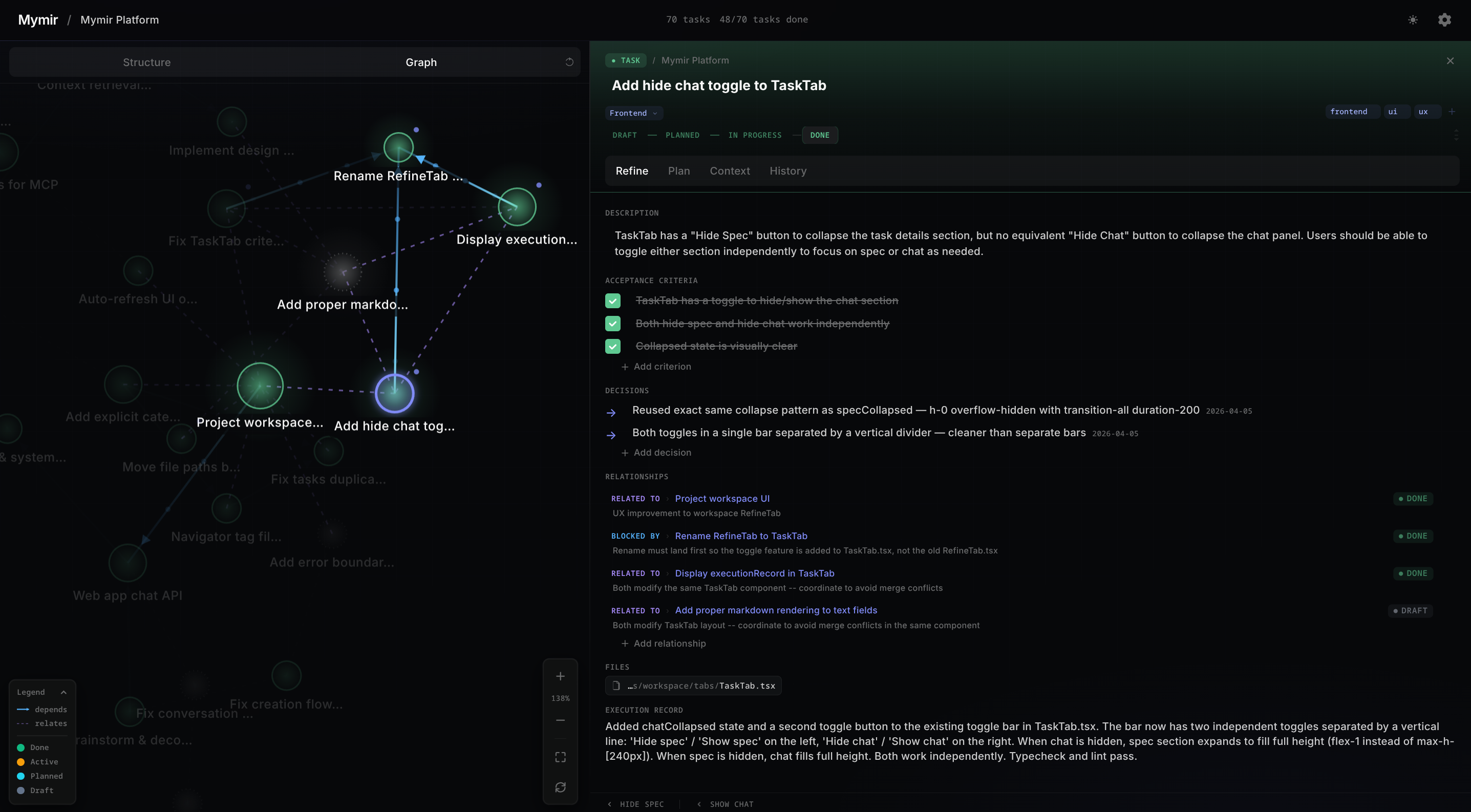
Graph mode overlays the context network so you can see how tasks, decisions, and dependencies connect while still working in the detail panel.
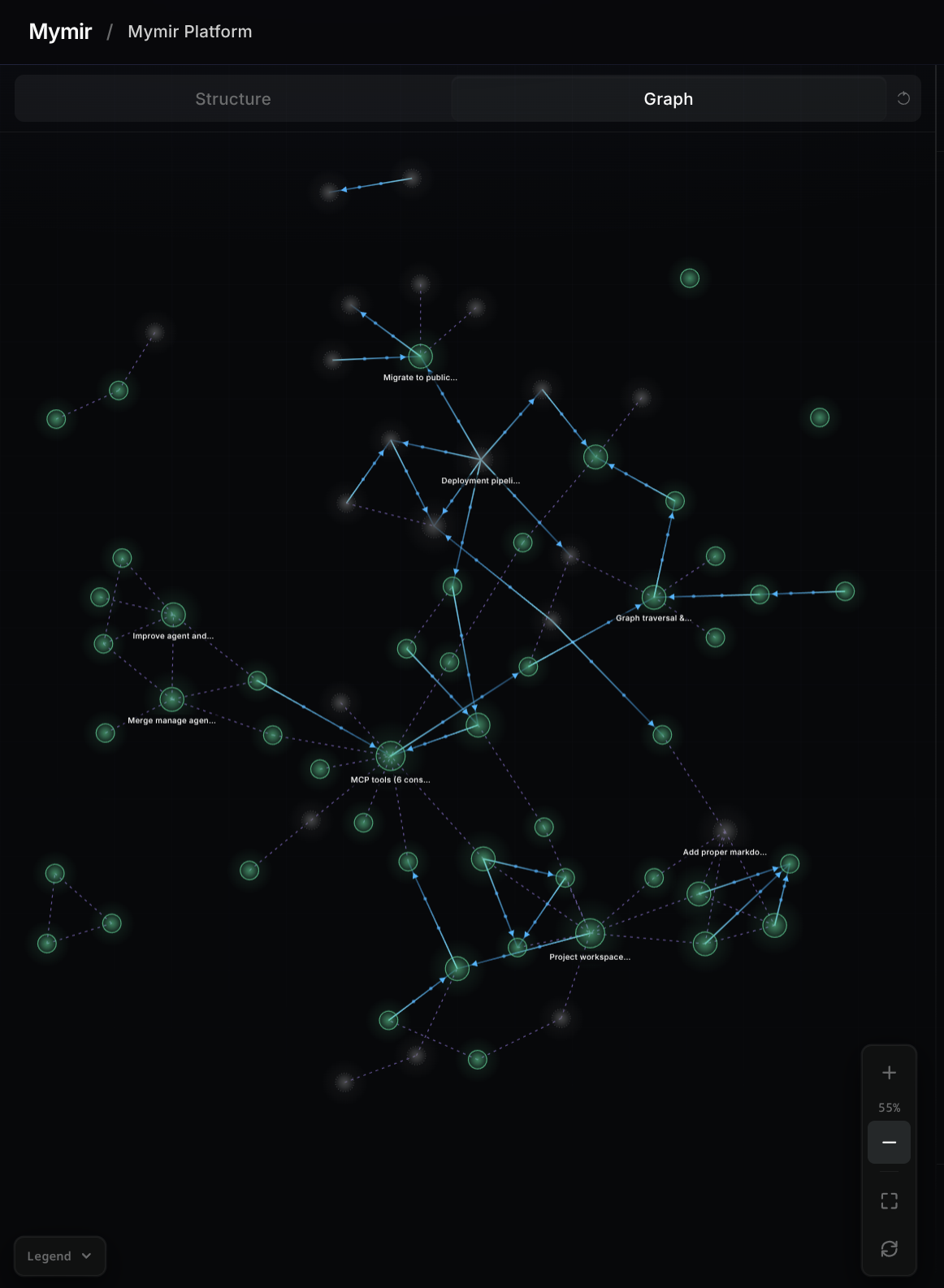
Zoom out and the full graph renders your entire context network. Clusters, bottlenecks, and orphaned work become obvious at a glance.
How it runs
Mymir ships as a Next.js web app plus vendor-native plugins for Claude Code, Codex, and Gemini. Each plugin bundles 6 MCP tools, four agents (brainstorm, onboarding, decompose, manage), and a /mymir skill that auto-invokes when you talk about projects, tasks, or planning. You don't call tools manually, you just talk.
Three entry paths, one graph.
No project yet. The brainstorm agent shapes the idea with you, then decompose breaks it into a task graph:
❯ I want to build a real-time dashboard for server metrics
Existing codebase, no tracking yet. Onboarding reverse-engineers a graph from the code and git history, gated on your approval before anything is written:
❯ Onboard this existing codebase
Ongoing project. The /mymir skill detects the repo and picks up where you left off:
❯ What's the status of the project?
Skip the context briefing. Name a task or ask what's next. Mymir delivers the right bundle for that task's state, so you don't write "here's what you need to know" prompts yourself:
❯ What should I work on next?
❯ Plan and implement MYMR-101
Add and refine mid-flow. Spot something missing, describe it, and push back until it's right:
❯ Add a task for an onboarding agent that records shipped work as done tasks. Relate it to the codex/gemini support task.
❯ Priority is release-blocker, draft ACs are enough, and monorepo detection should ask the user.
Tune in the UI. Inspect edges, read execution records, and edit descriptions, ACs, tags, or dependencies directly. The agent loop and the UI write to the same store, so edits land by the next tool call.
How to set it up
You need Bun (v1.0+) and Docker for PostgreSQL.
Clone the repo and install dependencies:
git clone git@github.com:FrkAk/mymir.git
cd mymir
bun install
cp .env.local.example .env.local
Bring your own AI. Mymir is a context and project management tool, so no API key is required to use it. For the best experience, however, drive Mymir from whichever coding agent you already reach for (Claude Code, Codex, Gemini CLI). The web app is complementary for anyone who wants to refine a ticket from the browser. Drop a provider key into .env.local to enable that chat. The web chat shares the same Mymir tool set as the CLI agents but runs in the browser with no access to your local files, so it cannot run or explore your source, which makes it less powerful than a CLI agent. Still, you can use a Gemini 3.1 Flash (preview) key from Google AI Studio, which offers generous usage limits for free. For heavier project work, Claude Opus, GPT, or Gemini Pro give the best results.
Add your credentials to .env.local (see .env.local.example for the full list):
# Postgres: local Docker default; works with any connection string (Neon, Supabase, RDS)
DATABASE_URL=postgresql://mymir:mymir@localhost:5432/mymir

# Better Auth: session secret (openssl rand -base64 32) and callback origin
BETTER_AUTH_SECRET=generate-a-random-secret-at-least-32-chars
BETTER_AUTH_URL=http://localhost:3000

# LLM provider: configure at least one for web app chat access
GOOGLE_GENERATIVE_AI_API_KEY=your-gemini-api-key
# ANTHROPIC_API_KEY=your-anthropic-key
# OPENAI_API_KEY=your-openai-key
# OLLAMA_BASE_URL=http://localhost:11434
Spin up Postgres and push the schema:
bun run db:setup
Start the dev server and open localhost:3000:
bun run dev
Mymir ships as three standalone plugin/extension dirs, one per supported CLI under plugins/<cli>/. With the dev server running, install the one that matches your tool.
Claude Code
claude plugin marketplace add ./plugins/claude-code
claude plugin install mymir@mymir-local
Authenticate with /mcp, select mymir, and complete the browser sign-in (once per machine).
Update with claude plugin update mymir@mymir-local and restart Claude Code. MCP server changes (lib/mcp/) apply immediately without an update.
Codex
codex marketplace add ./plugins
Open Codex, run /plugin, search for Mymir, install, then restart. Invoke the main skill explicitly with $mymir when needed.
Gemini
gemini extensions install ./plugins/gemini
Authenticate with /mcp auth mymir and complete the browser sign-in.
Update with gemini extensions update mymir; remove with gemini extensions uninstall mymir.
What gets installed
All three plugins bundle the same components:
| Component | What it does |
|---|---|
| 6 MCP tools | mymir_project, mymir_task, mymir_edge, mymir_query, mymir_context, mymir_analyze |
| Brainstorm agent | Explore and shape a project idea through structured conversation |
| Onboarding agent | Reverse-engineer an existing codebase into a task graph with shipped work recorded as done |
| Decompose agent | Break a project into tasks with dependency edges |
| Manage agent | Navigate, refine, track progress, restructure |
| Mymir skill | Auto-invokes when conversation matches project planning |
How is it going
69 of 106 tasks done. We are almost there.

What's coming
We're working on a hosted version for those who want the full experience without the setup. Run from anywhere, access your team's projects, collaborate across sessions. Privacy is a core value, which is why it's taking longer than usual to get right.
The hosted version will be a paid service. We can't bear the infrastructure costs on our own, and we'd rather be upfront about that than pretend otherwise. Self-hosted remains free and always will.
Why open source
We believe everyone should have access to tools that help them build better things. Open source is how we make that real.
It also means we ship faster. Community contributions, bug reports, and ideas make Mymir better for everyone. If you care about better infrastructure for agent-driven development, come build with us.
Stack
Next.js 16, TypeScript 6, React 19, PostgreSQL, Drizzle ORM, Vercel AI SDK, Tailwind CSS v4, Motion
Stargazers
Contributing
See CONTRIBUTING.md for setup instructions and PR guidelines.
License
Mymir is licensed under AGPL-3.0. A commercial license is also available, see LICENSING.md for details.