
NitroStack
The enterprise-grade TypeScript framework for building production-ready MCP servers.
Decorators. Dependency Injection. Widgets. One framework to ship AI-native backends.








Documentation · Quick Start · Blog · NitroStudio · Discord
Quick Start
Prerequisites
- Node.js >= 20.18 (download)
- npm >= 9
1. Scaffold a new project
npx @nitrostack/cli init my-server
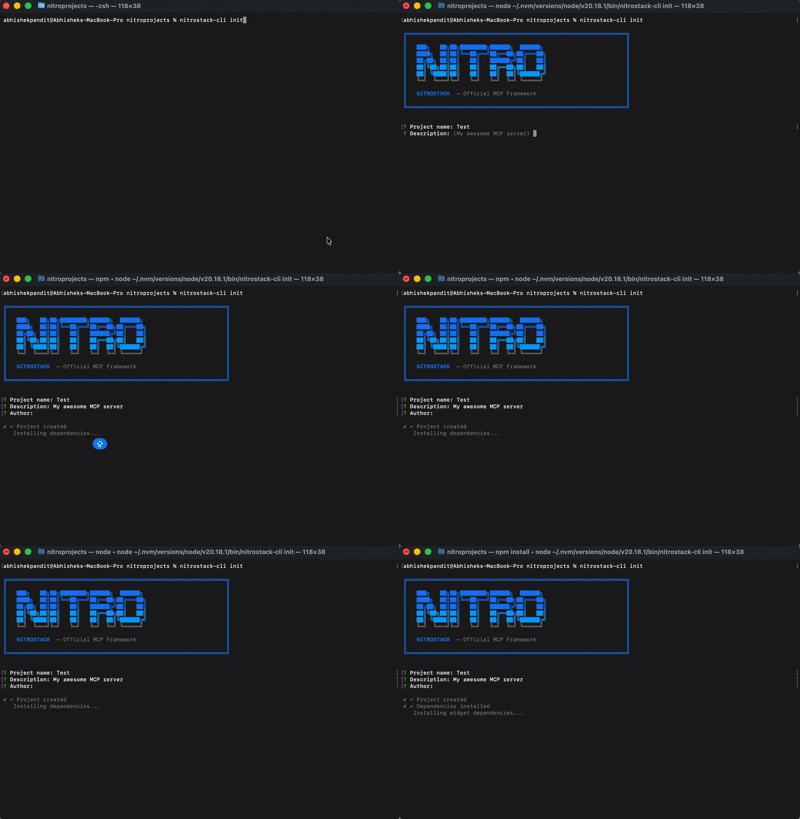
2. Start developing
cd my-server
npm install
npm run dev
Your MCP server is running. Connect it to any MCP-compatible client.
3. Open in NitroStudio
Once your project is scaffolded, open the same folder in NitroStudio for visual testing and debugging.
- Download: https://nitrostack.ai/studio
- Open your
my-serverproject folder - Use NitroStudio to test tools, inspect payloads, and chat with your MCP server
Why NitroStack?
Building MCP servers today means stitching together boilerplate, reinventing authentication, and hoping your tooling scales. NitroStack gives you an opinionated, batteries-included framework so you can focus on what your server actually does.
- Decorator-driven — Define tools, resources, and prompts with clean, declarative TypeScript decorators
- Dependency injection — First-class DI container with singleton, transient, and scoped lifecycles
- Auth built in — JWT, OAuth 2.1, and API key authentication out of the box
- Middleware pipeline — Guards, interceptors, pipes, and exception filters just like enterprise backends
- UI Widgets — Attach React components to tool outputs for rich, interactive responses
- Zod validation — End-to-end type safety from schema to runtime
- NitroStudio — A dedicated desktop app for testing, debugging, and chatting with your server
See It in Action
import { McpApp, Module, ToolDecorator as Tool, z, ExecutionContext } from '@nitrostack/core';

@McpApp({
  module: AppModule,
  server: { name: 'my-server', version: '1.0.0' }
})
@Module({ imports: [] })
export class AppModule {}

export class SearchTools {
  @Tool({
    name: 'search_products',
    description: 'Search the product catalog',
    inputSchema: z.object({
      query: z.string().describe('Search query'),
      maxResults: z.number().default(10)
    })
  })
  @UseGuards(ApiKeyGuard)
  @Cache({ ttl: 300 })
  @Widget('product-grid')
  async search(input: { query: string; maxResults: number }, ctx: ExecutionContext) {
    ctx.logger.info('Searching products', { query: input.query });
    return this.productService.search(input.query, input.maxResults);
  }
}
One decorator stack gives you: API definition + validation + auth + caching + UI — zero boilerplate.
Ecosystem
NitroStack is modular. Install only what you need:
The implementation workspace for NitroStack packages lives in typescript/.
| Package | What it does | Install |
|---|---|---|
@nitrostack/core | The framework — decorators, DI, server runtime | npm i @nitrostack/core |
@nitrostack/cli | Scaffolding, dev server, code generators | npm i -g @nitrostack/cli |
@nitrostack/widgets | React SDK for interactive tool output UIs | npm i @nitrostack/widgets |
NitroStudio
NitroStudio is a desktop app purpose-built for developing MCP servers. Open your project folder — it handles the dev server for you.
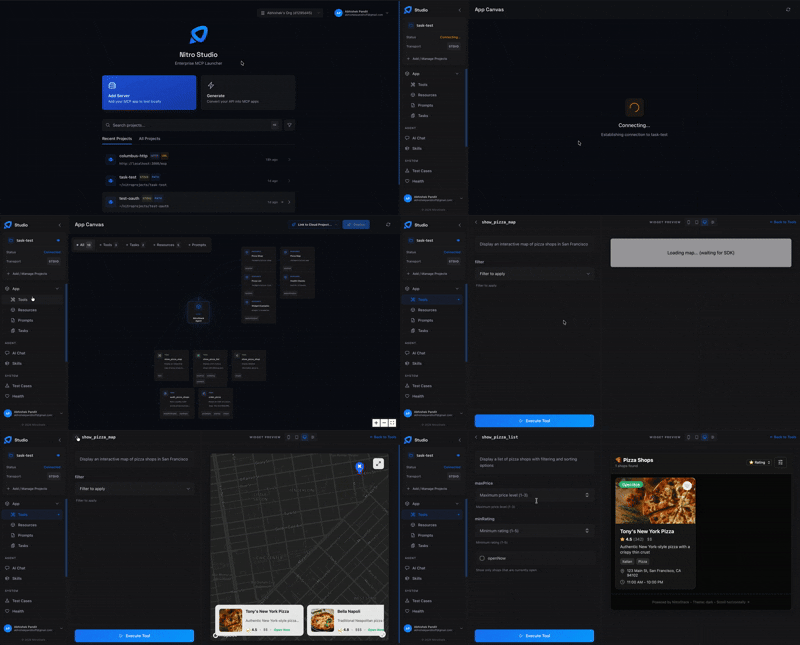
|
Real-time tool testing Execute tools, inspect payloads, and debug request/response cycles.
|
Built-in AI chat Talk to your MCP server through an integrated AI assistant.
|
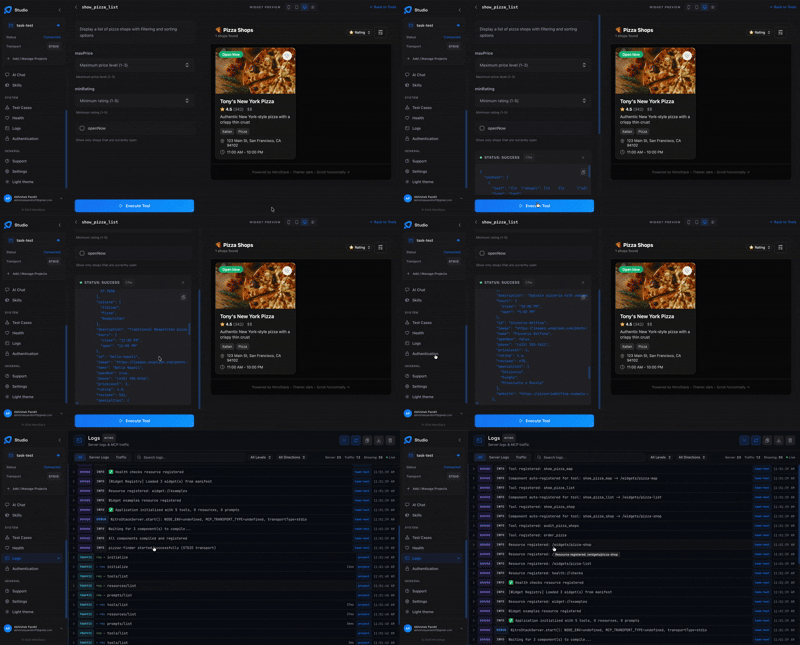
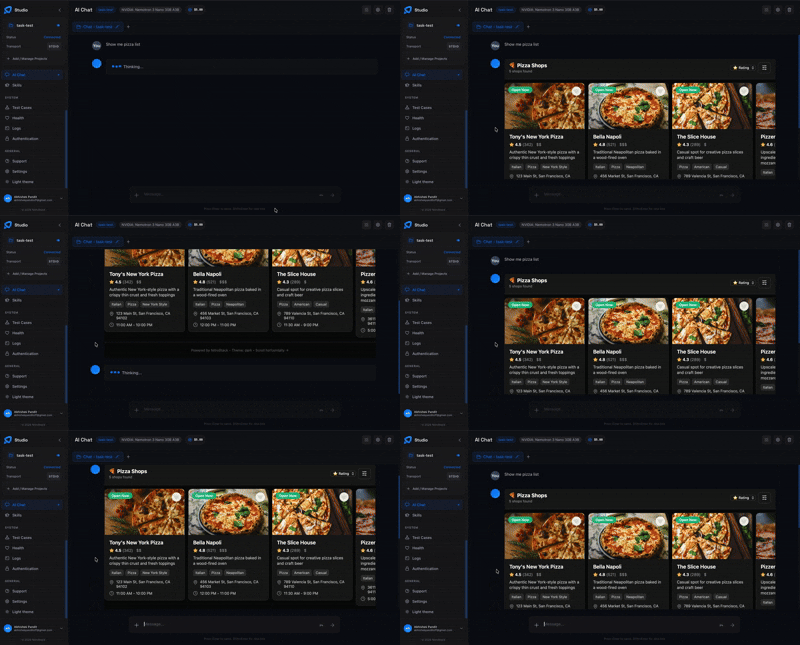
- Widget preview — Instantly visualize your interactive UI components
- Hot reload — Changes reflect in real time as you develop
Documentation
| Resource | Description |
|---|---|
| Getting Started | Installation, quick start, and first project |
| Server Concepts | Modules, DI, and architecture deep dive |
| Tools Guide | Defining tools, validation, annotations |
| Widgets Guide | Building interactive UI components |
| Authentication | JWT, OAuth 2.1, API key setup |
| CLI Reference | All CLI commands and options |
| Deployment | Production checklist, Docker, cloud platforms |
Community
- Discord — Ask questions, share projects, get help
- GitHub Discussions — Proposals, ideas, and Q&A
- Twitter / X — Announcements and updates
- YouTube — Product demos and walkthroughs
- LinkedIn — Company news and updates
- GitHub — Organization profile and open-source work
- Blog — Tutorials, deep dives, and release notes
Contributing
We welcome contributions of all kinds — bug fixes, features, docs, and ideas. Read the Contributing Guide to get started.
Looking for a place to begin? Check out issues labeled good first issue.
Contributors
License
NitroStack is open-source software licensed under the Apache License 2.0.