nvim-gemini-companion
🚀 Now with Dual Agent Support (Gemini & Qwen)! 🤖
nvim-gemini-companion brings the power of AI agents like Gemini and Qwen directly into your Neovim workflow. 🌟 Enjoy seamless diff views, agent management, and smart file modifications without leaving your editor. Inspired by the vscode-gemini-companion extension
Unlike other Gemini plugins for Neovim, nvim-gemini-companion is built around the MCP backend, which keeps your editor session tightly integrated with your IDE for much better experience ✨
https://github.com/user-attachments/assets/90370aa6-1ae2-477c-8529-0f26e32bdff8
🚀 Quick Start
Pre-requisites
Install any or both CLI tools and ensure they're in your system's PATH:
Installation
Install with your favorite plugin manager:
{
  "gutsavgupta/nvim-gemini-companion",
  dependencies = { "nvim-lua/plenary.nvim" },
  event = "VeryLazy",
  config = function()
    require("gemini").setup()
  end,
  keys = {
    { "<leader>gg", "<cmd>GeminiToggle<cr>", desc = "Toggle Gemini sidebar" },
    { "<leader>gc", "<cmd>GeminiSwitchToCli<cr>", desc = "Spawn or switch to AI session" },
    { '<leader>gS', '<cmd>GeminiSend<cr>', mode = { 'x' }, desc = 'Send selection to Gemini' },

  }
}
🛠️ Essential Commands & Features
Core Commands
:GeminiToggle- Toggle the AI sidebar:GeminiSwitchToCli- Spawn or Switch to tmux/sidebar sessions:GeminiSend- Send selected text to AI (use in visual mode):GeminiSendLineDiagnostic- Send line diagnostics to AI:GeminiSendFileDiagnostic- Send file diagnostics to AI:GeminiSwitchSidebarStyle- Switch the appearance/style of the sidebar
Sidebar Terminal Switching
When multiple commands are configured (e.g., both gemini and qwen), you can switch between active sidebar terminals using default key mappings:
<M-]>- Switch to the next active terminal (Alt + ])<M-[>- Switch to the previous active terminal (Alt + [)
To customize these key bindings, you can override the default mappings in your setup function:
require("gemini").setup({
  cmds = { "gemini", "qwen" },
  -- Override default key mappings
  on_buf = function(buf)
    -- Add your own custom mappings
    vim.api.nvim_buf_set_keymap(buf, 't', '<Tab>',
      '<Cmd>lua require("gemini.ideSidebar").switchSidebar()<CR>',
      { noremap = true, silent = true }
    )
    vim.api.nvim_buf_set_keymap(buf, 't', '<S-Tab>',
      '<Cmd>lua require("gemini.ideSidebar").switchSidebar("prev")<CR>',
      { noremap = true, silent = true }
    )
  end
})
Note: Be aware that <Tab> and <S-Tab> may already be mapped to other functionality by the Gemini/Qwen CLIs themselves, so using these keys for terminal switching might interfere with their built-in features. Consider using alternative key bindings such as <C-Tab> and <C-S-Tab> or the default Alt-based mappings instead.
Diff Management
When AI suggests changes, you can:
:wor:wq- Accept changes:qor:q!- Reject changes:GeminiAccept/:GeminiReject- Plugin-specific commands
Tmux Integration (Optional)
Run AI agents in persistent tmux sessions:
:GeminiSwitchToCli tmux gemini- Use Gemini in tmux:GeminiSwitchToCli sidebar qwen- Use Qwen in sidebar
🎛️ Customization Options
Sidebar Styles
Choose from multiple sidebar presets:
require("gemini").setup({
  win = {
    preset = "floating",  -- Options: "right-fixed", "left-fixed", "bottom-fixed", "floating"
    width = 0.8,
    height = 0.8,
  }
})
Multi-Agent Support
Configure which agents to use:
require("gemini").setup({
  cmds = { "gemini", "qwen" },  -- Use both
  -- or
  cmds = { "gemini" },  -- Use only Gemini
})
⚙️ Advanced Configuration
Enhanced Picker Integration
Replace default selection UI with fzf-lua/telescope:
-- For fzf-lua integration
vim.ui.select = function(items, opts, onChoice)
  require('fzf-lua').fzf_exec(items, {
    prompt = opts.prompt or 'Select from items',
    actions = {
      ['default'] = function(selected) onChoice(selected[1]) end,
    },
    winopts = { height = math.min(0.2 + #items * 0.05, 0.6) },
  })
end
Key Mappings for Quick Access
keys = {
  { "<leader>g1", "<cmd>GeminiSwitchToCli tmux gemini<cr>", desc = "Tmux Gemini" },
  { "<leader>g2", "<cmd>GeminiSwitchToCli tmux qwen<cr>", desc = "Tmux Qwen" },
  { "<leader>gs", "<cmd>GeminiSwitchSidebarStyle<cr>", desc = "Switch sidebar style" },
}
📸 Screenshots
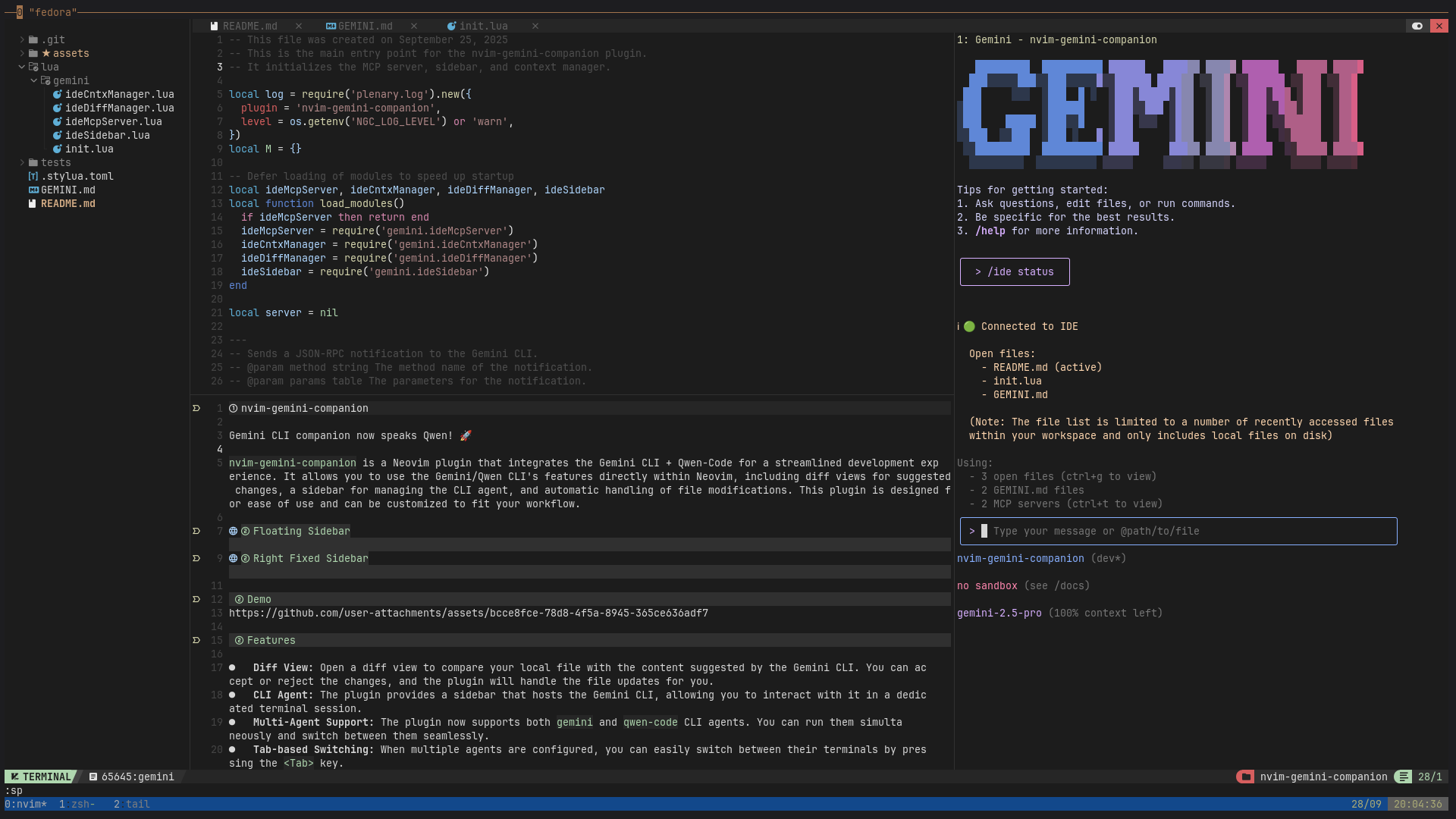
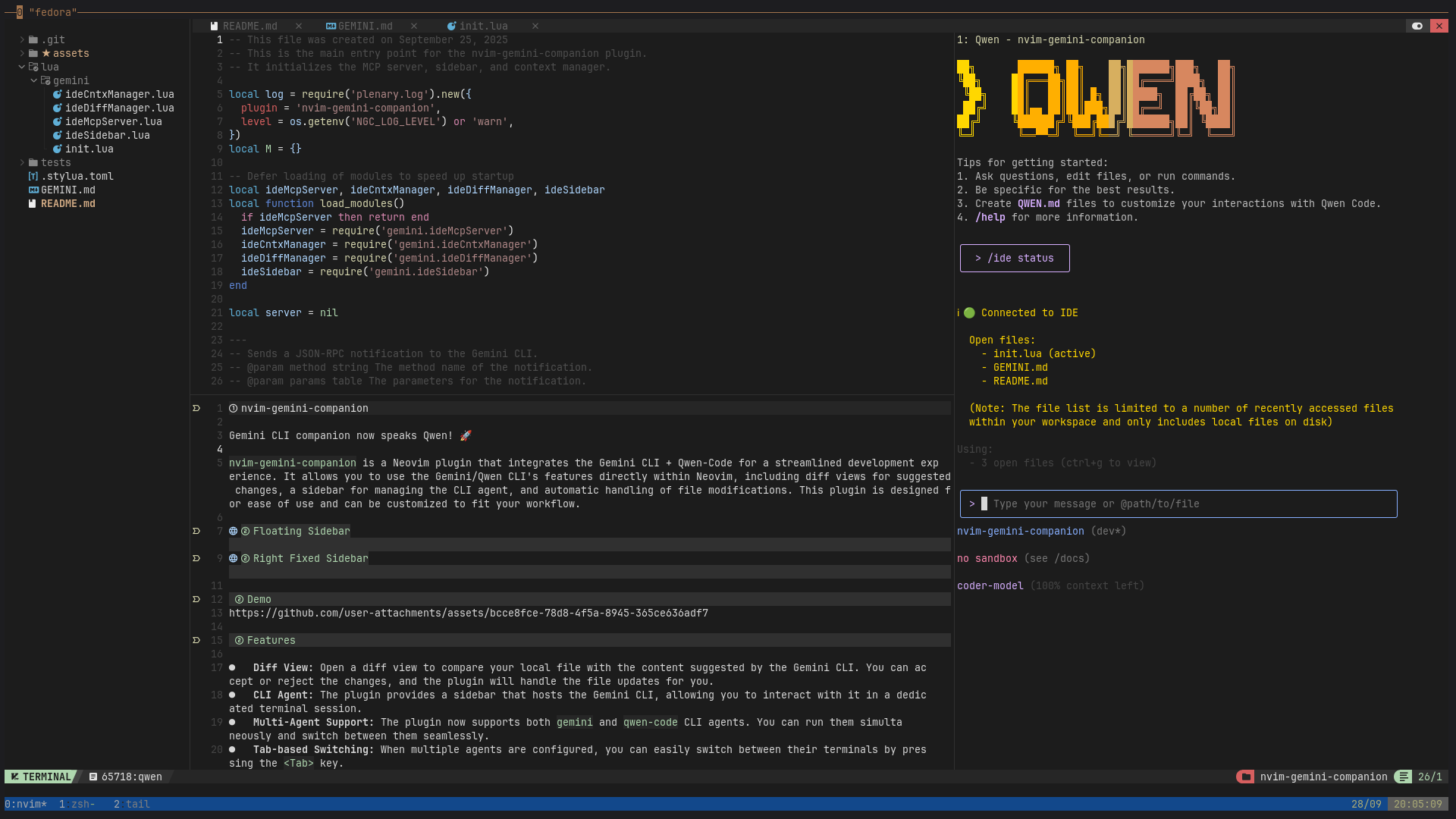
✨ Key Features
- Diff Control: Auto diff views, accept or reject suggestions directly from vim using
:wqor:q. - CLI Agent: Dedicated terminal session for interacting with AI agents
- Multi-Agent Support: Run both
geminiandqwen-codeagents simultaneously - Tmux Integration: Persistent sessions with state across nvim restarts
- Context Management: Tracks open files, cursor position, and selections for AI context
- LSP Diagnostics: Send file/line diagnostics to AI agents for enhanced debugging
- Visual Selection: Send selected text + prompt directly to AI agents using
:GeminiSend - Flexible Sidebar: Choose between
right-fixed,left-fixed,bottom-fixed, orfloatingstyles - Highly Customizable: Configure commands, window styles, and key bindings to your liking
🔧 For Developers
Run tests with:
XDG_CONFIG_HOME=./tests nvim --headless -c "PlenaryBustedDirectory tests"
🔄 Roadmap
- Amazon-cli agent
- More cli-agents (similar to gemini-cli or forked versions)
- ACP Protocol: Implement ACP protocol support for deeper integration.