Octopoda
The open-source memory operating system for AI agents.
Give your agents persistent memory, loop detection, audit trails, and real-time observability. Everything works automatically once you create an agent.




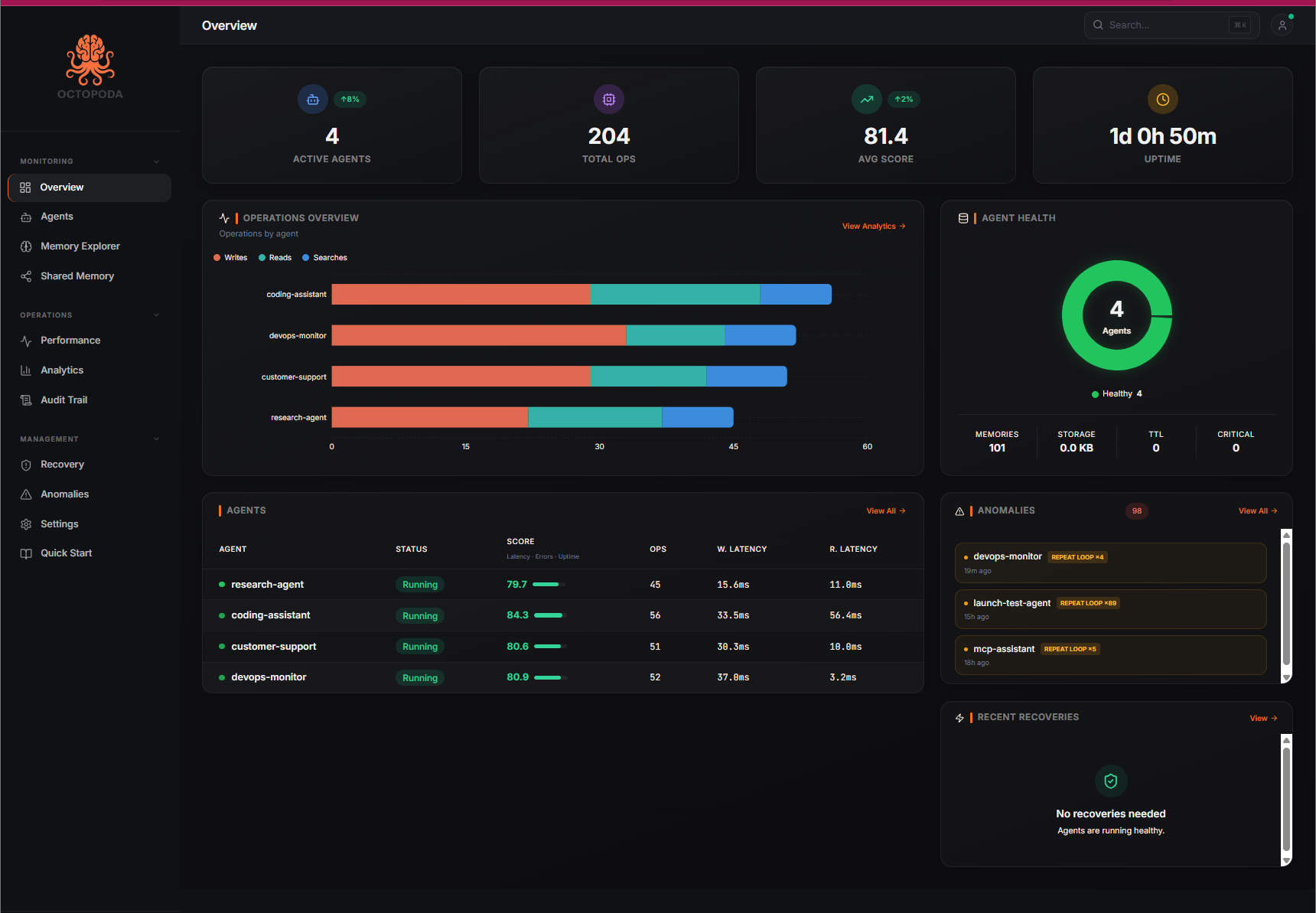
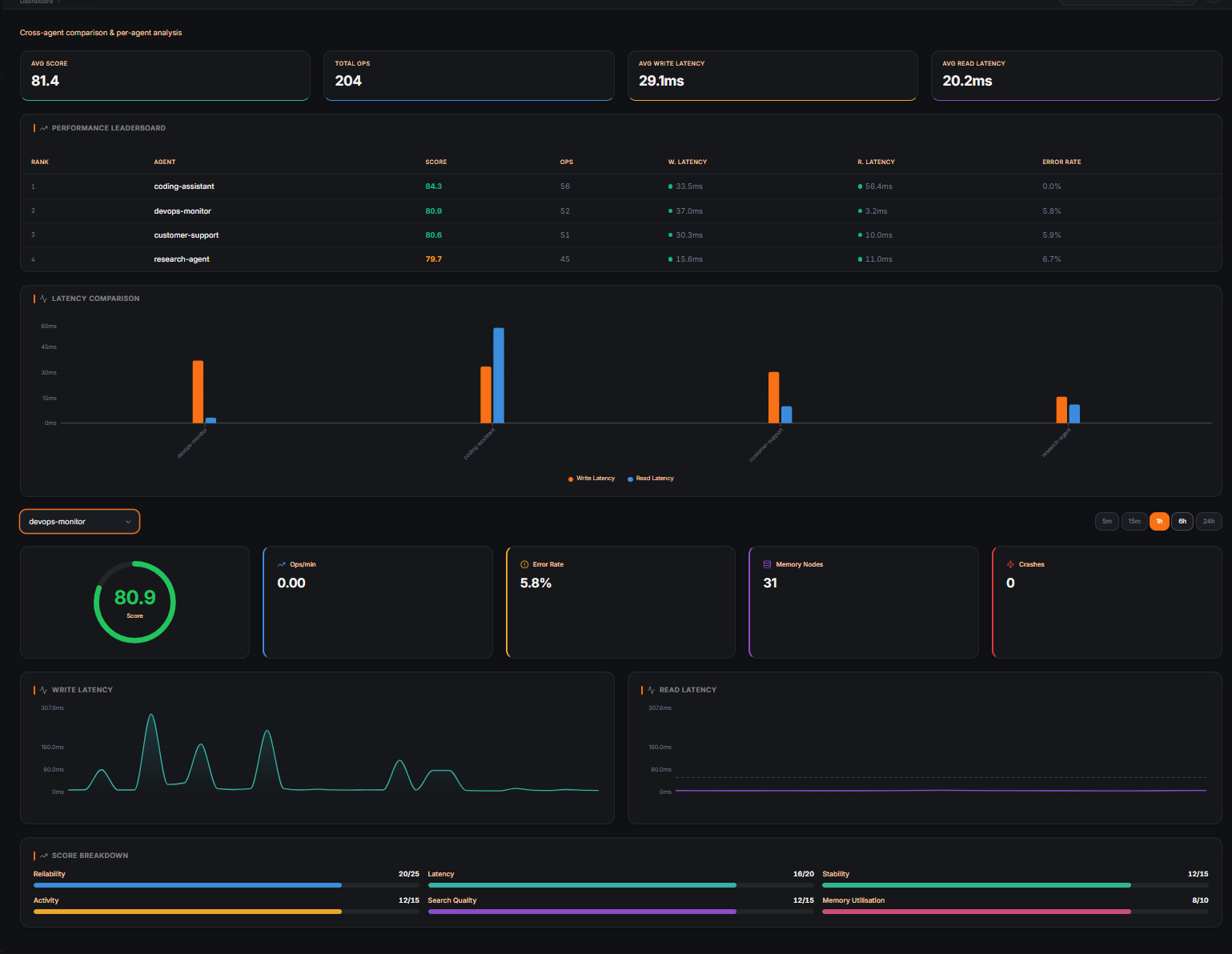
Track latency, error rates, memory usage, and health scores per agent.
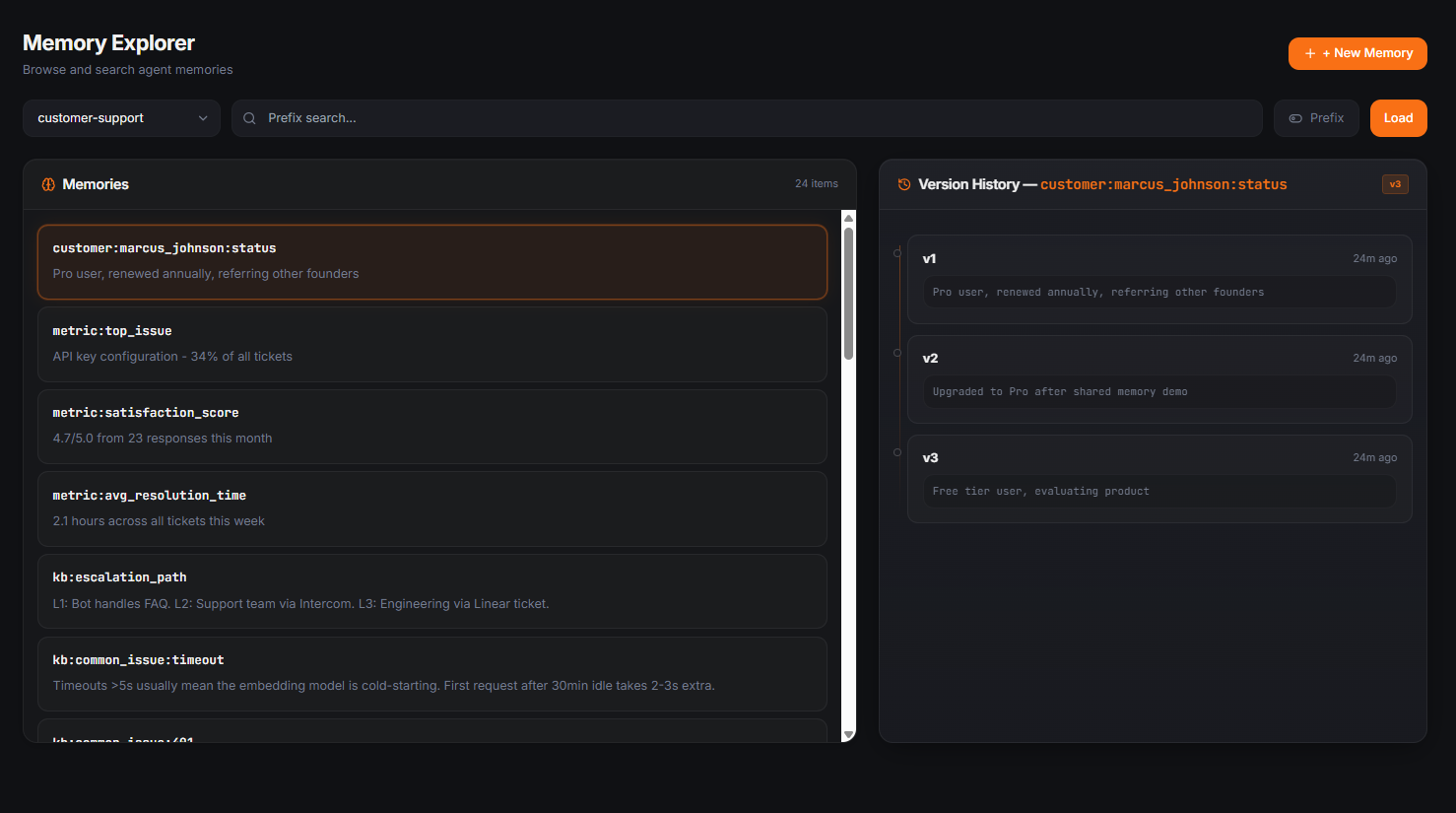
Browse every memory, inspect version history, and see exactly how an agent's knowledge changed over time.
Quick Start
pip install octopoda
from octopoda import AgentRuntime

agent = AgentRuntime("my_agent")
That's it. Your agent now has persistent memory, loop detection, crash recovery, and an audit trail. Everything runs automatically in the background. Memory survives restarts, crashes, and deployments.
Store and retrieve memories when you need to:
agent.remember("key", "value")
agent.recall("key")
Want the cloud dashboard? Just add an API key:
export OCTOPODA_API_KEY=sk-octopoda-... # Free at octopodas.com
Same code, now with real-time monitoring, semantic search, and multi-agent observability.
What You Get Out of the Box
When you create an AgentRuntime, all of this is handled for you automatically:
- Persistent memory — everything your agent stores survives restarts and crashes
- Loop detection — catches agents stuck in repetitive patterns before they burn tokens
- Audit trail — every decision, every write, every action is logged
- Crash recovery — automatic heartbeat monitoring with snapshot/restore
- Health scoring — continuous monitoring of memory quality and agent performance
- Heartbeats — background thread tracks agent liveness
You don't need to configure any of this. It just works.
When You Need More Control
Everything below is optional. Use it when you need it.
Semantic Search
Find memories by meaning, not just exact keys.
agent.remember("bio", "Alice is a vegetarian living in London")
results = agent.recall_similar("what does the user eat?")
# Returns the right memory with a similarity score
Agent Messaging
Agents can talk to each other through shared inboxes.
agent_a.send_message("agent_b", "Found a bug in auth", message_type="alert")
messages = agent_b.read_messages(unread_only=True)
Goal Tracking
Set goals and track progress. Integrates with drift detection.
agent.set_goal("Migrate to PostgreSQL", milestones=["Backup", "Schema", "Migrate", "Validate"])
agent.update_progress(milestone_index=0, note="Backup done")
Memory Management
agent.forget("outdated_config")       # Delete specific memories
agent.forget_stale(days=30)           # Clean up old memories
agent.consolidate()                   # Merge duplicates
agent.memory_health()                 # Get a health report
Snapshots
agent.snapshot("before_migration")
# ... something goes wrong ...
agent.restore("before_migration")
Shared Memory
Multiple agents can share knowledge with conflict detection.
agent_a.share("research_pool", "analysis", {"findings": "..."})
data = agent_b.read_shared("research_pool", "analysis")
Export / Import
bundle = agent.export_memories()
new_agent.import_memories(bundle)
Framework Integrations
Works with the frameworks you already use. Just swap in Octopoda and your agents get persistent memory.
# LangChain
from synrix_runtime.integrations.langchain_memory import SynrixMemory
memory = SynrixMemory(agent_id="my_chain")

# CrewAI
from synrix_runtime.integrations.crewai_memory import SynrixCrewMemory
crew_memory = SynrixCrewMemory(crew_id="research_crew")

# AutoGen
from synrix_runtime.integrations.autogen_memory import SynrixAutoGenMemory
memory = SynrixAutoGenMemory(group_id="dev_team")

# OpenAI Agents SDK
from synrix.integrations.openai_agents import octopoda_tools
tools = octopoda_tools("my_agent")
MCP Server
Give Claude, Cursor, or any MCP-compatible AI persistent memory with zero code.
pip install octopoda[mcp]
Add to your Claude Desktop config (claude_desktop_config.json):
{
  "mcpServers": {
    "octopoda": {
      "command": "octopoda-mcp"
    }
  }
}
25 tools for memory, search, loop detection, goals, messaging, and more.
Cloud
Sign up free at octopodas.com for the dashboard, managed hosting, and cloud API.
export OCTOPODA_API_KEY=sk-octopoda-...
Or run octopoda-login to sign up from your terminal.
from octopoda import Octopoda

client = Octopoda()
agent = client.agent("my_agent")
agent.write("preference", "dark mode")
results = agent.search("user preferences")
| Free | Pro ($19/mo) | Business ($79/mo) | |
|---|---|---|---|
| Agents | 5 | 25 | 75 |
| Memories | 5,000 | 250,000 | 1,000,000 |
| AI extractions | 100 | 100 + own key | 100 + own key |
| Rate limit | 60 rpm | 300 rpm | 1,000 rpm |
| Dashboard | Yes | Yes | Yes |
How It Compares
| Octopoda | Mem0 | Zep | LangChain Memory | |
|---|---|---|---|---|
| Open source | MIT | Apache 2.0 | Partial (CE) | MIT |
| Local-first | Yes (SQLite) | Cloud-first | Cloud-first | In-process |
| Loop detection | 5-signal engine | No | No | No |
| Agent messaging | Built-in | No | No | No |
| Audit trail | Full history | No | No | No |
| Crash recovery | Snapshots + restore | N/A | No | No |
| Shared memory | Built-in | No | No | No |
| MCP server | 25 tools | No | No | No |
| Semantic search | Local embeddings | Cloud embeddings | Cloud embeddings | Needs vector DB |
| Integrations | LangChain, CrewAI, AutoGen, OpenAI | LangChain | LangChain | Own only |
Installation
pip install octopoda              # Core — everything you need to get started
pip install octopoda[ai]          # + Local embeddings for semantic search
pip install octopoda[nlp]         # + spaCy for knowledge graph extraction
pip install octopoda[mcp]         # + MCP server for Claude/Cursor
pip install octopoda[all]         # Everything
Configuration
| Variable | Default | Description |
|---|---|---|
OCTOPODA_API_KEY | Cloud API key (free at octopodas.com) | |
OCTOPODA_LLM_PROVIDER | none | LLM for fact extraction: openai, anthropic, ollama |
OCTOPODA_OPENAI_API_KEY | Your OpenAI key for local fact extraction | |
OCTOPODA_EMBEDDING_MODEL | BAAI/bge-small-en-v1.5 | Local embedding model (33MB, CPU) |
SYNRIX_DATA_DIR | ~/.synrix/data | Local data directory |
Contributing
See CONTRIBUTING.md for setup instructions and guidelines.
Security
See SECURITY.md for reporting vulnerabilities.
License
MIT — use it however you want. See LICENSE.
Built by RYJOX Technologies | PyPI | Cloud API | Dashboard