
MCP Comet
Turn Perplexity Comet into a production-grade MCP research engine


7 modes · 13 tools · zero-friction setup · full browser control
Table of Contents
- Why MCP Comet
- Demo
- Quick Start
- Research Modes
- Toolset at a Glance
- Agent Workflows
- CLI Power Ops
- Architecture
- Configuration
- Compatibility
- Contributing
- License
Why MCP Comet
MCP Comet gives your agent more than a chat box. It gives your agent a complete research cockpit.
- Run high-quality web research in Comet directly from MCP clients.
- Switch between 7 purpose-built research modes instantly.
- Pull sources, screenshots, conversations, tabs, and full page content.
- Stay resilient with auto-connect, reconnect logic, and selector fallback strategies.
[!NOTE] If your workflow is "ask, verify, cite, and iterate", this is the server built for it.
Demo
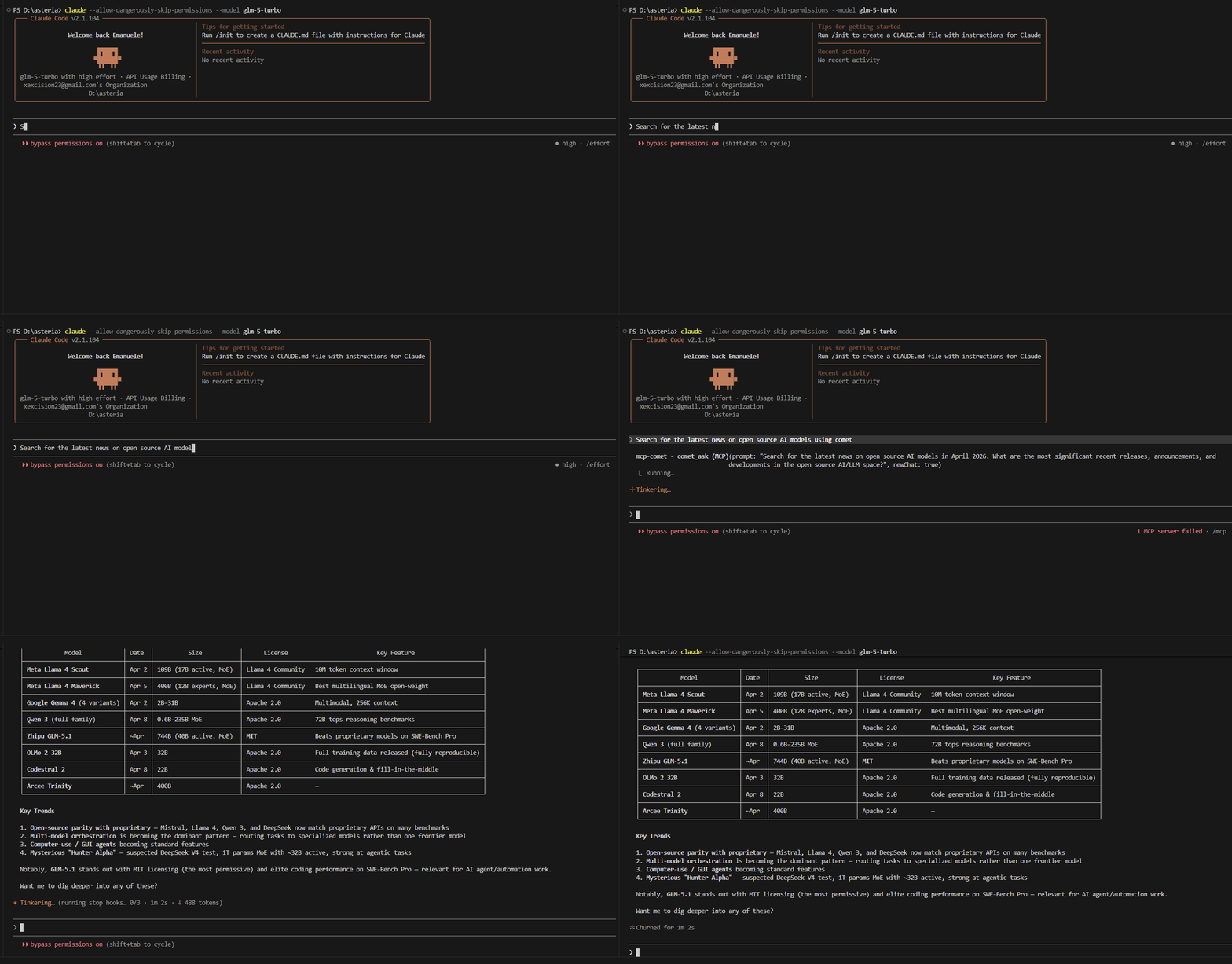
Quick Start
Prerequisites
- Node.js >= 18
- Perplexity Comet installed
[!TIP] Run
mcp-comet detectto verify your setup before configuring.
Install
Option 1: Global install (recommended)
npm install -g @onestepat4time/mcp-comet
Option 2: Run without install
npx -y @onestepat4time/mcp-comet
Option 3: Local development
git clone https://github.com/OneStepAt4time/mcp-comet.git
cd mcp-comet
npm ci
npm run build
Configure
Add MCP Comet to your MCP client config.
Claude Desktop (~/.claude/claude_desktop_config.json):
{
  "mcpServers": {
    "mcp-comet": {
      "type": "stdio",
      "command": "mcp-comet",
      "args": ["start"]
    }
  }
}
Cursor (~/.cursor/mcp.json):
{
  "mcpServers": {
    "mcp-comet": {
      "type": "stdio",
      "command": "mcp-comet",
      "args": ["start"]
    }
  }
}
First Query
Prompt your agent with something like:
Use Comet in deep-research mode to analyze the global battery supply chain in 2026. Return a structured summary with all cited sources.
Your agent can chain comet_mode, comet_ask, comet_wait, and comet_get_sources automatically.
Research Modes
Choose the mode that matches the job.
| Mode | Description | Example |
|---|---|---|
standard | Fast factual lookups | "What is the latest CPI reading for Canada?" |
deep-research | Multi-source investigations | "Map the 2026 AI chip supply chain and major risks." |
model-council | Multi-perspective reasoning | "Debate arguments for and against UBI with tradeoffs." |
create | Drafting and ideation | "Draft a technical explainer on WebAssembly in edge runtimes." |
learn | Guided teaching | "Teach me B-trees step by step with examples." |
review | Critical analysis | "Review this API design for security and reliability gaps." |
computer | Browser-interactive tasks | "Open arXiv and find the newest papers on retrieval augmentation." |
CLI example:
mcp-comet call comet_mode '{"mode":"deep-research"}'
mcp-comet call comet_ask '{"prompt":"Analyze current fusion startups by funding and milestones"}'
mcp-comet call comet_wait
mcp-comet call comet_get_sources
Toolset at a Glance
Session
| Tool | Description |
|---|---|
comet_connect | Connects to Comet or launches it |
comet_poll | Returns live status and partial progress |
comet_wait | Waits for completion and returns the full response |
comet_stop | Stops a running task |
Query
| Tool | What It Does |
|---|---|
comet_ask | Sends a prompt to Comet |
comet_mode | Gets or switches active research mode |
Content
| Tool | What It Does |
|---|---|
comet_screenshot | Captures PNG/JPEG screenshots |
comet_get_sources | Extracts references, including collapsed citations |
comet_get_page_content | Extracts page title and readable text |
Navigation
| Tool | What It Does |
|---|---|
comet_list_tabs | Lists tabs by category |
comet_switch_tab | Jumps to a tab by id or title |
comet_list_conversations | Lists sidebar conversations |
comet_open_conversation | Opens a specific conversation |
Full reference: docs/tools.md
Agent Workflows
| Goal | Flow |
|---|---|
| Deep research with citations | comet_connect -> comet_mode(deep-research) -> comet_ask -> comet_wait -> comet_get_sources |
| Multi-perspective debate | comet_mode(model-council) -> comet_ask -> comet_wait |
| Visual evidence capture | comet_screenshot -> pass image into your vision-capable model |
| Resume old investigations | comet_list_conversations -> comet_open_conversation -> comet_get_page_content |
CLI Power Ops
Install globally:
npm install -g @onestepat4time/mcp-comet
Use directly:
# connectivity and diagnostics
mcp-comet detect
mcp-comet call comet_connect

# ask + wait pattern
mcp-comet call comet_ask '{"prompt":"What are the top AI safety papers this week?"}'
mcp-comet call comet_wait

# source extraction
mcp-comet call comet_get_sources
No install option:
npx -y @onestepat4time/mcp-comet
Architecture
MCP Tools
   -> UI Automation
      -> CDP Transport
         -> Perplexity Comet


- Ordered selector strategies tolerate Comet UI changes.
- Automatic version detection selects the correct selector set.
- Auto-reconnect includes health checks with retry backoff.
- Source extraction uses a second pass to expand collapsed citations.
Deep dive: docs/architecture.md
Configuration
Configuration Essentials
Most teams only tune these three:
| Variable | Default | Change It When |
|---|---|---|
COMET_RESPONSE_TIMEOUT | 180000 | comet_wait calls are timing out |
COMET_PATH | auto-detect | Comet is in a non-standard install path |
COMET_LOG_LEVEL | info | You need debug logs |
Config file (mcp-comet.config.json) example:
{
  "responseTimeout": 300000,
  "logLevel": "debug"
}
More options and full env var reference: docs/configuration.md
Compatibility
Compatibility
| Chrome Version | Selector Set | Status |
|---|---|---|
| 145 | v145 | Supported |
Unknown versions fall back to the latest known selector set.
Details and upgrade flow: docs/comet-compatibility.md
Contributing
PRs welcome. For non-trivial changes, please open an issue first to discuss what you'd like to change.
npm run lint && npm test
Full guide: docs/contributing.md