
OpenBrand
Extract any brand from a URL
Try it out at openbrand.sh
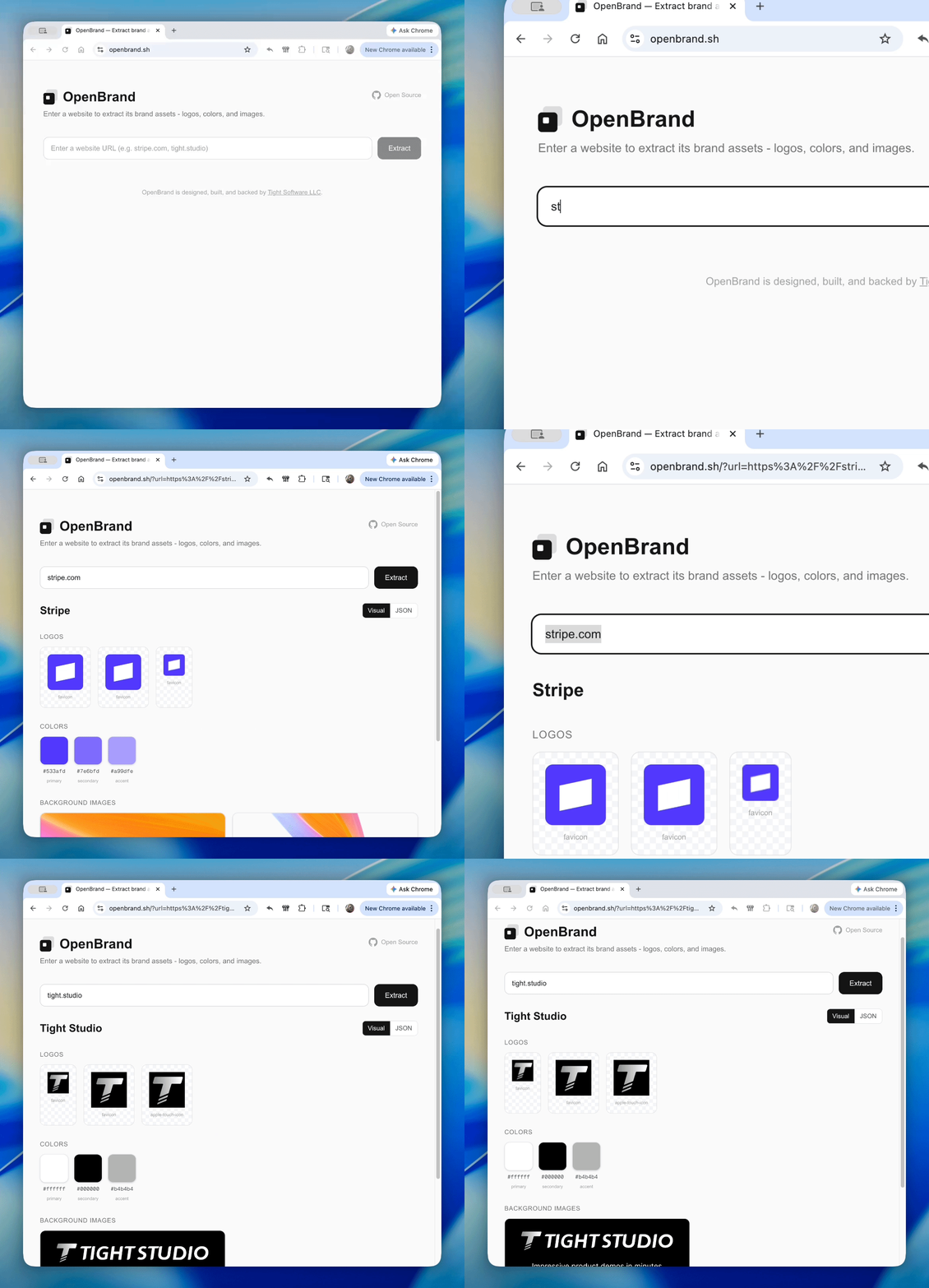
Extract brand assets (logos, colors, backdrops, brand name) from any website URL.
As an npm package
npm add openbrand
import { extractBrandAssets } from "openbrand";

const brand = await extractBrandAssets("https://stripe.com");
// brand.brand_name → "Stripe"
// brand.logos → LogoAsset[]
// brand.colors → ColorAsset[]
// brand.backdrop_images → BackdropAsset[]
Server-side only (requires Node.js/Bun for cheerio and sharp).
As an MCP server
Use OpenBrand as a tool in Claude Code, Cursor, or any MCP-compatible client.
- Install the MCP server (no API key needed to install):
claude mcp add --transport stdio openbrand -- npx -y openbrand-mcp
- Get your API key from openbrand.sh/dashboard and add it:
claude mcp add --transport stdio \
  --env OPENBRAND_API_KEY=your_api_key \
  openbrand -- npx -y openbrand-mcp
Or add to .claude/settings.json:
{
  "mcpServers": {
    "openbrand": {
      "command": "npx",
      "args": ["-y", "openbrand-mcp"],
      "env": {
        "OPENBRAND_API_KEY": "your_api_key"
      }
    }
  }
}
Then ask Claude to "extract brand assets from stripe.com" and it will use the extract_brand_assets tool automatically.
Self-hosting the web app
git clone https://github.com/ethanjyx/openbrand.git
cd openbrand
bun install
bun dev
No environment variables required. Open http://localhost:3000.
What it extracts
- Logos — favicons, apple-touch-icons, header/nav logos, inline SVGs (with dimension probing)
- Brand colors — from theme-color meta tags, manifest.json, and dominant colors from logo imagery
- Backdrop images — og:image, CSS backgrounds, hero/banner images
- Brand name — from og:site_name, application-name, logo alt text, page title
Tech stack
Next.js, React, TypeScript, Cheerio, Sharp, Tailwind CSS