
OpenMCP
An all-in-one vscode/trae/cursor plugin for MCP server debugging.

👆 Full Video
openmcp-client
Integrated Inspector + MCP client basic functions, combining development and testing into one.
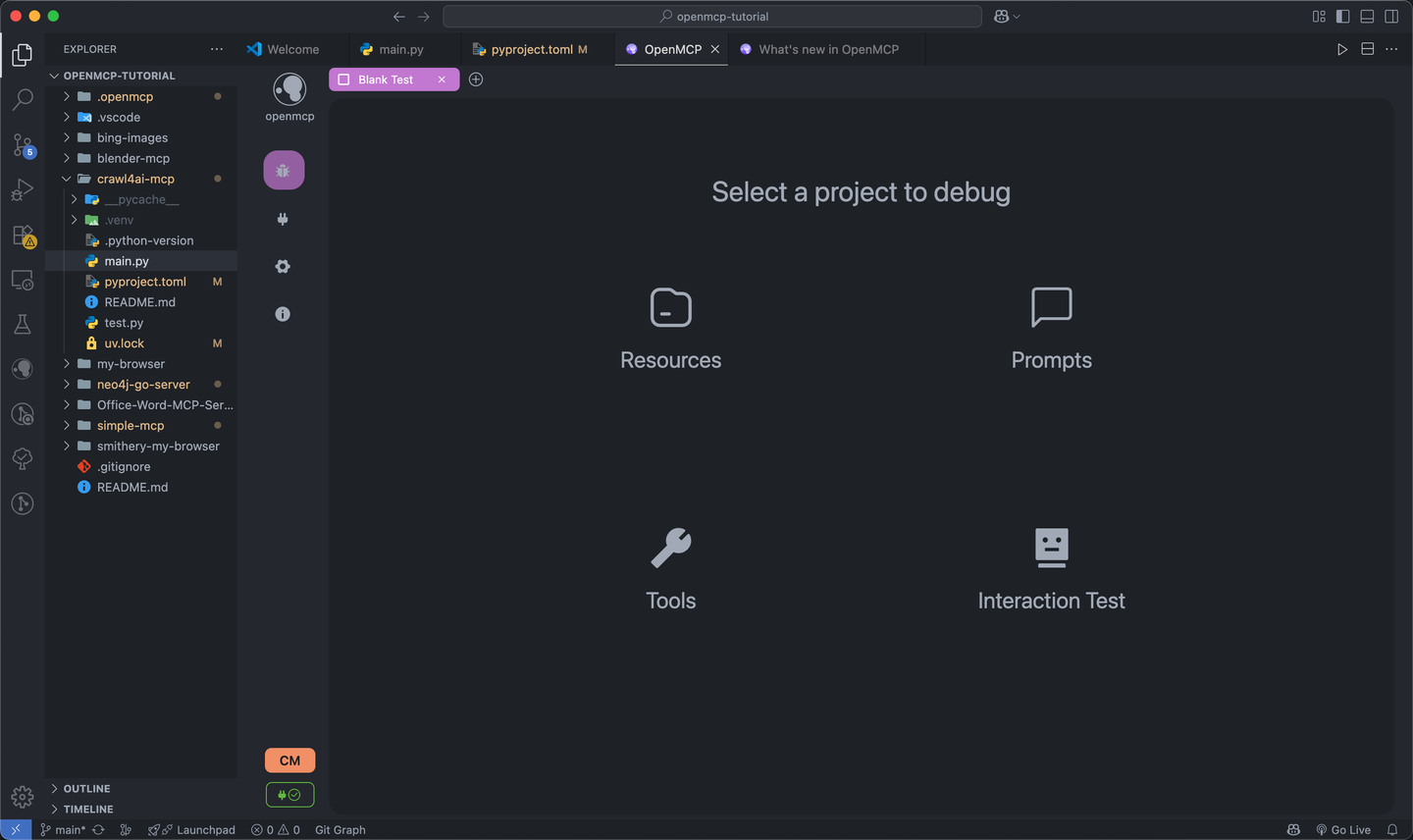
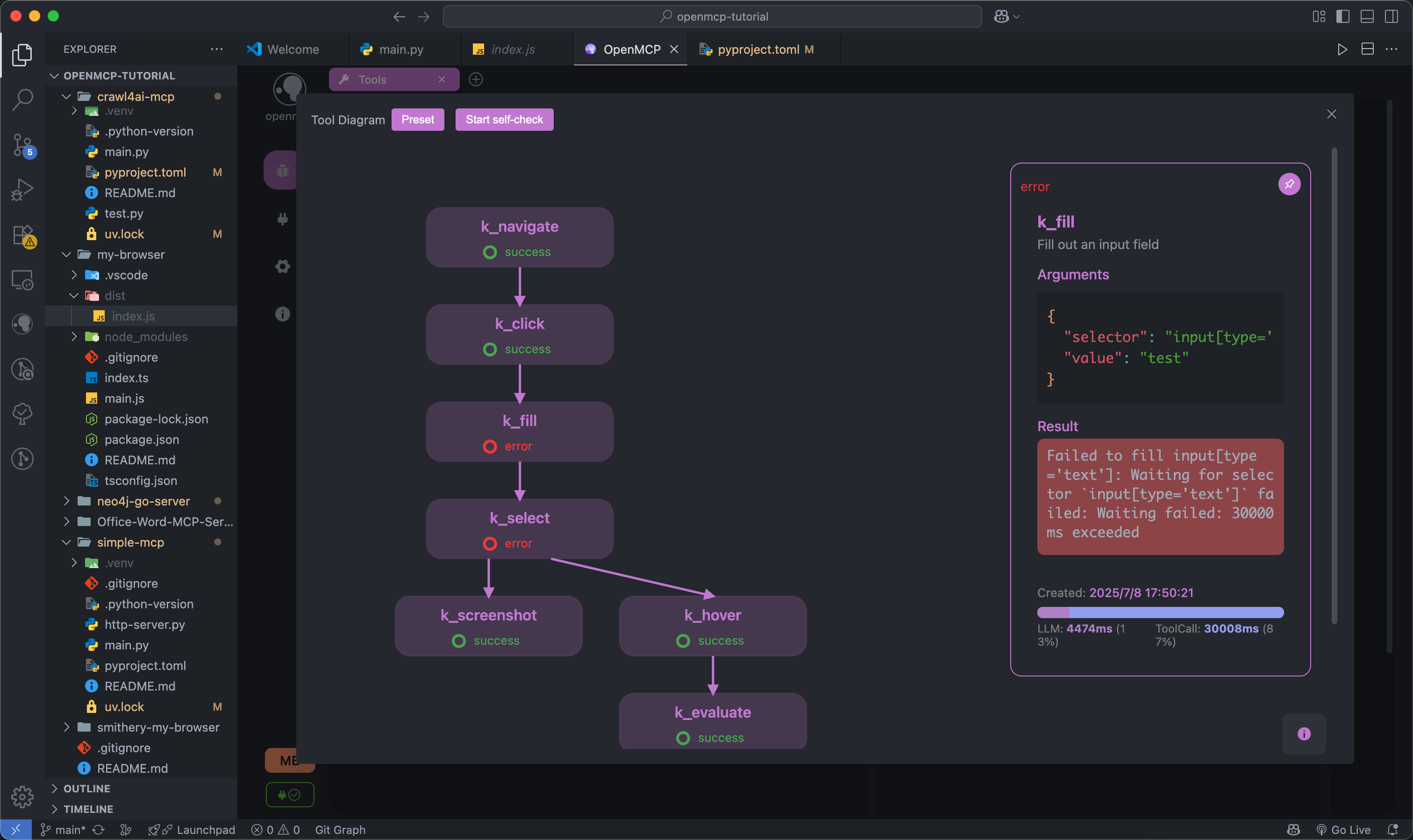
Test mcp tools, prompts and resources with a variety of tools.
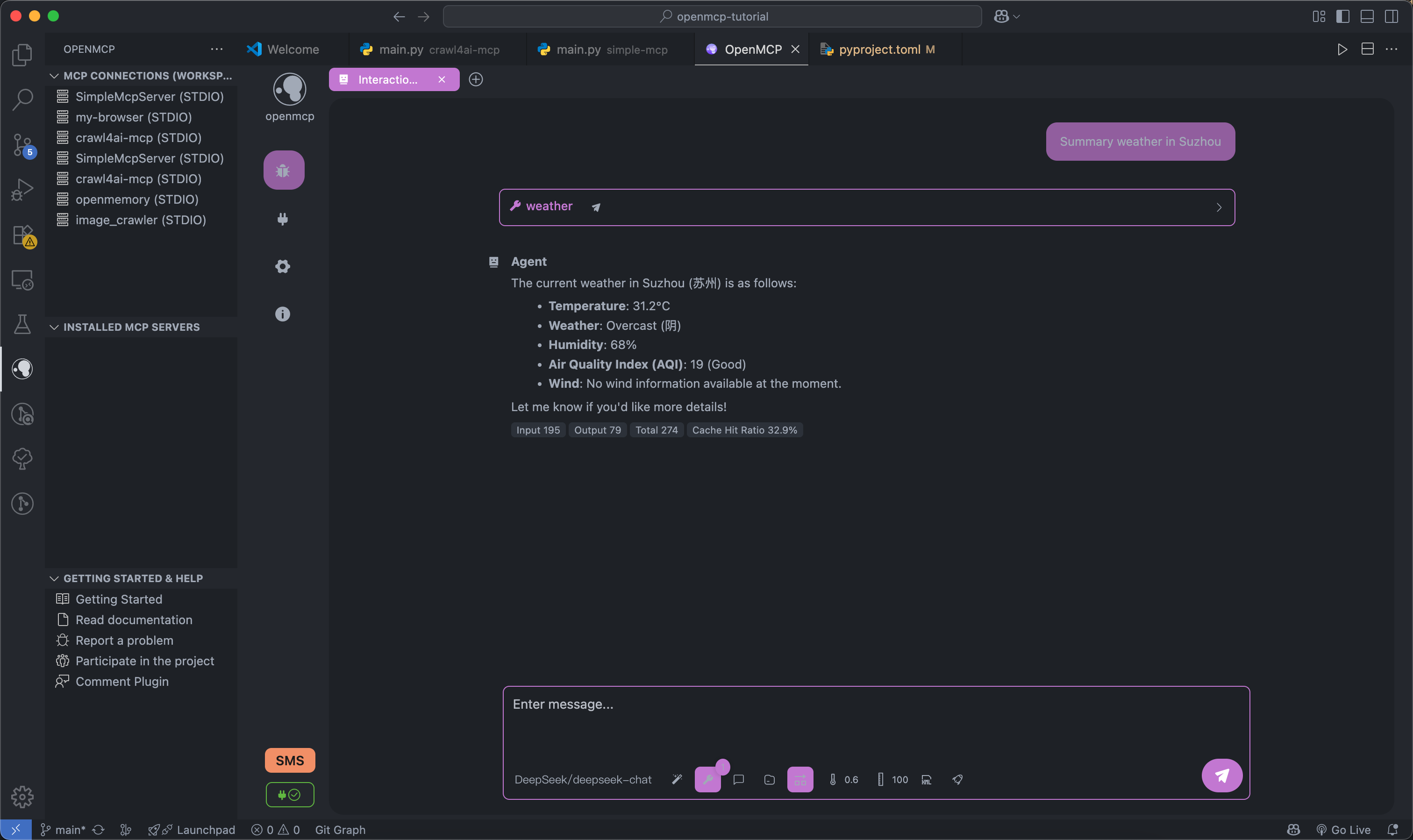
Tested tools can be placed in the "Interactive Testing" module for large model interaction testing.
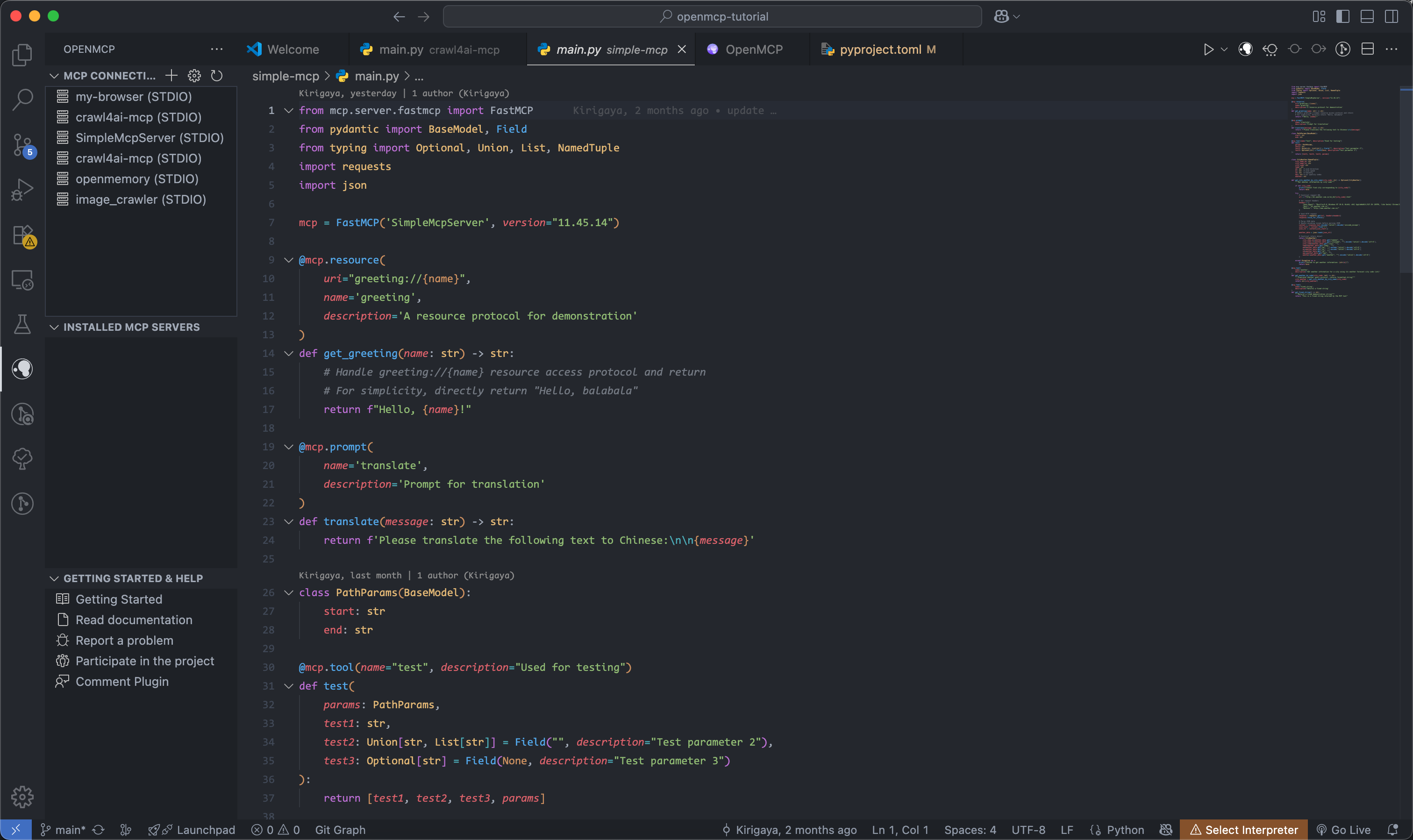
Complete project-level management panel for easier MCP project management at both project and global levels.
Supports multiple large models
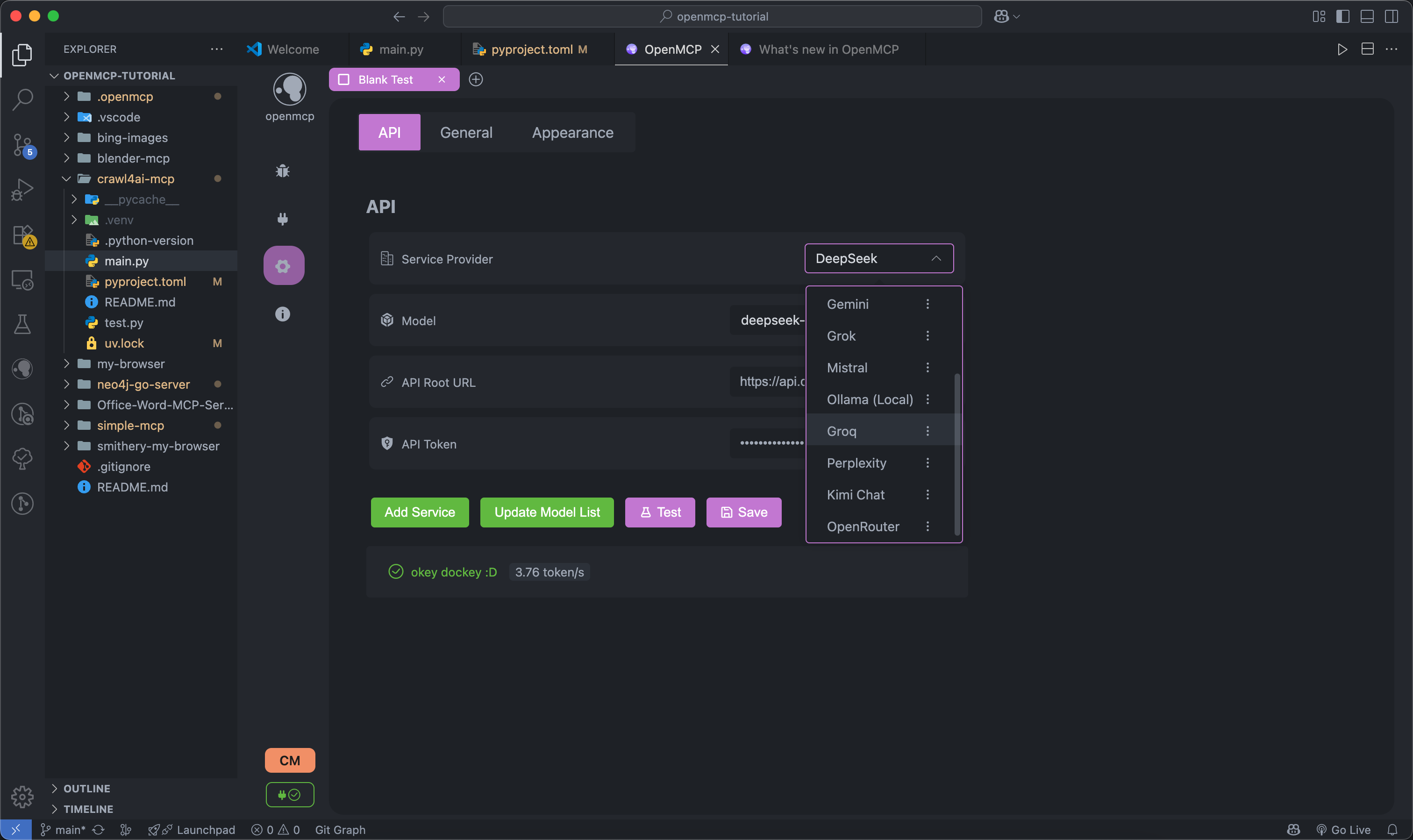
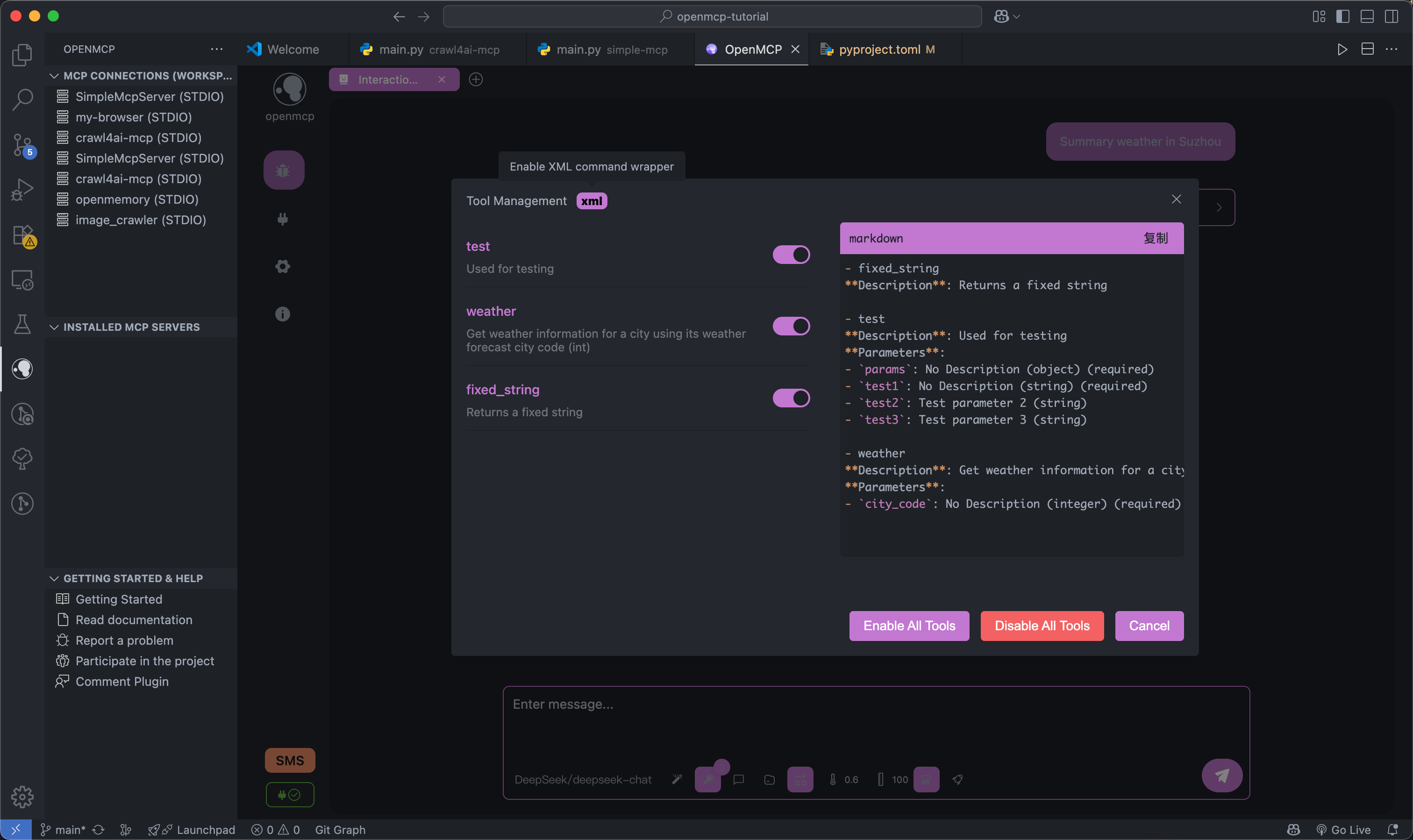
Support XML mode and customized options for your tool selection.
openmcp-sdk
once everything is tested and verified in openmcp-client, you can deploy your mcp as an agent app with openmcp-sdk fastly and easily:
npm install openmcp-sdk
then deploy your agent with just lines of codes
import { OmAgent } from 'openmcp-sdk/service/sdk';

// create Agent
const agent = new OmAgent();

// Load configuration, which can be automatically generated after debugging with openmcp client
agent.loadMcpConfig('./mcpconfig.json');

// Read the debugged prompt
const prompt = await agent.getPrompt('hacknews', { topn: '5' });

// Execute the task
const res = await agent.ainvoke({ messages: prompt });

console.log('⚙️ Agent Response', res);
output
[2025/6/20 20:47:31] 🚀 [crawl4ai-mcp] 1.9.1 connected
[2025/6/20 20:47:35] 🤖 Agent wants to use these tools get_web_markdown
[2025/6/20 20:47:35] 🔧 using tool get_web_markdown
[2025/6/20 20:47:39] ✓  use tools success
[2025/6/20 20:47:46] 🤖 Agent wants to use these tools get_web_markdown, get_web_markdown, get_web_markdown
[2025/6/20 20:47:46] 🔧 using tool get_web_markdown
[2025/6/20 20:47:48] ✓  use tools success
[2025/6/20 20:47:48] 🔧 using tool get_web_markdown
[2025/6/20 20:47:54] ✓  use tools success
[2025/6/20 20:47:54] 🔧 using tool get_web_markdown
[2025/6/20 20:47:57] ✓  use tools success

⚙️ Agent Response
⌨️ Today's Tech Article Roundup

📌 How to Detect or Observe Passing Gravitational Waves?
Summary: This article explores the physics of gravitational waves, explaining their effects on space-time and how humans might perceive or observe this cosmic phenomenon.
Author: ynoxinul
Posted: 2 hours ago
Link: https://physics.stackexchange.com/questions/338912/how-would-a-passing-gravitational-wave-look-or-feel

📌 Learn Makefile Tutorial
Summary: A comprehensive Makefile tutorial for beginners and advanced users, covering basic syntax, variables, automatic rules, and advanced features to help developers manage project builds efficiently.
Author: dsego
Posted: 4 hours ago
Link: https://makefiletutorial.com/

📌 Hurl: Run and Test HTTP Requests in Plain Text
Summary: Hurl is a command-line tool that allows defining and executing HTTP requests in plain text format, ideal for data fetching and HTTP session testing. It supports chained requests, value capture, and response queries, making it perfect for testing REST, SOAP, and GraphQL APIs.
Author: flykespice
Posted: 8 hours ago
Link: https://github.com/Orange-OpenSource/hurl
Want to become a contributor ?
Click here to learn how to make contribution to OpenMCP.
Join Our Community
- Email: zhelonghuang@qq.com
- QQ: 782833642
- Wechat: contact
lstmkirigaya - Discord: https://discord.gg/SKTZRf6NzU
TODO
Feature Roadmap
| Module | Feature | Priority | Status | Fix Priority |
|---|---|---|---|---|
all | Complete basic infrastructure | Full Version | 100% | Done |
render | Support cost analysis in chat mode | Iteration | 100% | Done |
ext | Support basic MCP project management | Iteration | 100% | P0 |
service | Support custom OpenAI-compatible large model integration | Full Version | 100% | Done |
service | Support custom protocol large model integration | MVP | 0% | P1 |
all | Support debugging multiple MCP Servers simultaneously | MVP | 100% | P0 |
all | Support online verification via large models | Iteration | 100% | Done |
all | Support saving user's server debugging work | Iteration | 100% | Done |
render | High-risk operation permission confirmation | MVP | 0% | P1 |
service | Hot update for connected MCP servers | MVP | 0% | P1 |
service | Cloud sync for system configuration | MVP | 0% | P1 |
all | System prompt management module | Iteration | 100% | Done |
service | Tool-wise logging system | MVP | 0% | P1 |
service | MCP security checks (prevent prompt injection, etc.) | MVP | 0% | P1 |
service | Built-in OCR for character recognition | Iteration | 100% | Done |
Project Concept
OpenMCP adopts a layered modular design. By assembling different modules, it can be implemented in different modes on different platforms.
flowchart TD
    subgraph OpenMCP Core Components
        renderer[Renderer]
        openmcpservice[OpenMCPService]
    end

    subgraph OpenMCP_Web["OpenMCP Web"]
        renderer
        openmcpservice
        nginx[Nginx]
    end

    subgraph OpenMCP_Plugin["OpenMCP Plugin"]
        renderer
        openmcpservice
        vscode[VSCode Plugin Code]
    end

    subgraph OpenMCP_App["OpenMCP App"]
        renderer
        openmcpservice
        electron[Electron Code]
    end

    subgraph QQBot["OpenMCP-based QQ Bot"]
        lagrange[Lagrange.OneBot]
        openmcpservice
    end

    %% Dependencies
    OpenMCP_Web -->|Frontend Rendering| renderer
    OpenMCP_Web -->|Backend Service| openmcpservice
    OpenMCP_Web -->|Reverse Proxy| nginx

    OpenMCP_Plugin -->|UI Interface| renderer
    OpenMCP_Plugin -->|Core Logic| openmcpservice
    OpenMCP_Plugin -->|IDE Integration| vscode

    OpenMCP_App -->|Frontend UI| renderer
    OpenMCP_App -->|Local Service| openmcpservice
    OpenMCP_App -->|Desktop Packaging| electron

    QQBot -->|Protocol Adaptation| lagrange
    QQBot -->|Business Logic| openmcpservice
Development
- renderer : Frontend UI definitions
- service : Test components for renderer , including a simple forwarding layer
- src : VSCode plugin definitions
Renderer & Service Development
flowchart LR
D[renderer] <--> A[Dev Server]
<--ws--> B[service]
B <--mcp--> m(MCP Server)
Project setup:
npm run setup
Start dev server:
npm run serve
Extension Development
flowchart LR
D[renderer] <--> A[extention.ts] <--> B[service]
B <--mcp--> m(MCP Server)
Build for deployment:
npm run build
build vscode extension:
npm run build:plugin
Then just press F5, いただきます (Let's begin)
CI Pipeline
✅ npm run build ✅ npm run build:task-loop ✅ openmcp-client UT ✅ openmcp-sdk UT ✅ vscode extension UT