pdf-it




A Model Context Protocol (MCP) server and Claude Code skill that turns markdown into PDFs that look like they were made on purpose. Cover page, table of contents, code blocks that hold across page breaks, page-numbered footer. One command from your Claude session to a file you can send to a client.

Why this exists
Every Claude Code research session ends the same way: a wall of useful markdown and no clean way to turn it into a PDF a person would want to read. Chrome print is ugly. Manual HTML conversion is friction.
pdf-it does the work. Markdown in, designed PDF out. One command.
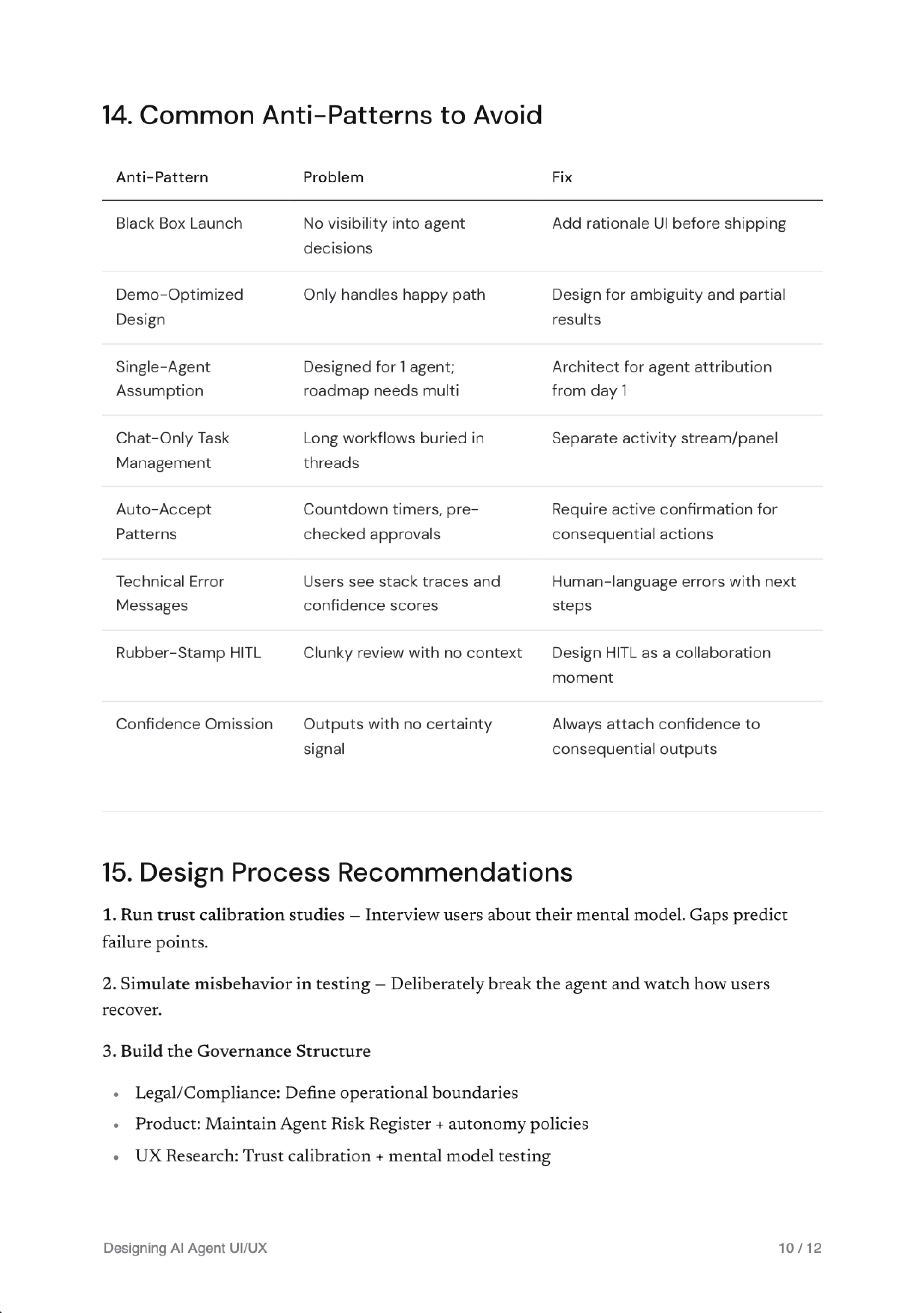
A 12-page sample is in examples/designing-ai-agent-uiux.pdf.
Works with
pdf-it is a standard Model Context Protocol server. Any client that supports MCP locally can use it.
| Client | Supported | How to add |
|---|---|---|
| Claude Desktop (Mac, Windows) | yes | Edit claude_desktop_config.json |
| Claude Code (CLI) | yes, plus skill triggers like "save this as PDF" | claude mcp add pdf-it -- npx -y pdf-it-mcp |
| Cursor | yes | Edit ~/.cursor/mcp.json |
| Cline (VS Code extension) | yes | Edit Cline's MCP settings |
| Continue.dev | yes | Add via Continue's MCP config |
| Zed | yes | Standard MCP config |
| Goose (Block's CLI) | yes | Standard MCP config |
| Custom agents via the Anthropic SDK | yes | Wire MCP yourself |
| claude.ai (browser) | no | Web does not run local MCP servers |
| Claude iOS / Android | no | Mobile does not run local MCP servers |
Hard requirements on any client: Node.js 18 or newer, Google Chrome installed, the client must support MCP.
Install
npm install -g pdf-it-mcp
Or run on demand with npx pdf-it-mcp.
Requirements
- Node.js 18 or newer
- Google Chrome installed (used as the renderer, no extra download)
Configure
Claude Desktop
Edit claude_desktop_config.json:
{
  "mcpServers": {
    "pdf-it": {
      "command": "npx",
      "args": ["-y", "pdf-it-mcp"]
    }
  }
}
Claude Code
claude mcp add pdf-it -- npx -y pdf-it-mcp
Cursor
Add to ~/.cursor/mcp.json:
{
  "mcpServers": {
    "pdf-it": {
      "command": "npx",
      "args": ["-y", "pdf-it-mcp"]
    }
  }
}
Custom Chrome path
If Chrome lives somewhere non-standard:
{
  "mcpServers": {
    "pdf-it": {
      "command": "npx",
      "args": ["-y", "pdf-it-mcp"],
      "env": { "CHROME_PATH": "/path/to/chrome" }
    }
  }
}
Use
In any Claude session connected to the server, ask:
Save this as a PDF
Or any of these phrasings: export as PDF, make a PDF report from this, turn this into a PDF, /pdf. The skill picks up the request and routes it through pdf-it. The output lands in ~/Documents/pdf-it/ by default.
Tools
| Tool | Description |
|---|---|
generate_pdf | Convert markdown into a PDF. Accepts a template (research-report or plain), optional title and author for the cover, and an optional output path. |
list_templates | Return the list of available templates with descriptions. |
generate_pdf parameters
| Parameter | Required | Description |
|---|---|---|
content | yes | Markdown string to convert |
title | no | Shown on the cover and in the page footer |
author | no | Shown on the cover |
output_path | no | Absolute path for the output. Defaults to ~/Documents/pdf-it/{slug}-{timestamp}.pdf |
template | no | research-report (default) or plain |
Templates
| Name | Description |
|---|---|
research-report | Cover page with title, author, and date. Auto-generated table of contents from H1 and H2 headings. Body with proper hierarchy. Footer with title and page number. Best for research, summaries, design docs, reports. |
plain | No cover, no TOC. Dense body content only. Best for short notes and quick exports. |
Skill
This package ships with a Claude Code skill at SKILL.md. Trigger phrases the skill responds to:
save this as PDFexport as PDFmake a PDF report from thisturn this into a PDFgenerate a PDF/pdf
See SKILL.md for the full skill spec.
Examples
The examples folder has a sample generated PDF (designing-ai-agent-uiux.pdf, 12 pages) and the cover and body screenshots used in this README.
Output
By default PDFs are written to ~/Documents/pdf-it/{slug}-{timestamp}.pdf. Pass output_path to override.
Design
System fonts where possible. Inter for body and headings, JetBrains Mono for code, page numbers, and metadata. Pure white paper, near-black ink, neutral hairline borders, no accent colors. Code blocks render without syntax highlighting on purpose: color choices in PDFs age badly.
If you want a different design language, fork the templates and adjust. They live in src/templates/ and are plain HTML and CSS rendered through Puppeteer.
License
MIT. See LICENSE.
Built by Marsel Bait.