



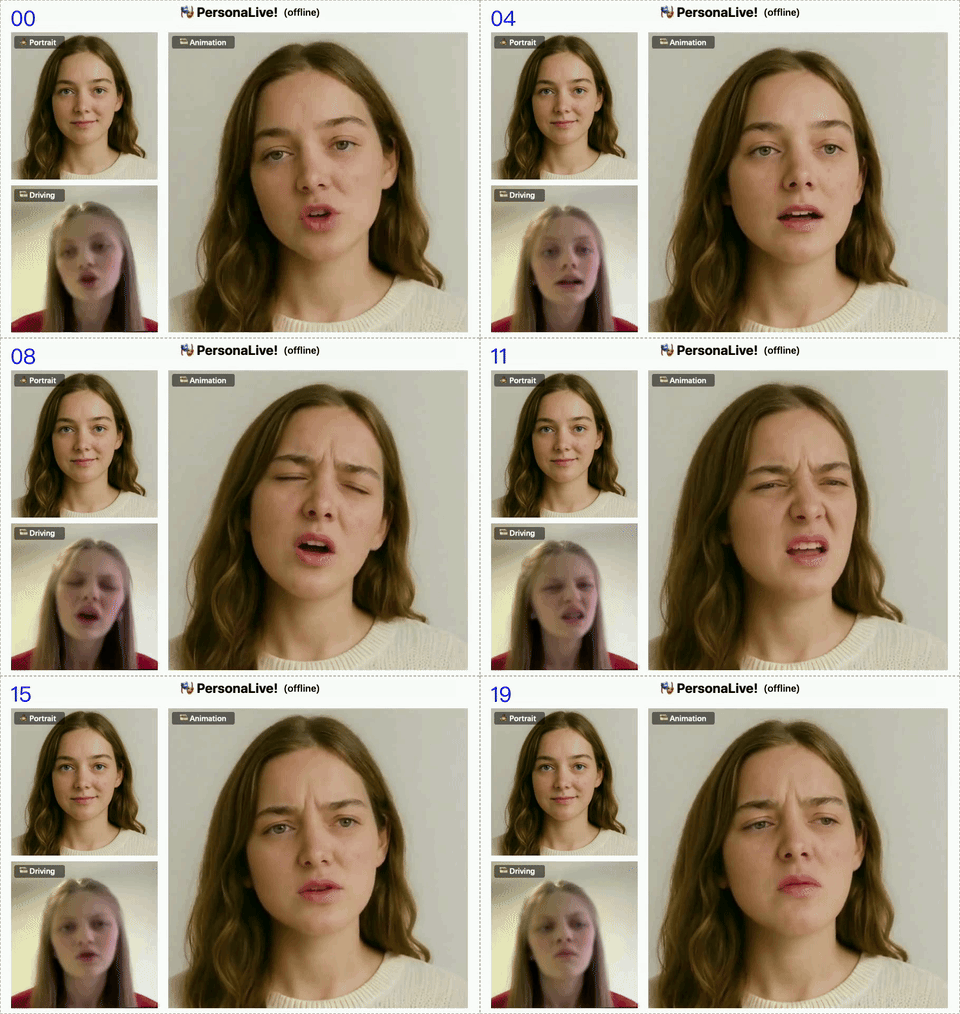
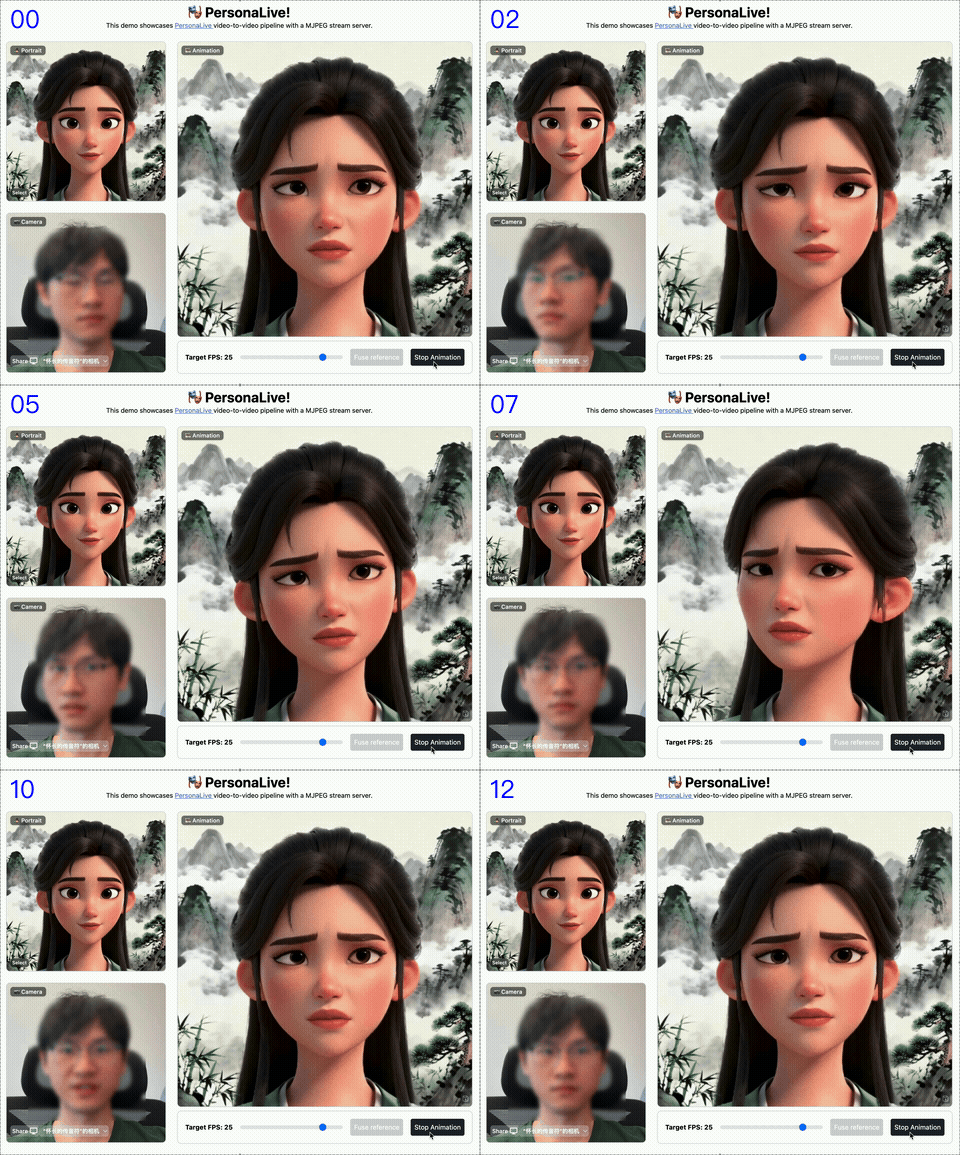
✨ Features
- 🎥 Real-time Animation - Drive portrait animation with webcam in real-time
- 📁 Offline Processing - Generate animation videos from reference image + driving video
- 🌐 Multi-language UI - English, 简体中文, 繁體中文, 日本語
- 🌙 Dark Mode - Eye-friendly dark theme support
- 📸 Screenshot & Recording - Capture and record animation output
- 🖥️ Fullscreen Mode - Immersive fullscreen experience
- 📊 GPU Monitoring - Real-time GPU status and memory management
- 🔌 REST API - Full API with Swagger documentation
- 🤖 MCP Support - Model Context Protocol for AI assistants
🚀 Quick Start
Docker (Recommended)
# Pull all-in-one image (includes all model weights)
docker pull neosun/personalive:allinone

# Run
docker run -d --gpus all -p 7870:7870 --name personalive neosun/personalive:allinone

# Access
open http://localhost:7870
Docker Compose
services:
  personalive:
    image: neosun/personalive:allinone
    ports:
      - "7870:7870"
    deploy:
      resources:
        reservations:
          devices:
            - driver: nvidia
              count: 1
              capabilities: [gpu]
docker compose up -d
📦 Installation
Prerequisites
- NVIDIA GPU with 12GB+ VRAM
- Docker with NVIDIA Container Toolkit
- Or: Python 3.10, CUDA 12.1
Method 1: Docker All-in-One (Easiest)
docker pull neosun/personalive:allinone
docker run -d --gpus all -p 7870:7870 neosun/personalive:allinone
Method 2: Docker with Volume Mount
# Clone repo
git clone https://github.com/neosun100/personalive.git
cd personalive

# Download weights
python tools/download_weights.py

# Run with mounted weights
docker run -d --gpus all -p 7870:7870 \
  -v $(pwd)/pretrained_weights:/app/pretrained_weights \
  neosun/personalive:latest
Method 3: Local Development
# Clone
git clone https://github.com/neosun100/personalive.git
cd personalive

# Create environment
conda create -n personalive python=3.10
conda activate personalive

# Install dependencies
pip install -r requirements_base.txt
pip install -r requirements_api.txt

# Download weights
python tools/download_weights.py

# Build frontend
cd webcam/frontend && npm install && npm run build && cd ../..

# Run
python app.py
⚙️ Configuration
Environment Variables
| Variable | Default | Description |
|---|---|---|
PORT | 7870 | Server port |
HOST | 0.0.0.0 | Listen address |
GPU_IDLE_TIMEOUT | 600 | GPU idle timeout (seconds) |
ACCELERATION | xformers | Acceleration mode (none/xformers/tensorrt) |
Example .env
PORT=7870
HOST=0.0.0.0
GPU_IDLE_TIMEOUT=600
ACCELERATION=xformers
📖 Usage
Web UI
- Open http://localhost:7870
- Select or upload a reference portrait
- Click "Fuse Reference" to prepare the model
- Allow webcam access and click "Start Animation"
- Move your face to drive the animation!
Offline Mode
- Switch to "Offline Mode" tab
- Upload reference image (PNG/JPG)
- Upload driving video (MP4)
- Set max frames and click "Process"
- Download the result video
REST API
# Health check
curl http://localhost:7870/health

# GPU status
curl http://localhost:7870/api/gpu/status

# Offline processing
curl -X POST http://localhost:7870/api/process/offline \
  -F "reference_image=@portrait.png" \
  -F "driving_video=@video.mp4"
Full API documentation: http://localhost:7870/docs
🛠️ Tech Stack
- Backend: FastAPI, PyTorch, Diffusers
- Frontend: SvelteKit, TailwindCSS
- AI Models: Stable Diffusion, LivePortrait
- Acceleration: xFormers, TensorRT (optional)
📁 Project Structure
personalive/
├── app.py                 # Main application
├── gpu_manager.py         # GPU resource manager
├── mcp_server.py          # MCP server
├── src/                   # Core models
├── webcam/                # Frontend & streaming
├── configs/               # Configuration files
├── tools/                 # Utility scripts
└── pretrained_weights/    # Model weights
🤝 Contributing
Contributions are welcome! Please feel free to submit a Pull Request.
- Fork the repository
- Create your feature branch (
git checkout -b feature/amazing) - Commit your changes (
git commit -m 'Add amazing feature') - Push to the branch (
git push origin feature/amazing) - Open a Pull Request
📋 Changelog
v1.0.0 (2026-01-04)
- 🎉 Initial release
- ✨ Real-time webcam animation
- ✨ Offline video processing
- ✨ Multi-language UI (EN/CN/TW/JP)
- ✨ Dark mode support
- ✨ Screenshot & recording
- ✨ REST API with Swagger
- ✨ MCP support
- 🐳 Docker all-in-one image
📄 License
This project is licensed under the MIT License - see the LICENSE file for details.
⭐ Star History
📱 Follow Us

🙏 Acknowledgements
Based on PersonaLive by GVC Lab. Special thanks to the original authors.