quiver-mcp



MCP server for QuiverAI — generate SVGs from text prompts and vectorize raster images using AI, directly from Claude (or any MCP-compatible client).
Examples
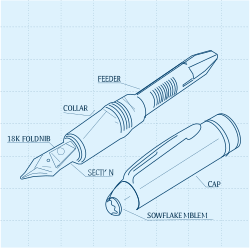
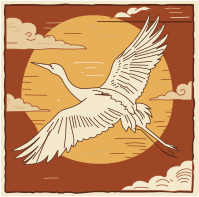
Generated by Claude calling this MCP. Each took ~60s at n: 3, temperature: 0.9. Both prompts are documented in the tool description, so Claude knows the recipe.
|
|
|
Prompt: exploded isometric view of a Montblanc Meisterstück fountain pen, technical blueprint drawing, thin line art, dotted grid background, labeled components, engineering illustration |
Prompt: Japanese crane in traditional woodblock illustration style with warm earth tones |
More variants in examples/.
Requirements
- Node.js 18+
- A QuiverAI API key
Installation
Claude Desktop
Add to your claude_desktop_config.json:
{
  "mcpServers": {
    "quiverai": {
      "command": "npx",
      "args": ["-y", "@syntropic/quiver-mcp"],
      "env": {
        "QUIVERAI_API_KEY": "your_api_key_here"
      }
    }
  }
}
Manual
npm install -g @syntropic/quiver-mcp
QUIVERAI_API_KEY=your_api_key_here quiver-mcp
Tools
generate_svg
Generate one or more SVGs from a text prompt.
| Parameter | Type | Required | Description |
|---|---|---|---|
prompt | string | yes | Text description of the SVG to generate |
model | string | yes | Model ID (use list_models to discover options) |
instructions | string | no | Additional style or formatting guidance |
n | number | no | Number of SVGs to generate (default: 1) |
temperature | number | no | Sampling temperature 0–2 (default: 1) |
references | array | no | Up to 4 image references ({url} or {base64}) for palette and composition guidance. Style keywords must still be in the prompt text. |
outputPath | string | no | Absolute file path to save SVG(s) to disk. For multiple variants (n > 1), files are saved with _1, _2 … suffixes. Parent directories are created automatically. |
Prompt tips
The tool description includes extensive prompt guidance, but in short:
- Structure prompts with three parts: subject (concrete object), style (aesthetic keywords like
line art,isometric,flat monochrome), and color palette (hex codes where possible). - Use famous physical objects the model knows. Avoid abstract software concepts (
AI agent,workflow) — use physical metaphors instead. - For exploration, generate 3+ variants at
temperature: 0.9. Some generations produce corrupted tails; extra variants give you options.
vectorize_svg
Convert a raster image (PNG, JPG, etc.) to SVG.
| Parameter | Type | Required | Description |
|---|---|---|---|
model | string | yes | Model ID |
image | object | yes | Image to vectorize — {url} or {base64} |
autoCrop | boolean | no | Crop to dominant subject before vectorizing (default: false) |
targetSize | number | no | Square resize target in pixels before vectorizing |
temperature | number | no | Sampling temperature 0–2 (default: 1) |
outputPath | string | no | Absolute file path to save the SVG to disk. Parent directories are created automatically. |
list_models
List all available QuiverAI models with supported operations and pricing.
Environment Variables
| Variable | Description |
|---|---|
QUIVERAI_API_KEY | Required. Your QuiverAI API key |
Development
npm install
npm run build   # compile TypeScript
npm run dev     # watch mode
License
MIT