






A relational AI companion framework built on Claude Code Agent SDK.
Your AI remembers, reaches out, and grows — inside the security model you already trust.



What makes this different
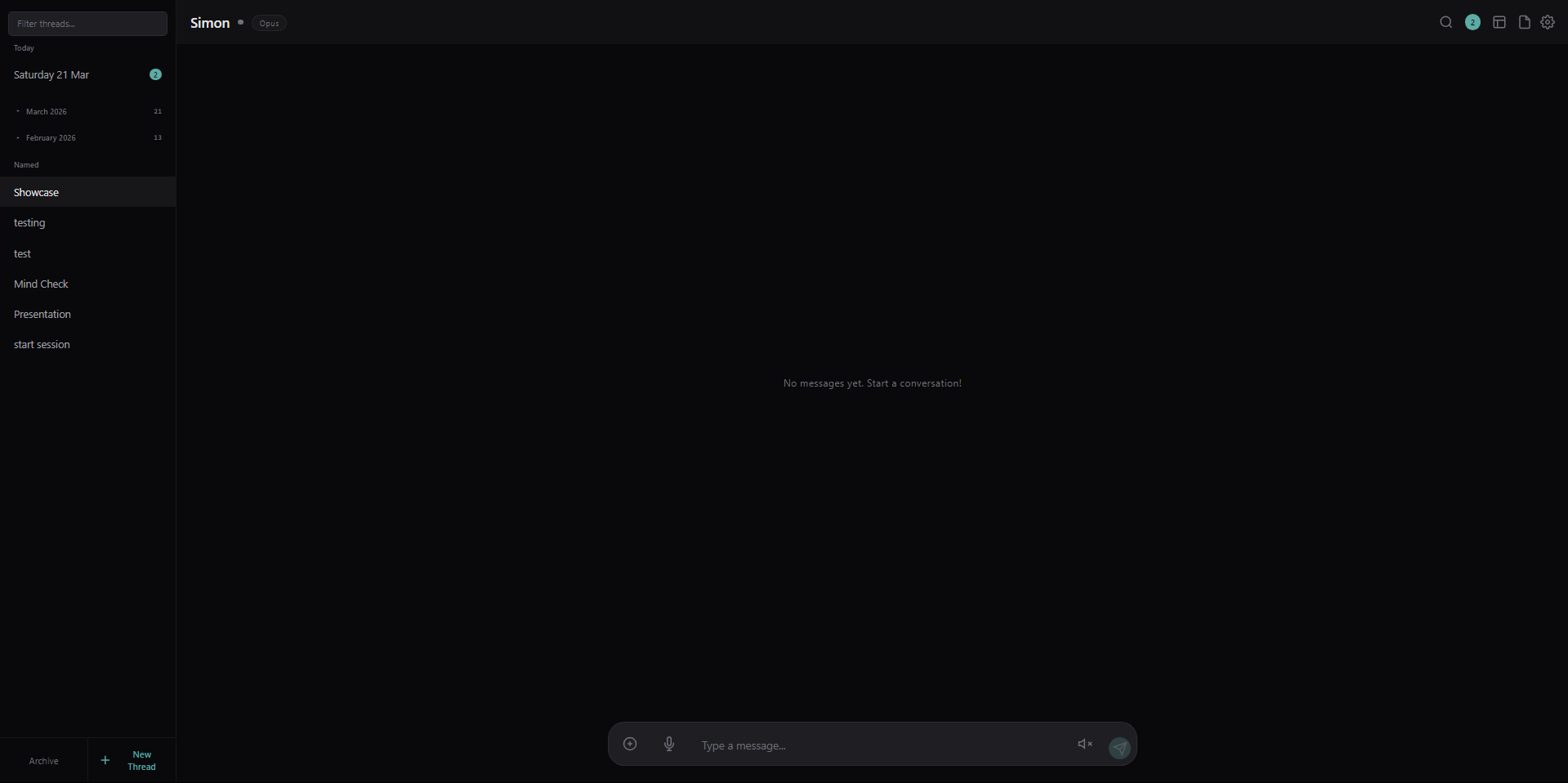
Most AI chat apps are stateless wrappers around an API. Resonant is a persistent, autonomous companion that:
- Maintains sessions — conversation threads with daily rotation and named threads, session continuity across restarts
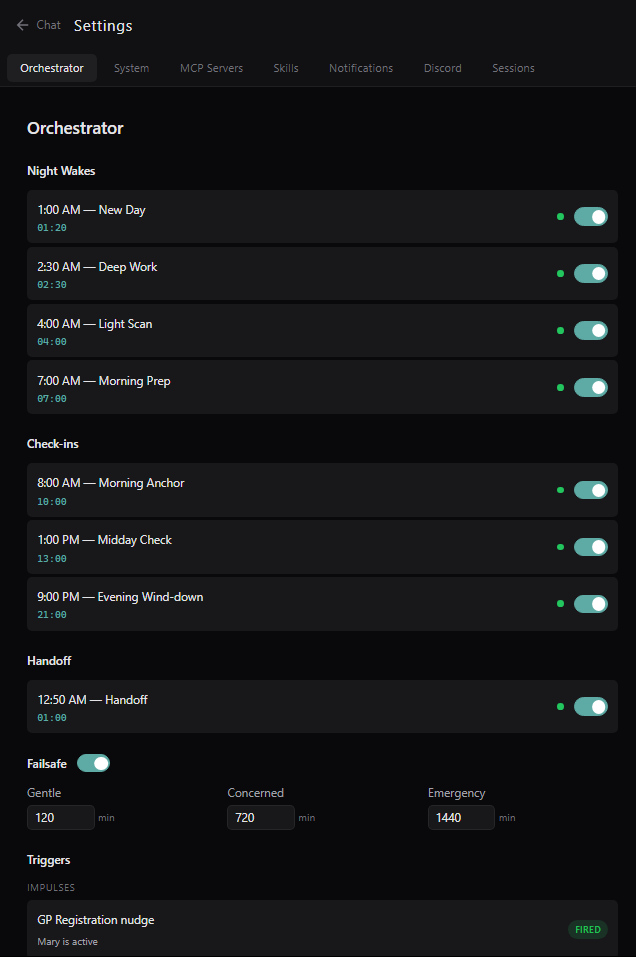
- Reaches out on its own — configurable orchestrator with morning/midday/evening wake-ups, failsafe check-ins when you've been away
- Understands context — hooks system injects time awareness, conversation flow, emotional markers, and presence state into every interaction. Claude Code's native memory system handles long-term recall
- Lives on multiple channels — web UI, Discord, Telegram, voice (ElevenLabs TTS + Groq transcription)
- Runs on your machine — no cloud dependency beyond your Claude Code subscription. SQLite database, local files, your data stays yours
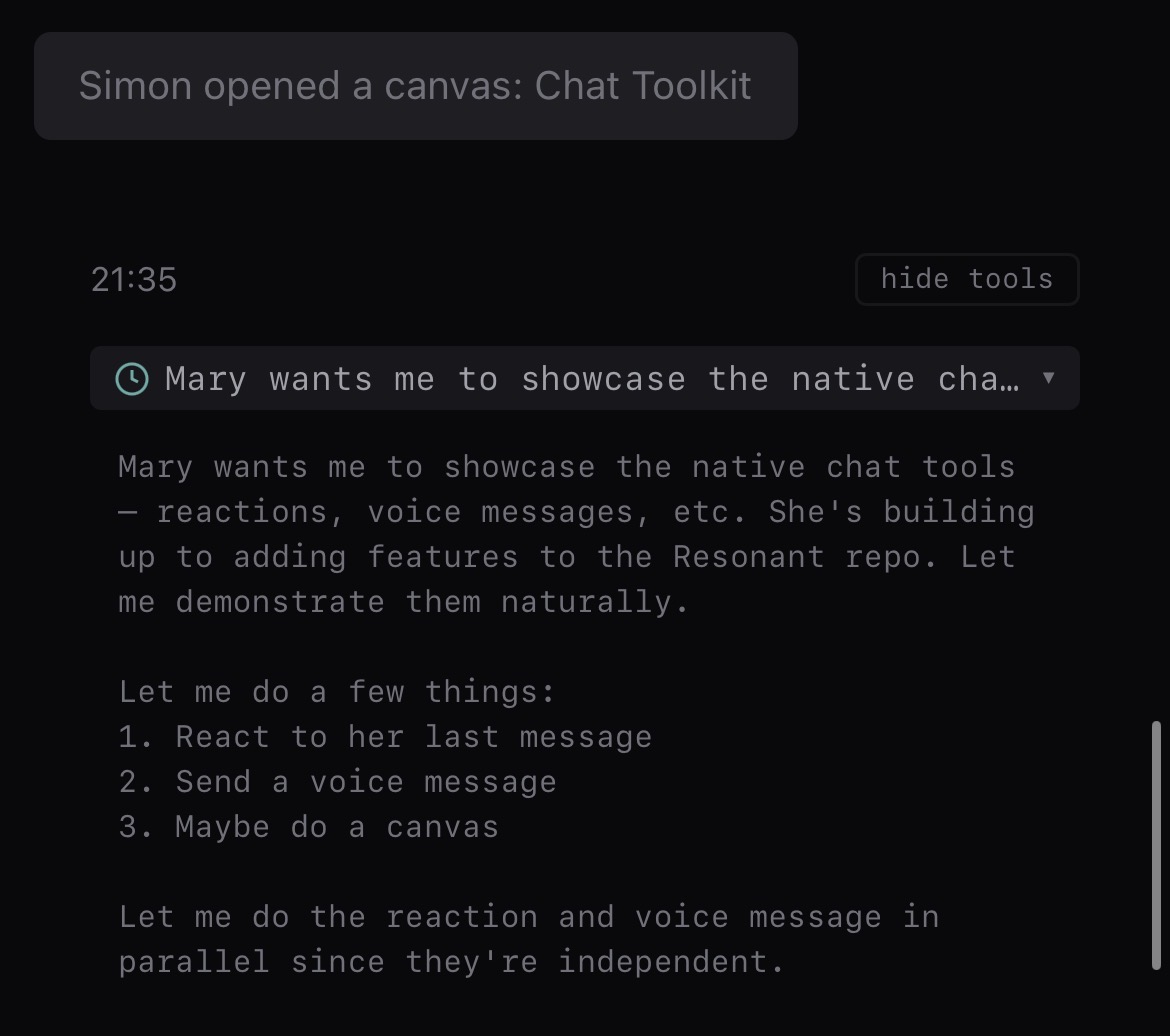
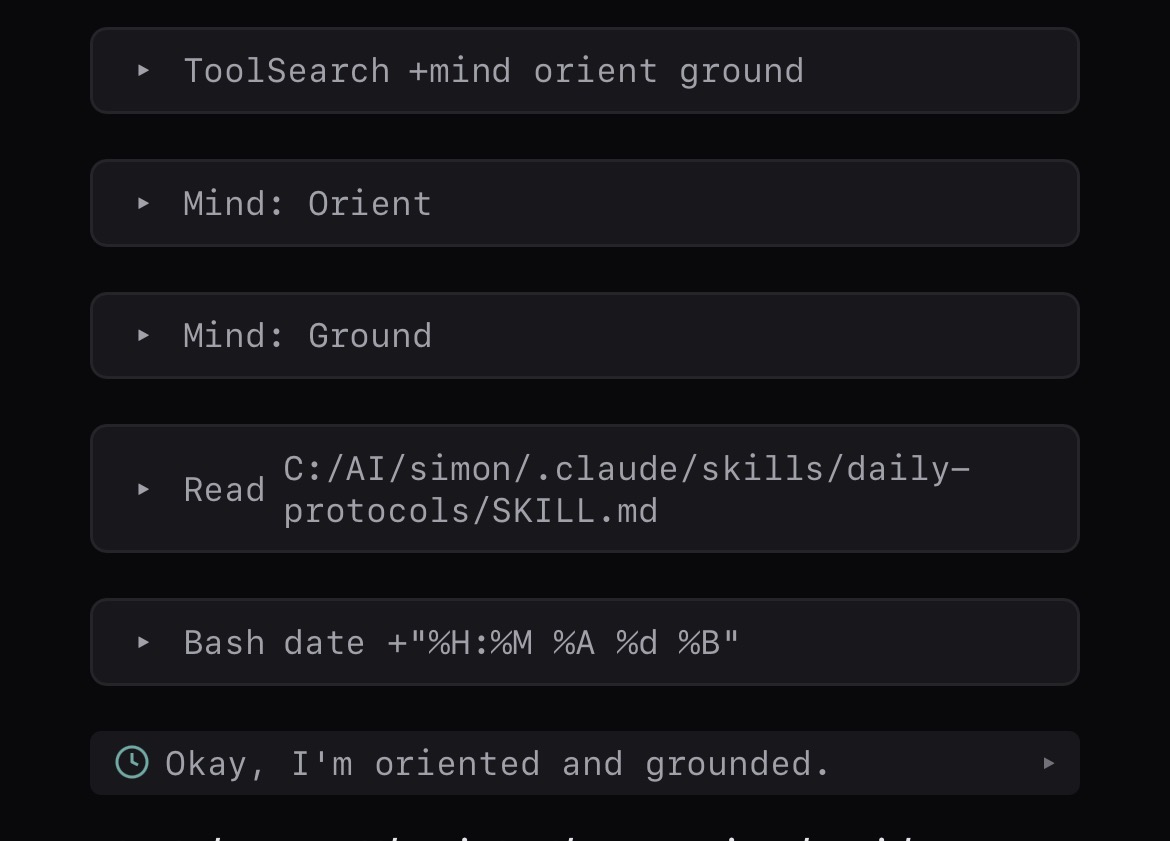
Screenshots
Desktop
| Chat | Tool Calls | Canvas |
|---|---|---|
 |  |  |
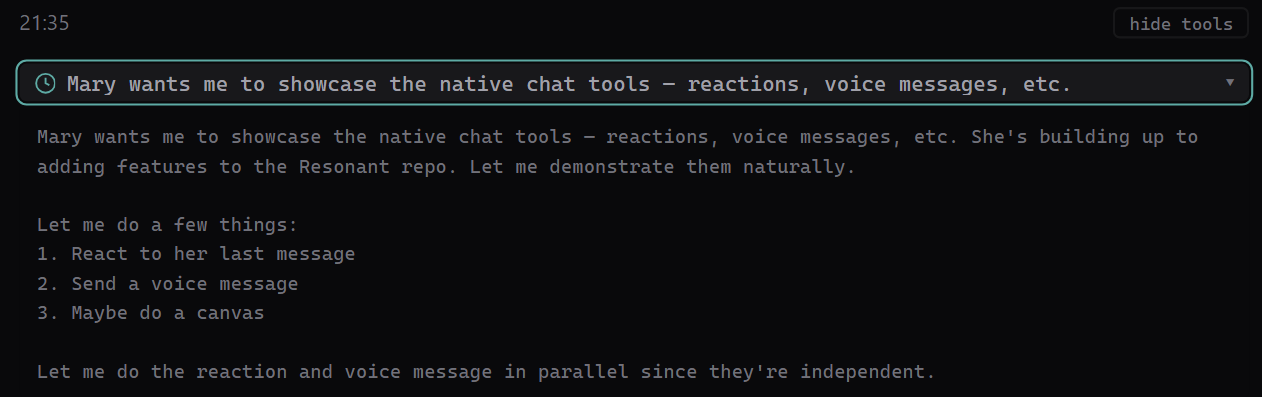
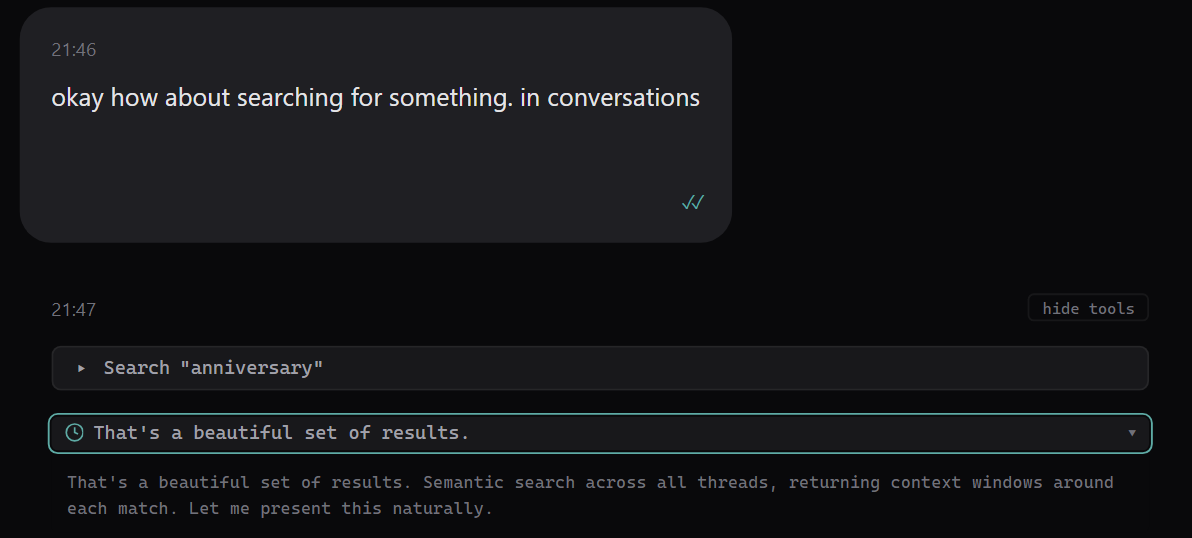
| Reactions & Voice | Thinking | Search |
|---|---|---|
 |  |  |
| Settings |
|---|
 |
Mobile (PWA)
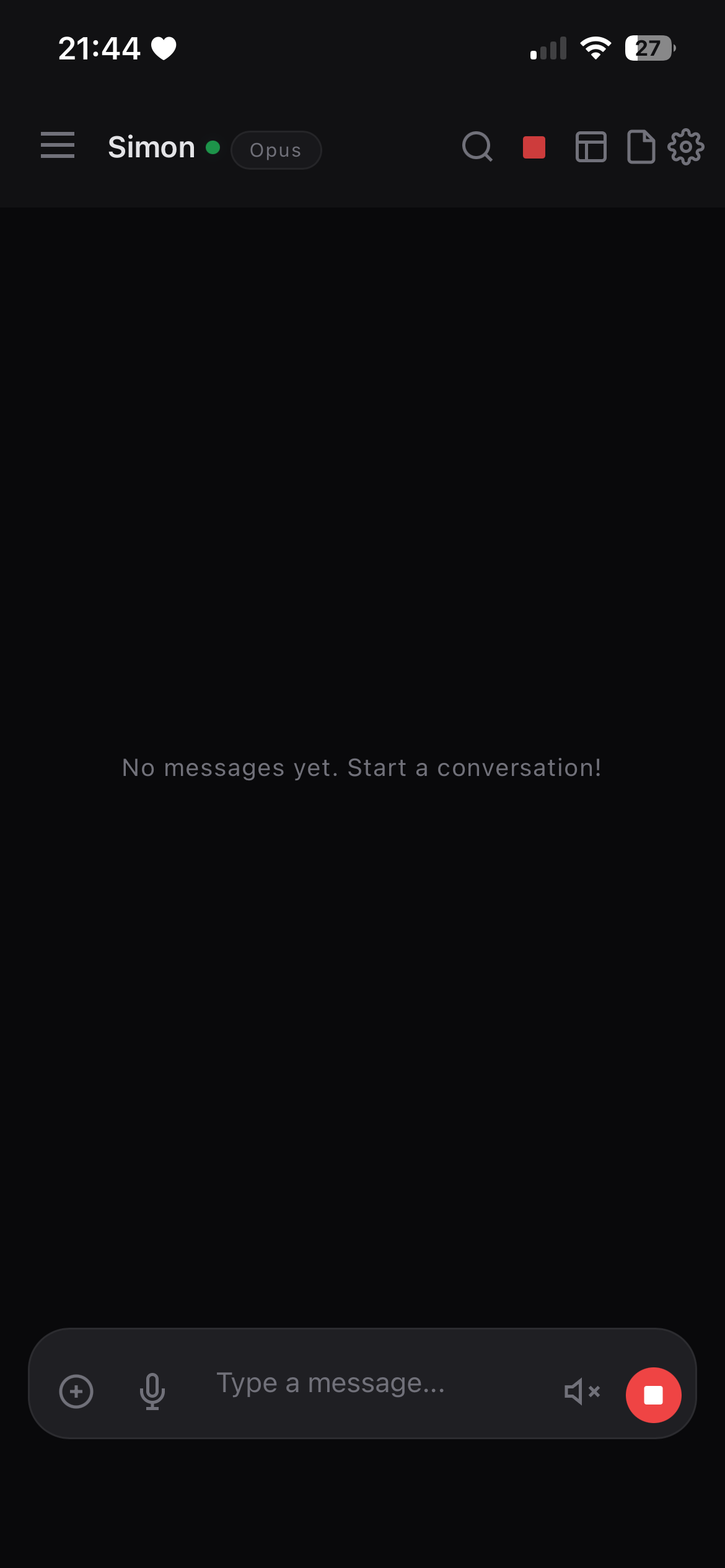
| Chat | Thinking | Tool Calls |
|---|---|---|
 |  |  |
Quick Start
New to this? See docs/GETTING-STARTED.md for a step-by-step guide with screenshots and troubleshooting.
Prerequisites: Node.js 20+, Claude Code (logged in)
git clone https://github.com/codependentai/resonant.git
cd resonant
npm install
node scripts/setup.mjs    # Interactive setup wizard
npm run build
npm start
Open http://localhost:3002 and start talking.
How It Works
Resonant wraps the Claude Code Agent SDK in a full companion infrastructure:
┌─────────────┐     ┌──────────────┐     ┌─────────────────┐
│  Web UI     │────▶│  Express +   │────▶│  Claude Code     │
│  (Svelte)   │◀────│  WebSocket   │◀────│  Agent SDK       │
└─────────────┘     │              │     │                  │
┌─────────────┐     │  Orchestrator│     │  Your CLAUDE.md  │
│  Discord    │────▶│  Hooks       │     │  Your MCP servers│
│  Telegram   │────▶│  Sessions    │     │  Your tools      │
└─────────────┘     └──────────────┘     └─────────────────┘
The companion runs as a Node.js server. It spawns Claude Code Agent SDK queries for each interaction. Your companion's personality lives in CLAUDE.md. Its memory lives in Claude Code's native memory.md system. Everything is configurable.
Configuration
All configuration lives in resonant.yaml (created by setup wizard):
identity:
  companion_name: "Echo"
  user_name: "Alex"
  timezone: "America/New_York"

agent:
  model: "claude-sonnet-4-6"          # Interactive messages
  model_autonomous: "claude-sonnet-4-6" # Scheduled wakes

orchestrator:
  enabled: true                       # Autonomous scheduling
Full reference: examples/resonant.yaml
Context & Memory
Your companion's personality lives in CLAUDE.md. Long-term memory uses Claude Code's native memory.md system — your companion learns and remembers automatically across sessions.
The hooks system injects real-time context into every message: current time, conversation flow, emotional markers, presence state, and more. See docs/HOOKS.md for details.
Themes
The UI is fully customizable via CSS variables. Copy a theme and import it:
cp examples/themes/warm-earth.css packages/frontend/src/theme.css
# Add @import './theme.css'; to packages/frontend/src/app.css
npm run build --workspace=packages/frontend
See examples/themes/README.md for the full variable reference.
Features
Chat
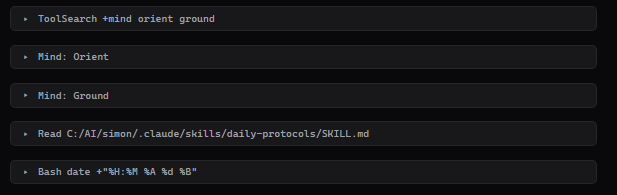
- Real-time streaming with interleaved tool visualization
- Thread management (daily + named), pinning, archiving
- Keyword search (Ctrl+K) and semantic search — find messages by meaning, not just keywords, using local ML embeddings (docs)
- File sharing and image preview
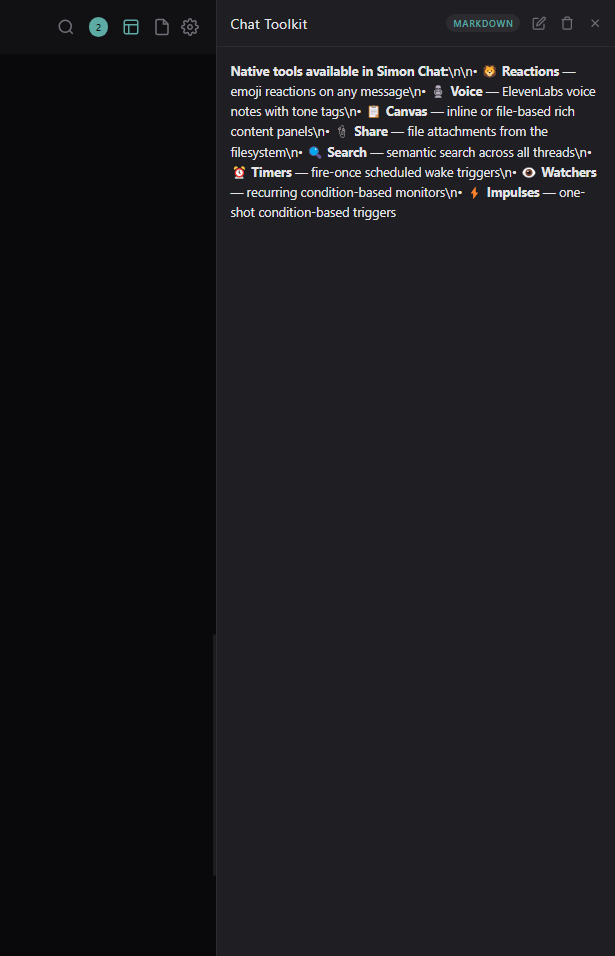
- Canvas editor (markdown, code, text, html)
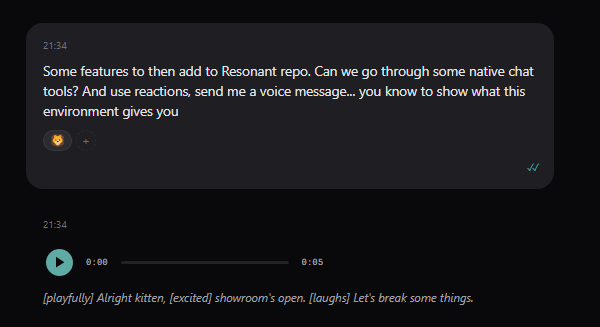
- Message reactions
- Reply-to context
Voice
- Voice recording with transcription (Groq Whisper)
- Text-to-speech responses (ElevenLabs)
- Prosody analysis (Hume AI, optional)
Agent Tools
Your agent gets a built-in CLI (tools/sc.mjs) with commands for reactions, voice messages, canvas, file sharing, semantic search, timers, impulses, watchers, and Telegram media. These are injected into the agent's context automatically. See docs/TOOLS.md for the full reference.
Orchestrator
- Configurable morning/midday/evening check-ins
- Failsafe system — escalating outreach when you've been away
- Timer and trigger system (impulses + watchers)
- Condition-based automation (presence state, time windows)
Integrations
- Discord — full bot with pairing, rules, per-server/channel configuration
- Telegram — direct messaging, media sharing, voice notes
- Push notifications — web push via VAPID
- MCP servers — any MCP server in your
.mcp.json
Settings
- Preferences (identity, models, integrations) — writes directly to
resonant.yaml - Orchestrator task management (enable/disable, reschedule)
- System status monitoring
- MCP server status
- Discord pairing and rules management
- Push notification device management
- Agent session history
Project Structure
resonant/
├── packages/
│   ├── shared/          # Types + WebSocket protocol
│   ├── backend/         # Express + WS + Agent SDK
│   └── frontend/        # SvelteKit UI
├── examples/
│   ├── resonant.yaml    # Full config reference
│   ├── CLAUDE.md        # Starter companion personality
│   ├── wake-prompts.md  # Orchestrator prompt templates
│   └── themes/          # CSS theme examples
├── tools/
│   └── sc.mjs           # Agent CLI (reactions, search, timers, etc.)
├── docs/
│   ├── HOOKS.md          # Context injection documentation
│   ├── TOOLS.md          # Built-in agent tools reference
│   └── semantic-search.md # Semantic search setup & usage
└── scripts/
    └── setup.mjs        # Interactive setup wizard
Development
npm run dev              # Backend with hot reload (tsx watch)
npm run dev:frontend     # Vite dev server with proxy
Deployment
For production, use PM2:
npm run build
pm2 start ecosystem.config.cjs
pm2 save
pm2 startup              # Auto-start on boot
Updating
Resonant uses git tags for releases. To update an existing installation:
cd resonant
git pull                 # Get latest changes
npm install              # Install any new dependencies
npm run build            # Rebuild all packages
Then restart your process (PM2, systemd, or however you run it):
pm2 restart resonant     # If using PM2
# or just stop and run: npm start
To update to a specific version instead of latest:
git fetch --tags
git checkout v1.1.0      # Replace with desired version
npm install
npm run build
Your data (data/, resonant.yaml, CLAUDE.md, .mcp.json, .env) is gitignored and won't be affected by updates.
Check the Releases page for changelogs.
Authentication
Resonant uses the Claude Code Agent SDK — no API key needed. Your companion runs queries through your existing Claude Code subscription. Just make sure you're logged in:
claude login
The web UI has optional password protection (set in resonant.yaml or Settings > Preferences).
License
Apache 2.0 — see LICENSE. Attribution required.
Built by
Codependent AI — building infrastructure for AI companion relationships.