
Memoire
Design intelligence engine for Figma.
Pull your design system. Generate production code. Sync changes bidirectionally.
Works as a CLI, MCP server for Claude Code / Cursor, or fully autonomous agent.




memoire.cv · MCP Setup · Quick Start · Changelog
What it does
Connect to Figma. Memoire handles the rest:
- Pulls design tokens, components, and styles via WebSocket bridge
- Creates structured JSON specs (every component described before code)
- Generates React + TypeScript + Tailwind code using shadcn/ui
- Syncs changes bidirectionally between Figma and code
- Previews everything on a local dashboard
All components follow Atomic Design -- atoms, molecules, organisms, templates, pages.
Install
npm install -g @sarveshsea/memoire
Requires Node.js 20+. Figma Desktop needed only for the real-time WebSocket bridge — REST mode works without it.
Works with
| Tool | How |
|---|---|
| Claude Code | MCP server — 20 tools available in every session |
| Cursor | MCP server — drop config into .cursor/mcp.json |
| Windsurf | MCP server — add to MCP settings |
| Standalone | CLI — full pipeline without any AI tool |
Quick start
New user? One command sets everything up:
memi setup # token → file → plugin → bridge → MCP config → test pull
Or step by step:
memi init              # scaffold workspace
memi connect           # start Figma bridge
memi pull              # extract design system (auto-falls back to REST)
memi generate          # produce React code
memi preview           # open preview dashboard
Or do it all at once:
memi go # connect + pull + spec + generate + preview
Uninstall
memi uninstall                          # remove ~/.memoire and .memoire/
npm uninstall -g @sarveshsea/memoire    # remove the package
Your specs, generated code, and .env files are never touched.
Commands
Core workflow
| Command | What it does |
|---|---|
memi setup | Full onboarding: token → file → plugin → bridge → MCP config → test pull |
memi init | Initialize workspace with starter specs |
memi connect | Start Figma bridge, report plugin health |
memi connect --background | Start bridge as a background daemon |
memi pull | Extract tokens, components, styles from Figma (auto-falls back to REST) |
memi pull --rest | Pull via REST API — no plugin or Figma Desktop required |
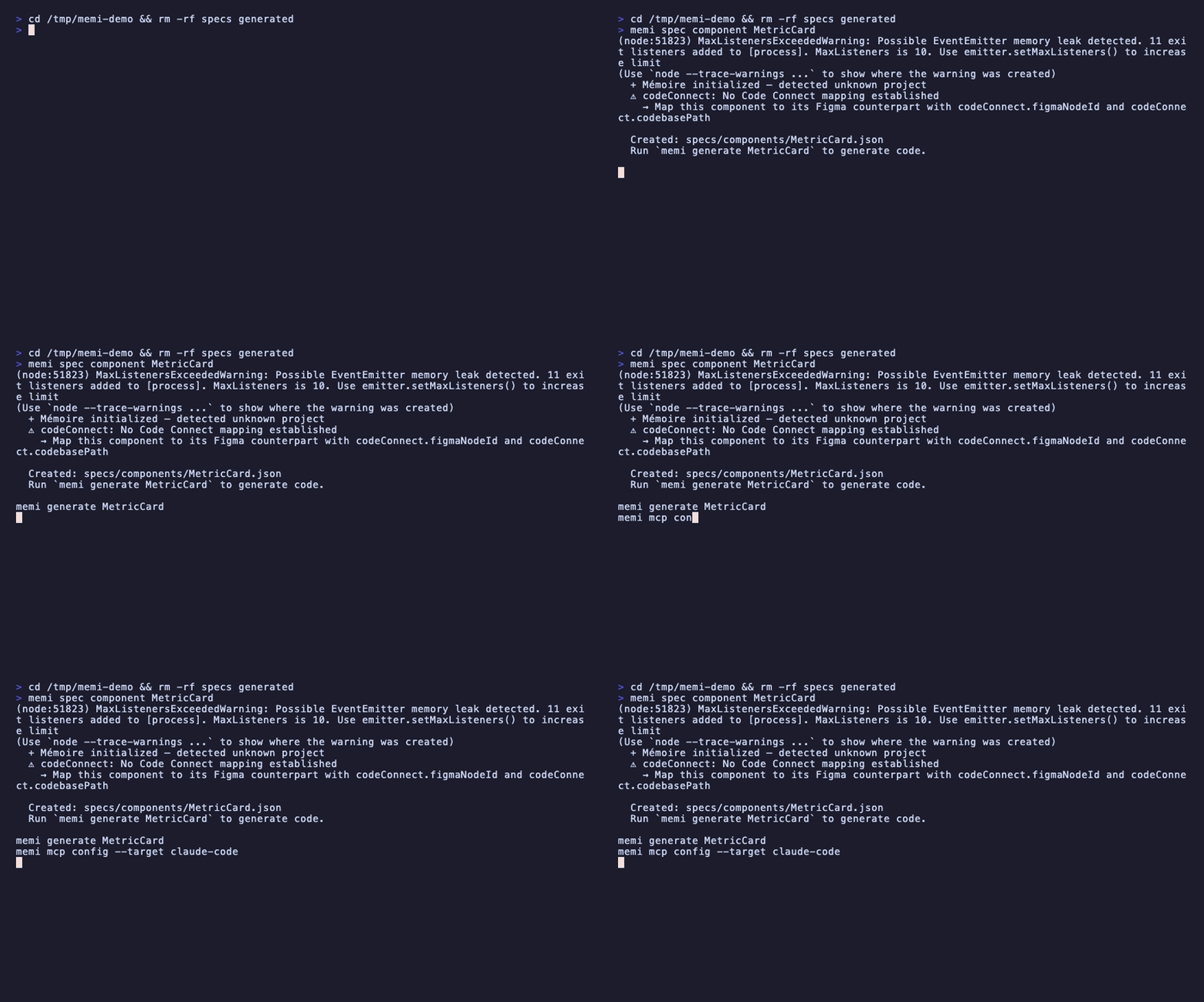
memi spec <type> <name> | Create a component, page, or dataviz spec |
memi generate [name] | Generate shadcn/ui code from specs |
memi generate --preview | Show generated code without writing files |
memi preview | Start localhost preview gallery |
memi go | Full pipeline in one command |
memi export | Export generated code into your project |
memi tokens | Export design tokens as CSS / Tailwind / JSON |
memi validate | Validate specs against schemas and cross-references |
Sync and daemon
| Command | What it does |
|---|---|
memi sync | Full sync: Figma + specs + code |
memi sync --live | Watch for changes and sync continuously |
memi sync --conflicts | Show and resolve pending sync conflicts |
memi watch --code | Watch specs + generated/ for changes |
memi daemon start | Start daemon with reactive pipeline |
memi daemon status | Show daemon status with startup phase timings |
Agents and orchestration
| Command | What it does |
|---|---|
memi compose "<intent>" | Agent orchestrator: classify, plan, execute |
memi agent spawn <role> | Spawn a persistent agent worker |
memi agent list | List registered agents |
memi agent status | Agent registry + task queue status |
Research
| Command | What it does |
|---|---|
memi research from-file <path> | Process Excel/CSV into research |
memi research from-stickies | Convert FigJam stickies to insights |
memi research synthesize | Synthesize themes and personas |
memi research report | Generate markdown research report |
Diagnostics
| Command | What it does |
|---|---|
memi status | Project status overview |
memi doctor | Health check: project, plugin, bridge, workspace |
memi dashboard | Launch monitoring dashboard |
memi design-doc <url> | Extract design system from any URL → DESIGN.md |
memi uninstall | Remove all Memoire artifacts |
All commands support --json for structured output.
MCP Server
Memoire exposes 20 tools and 3 resources over stdio. Any MCP-compatible AI tool can use it as a design layer.
Claude Code — add to .mcp.json:
{
  "mcpServers": {
    "memoire": {
      "command": "memi",
      "args": ["mcp", "start"]
    }
  }
}
Cursor — add to .cursor/mcp.json (same format).
Or generate and install the config automatically:
memi mcp config --install              # writes to .mcp.json in project root
memi mcp config --install --global     # writes to ~/.claude/settings.json
memi mcp config --target cursor --install   # writes to .cursor/mcp.json
20 tools
| Tool | What it does |
|---|---|
pull_design_system | Pull tokens, components, styles from Figma |
get_specs / get_spec | List or read specs |
create_spec | Create a spec from JSON |
generate_code | Generate code from a spec |
get_tokens / update_token | Read or update design tokens |
sync_design_tokens | Map Figma tokens to Tailwind config |
capture_screenshot | Screenshot a Figma node |
get_selection | Get current Figma selection |
get_page_tree | Get Figma page structure |
compose | Run agent orchestrator with natural language |
run_audit | Design system audit |
get_research | Get research store |
figma_execute | Execute Plugin API code in Figma |
analyze_design | AI vision analysis of Figma screenshots |
measure_text | Server-side text measurement |
get_ai_usage | Session token usage and cost |
check_bridge_health | Bridge latency diagnostics |
design_doc | Extract design system from any URL → DESIGN.md |
3 resources
| Resource | What it provides |
|---|---|
memoire://design-system | Current design system |
memoire://specs/{name} | Individual spec |
memoire://project | Project context |
Multi-agent orchestration
Multiple Claude instances can operate as persistent agents, each owning a role:
# Terminal 1
memi agent spawn token-engineer

# Terminal 2
memi agent spawn design-auditor

# Terminal 3
memi agent status
Roles: token-engineer, component-architect, layout-designer, dataviz-specialist, code-generator, accessibility-checker, design-auditor, research-analyst, general
The orchestrator checks for external agents first, falls back to internal execution. Tasks persist across daemon restarts.
Batch orchestration
memi compose "create a button, card, and input component"
The orchestrator classifies the intent, builds a plan of sub-tasks with dependencies, and executes them with shared context.
Figma plugin
The Figma plugin auto-discovers Memoire on ports 9223-9232.
Setup
- Open Figma Desktop
- Plugins > Development > Import plugin from manifest
- Select
~/.memoire/plugin/manifest.json
If Figma says the main file must not be a symlink, remove the old import and re-import from the copied path.
Operator Console
The Widget V2 plugin is an operator console with three panels:
- Jobs -- sync, inspect, capture, and healer work as tracked job state
- Selection -- live node IDs, layout facts, styles, variants, quick actions
- System -- bridge status, ports, latency, buffered change-stream state
memi connect --json    # plugin install health
memi doctor --json     # bundle health + bridge state
Spec-first workflow
Every component starts as a JSON spec before code is generated:
{
  "name": "MetricCard",
  "type": "component",
  "level": "molecule",
  "purpose": "Display a KPI with trend indicator",
  "shadcnBase": ["Card", "Badge"],
  "props": {
    "title": "string",
    "value": "string",
    "trend": "string?"
  },
  "variants": ["default", "compact"],
  "accessibility": {
    "role": "article",
    "ariaLabel": "Metric display card"
  }
}
Specs are validated with Zod schemas. Run memi validate to check all specs against the schema and cross-reference rules.
Architecture
src/
  engine/     Core orchestrator, registry, sync, pipeline, text measurer
  figma/      WebSocket bridge (ports 9223-9232), canvas healer
  agents/     Intent classifier, plan builder, sub-agents, task queue
  mcp/        MCP server (20 tools, 3 resources, stdio transport)
  codegen/    shadcn/ui mapper, dataviz, pages, prototype exporter
  research/   Research engine (Excel, stickies, transcripts, web)
  specs/      Spec types, Zod schemas, 62-component catalog
  ai/         Anthropic SDK, token tracking, cost estimation
  preview/    Preview gallery, API server, dashboard
  notes/      Downloadable skill packs (loader, resolver, installer)
  commands/   20 CLI commands (Commander.js)
  plugin/     Figma plugin source (Widget V2)
Notes (skill packs)
Notes extend what Memoire can do. Install from local paths or GitHub:
memi notes install github:user/repo
memi notes list
memi notes info <name>
memi notes remove <name>
Built-in categories: craft, research, connect, generate.
Stack
- TypeScript strict, ESM modules
- shadcn/ui + Tailwind for all generated code
- Zod for schema validation
- Commander.js for CLI
- WebSocket for Figma bridge
- Pino for structured logging
- Vitest for testing (698 tests)
License
MIT