
ScrAPI MCP Server



MCP server for using ScrAPI to scrape web pages.
ScrAPI is your ultimate web scraping solution, offering powerful, reliable, and easy-to-use features to extract data from any website effortlessly.
Tools
-
scrape_url_html- Use a URL to scrape a website using the ScrAPI service and retrieve the result as HTML. Use this for scraping website content that is difficult to access because of bot detection, captchas or even geolocation restrictions. The result will be in HTML which is preferable if advanced parsing is required.
- Inputs:
url(string, required): The URL to scrapebrowserCommands(string, optional): JSON array of browser commands to execute before scraping
- Returns: HTML content of the URL
-
scrape_url_markdown- Use a URL to scrape a website using the ScrAPI service and retrieve the result as Markdown. Use this for scraping website content that is difficult to access because of bot detection, captchas or even geolocation restrictions. The result will be in Markdown which is preferable if the text content of the webpage is important and not the structural information of the page.
- Inputs:
url(string, required): The URL to scrapebrowserCommands(string, optional): JSON array of browser commands to execute before scraping
- Returns: Markdown content of the URL
Browser Commands
Both tools support optional browser commands that allow you to interact with the page before scraping. This is useful for:
- Clicking buttons (e.g., "Accept Cookies", "Load More")
- Filling out forms
- Selecting dropdown options
- Scrolling to load dynamic content
- Waiting for elements to appear
- Executing custom JavaScript
Available Commands
Commands are provided as a JSON array string. All commands are executed with human-like behavior (random mouse movements, variable typing speed, etc.):
| Command | Format | Description |
|---|---|---|
| Click | {"click": "#buttonId"} | Click an element using CSS selector |
| Input | {"input": {"input[name='email']": "value"}} | Fill an input field |
| Select | {"select": {"select[name='country']": "USA"}} | Select from dropdown (by value or text) |
| Scroll | {"scroll": 1000} | Scroll down by pixels (negative values scroll up) |
| Wait | {"wait": 5000} | Wait for milliseconds (max 15000) |
| WaitFor | {"waitfor": "#elementId"} | Wait for element to appear in DOM |
| JavaScript | {"javascript": "console.log('test')"} | Execute custom JavaScript code |
Example Usage
[
  {"click": "#accept-cookies"},
  {"wait": 2000},
  {"input": {"input[name='search']": "web scraping"}},
  {"click": "button[type='submit']"},
  {"waitfor": "#results"},
  {"scroll": 500}
]
Finding CSS Selectors
Need help finding CSS selectors? Try the Rayrun browser extension to easily select elements and generate selectors.
For more details, see the Browser Commands documentation.
Setup
API Key (optional)
Optionally get an API key from the ScrAPI website.
Without an API key you will be limited to one concurrent call and twenty free calls per day with minimal queuing capabilities.
Cloud Server
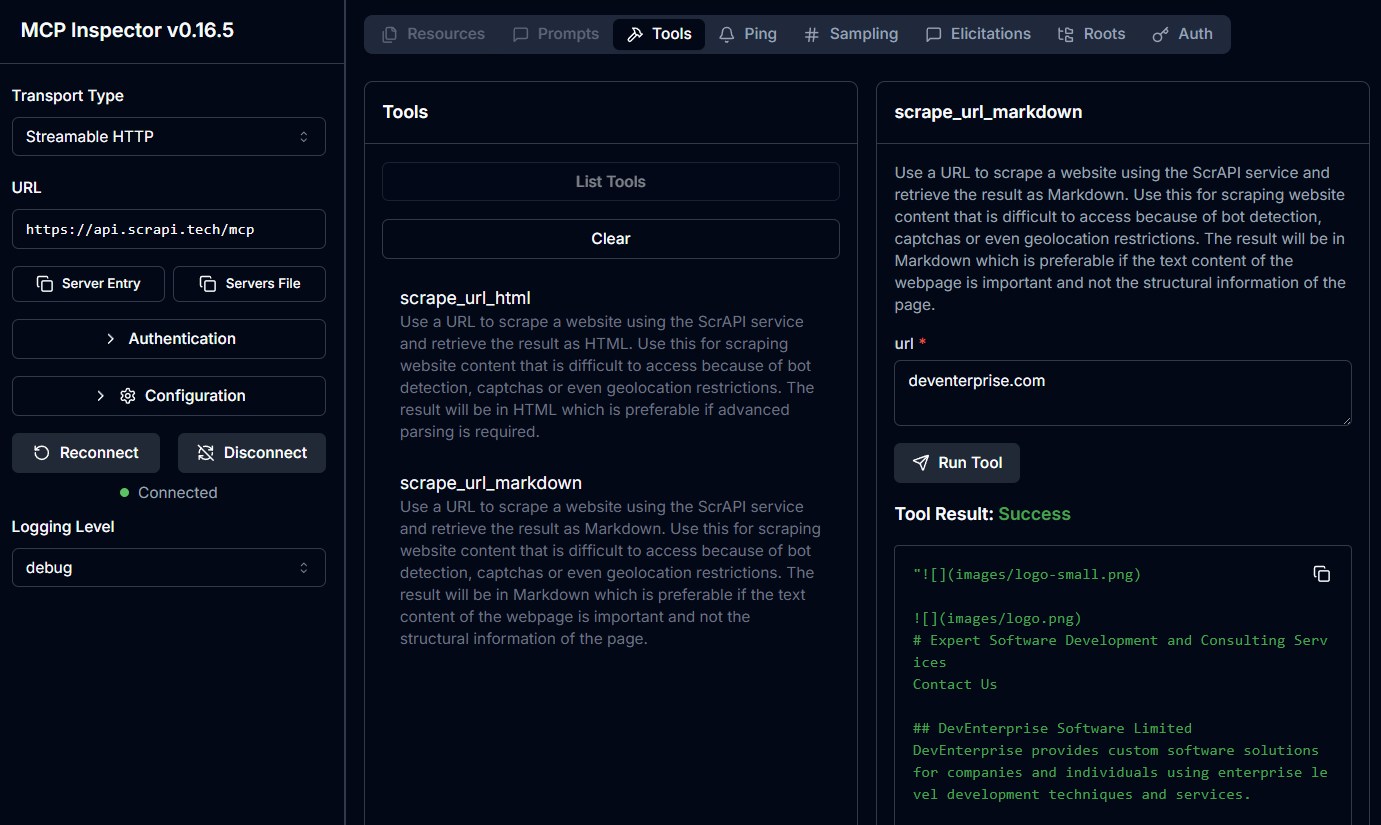
The ScrAPI MCP Server is also available in the cloud over SSE at https://api.scrapi.tech/mcp/sse and streamable HTTP at https://api.scrapi.tech/mcp
Cloud MCP servers are not widely supported yet but you can access this directly from your own custom clients or use MCP Inspector to test it. There is currently no facility to pass through your API key when connecting to the cloud MCP server.
Usage with Claude Desktop
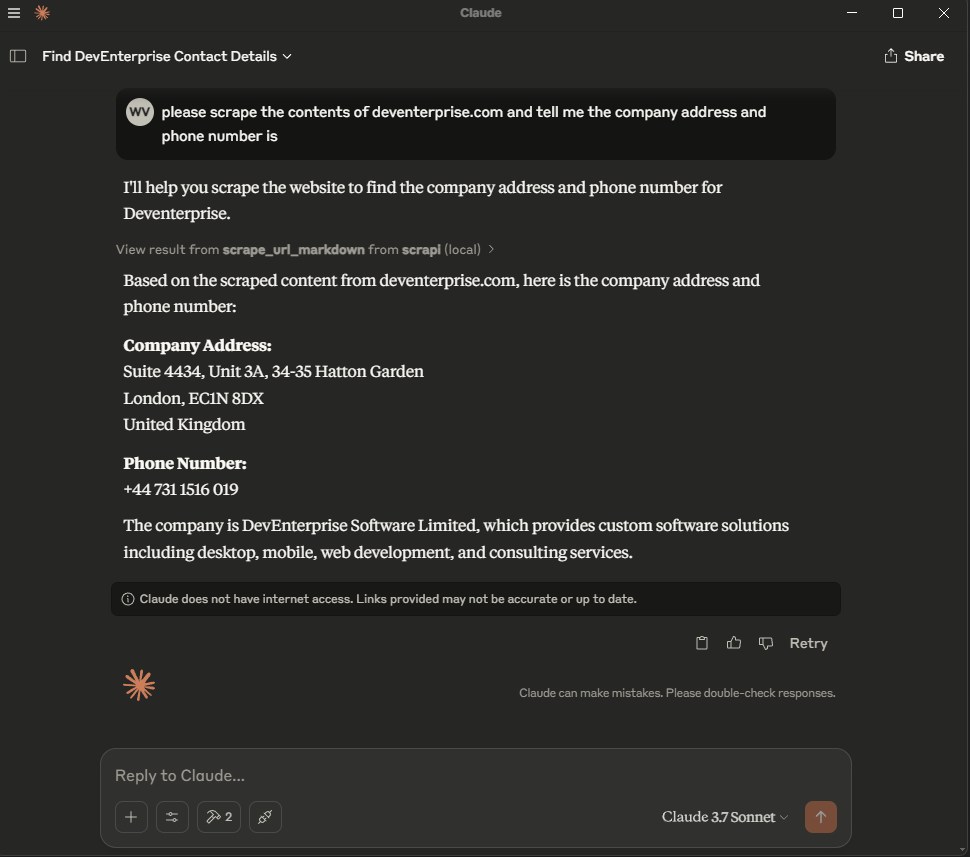
Add the following to your claude_desktop_config.json:
Docker
{
  "mcpServers": {
    "ScrAPI": {
      "command": "docker",
      "args": [
        "run",
        "-i",
        "--rm",
        "-e",
        "SCRAPI_API_KEY",
        "deventerprisesoftware/scrapi-mcp"
      ],
      "env": {
        "SCRAPI_API_KEY": "<YOUR_API_KEY>"
      }
    }
  }
}
NPX
{
  "mcpServers": {
    "ScrAPI": {
      "command": "npx",
      "args": [
        "-y",
        "@deventerprisesoftware/scrapi-mcp"
      ],
      "env": {
        "SCRAPI_API_KEY": "<YOUR_API_KEY>"
      }
    }
  }
}
Build
Docker build:
docker build -t deventerprisesoftware/scrapi-mcp -f Dockerfile .
License
This MCP server is licensed under the MIT License. This means you are free to use, modify, and distribute the software, subject to the terms and conditions of the MIT License. For more details, please see the LICENSE file in the project repository.